
Recipe Crafter
Adds a Recipe Crafter block for visually authoring Minecraft recipes that save to an editable json file!
截图
介绍
Recipe Crafter
A mod that lets modpackers and map-makers author Minecraft
recipes visually, inside a workbench block — no KubeJS, datapack JSON, or
external tools required. Recipes are written to a single hand-editable config
file and go live instantly.
Overview
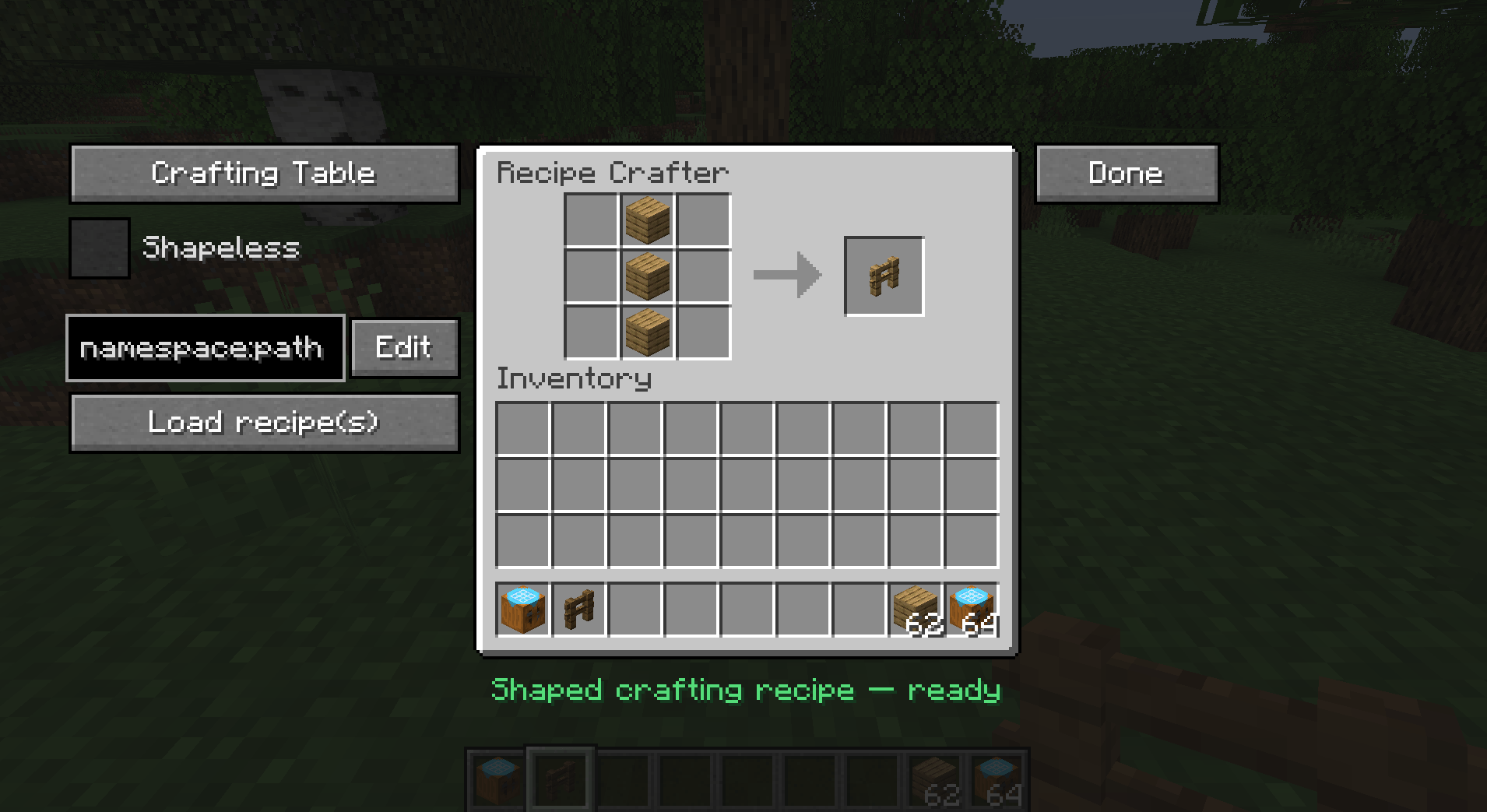
Place a Recipe Crafter block, open it, and build a recipe by dropping items
into a familiar workbench grid. Pick the recipe family from a dropdown, set the
result, fill in an id, and click Save — the recipe is appended to
config/recipecrafter/recipes.json5 and becomes craftable immediately (no
restart). You can also Export the generated JSON to your clipboard for use
in datapacks/KubeJS, or Load and edit recipes that already exist in the game.
The Recipe Crafter Block
- A standalone block + item (
recipecrafter:recipe_crafter) with a custom
Blockbench model. - Creative-only: ships with no crafting recipe; appears in the Redstone
creative tab, right after the Crafting Table. - Block entity inventory (13 slots) that persists its contents across
open/close and world reloads, and scatters its items like a chest when broken.
Supported Recipe Types
Selected from a dropdown; the GUI swaps to the matching vanilla workbench texture
and slot layout for each:
| Type | Vanilla recipe | Layout |
|---|---|---|
| Crafting Table | crafting_shaped / crafting_shapeless |
3×3 grid + result |
| Furnace | smelting |
single input + result |
| Blast Furnace | blasting |
single input + result |
| Smoker | smoking |
single input + result |
| Campfire | campfire_cooking |
single input + result (smoker panel) |
| Stonecutter | stonecutting |
single input + result |
| Smithing Table | smithing_transform |
template + base + addition + result |
- Shapeless toggle is available for crafting recipes (hidden for other types).
- Shaped crafting auto-computes the minimal pattern bounding box and a
compact key map (so a 1×1 item in the corner becomes a 1×1 recipe, not 3×3). - Cooking recipes capture cook time (with sensible per-type defaults:
200 / 100 / 600 ticks) and experience. - Stonecutting carries the output count.
- Smithing requires all three pieces (template, base, addition).
The Editor GUI
Left panel
- Type dropdown — switch recipe family; the panel texture and slots update live.
- Shapeless checkbox — crafting only.
- Edit field + "Edit" button — type a recipe id (
namespace:path) to load an
existing registered recipe back into the grid for modification. - "Load recipe(s)" button — finds recipes that match the current contents.
Center
- The workbench grid / inputs and a result preview slot you drag the output into.
Right
- Done — opens the confirm screen.
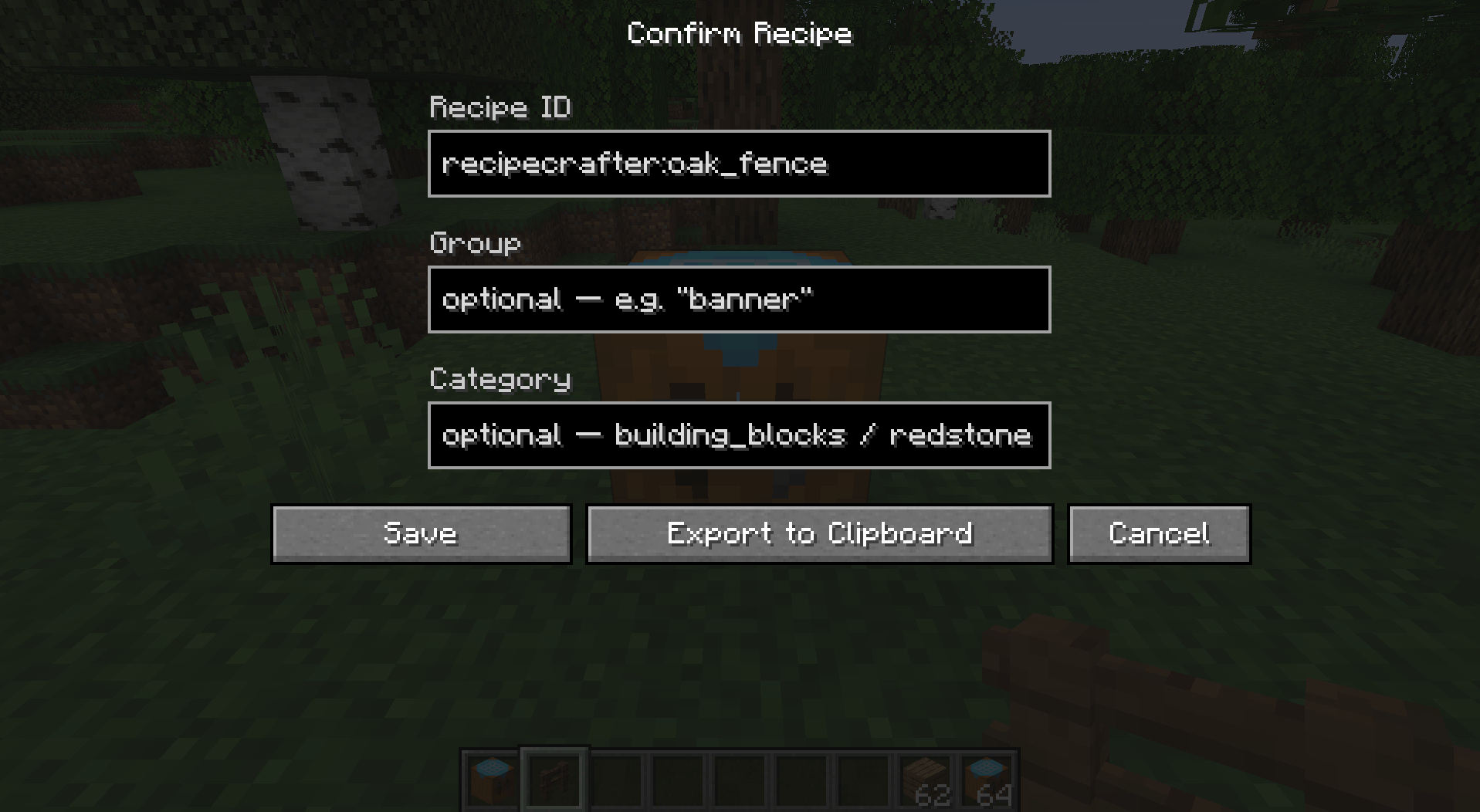
Confirm / Save Screen
Opened via Done. Fields:
- Recipe ID — prefilled as
recipecrafter:<result item>; editable. - Group — optional; placeholder hints + Tab-to-autofill from groups that
already exist in the game. - Category — shown only for crafting/cooking (the types that use it); offers
the valid vanilla categories with Tab-autofill. - Cook time (ticks) and XP — shown only for cooking recipes.
Actions:
- Save — writes the recipe to
recipes.json5, refreshes recipes, and
copies the id to your clipboard. - Export to Clipboard — builds the recipe JSON and copies it (does not save).
- Cancel — returns to the editor with all contents preserved.
After a successful Save or Export, the crafter wipes itself clean
(contents returned to you, type reset) so the next recipe starts fresh. Cancel
leaves everything untouched.
Quality-of-life: commit buttons are greyed until the id is filled and the
recipe is valid, and the screen fields slide and fade in when it opens.
Loading & Looking Up Existing Recipes
- Edit by id decomposes a registered recipe back into the crafter’s grid —
supports shaped, shapeless, all cooking types, stonecutting, and
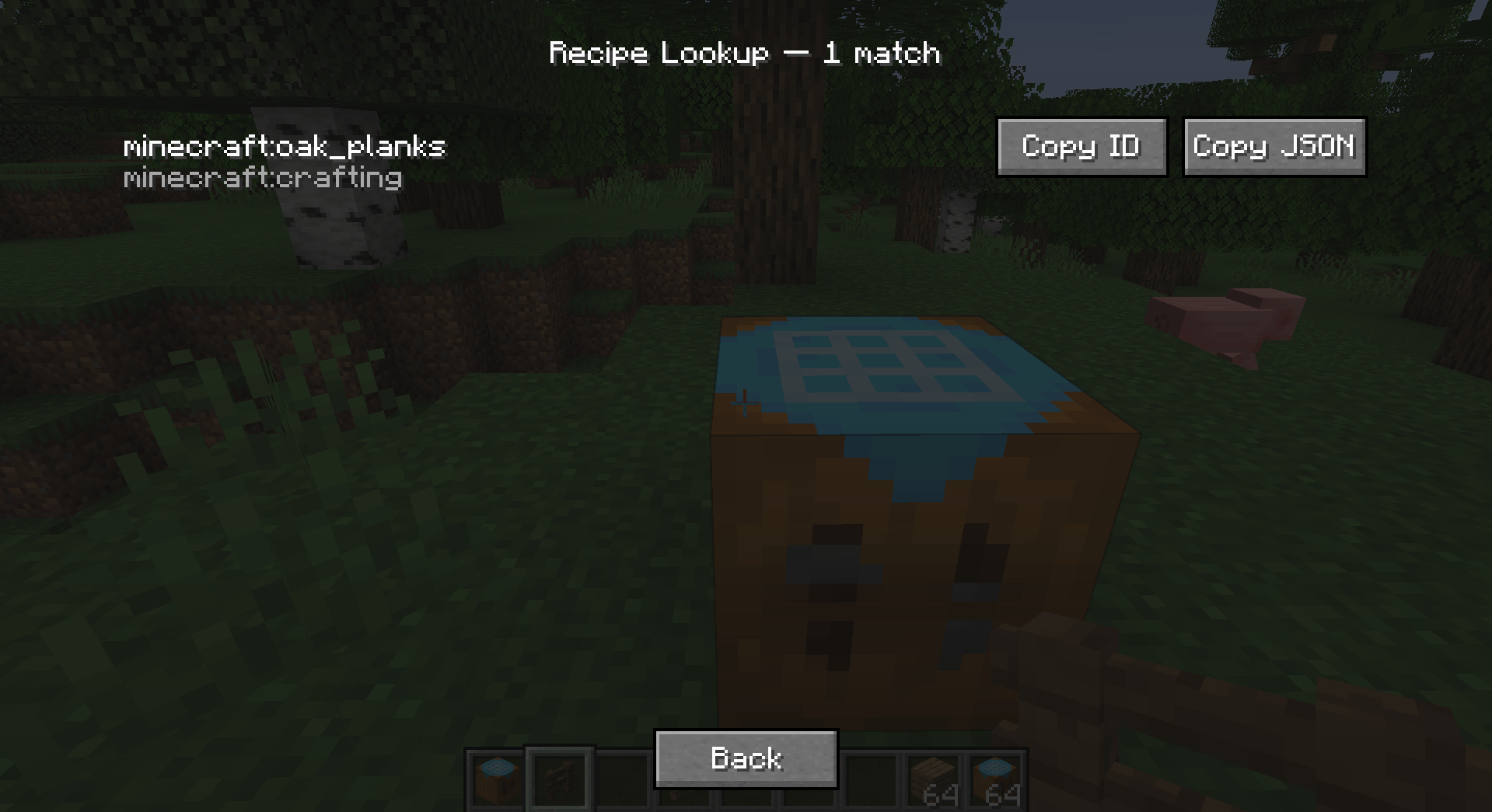
smithing-transform recipes. - Lookup searches for recipes matching the current contents:
- If the result slot has an item → every recipe that produces that item.
- Otherwise, if the grid is filled → the first matching crafting recipe.
- Returns up to 20 matches in a scrollable list, each with its id and
type and Copy ID / Copy JSON buttons.
Config File: recipes.json5
Located at config/recipecrafter/recipes.json5.
- Hand-editable at any time. Each entry is a normal vanilla recipe JSON
augmented with a unique"id". - Lenient parsing:
//comments and trailing commas are tolerated. - Comment- and formatting-preserving saves: new recipes are spliced into
the array rather than rewriting the file, so your comments and hand-formatting
survive every save. - Edit by hand, then
/recipecrafter reload(or relaunch) to apply.
Example shape:
{
  "recipes": [
    { "id": "recipecrafter:my_recipe", "type": "minecraft:crafting_shaped", ... }
  ]
}
常见问题
Recipe Crafter 支持哪些 Minecraft 版本?
Recipe Crafter 支持 Minecraft Java 版 1.20.1–1.21.1,共 2 个版本,可用的加载器:Forge / NeoForge。下载时注意选择和你游戏版本一致的文件。
Recipe Crafter 怎么安装?
先用 PCL2 或 HMCL 启动器安装对应版本的 Forge / NeoForge,再把下载的 .jar 文件放进游戏目录的 mods 文件夹,重新启动游戏即可。开启了版本隔离的,mods 文件夹在 versions/版本名 下面。
Icywhenhot 的其他作品
查看全部 →
Icy’s Better Horses
Better Horses 将原版马匹转变为更聪明、更快速且可升级的伙伴。

Icy’s Better Horses
Better Horses 通过改进移动、成长和实用功能,让马匹成为能长期陪伴玩家的伙伴。

Take a Seat!
20多种坐姿动画,带来沉浸式体验!

Wavify
为沙滩、海洋和河流添加环境波浪!
评论
登录后评论和评分