Holographic Keybinds
adds a holographic-style interface for viewing and managing key bindings
截图
介绍
Holographic Keybinds
Overview
Holographic Keybinds is a client-side mod adds a holographic-style interface for viewing and managing key bindings.
Its purpose is not to replace the vanilla Controls menu, but to provide a more visual layer on top of it. The mod lets you inspect key usage on a keyboard layout, identify conflicts, filter bindings by mod, and open dedicated management screens for rebinding and preset handling.
Current Features
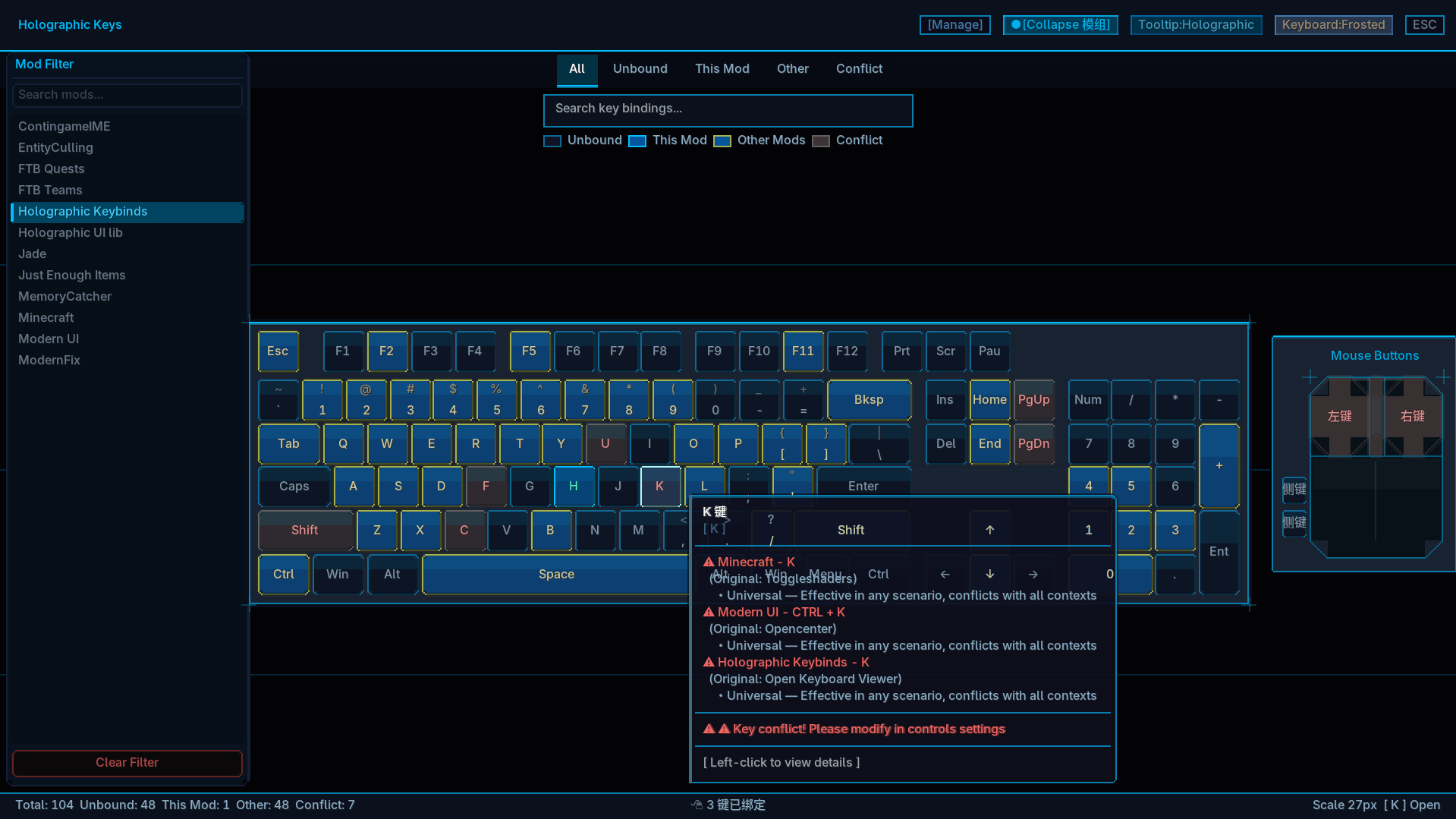
- Holographic keyboard view for inspecting key states on a keyboard layout.
- State highlighting for unbound keys, this mod, other mods, and conflicts.
- Search and filtering by key, action, and mod.
- Mouse button support, including left, right, middle, and side buttons.
- A viewer entry injected into vanilla
Options -> Controls. - Default hotkey access via
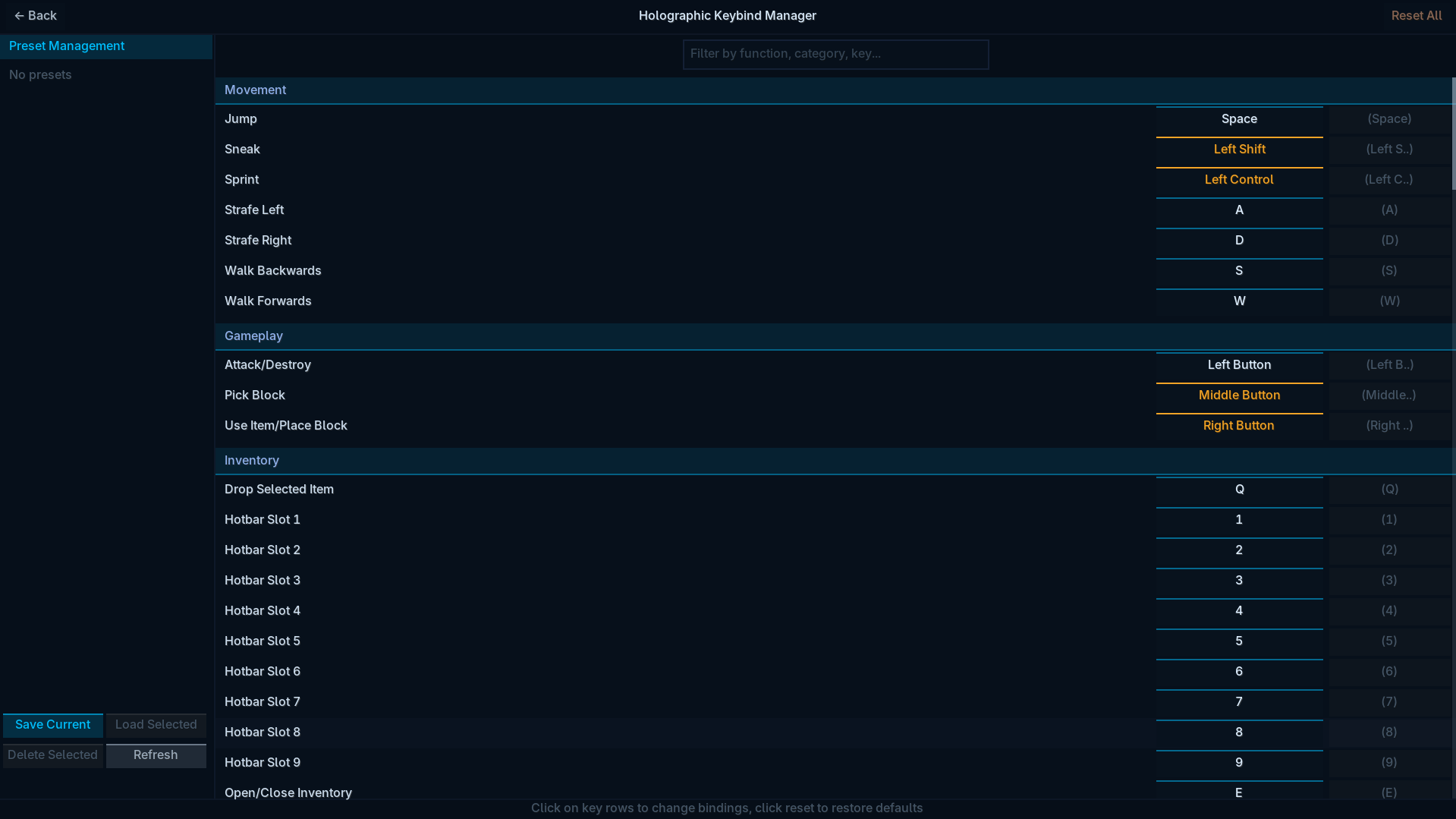
K. - Dedicated keybind management screen for modifying, unbinding, and resetting entries.
- Mod-focused management screens.
- Preset save / load / delete / refresh workflow.
License
All Rights Reserved
This mod is allowed to be used in CurseForge modpacks, but third-party distribution is not permitted.
常见问题
Holographic Keybinds 支持哪些 Minecraft 版本?
Holographic Keybinds 支持 Minecraft Java 版 1.19.2–1.20.1,共 4 个版本,可用的加载器:Forge / NeoForge。下载时注意选择和你游戏版本一致的文件。
Holographic Keybinds 怎么安装?
先用 PCL2 或 HMCL 启动器安装对应版本的 Forge / NeoForge,再把下载的 .jar 文件放进游戏目录的 mods 文件夹,重新启动游戏即可。开启了版本隔离的,mods 文件夹在 versions/版本名 下面。
dreamforSh 的其他作品
查看全部 →
Tinker’s Planner Reborn
Tinkers' Blueprint 是 Tinkers' Construct 3 的客户端附属模组,玩家可以在蓝图界面中预览组装好的工具并查看其属性。
Datapack Load Error Fix
一款全面的 Minecraft 世界修复工具,可修复移除模组和数据包导致的常见问题。
TickAccelerate
TickAccelerate 可优化低 TPS 时的游戏刻运作,帮助减少卡顿。
Krypton Hybrid
Krypton Hybrid 是基于 Krypton fnp legacy 的分支,补上了旧版缺少的 Netty 优化,将 Speed Compression 的实现替换为原生 zstd 和 lz4 算法,并支持混合服务器。
评论
登录后评论和评分