
Brewing Plus
Click the button on the brewing stand, pick any potion, and see its full recipe, which ingredients you carry and what to add next.
介绍
Brewing+
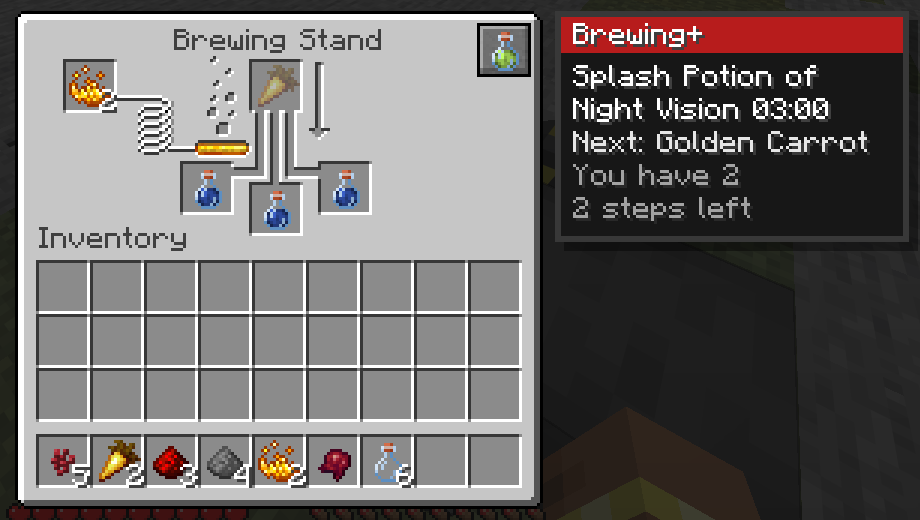
Never look up a potion recipe again. Click the potion button on the brewing stand, pick any potion, and see its full recipe from a water bottle, which ingredients you carry and what to add next. Track it and the stand shows the next ingredient right in its slot. No keybinds.
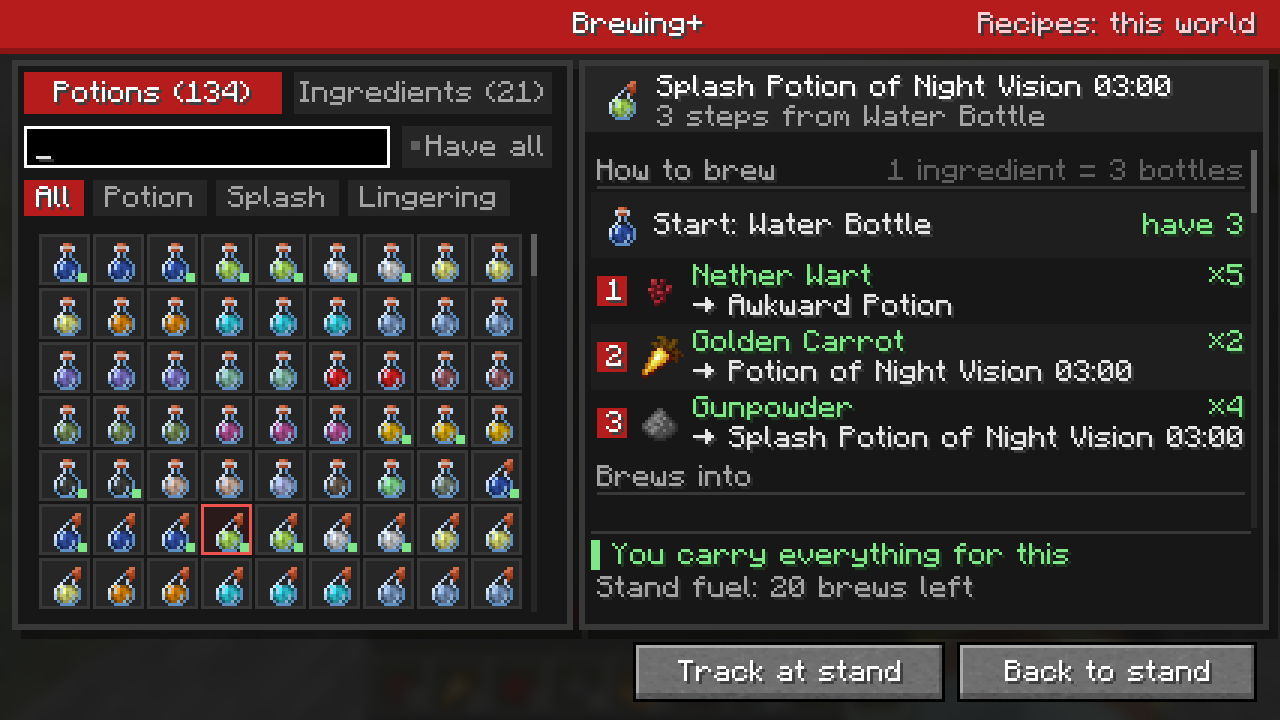
- Every potion, splash and lingering form the world can brew
- Full recipe chain with ingredient counts from your inventory
- “Have all” filter: only potions you can brew right now
- Search by potion or ingredient (“carrot” finds Night Vision)
- Ingredient lookup: every recipe an ingredient is used in
- Reads your world’s real recipes in singleplayer, datapacks included
Install
Client side: install it in your own game.
Requires Mycel: install it alongside this mod. Minecraft 26.1, 26.2 and 26.3 on Fabric, Forge and NeoForge, Java 25. On Fabric you also need Fabric API.
Every setting and command is on the wiki.
Also from MyCelium: Anvil Cost Calculator · Better Librarians · ItemHighlighter
常见问题
Brewing Plus 支持哪些 Minecraft 版本?
Brewing Plus 支持 Minecraft Java 版 26.1–26.3,共 5 个版本,可用的加载器:Fabric / Forge / NeoForge。下载时注意选择和你游戏版本一致的文件。
Brewing Plus 怎么安装?
先用 PCL2 或 HMCL 启动器安装对应版本的 Fabric / Forge / NeoForge,再把下载的 .jar 文件放进游戏目录的 mods 文件夹,重新启动游戏即可。开启了版本隔离的,mods 文件夹在 versions/版本名 下面。
MyCeliumGG 的其他作品
查看全部 →
MyCel
A required library for all MyCelium mods. Install it alongside any of them. Adds no gameplay on its own.

Better Pets
Find, call, rename and protect your dogs, cats, parrots and horses, even in unloaded chunks, with a full pet menu.

Auto Block Refiller
Empty hotbar slots refill automatically while you build, from the blocks in your inventory.

Instant XP PickUp
XP orbs near you are picked up instantly, and Mending, sounds and stats all still work. Configurable range.
评论
登录后评论和评分