Acrobatix
作者:Kylo3155
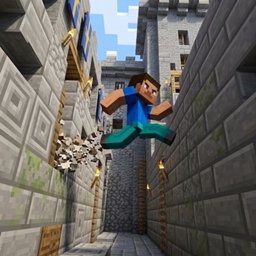
Natural, fluid, and cinematic movement mechanics for Minecraft Fabric: Wall-Jump, 360° Parkour Roll, Sonic Dash, 1-Block Crawl, and Hill Auto-Step.
介绍
中文介绍正在准备中,下面暂时显示原文。
⚡ Acrobatix (Fabric 26.3)
Natural, fluid, and cinematic acrobatic movement mechanics for Minecraft 26.3 Fabric, designed to enhance survival exploration and travel across massive distances without breaking vanilla balance.
🏃 Movement Mechanics & Controls
🧗 1. Wall Cling & Wall Jump (Wall-Jump TXF)
- How to use: Jump onto any vertical wall and hold Left Shift.
- Effect: Cling to the wall with friction slide particles. Press Space or any direction key to kick off and leap vertically & horizontally with dynamic sound effects.
🤸 2. 360° Parkour Somersault Roll
- How to use: When dropping from heights greater than 3.5 blocks, press or hold Shift right before touching the ground.
- Effect: Absorbs fall damage and converts vertical impact into a smooth forward roll with a full 360° somersault flip and ground dust ring.
🕳️ 3. 1-Block Crawling (Prone)
- How to use: Press Shift + Control at the same time.
- Effect: Instantly drop down onto the ground in crawling pose (
Pose.SWIMMING), reducing your hitbox to 0.6 blocks and eye height to 0.4 blocks to traverse 1-block high tunnels and crevices. Press Space or leave the tunnel to stand back up.
🌪️ 4. Acrobatic Lunge (Sonic Dash)
- How to use: Press R or Double-tap Forward (W).
- Effect: Rapid forward speed burst launching you 10–12 blocks with a sonic gust ring and trailing speed ribbons. Has a 1.5s cooldown and consumes hunger.
⛰️ 5. Sprint Auto-Step
- How to use: Automatic while sprinting forward.
- Effect: Smoothly elevates you over 1-block elevation changes without having to bunny-hop.
📦 Requirements
- Fabric Loader 0.19.5+
- Fabric API
- Java 25
常见问题
Acrobatix 支持哪些 Minecraft 版本?
Acrobatix 支持 Minecraft Java 版 26.3,可用的加载器:Fabric。下载时注意选择和你游戏版本一致的文件。
Acrobatix 怎么安装?
先用 PCL2 或 HMCL 启动器安装对应版本的 Fabric,再把下载的 .jar 文件放进游戏目录的 mods 文件夹,重新启动游戏即可。开启了版本隔离的,mods 文件夹在 versions/版本名 下面。
评论
登录后评论和评分