
NoShades
A Minecraft Fabric mod that adds the ability to modify how visible minecraft's shading.
截图

介绍

This mod is no longer worked and was replaced with Simple No Shading
This mod is NOT an optimization mod!

Minecraft NoShades Mod
A Minecraft Fabric mod that adds the ability to modify how visible shades are on the sides.
Usage
To configure start in the title screen or the pause menu, then go to Mods -> NoShades -> Configure.
 Lightness
- Is a value that changes how visible shades are on the sides..
- Negative values are darker. When set to min lightness (
-1) that side is pure black. - Positive values are brighter. When set to max lightness (
+1) that side is free of shade. - A value of (
0) will shade sides as if this mod was not present.
Optional Mods
 ModMenu – to show this mod and others on a Minecraft gui.
Compatibility
Compatible Mods
 Indigo – fabric’s renderer
 Sodium – performance mod.
Incompatible Mods
 Indium – Shading not yet implemented.
 Optifine + Optifabric – Swamp water loses swamp tint.
Any mod not on the lists is not necessarily compatible or incompatible.
Images
Legacy Visualization

常见问题
NoShades 支持哪些 Minecraft 版本?
NoShades 支持 Minecraft Java 版 1.16.5–1.17.1,共 2 个版本,可用的加载器:Fabric。下载时注意选择和你游戏版本一致的文件。
NoShades 怎么安装?
先用 PCL2 或 HMCL 启动器安装对应版本的 Fabric,再把下载的 .jar 文件放进游戏目录的 mods 文件夹,重新启动游戏即可。开启了版本隔离的,mods 文件夹在 versions/版本名 下面。
StartsMercury 的其他作品
查看全部 →
Simply No Shading
移除几何体侧面的变暗效果,灵感来自 OptiFine 内置光影的旧版光照,适用于游戏内方块、云和(方块)实体。
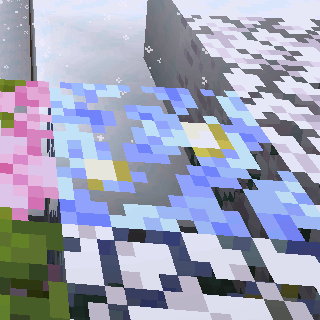
Visual Snowy Leaves
让积雪树叶随处为你所用(服务器端无需安装)
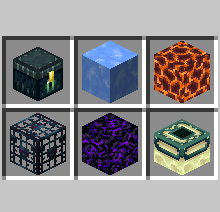
Luminous No Shading
关闭发光物体在世界和物品栏中的着色效果。

Simply No Shading
模拟 OptiFine 内置光影,但对性能的影响更小。
评论
登录后评论和评分