
截图

介绍
My attempt at a HUD ping display mod.
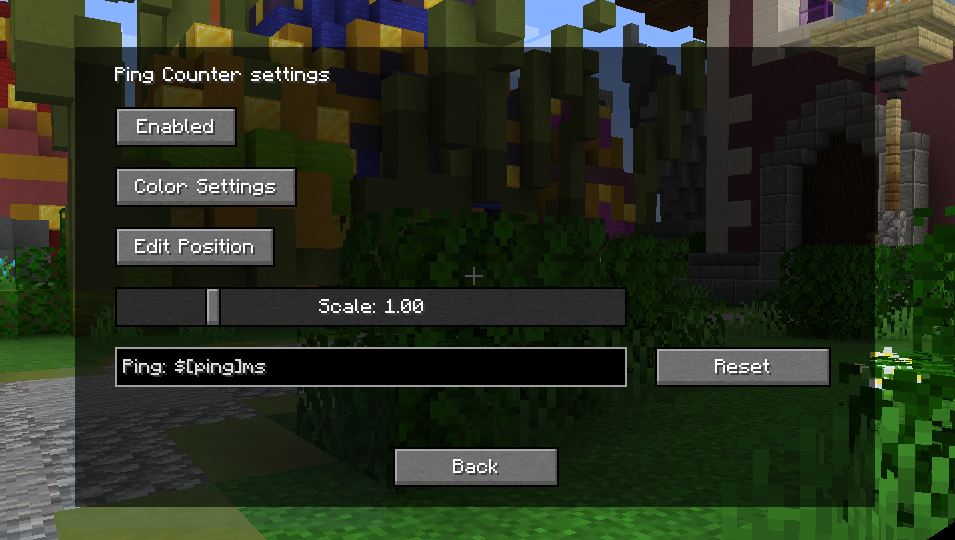
Appearance settings can be accessed via the button on the top left of the escape menu (only on 1.8.9), by the keybind (by default -), and by the command /pingcounter (1.21.x+).
In case the settings button (only on 1.8.9) overlaps with other mods, it is possible to turn it off by setting “hideSettingsButton”, in the config file, to true.
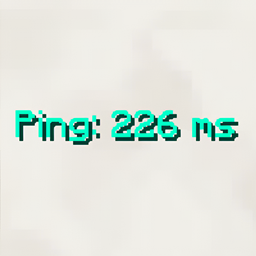
In the displayed text, $[ping] is replaced with the ping to the server. Leaving the text box empty will revert it to default.
Configs may change after updates.
GitHub: https://github.com/EverTech1/PingCounter
Report issues here: https://github.com/EverTech1/PingCounter/issues
Contact email: [email protected]
常见问题
Ping Counter 支持哪些 Minecraft 版本?
Ping Counter 支持 Minecraft Java 版 1.8.9–1.21.10,共 12 个版本,可用的加载器:Fabric / Forge / NeoForge。下载时注意选择和你游戏版本一致的文件。
Ping Counter 怎么安装?
先用 PCL2 或 HMCL 启动器安装对应版本的 Fabric / Forge / NeoForge,再把下载的 .jar 文件放进游戏目录的 mods 文件夹,重新启动游戏即可。开启了版本隔离的,mods 文件夹在 versions/版本名 下面。运行环境:仅客户端。
评论
登录后评论和评分