
Blueprints
A Minecraft client side mod to project, scale and rotate real blueprint schematics and images into your world as in-place references for creating accurate builds.
截图
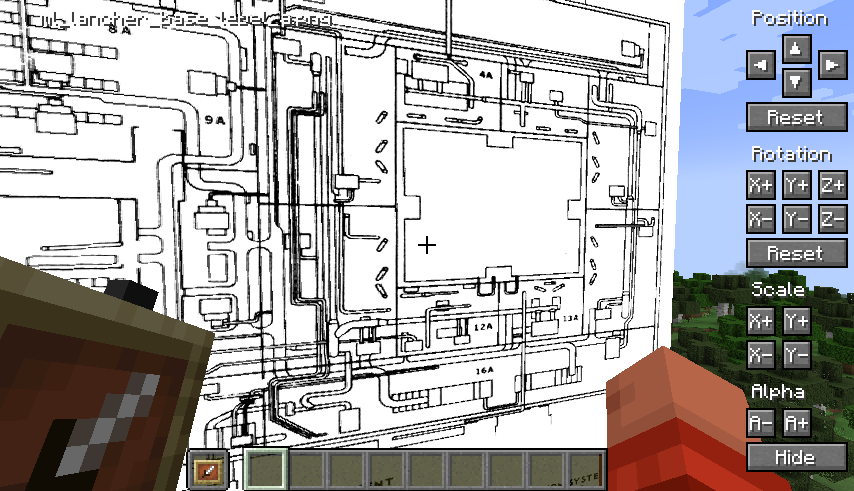
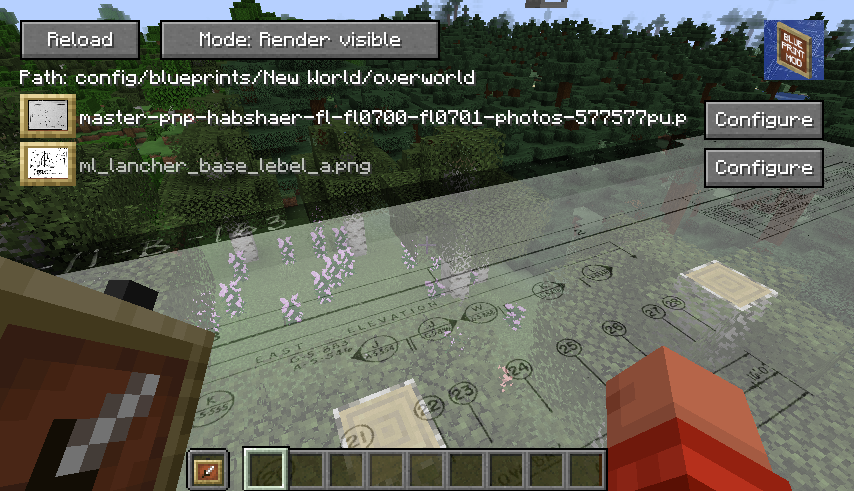

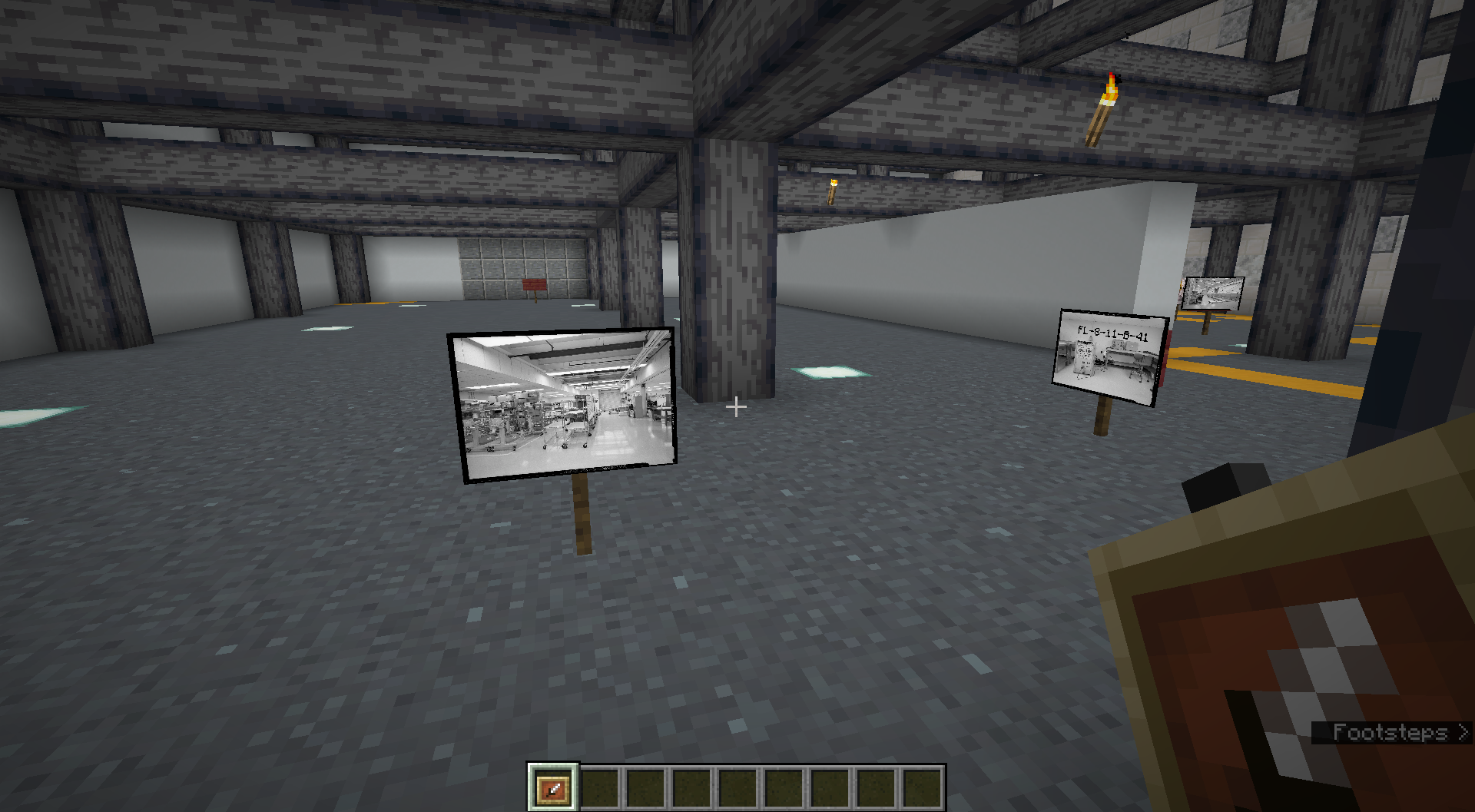

介绍
A client side mod I created to project reference images and schematics into the minecraft world.
- Images can be positioned, scaled, rotated and made transparent.
You need to be holding an ItemFrame in either your hand or your offhand to see the images.
Main Config Screen
The default key “O” will launch the config which will create folders for you to upload images in your filesystem:
{Minecraft}/config/blueprints/{world name}/{dimension name}![Main config screen]
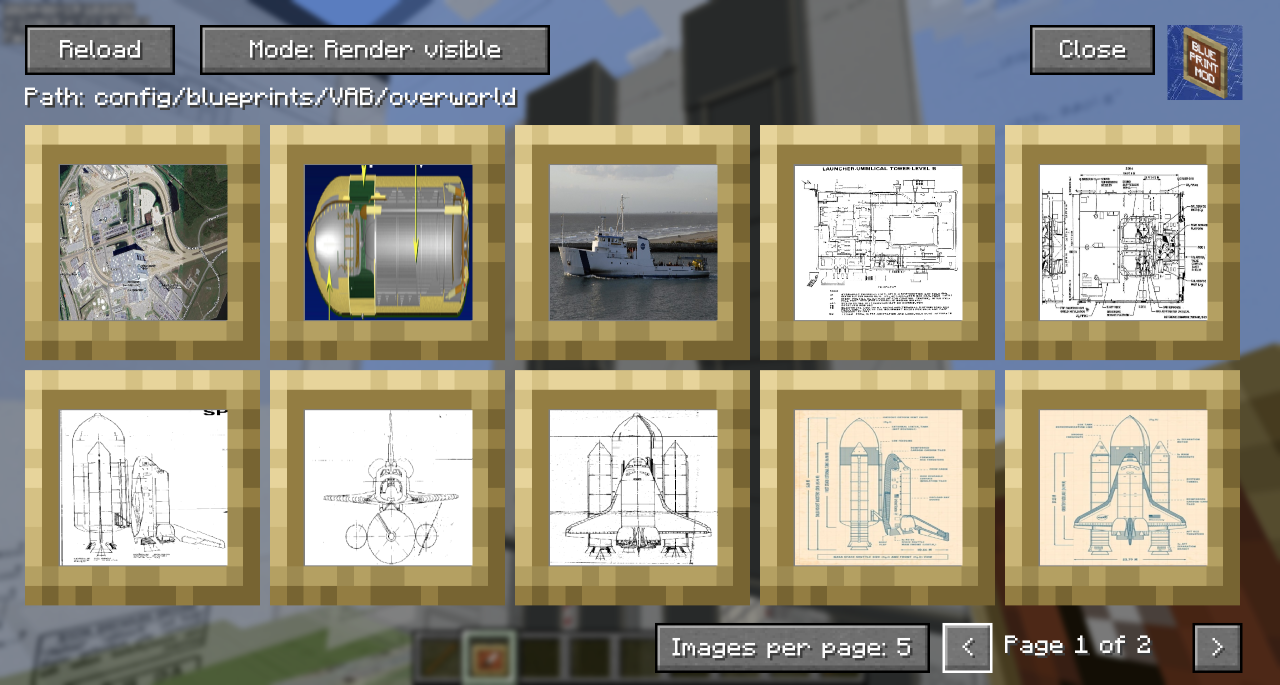
- The Reload button will rescan the filesystem for any files you have uploaded.
- The ‘Path’ shows the relative position of the filesystem you’ll need to work with outside of Minecraft
- You can toggle the Render mode to hide behind blocks or always show through them.
- Blueprints that are hidden show with a dark overlay.
- You can use Control-Click as a shortcut to show/hide the blueprint in the world.
- You can click on a blueprint to get to the moving and positioning screen.
- In the bottom right, you can change the number of images per page to zoom in/out on the selection screen and navigate pages with the left and right chevrons.
Blueprint Moving and Positioning
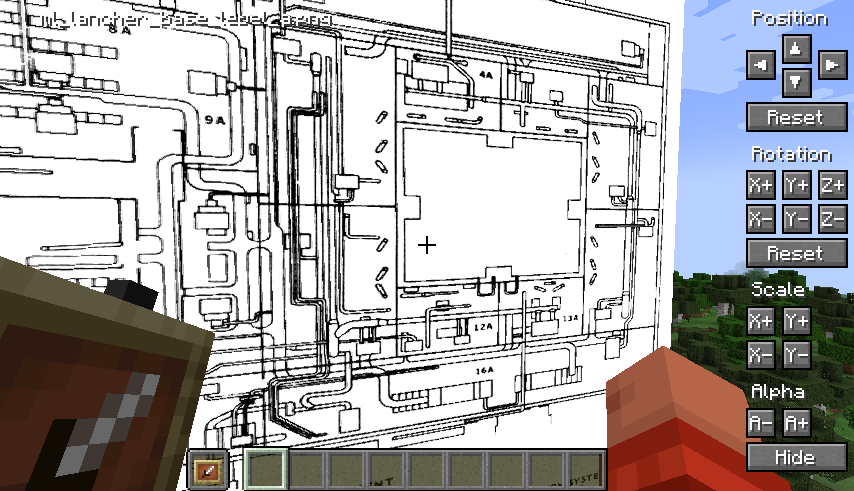
- Position tweaking is player-facing aware: e.g. left is always left
- You can hold down Shift to increase the amount of change each button applies for bigger tweaks.
- You can hold down Ctrl to reduce the amount of change each button applies for small tweaks.
- You can hold down both Shift and Ctrl to make big changes to settings on each click.
Demo
A quick overview can be seen in this video which was the reason I created the mod:
[https://youtu.be/8ToyyT0e1bc](https://youtu.be/8ToyyT0e1bc?t=220)
常见问题
Blueprints 支持哪些 Minecraft 版本?
Blueprints 支持 Minecraft Java 版 1.20.1–26.3,共 17 个版本,可用的加载器:Fabric。下载时注意选择和你游戏版本一致的文件。
Blueprints 怎么安装?
先用 PCL2 或 HMCL 启动器安装对应版本的 Fabric,再把下载的 .jar 文件放进游戏目录的 mods 文件夹,重新启动游戏即可。开启了版本隔离的,mods 文件夹在 versions/版本名 下面。运行环境:仅客户端。
评论
登录后评论和评分