
截图
介绍
📌 about
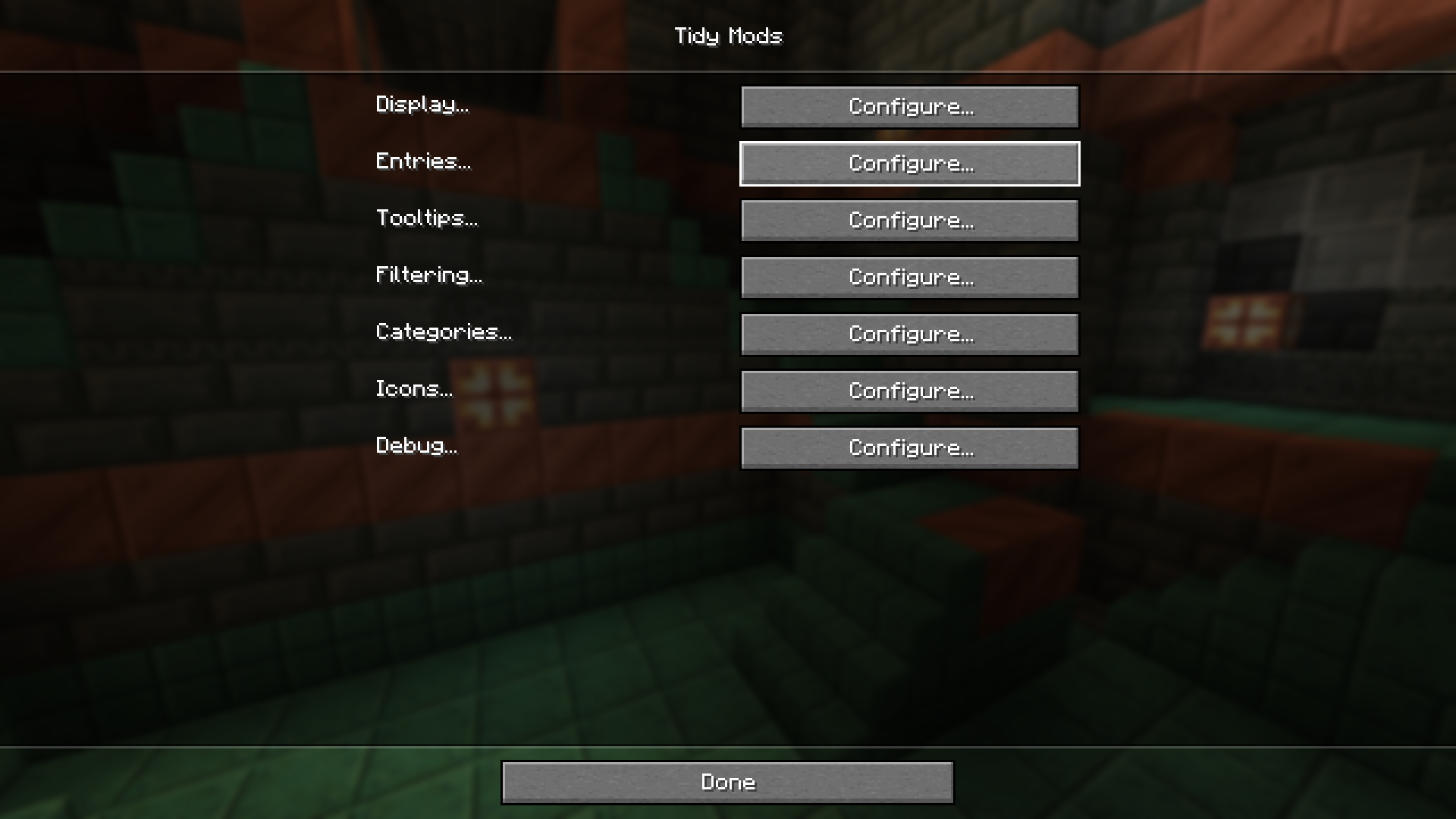
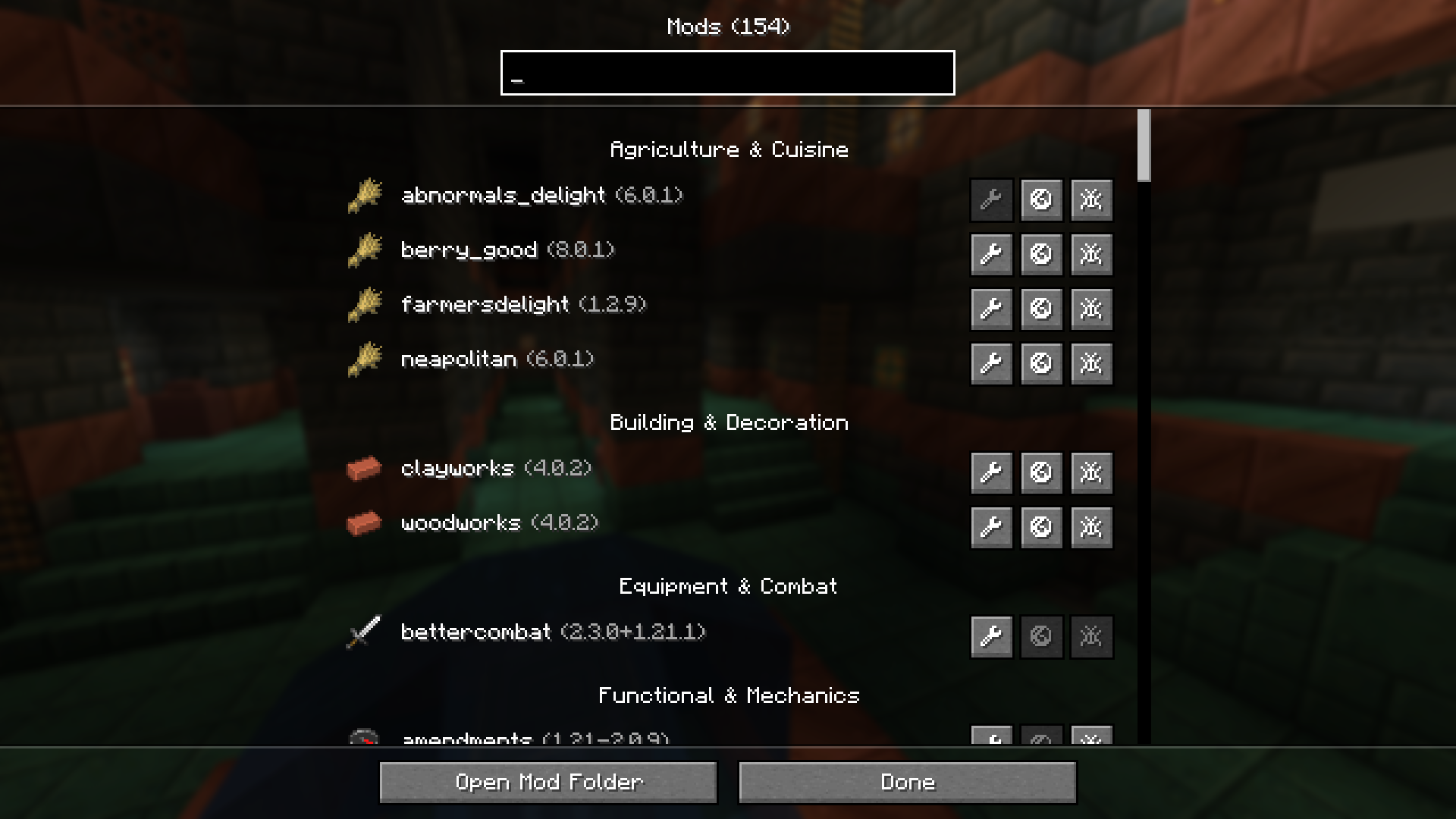
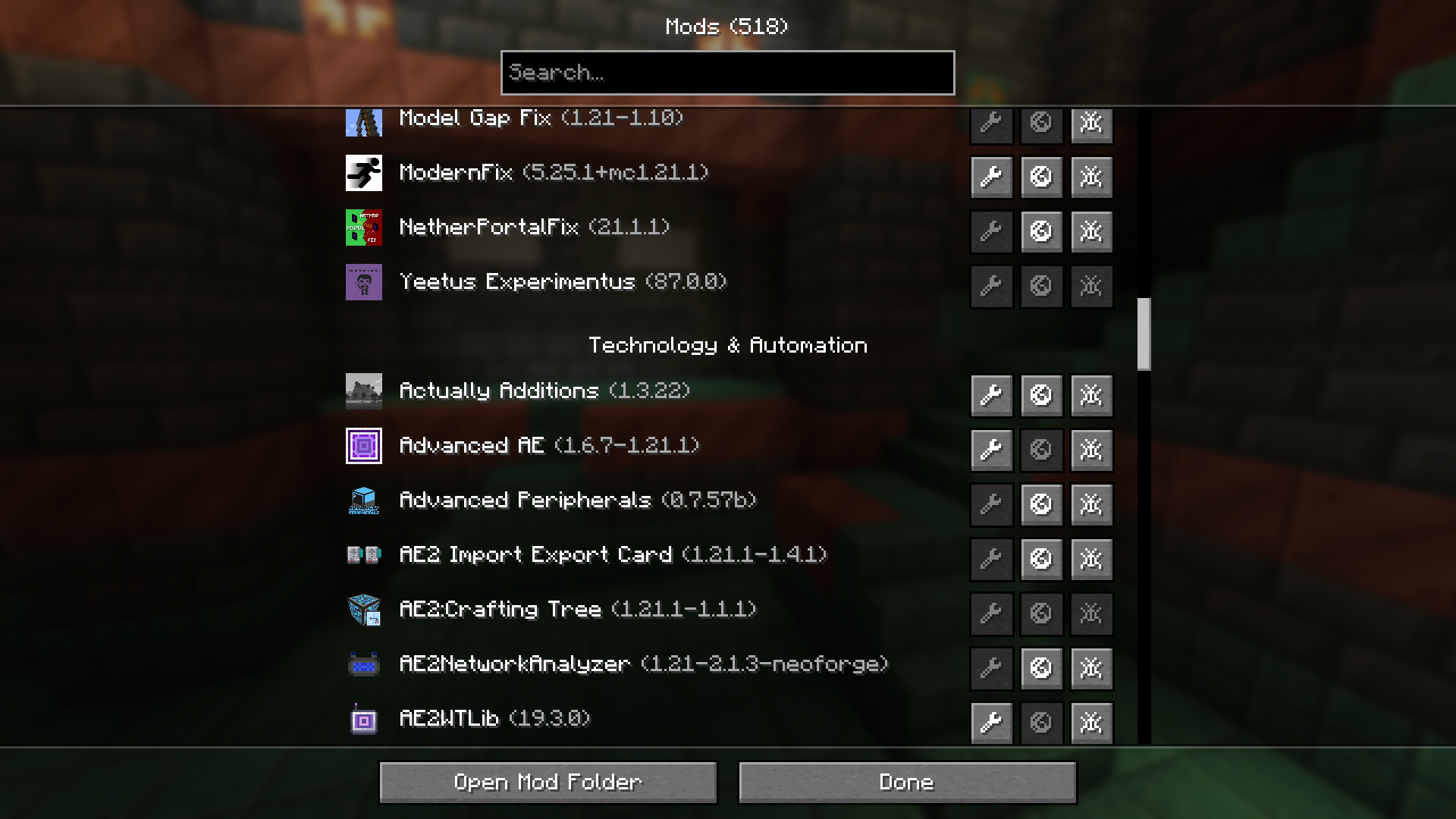
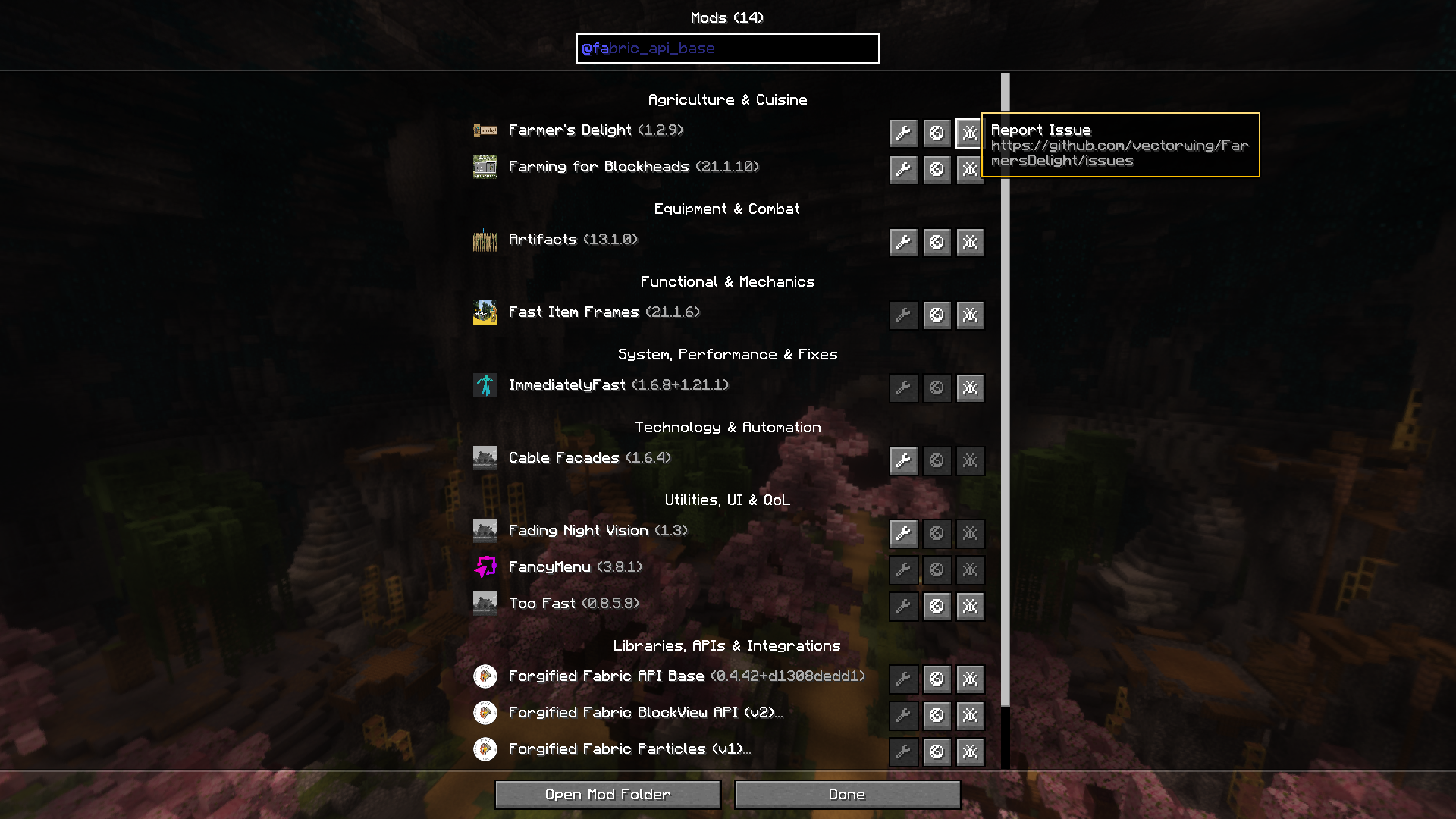
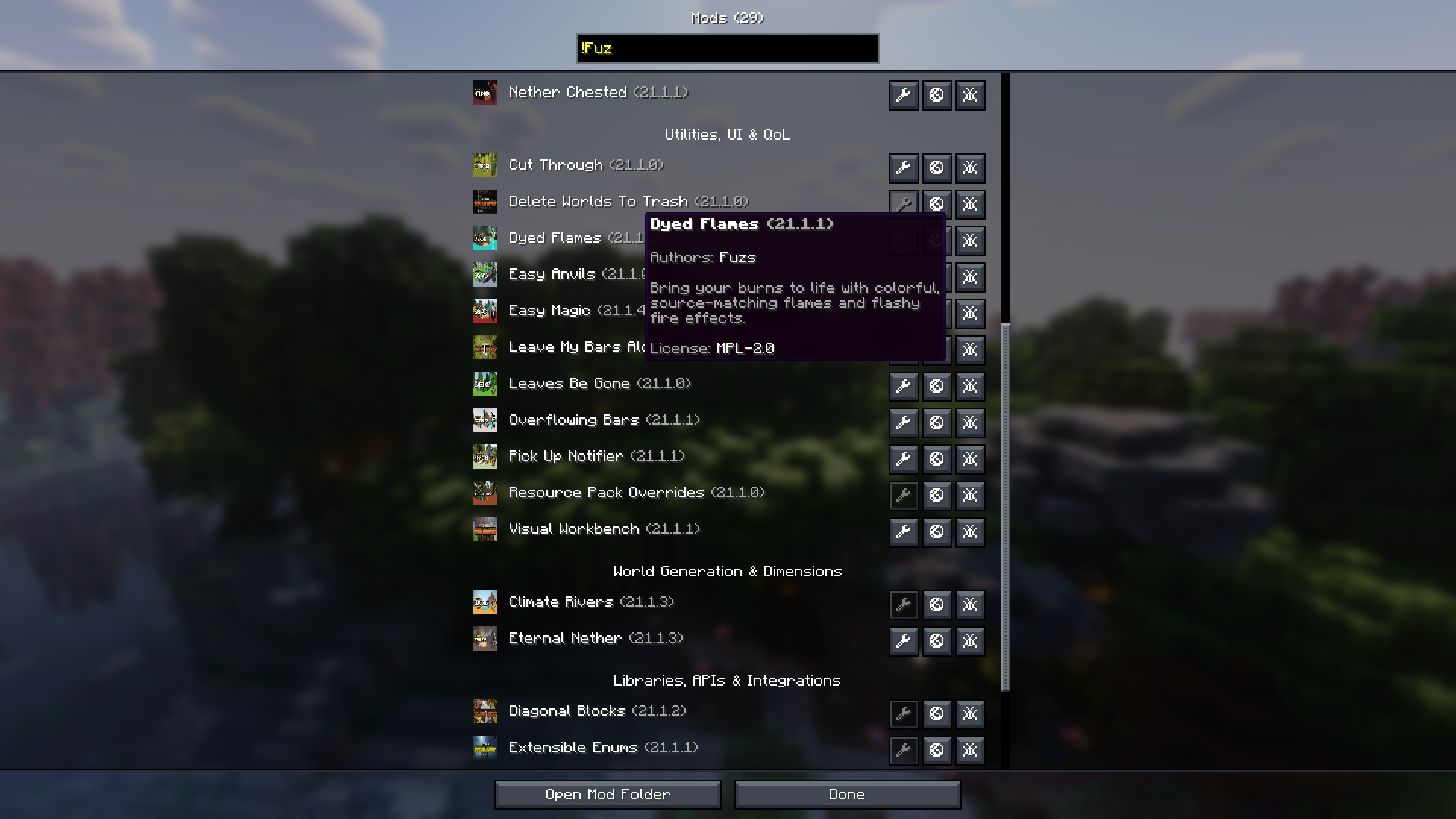
Tidy Mods is a replacement for the default mod list screen. Built for players and modpack developers alike, it offers a streamlined way to browse, organize, and manage installed mods.
🛠️ features
- category organization: Mods are grouped into categories like Technology, Magic, Utility, and more. Categories can be customized, and mods can be reassigned through config.
- category icons: Assign texture-based icons to categories for quick visual identification, or display each mod’s own icon.
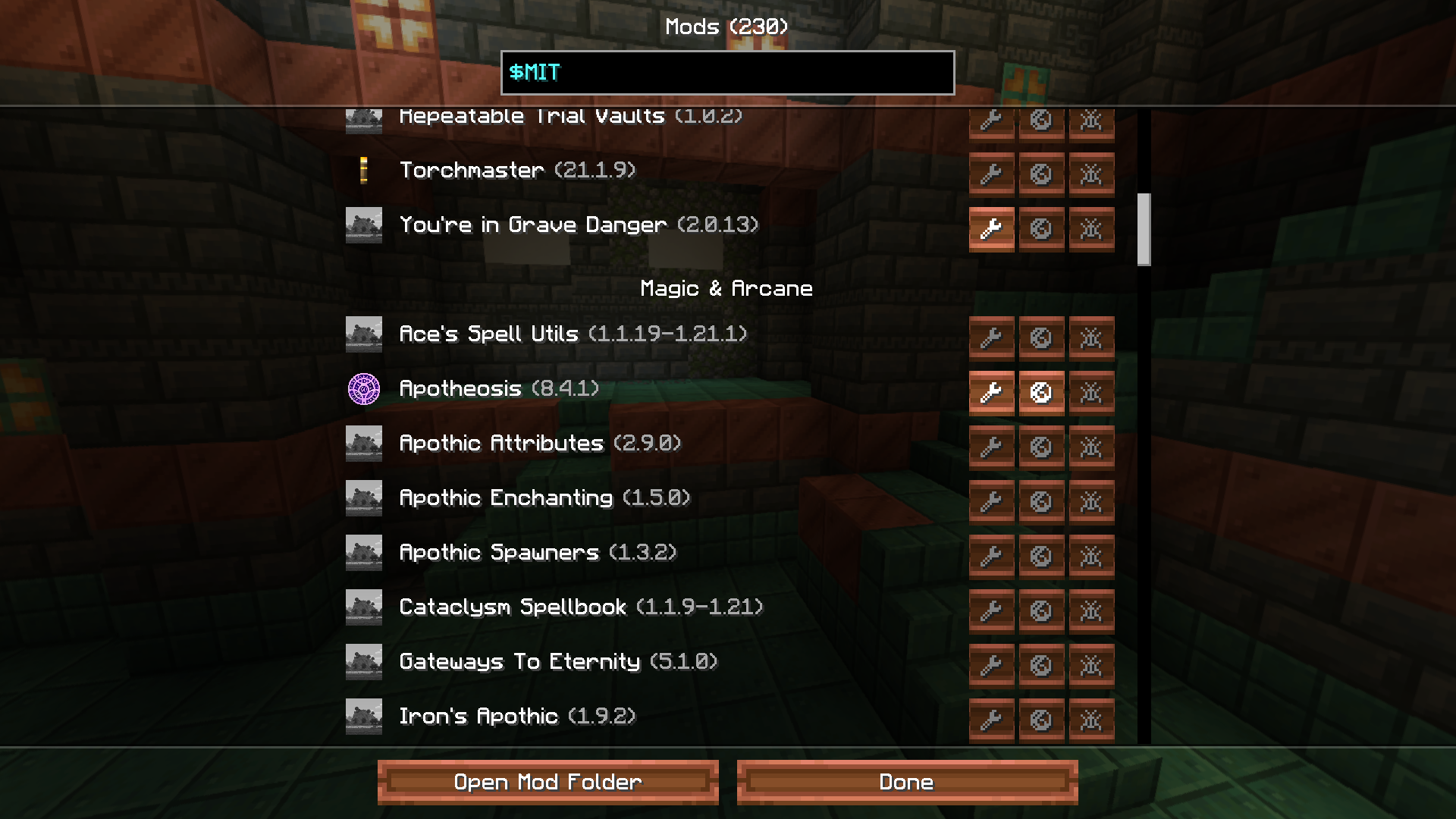
- smart search: Find mods instantly by name, @ID, #category, !author or $license with inline autocomplete suggestions.
- filtering: Show only configurable mods or hide specific mods from the list entirely.
- quick actions: Open mod configs, websites, and issue trackers directly from each entry.
- configurable display: Control what appears in list entries and tooltips, including version, authors, description, and license.
- translatable: Override mod descriptions and category names via resource packs.
- live updates: All settings apply instantly without restarting the game.
- developer API: Mod developers can declare their category directly in the mod file.
- wide compatibility: Over 1000 mods are pre-categorized out of the box! Compatible with ATM10, FTB StoneBlock 4, BMC5, Craftoria and more…
🤝 contributions
Help expand compatibility by categorizing mods that aren’t covered yet:
- submit a pull request — Add missing mods to BuiltInCategories.java.
- notify mod authors — Let them know they can easily assign a category to their mod for native support.
Every contribution helps keep the mod list organized for everyone.
🔗 developer API
Add modCategory to your neoforge.mods.toml block:
[[mods]]
modId = "tidybinds"
displayName = "Tidy Binds"
modCategory = "utility"
This allows your mod to appear in the correct category without requiring users to configure anything. Replace utility with one of the available categories:
| Category | Name | Description |
|---|---|---|
agriculture |
Agriculture & Cuisine | Mods with a focus on growing, breeding, cooking, and consuming. |
building |
Building & Decoration | Mods that add blocks with no function other than aesthetics (furniture, roofs, windows). |
equipment |
Equipment & Combat | Mods focused on what the player wears or wields. This includes weapons, armor, and tools. |
functional |
Functional & Mechanics | Mods that add things with specific uses, mechanics or a variety of content across multiple categories without a single defining theme (vanilla+ mods). |
library |
Libraries, APIs & Integrations | Mods for other mods. |
magic |
Magic & Arcane | Mods involve mana, spells, rituals, altars, or nature-based progression systems that do not rely on standard electricity. |
misc |
Miscellaneous | Mods that do not fit into any of the listed categories. |
mobs |
Mobs & Entities | Mods that add or improve living things as their main feature. |
storage |
Storage & Logistics | Mods that increase inventory space or provide static places to put items. |
system |
System, Performance & Fixes | Mods that optimize the game code or fix bugs. |
technology |
Technology & Automation | Mods involve processing resources, generating power (RF/FE), moving fluids/items via pipes, automating tasks, or just redstone. |
utility |
Utilities, UI & QoL | Mods that change how you play the game, usually via the interface, controls, or information, without adding physical blocks/items. |
worldgen |
World Generation & Dimensions | Mods that change the terrain, add new biomes and structures to explore, or add entirely new dimensions. |
📝 credits
Icon from Fluent UI System Icons by Microsoft (MIT). Inspired by Catalogue by MrCrayfish (MIT).
Found a bug? Open an issue on GitHub.
常见问题
Tidy Mods 支持哪些 Minecraft 版本?
Tidy Mods 支持 Minecraft Java 版 1.21.1,可用的加载器:NeoForge。下载时注意选择和你游戏版本一致的文件。
Tidy Mods 怎么安装?
先用 PCL2 或 HMCL 启动器安装对应版本的 NeoForge,再把下载的 .jar 文件放进游戏目录的 mods 文件夹,重新启动游戏即可。开启了版本隔离的,mods 文件夹在 versions/版本名 下面。
333 的其他作品
查看全部 →
Tidy Binds
Combine keybinds, hide keybinds, override keybinds, move keybinds between categories, reorder the categories, and much more.

Patience
Adds crafting time to your workstations, transforming instant items into a deliberate process.

Patience
Adds crafting time to your workstations, transforming instant items into a deliberate process.

Purity was Shown
An addon for the Thirst was Taken mod that shows the purity of the water.
评论
登录后评论和评分