
截图





介绍

ChatUtils – The simple, yet essential chat utility mod
ChatUtils is a very lightweight mod that focuses on simplicity and on including only what’s essential for chat users, and a little more.
It’s got all you need, and more.
Chat anti-spam/repeated message collapsing

Copy messages to clipboard
To copy a message to clipboard, hold Ctrl (or Cmd on Mac) and click the message.

Keep chat/commands on server rejoin
If you leave a server or get disconnected, oftentimes you want to keep your chat or commands. ChatUtils will automatically store those for you.

Keybind macros to send messages/commands
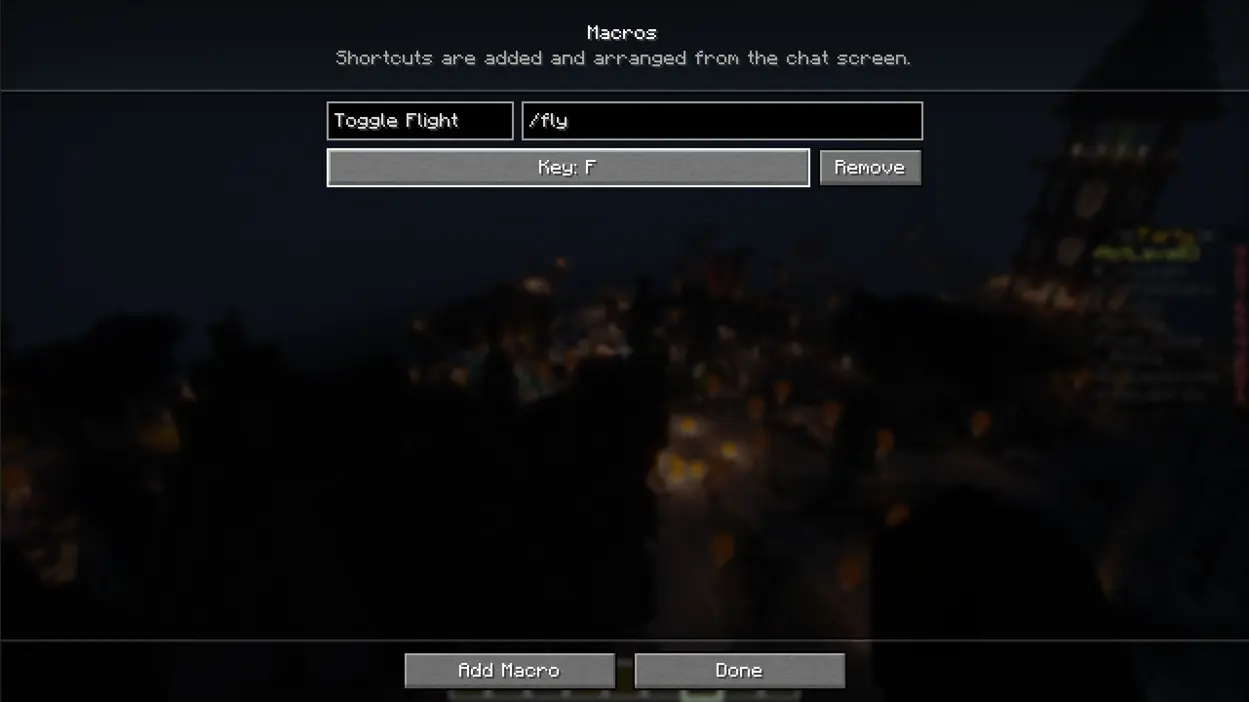
Customizable chat overlay buttons to send messages/commands

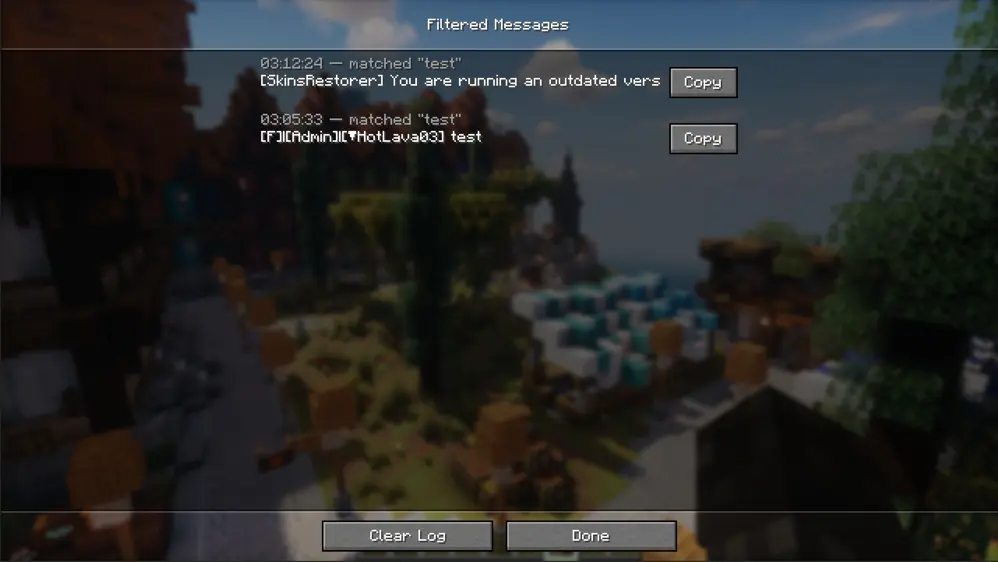
Chat filter that keeps specific patterns out of your chat
You can filter chat messages with or without regex, by exact match and/or with or without case sensitivity. These aren’t totally lost, and can be viewed in the log through the config, as shown below.
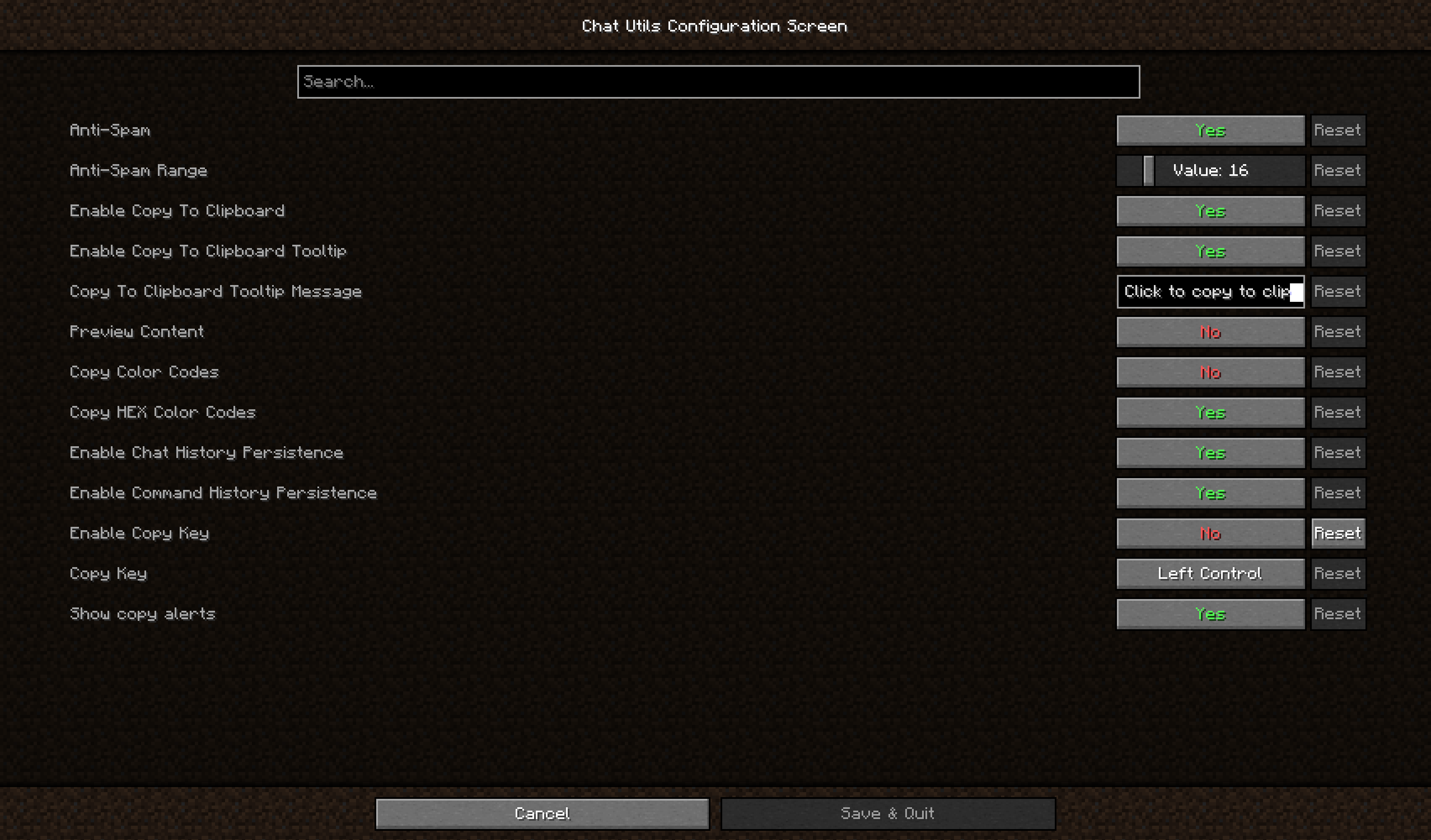
It’s fully configurable.
ChatUtils keeps all features optional. This means you can toggle off any feature you don’t need, or if it’s too intrusive for you.
Explore the config menu and you’ll likely find what you’re searching for. If not, you can always open an Issue for a feature request. Same for any bugs or issues you find as you use the mod.
Version support
The latest version supports 26.2. In the near future, I will backport to previous versions and try to keep the mod updated more often. Feel free to open an issue or contact me directly to request an update or a backport.
Regarding support for other loaders (like NeoForge), I have thought of writing a port, but it’s still relatively low priority.
常见问题
ChatUtils 支持哪些 Minecraft 版本?
ChatUtils 支持 Minecraft Java 版 1.19.4–26.2,共 6 个版本,可用的加载器:Fabric / Quilt。下载时注意选择和你游戏版本一致的文件。
ChatUtils 怎么安装?
先用 PCL2 或 HMCL 启动器安装对应版本的 Fabric / Quilt,再把下载的 .jar 文件放进游戏目录的 mods 文件夹,重新启动游戏即可。开启了版本隔离的,mods 文件夹在 versions/版本名 下面。运行环境:仅客户端。
评论
登录后评论和评分