
Advanced HUD TCT
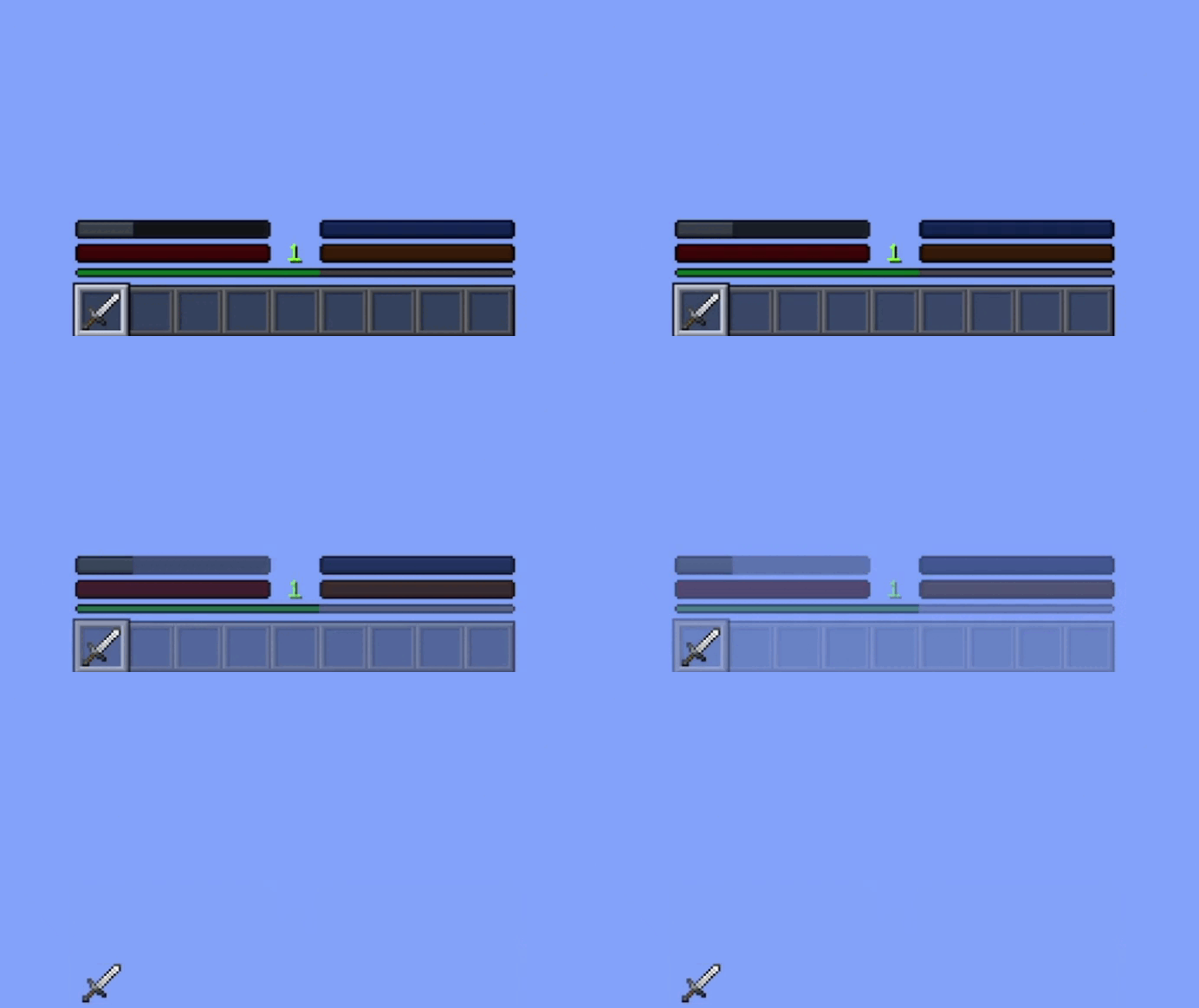
Advanced HUD allows you to recreate your Minecraft interface, with a customized interface and new customizations like fading options.
介绍
AdvancedHUD is a client-side Minecraft mod that offers full customization of the in‑game HUD. It allows players to adjust the appearance, visibility, and behavior of key HUD elements such as the health bar, hunger bar, armor, oxygen, XP, hotbar, and crosshair.
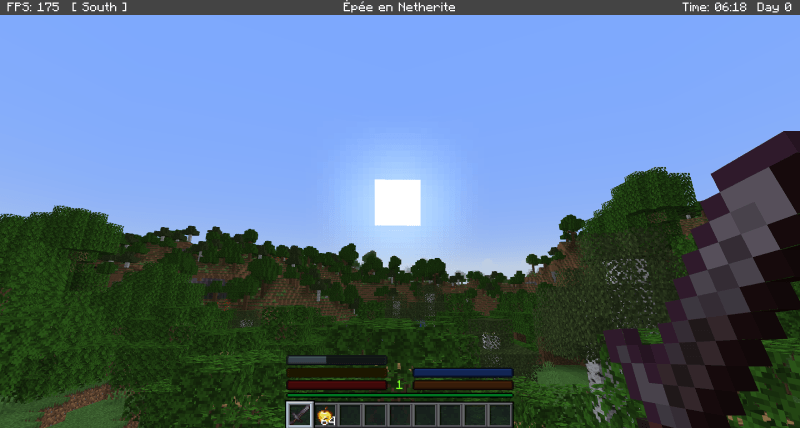
The mod needs TCT Core to function.
Main Features:
- Per‑element customization: enable or disable each HUD bar individually.
- Custom bars: replace vanilla HUD bars with clean, stylized versions.
- Fade effects: configure delay and duration for HUD element fade‑out.
- Customizable crosshair: choose from multiple crosshair styles.
- Integrated configuration menu: access all settings through a dedicated interface.
- Client‑only: no server impact, fully compatible with vanilla servers.
To access the setting, click on H, Mods settings, AdvancedHUD
Provide demanding players with complete control over their HUD while preserving performance and Minecraft’s visual identity. The mod is designed to be lightweight, extensible, and faithful to the spirit of classic HUD customization mods.
Patch note :
Beta 0.1
- Added custom health bar
- Added custom hunger bar
- Added custom armor bar
- Added custom oxygen bar
- Added custom XP bar
- Added fade‑in/out effect for all custom bars
- Added custom hotbar
- Added 48 custom crosshairs
- Added settings via TCTCore for all customization options
- Added configuration file
Beta 0.2
- Bugfix: crosshair texture offset
- Bugfix: configuration file not saving in‑game settings correctly
- Bugfix: issue with XP bar rendering
- Added an info bar at the top of the screen that displays:
- world time
- world day
- FPS count
- the cardinal direction the player is facing
Beta 0.3
- Added held‑item name display inside the Info Bar (replacing the vanilla hotbar text)
- Added a “Show Item Name” toggle in the AdvancedHUD settings menu
- Added
infoBarItemNameto the configuration file - Added F8 shortcut to temporarily force all HUD bars to appear at once (fade override)
- Added a full “Reset Settings” button to restore all HUD parameters to default values
- Added appearance conditions for each bar (survival only, spectator behavior, underwater logic, etc.)
- Added color variations for bars depending on player effects (poison, wither, absorption, etc.)
- Added the yellow heart bar (absorption bar) to the custom HUD system
- Fixed hotbar transparency issues (PNG alpha now renders correctly without opaque artifacts)
- Fixed multiple fade‑in/fade‑out issues across all bars (timing, reset behavior, visibility logic)
- Fixed conflicts between the custom hotbar and the vanilla item‑name popup
- Fixed several rendering inconsistencies when switching items or slots
- Optimized HUD rendering to improve FPS (fewer draw calls, reduced redundant operations)
Beta 0.4
- Fixed a bug where the crosshair was not displayed.
- Synchronized all fade systems (health, food, armor, oxygen, hotbar, XP).
- HUD elements are now force‑rendered when the player changes gamemode or joins a world.
- Adjusted default fade delays and durations in the config file.
- Disabled the top InfoBar by default.
常见问题
Advanced HUD TCT 支持哪些 Minecraft 版本?
Advanced HUD TCT 支持 Minecraft Java 版 1.2.5–1.20.1,共 2 个版本,可用的加载器:Forge。下载时注意选择和你游戏版本一致的文件。
Advanced HUD TCT 怎么安装?
先用 PCL2 或 HMCL 启动器安装对应版本的 Forge,再把下载的 .jar 文件放进游戏目录的 mods 文件夹,重新启动游戏即可。开启了版本隔离的,mods 文件夹在 versions/版本名 下面。
The_TCT 的其他作品
查看全部 →
FPS Boost
想优化游戏、提升性能?这款模组正适合你。
TCT Flashlight
这些模组为你的旅途增添了照明,也让你探索阴森之地时更加明亮。

TCT ClearLag
在你的地图或服务器中添加 ClearLag,清理掉落物,提升大型建筑中物品繁多时的性能。

CameraCraft
CameraCraft 为 Minecraft 添加了便携式照相机和可完全操控的监控摄像头(CCTV)。你可以拍摄世界的快照、布置监控点位,并通过游戏内的电脑远程监控一切,带来干净、沉浸的科技体验。
评论
登录后评论和评分