
Create: Blueprinted
Render Create Mod schematics to an isometric PNG image with a single click.
截图
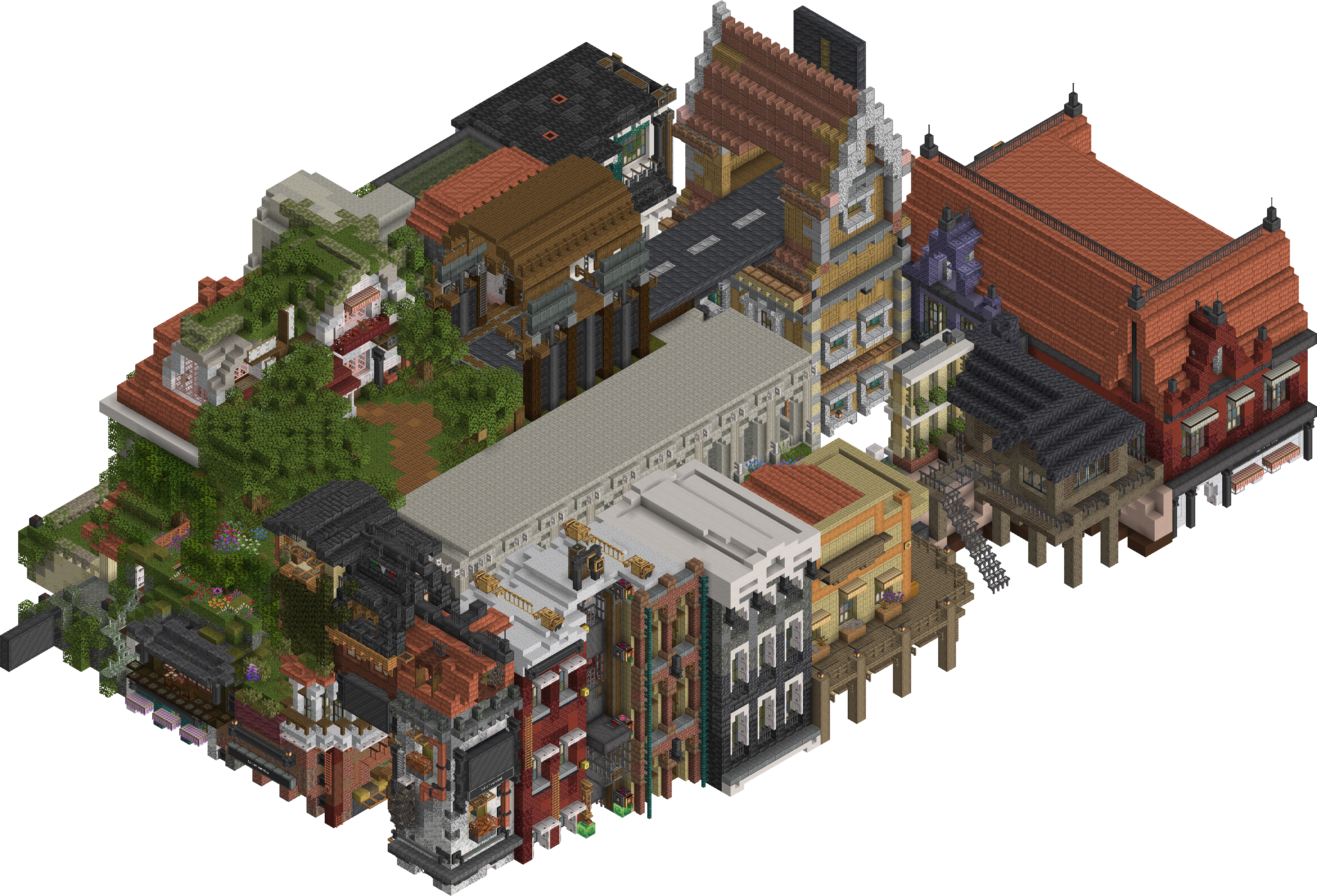


介绍
Create: Blueprinted
Originally made for the Brassworks SMP, this mod is free and open for anyone to use!
Create: Blueprinted allows you to render your Create mod schematics into high-resolution PNG images straight from the game.
Create: Schematic Preview (licensed under MIT) is included as a embedded dependency for the purpose of previewing schematics and setting their rotation before rendering.
Features
- High-Resolution Renders: Render your
.nbtschematics to crisp PNGs directly from the Schematic Table UI or a command. - Adjust Orientation: Use the schematic preview to pick a unique orientation for your image or enter precise angles from a command.
- Adjustable Resolution: Choose your output width, from a quick preview, all the way up to 8192px posters.
- Anti-Aliasing: Built-in supersampling smooths out jagged edges. It’s on by default, and you can tune or disable it.
- Fluids Included: Water, lava, and waterlogged blocks are drawn in the render instead of being skipped.
- Background Processing: Most operations happen in the background and wont interrupt your game. Live progress is displayed in the action bar.
- Schematic Table Bug Fix: Prevents long schematic names overflowing the scroll input box bounds.
Usage
In-Game UI
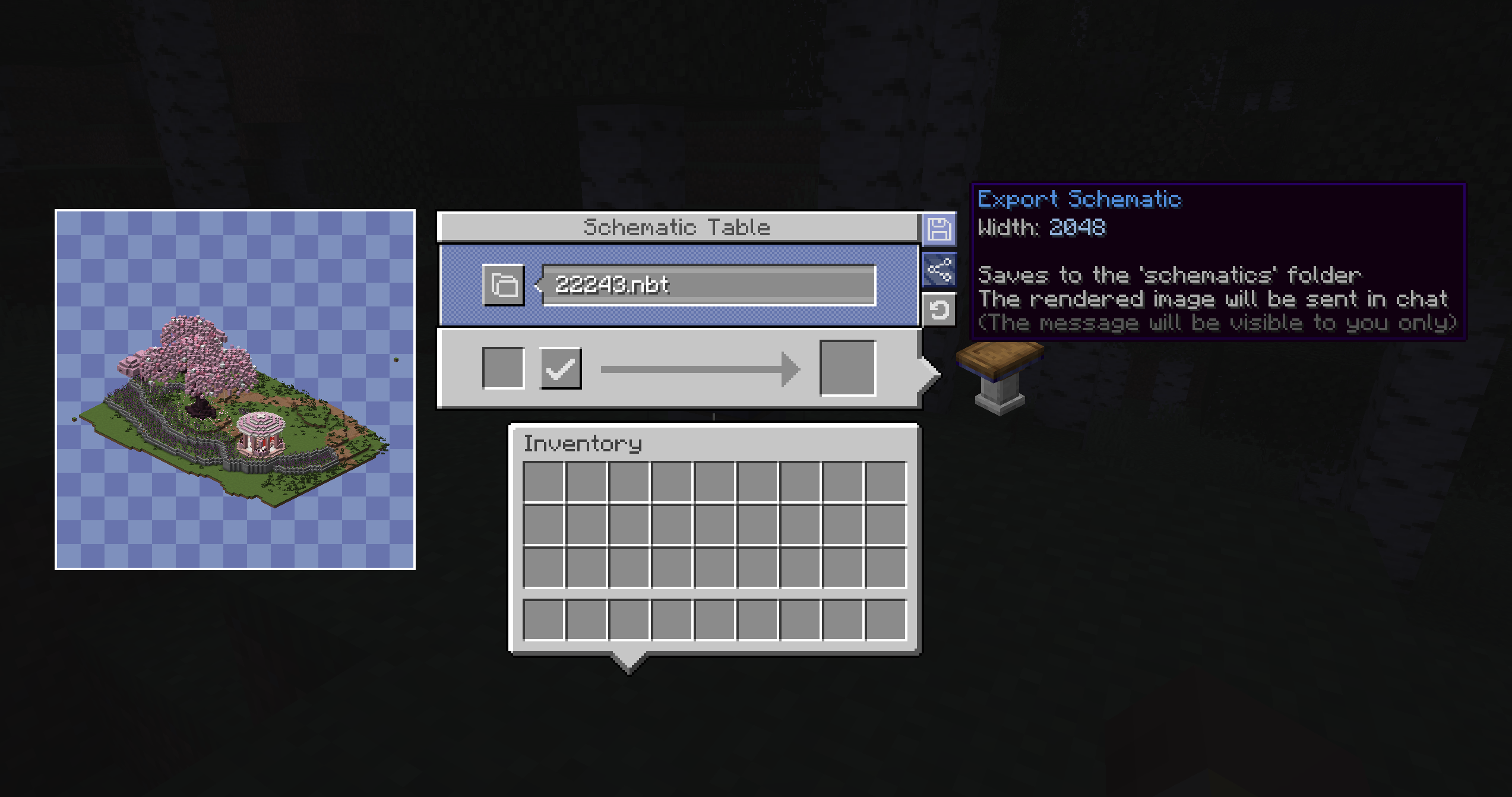
You can render schematics directly from the Schematic Table. Just select your schematic and click the new render button!
Hold Shift while clicking to render at 2048px (instead of the default 1024px).
Rotate the schematic preview to select a unique orientation for your image.


- Rendered Build by LiukRast
Commands
If you need more control over the output, you can use the built-in command:
/schematic <export/share> <filename> [width] [orientation] [antialiasing]- export – Save image to a PNG file within the
./schematicsfolder. - share – Share a schematic to a remote server (Blueprinted doesn’t implement this by default, it must be provided by add-on mods).
- width — Total output width in pixels (64–8192).
- orientation — The yaw & pitch of the image. See: Rotation – Minecraft Wiki for more info. The value
~ ~will use your current viewing angle. - antialiasing — Supersampling factor:
1= off,2–4= progressively smoother edges (defaults to2).
Developers
The mod includes an API which includes events fired before and after a schematic is rendered, alongside ShareProviders which allow you to implement custom share functionality for sending image or schematic file data to another location such as a remote server. (e.g. sending a schematic image to a Discord server). Blueprinted does not add this functionality by default, it must be provided by an addon mod.
More information is available on the Github page.
(Make sure to carefully read the documentation provided if you want to implement a ShareProvider. You will need to implement some form of server image sanitization and comply with Modrinths Rule 1.11 for remote server uploads).
License
This project is licensed under MIT.
The mod includes Create Schematic Viewer as a bundled dependency. This mod is licensed under MIT.
常见问题
Create: Blueprinted 支持哪些 Minecraft 版本?
Create: Blueprinted 支持 Minecraft Java 版 1.20.1–1.21.1,共 2 个版本,可用的加载器:Forge / NeoForge。下载时注意选择和你游戏版本一致的文件。
Create: Blueprinted 怎么安装?
先用 PCL2 或 HMCL 启动器安装对应版本的 Forge / NeoForge,再把下载的 .jar 文件放进游戏目录的 mods 文件夹,重新启动游戏即可。开启了版本隔离的,mods 文件夹在 versions/版本名 下面。运行环境:仅客户端。
Brassworks 的其他作品
查看全部 →
Create: Tradeworks
Adds a new set of custom table cloths, in different shapes

Create: Stuff ‘N Additions – Tank Fix (Spout, Curios & Upgrade)
Adds Spout filling, Curios slots, Immersive Aircraft, Furnace, and Sophisticated Core Tank Upgrade integration for Create SA Tanks on NeoForge 1.21.1.

Create: Brassworks Missions
A Create addon adding missions with a clean, Create-style UI, HUD tracking, and full data-driven customization.

Create: Brassworks
The official Modpack for the Brassworks SMP!
评论
登录后评论和评分