Altar Config Compact
Altar Config Compact: Lets the Aether mod’s Altar repair third-party items by registering them via Bookling Gear. Lightweight; requires Aether and Bookling Gear. Adds unsupported mod items to altar repair.
介绍
Altar Config Compact expands the Aether mod’s Altar by allowing it to repair third-party items. Using Bookling Gear, you can easily register custom tools, weapons, and equipment so they’re treated as valid repairable items by the Altar.
This mod doesn’t change core gameplay or rebalance anything it simply adds support for items that the Altar normally can’t recognize. Perfect for modpacks that integrate lots of gear from different mods and want a consistent repair system.
Lightweight, configurable, and designed for compatibility with the Aether.
Note: The mod does not automatically detect 3rd party items (aka mods that adds new gear), you’ll have to add it yourself using bookling gear.
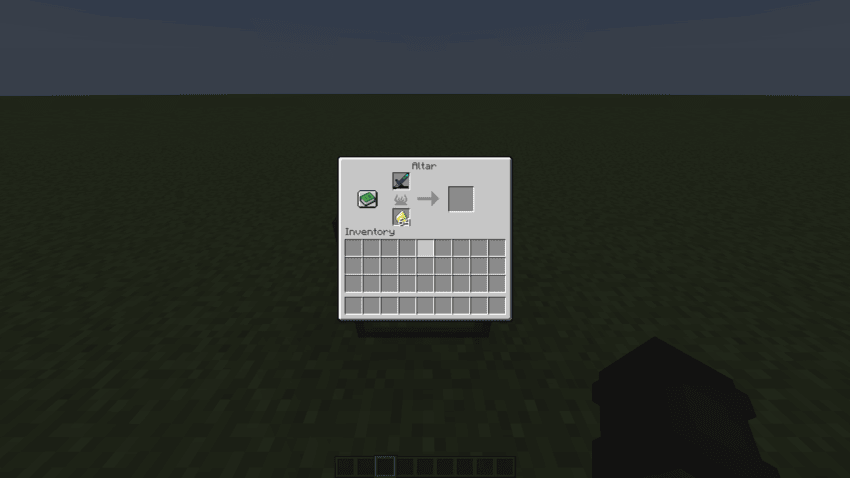
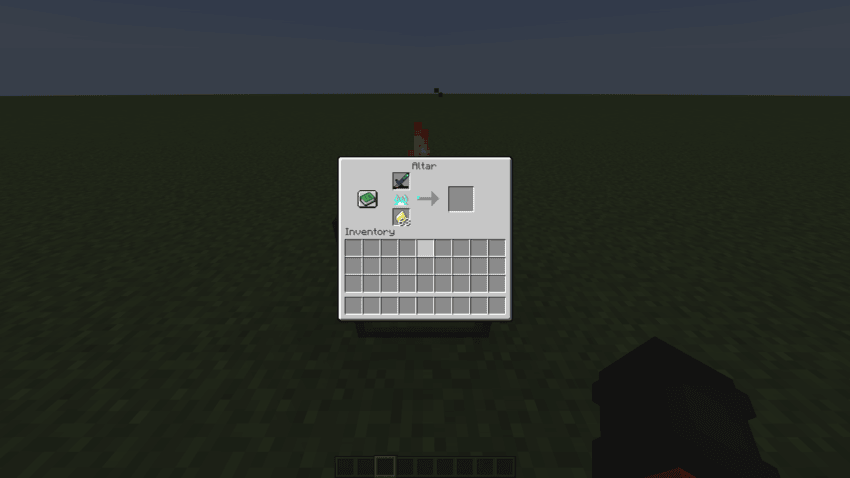
How to use, using a Deeper and Darker warden sword (for example this is not limited to Deeper and Darker):
deeperdarker:warden_sword/800
“deeperdarker:” Is the mod id.
“warden_sword” Is the name of the tool.
“/800” Is the amount of time it will take to repair the item, you can choose this.
You can find all this information via using F3+H and hovering over the the item you want to add.
Before:
After:
常见问题
Altar Config Compact 支持哪些 Minecraft 版本?
Altar Config Compact 支持 Minecraft Java 版 1.20.1–1.21.1,共 2 个版本,可用的加载器:Forge / NeoForge。下载时注意选择和你游戏版本一致的文件。
Altar Config Compact 怎么安装?
先用 PCL2 或 HMCL 启动器安装对应版本的 Forge / NeoForge,再把下载的 .jar 文件放进游戏目录的 mods 文件夹,重新启动游戏即可。开启了版本隔离的,mods 文件夹在 versions/版本名 下面。


评论
登录后评论和评分