Enhanced HUD
Replaces Minecraft's standard survival HUD with compact player bars, status effects, a character portrait, and responsive damage feedback.
截图
介绍
Enhanced HUD
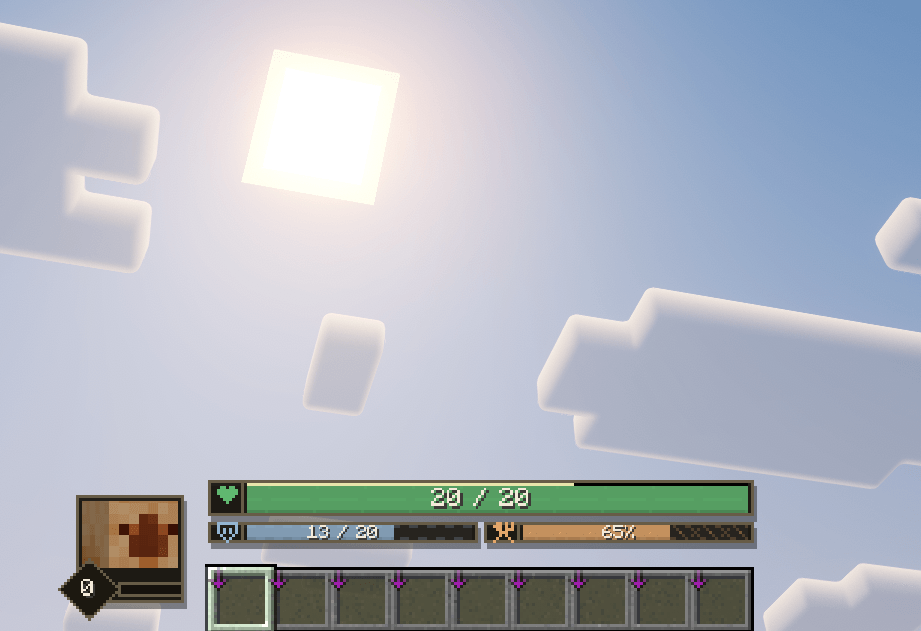
Enhanced HUD replaces Minecraft’s standard survival indicators with a clean, modern bar-based interface.
Health, armor, hunger, experience, oxygen, and status effects are displayed at a glance while preserving vanilla survival mechanics.
Health and Survival Bars
Health is displayed as a bar showing current and maximum HP. Absorption adds an extra value (+X) and a yellow sub-bar.
Armor (X / 20) and hunger (X%) appear below the health bar, while an oxygen bar automatically appears underwater.
The health bar changes color at 50% and 25% HP to indicate dangerous health levels.
Damage Feedback
Taking damage leaves a highlighted trail on the health bar that gradually fades away.
A temporary colored vignette appears around the screen edges, including when absorption hearts take damage.
Repeated hits refresh the effect, while healing immediately clears the damage trail.
Status Effects
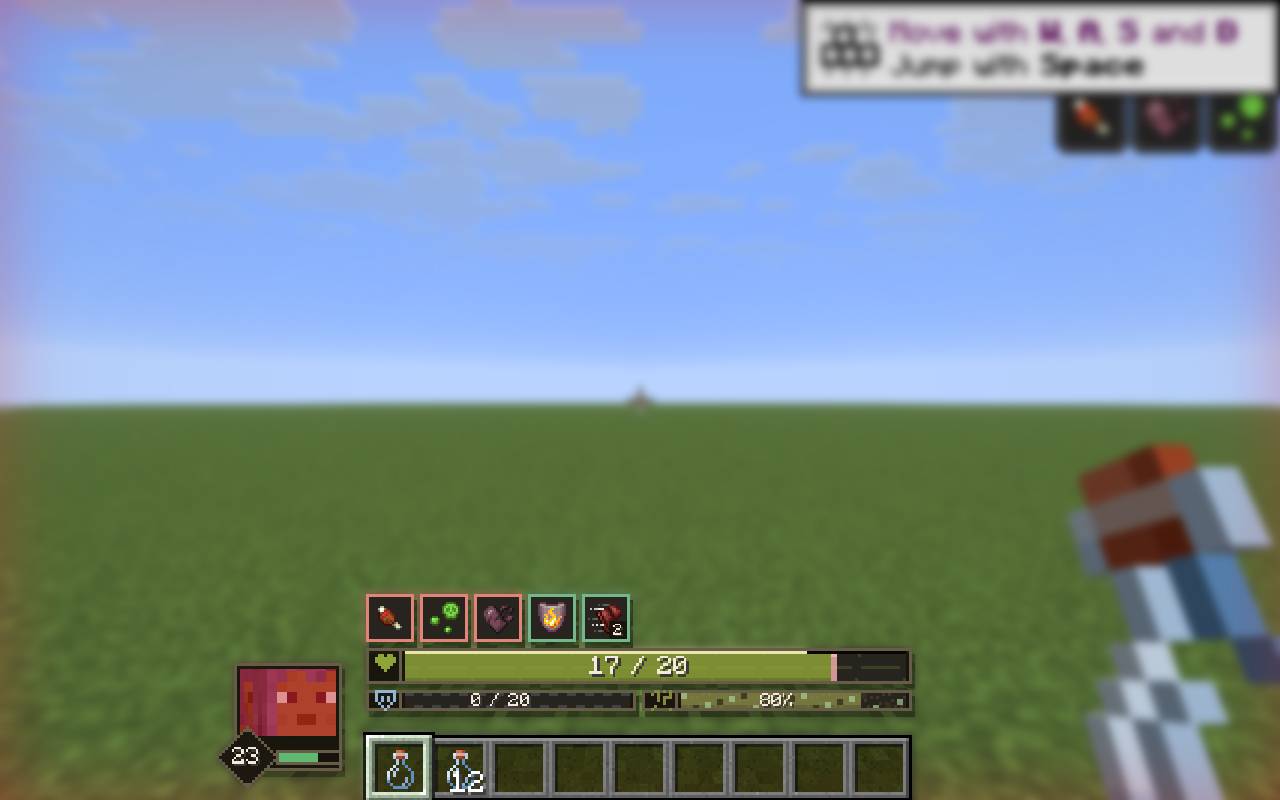
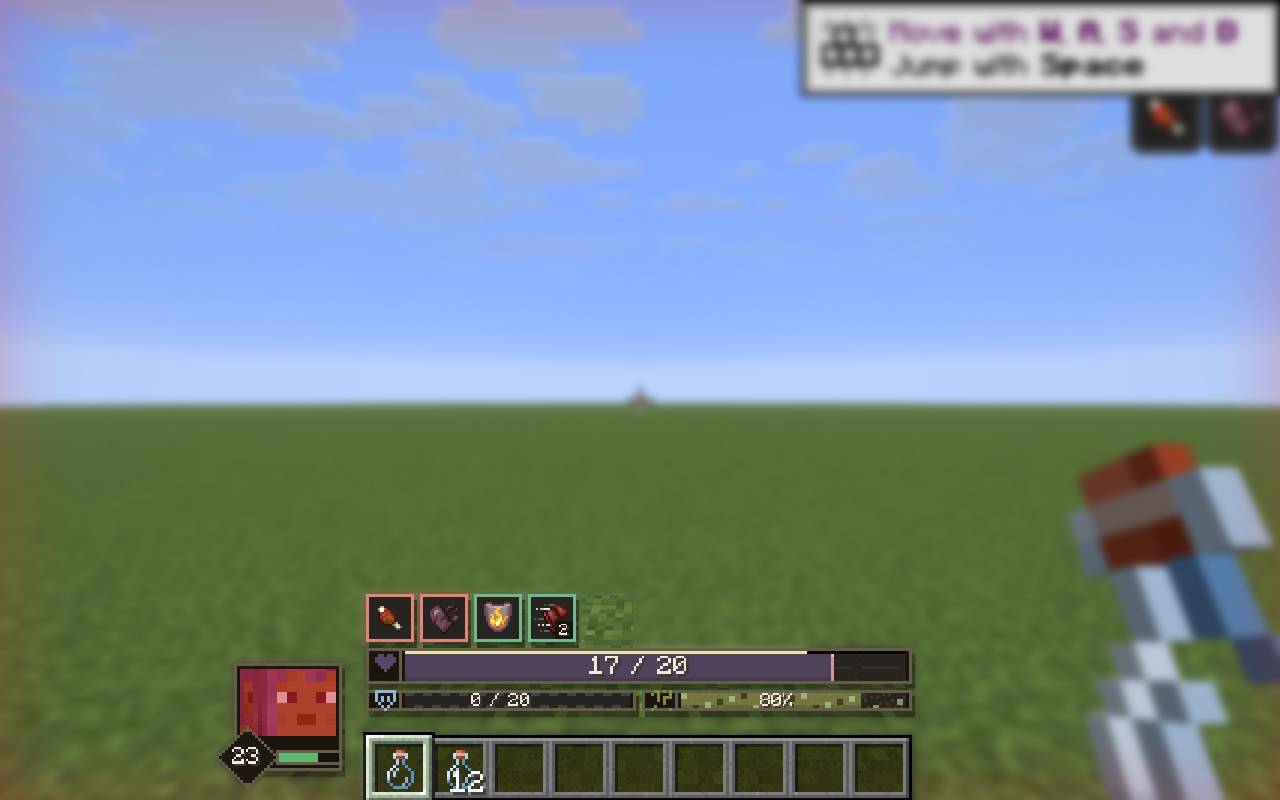
Active status effects appear in a grid above the health bar, automatically sorted into harmful, beneficial, and neutral categories.
Effects use distinct outline colors, with level badges for amplified effects. When space is limited, a +N indicator prevents overlapping icons.
Poison, Wither, and freezing change the health bar’s color and pattern, while Hunger changes the food bar’s appearance.
Player Portrait and Experience
A live 3D player portrait appears beside the hotbar.
The portrait includes an experience level badge and a compact XP progress bar, replacing the vanilla experience display.
Responsive Layout
The HUD automatically adapts to different window sizes and GUI scales.
Elements such as the hotbar, offhand slot, oxygen bar, item tooltips, and mount health are repositioned to prevent overlapping.
Vanilla Survival Mechanics
Enhanced HUD is a purely visual interface overhaul.
Health, hunger, armor, regeneration, absorption, experience, and status effects continue to use Minecraft’s standard gameplay mechanics.
常见问题
Enhanced HUD 支持哪些 Minecraft 版本?
Enhanced HUD 支持 Minecraft Java 版 1.21.1–26.3,共 16 个版本,可用的加载器:Fabric / NeoForge。下载时注意选择和你游戏版本一致的文件。
Enhanced HUD 怎么安装?
先用 PCL2 或 HMCL 启动器安装对应版本的 Fabric / NeoForge,再把下载的 .jar 文件放进游戏目录的 mods 文件夹,重新启动游戏即可。开启了版本隔离的,mods 文件夹在 versions/版本名 下面。
MonkeyBo42 的其他作品
查看全部 →
Compact Mob Health Bar
Displays health bars and damage prediction for living entities.

Villager Lead
Allows players to attach leads to villagers.
OB backpack
Adds wearable, upgradeable backpacks for portable item storage.
villager phone
Turns villagers into a remote trading network with contacts, markets, maps, and deliveries.
评论
登录后评论和评分