截图
介绍
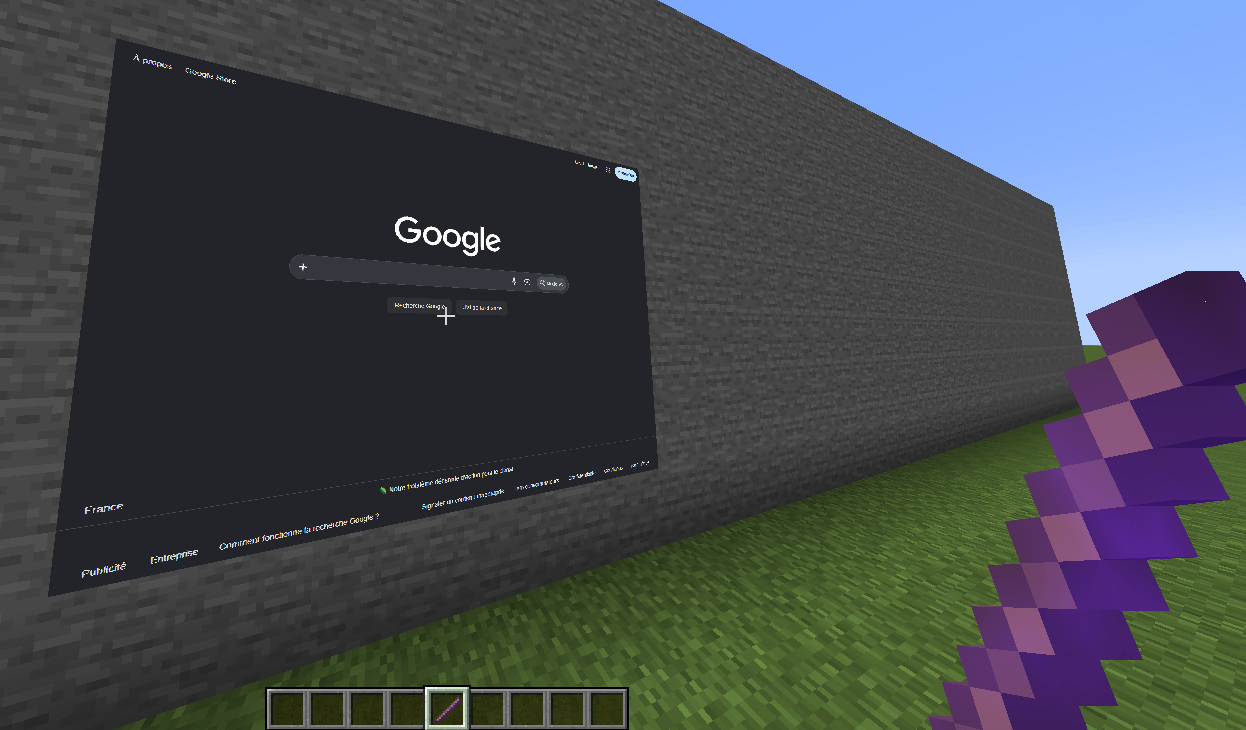
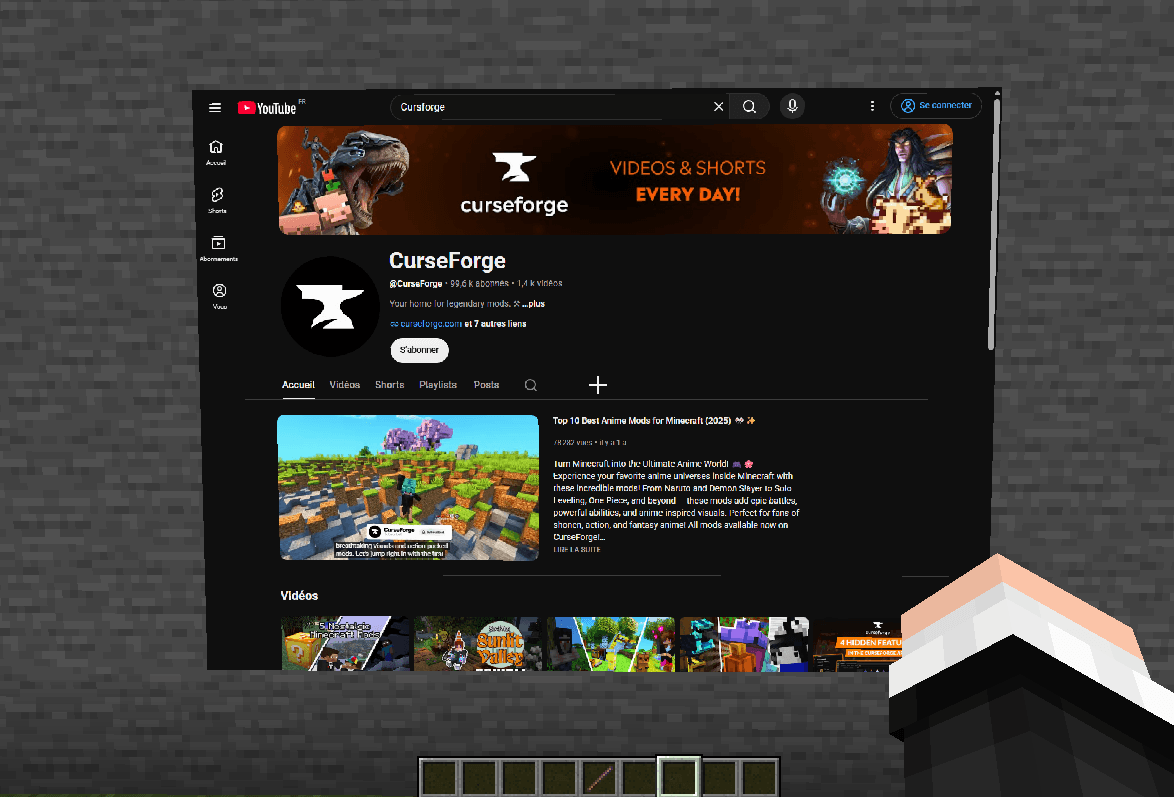
Watch YouTube, browse the web and display images or GIFs on screens you place anywhere in your Minecraft world.
WebDisplays Improved adds in-game screens powered by a real, up-to-date Chromium web browser (the engine of Google Chrome). Build a TV in your house, a giant cinema screen in your town, a billboard in your spawn, or keep Discord open on your base wall. No MCEF or other library to install: just drop the mod in your mods folder.
✨ What you can do
- 📺 Watch YouTube in Minecraft: videos and music play right on your screens, with sound.
- 🌐 Browse any website: a full in-game web browser with modern web apps (Discord, dashboards, maps, wikis…). Your logins are remembered.
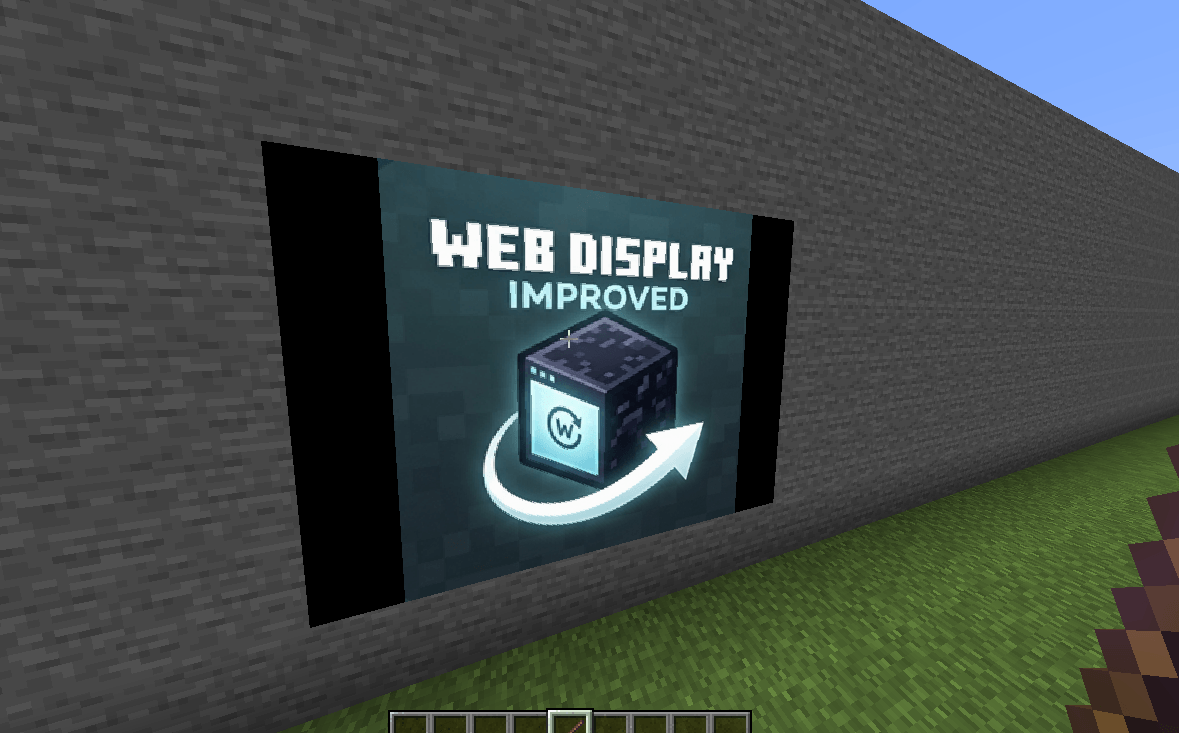
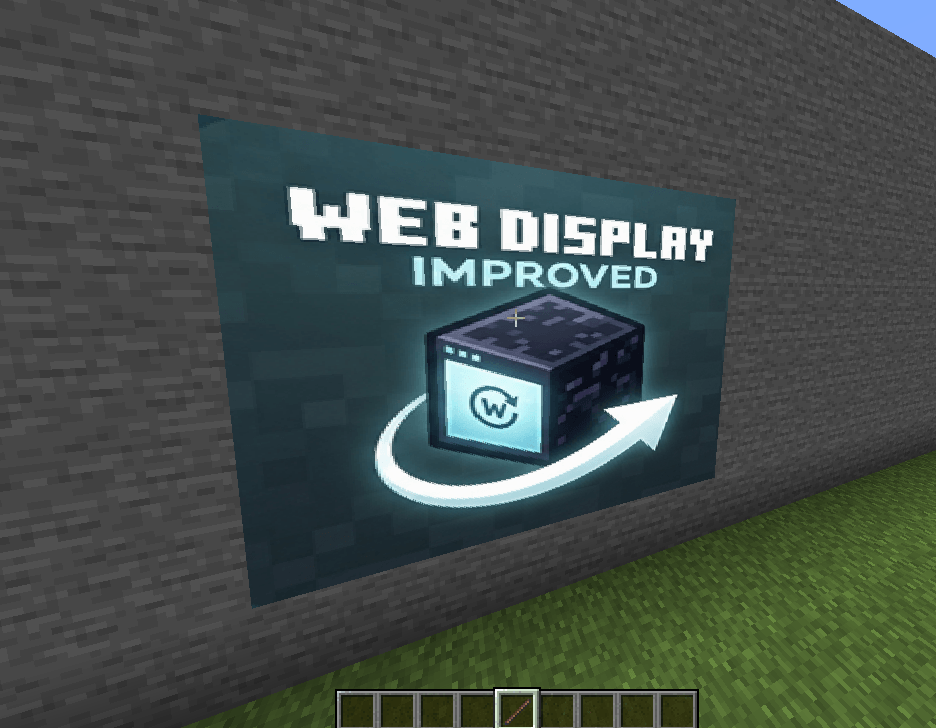
- 🖼️ Images and animated GIFs: posters, paintings, photo frames, signs and billboards (PNG, JPEG, WebP, GIF). They are displayed without any browser, so they are almost free.
- 🖱️ Fully interactive: click directly on a screen, or press R to use your mouse and keyboard on the page (type, scroll, back/forward buttons).
- 📐 Any size: from a small monitor to a huge cinema screen up to 64 blocks wide, on walls, floors and ceilings.
- 🔊 Positional volume: each screen has its own volume, fading with distance.
- 🌍 Your language: websites receive your game language, so YouTube subtitles and auto-dubbing match it.
⚡ Built for performance
Web screens are famous for eating RAM. This mod is designed not to:
- only a few pages are active at the same time (adjustable);
- screens you are not looking at slow down, far screens are paused then closed;
- images and GIFs never start a browser;
- Chromium only starts when you actually use web pages.
👥 Multiplayer ready
- Every player with the mod sees the screens; install it on the server and on the clients.
- Only the owner of a screen and server operators can edit or remove it.
- The server checks every address and refuses dangerous ones (local files, internal browser pages, scripts).
- Each player loads the page on their own computer: nothing heavy runs on the server.
🎮 How to use
- Take the Screen Placer from the Tools creative tab (or use /give).
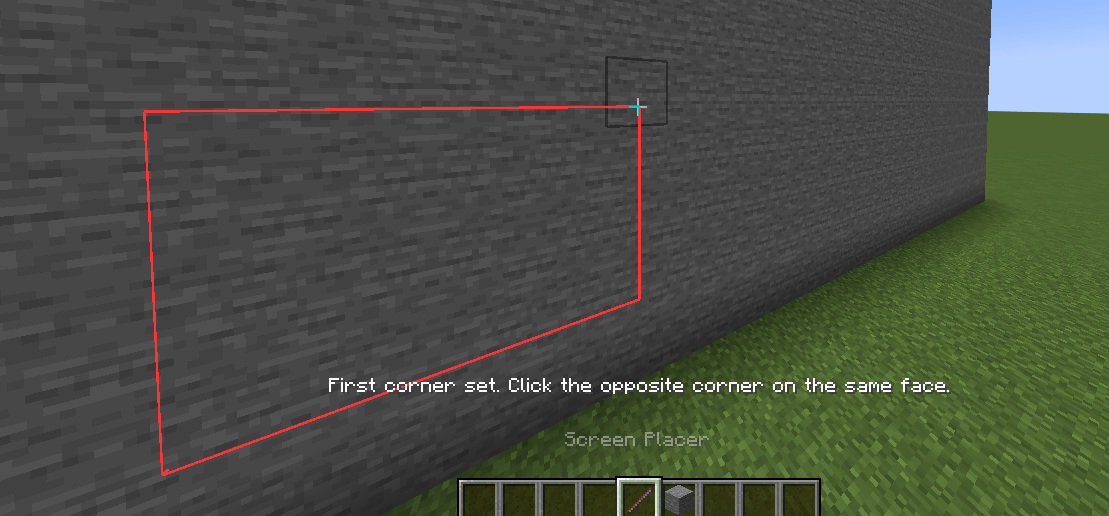
- Right-click a block face, then the opposite corner on the same face. A red outline shows the area and the screen appears.
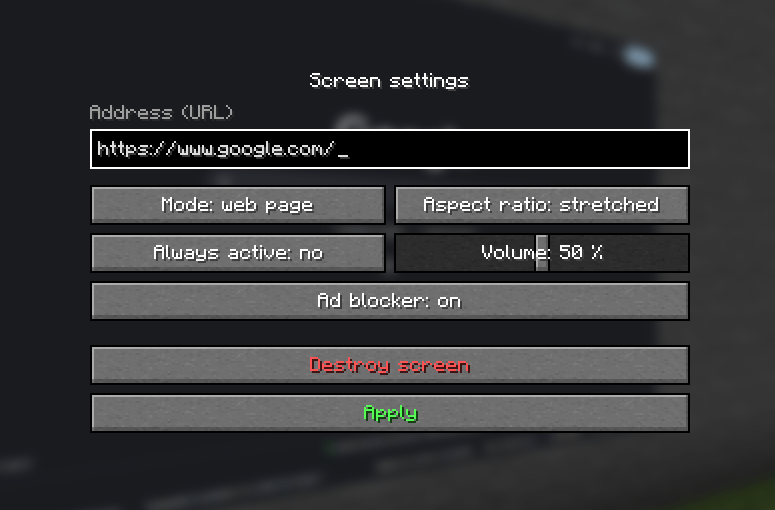
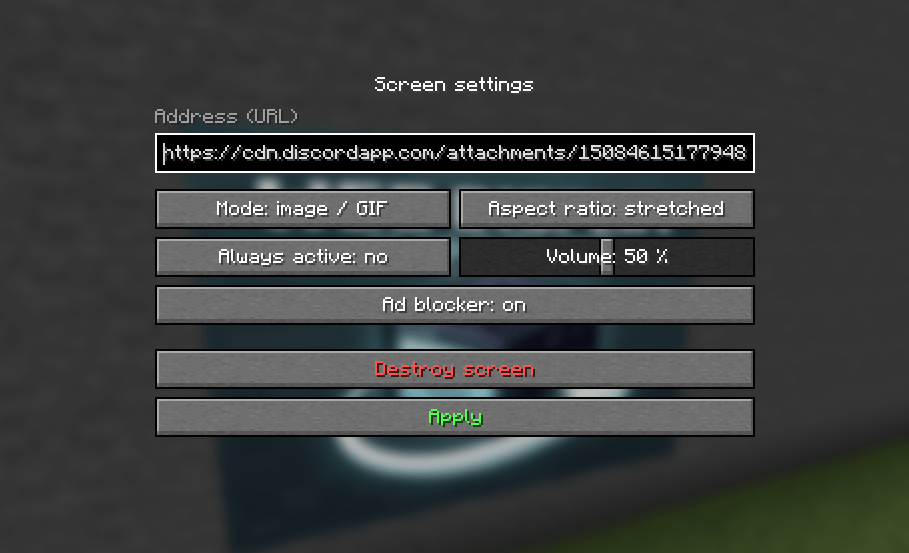
- Right-click the screen with the Screen Placer: enter a website or image address, choose web page or image/GIF mode, aspect ratio, volume and “Always active”.
- Look at a web screen and press R to interact, Esc to come back.
- Left-click the screen with the Screen Placer to remove it.
📥 About the Chromium download
Web pages need Chromium (about 176 MB), which is too big to be included in the mod file. To keep things clear and safe:
- it is downloaded only after you agree, in a window shown in game. Nothing is downloaded without your consent;
- it comes from the official GitHub page of this project: github.com/NumekPerso/WebDisplayImproved-Public;
- its integrity is verified (SHA-256) before use;
- it is installed once, in the
webdisplaysfolder of your game directory (delete the folder to remove it); - if you decline, images and GIFs still work, and you can enable web pages later in the settings.
✅ Versions and systems
- Forge 1.12.2, 1.16.5, 1.20.1
- NeoForge 1.21.1
- Fabric 1.21.1 (requires Fabric API; Mod Menu optional)
- Web pages: Windows 64-bit for now. On Linux and macOS, images and GIFs work; web support is planned.
❓ FAQ
Do I need MCEF?
No. Everything is included; Chromium is downloaded by the mod itself after you agree.
Can I use it with MCEF, WebDisplays or another browser mod?
Only one Chromium can run in a game. If another mod embeds one, web pages are disabled to avoid a crash; images and GIFs keep working.
Does Twitch, Netflix or Spotify work?
Not yet: Twitch live streams use a video format missing from open-source Chromium, and Netflix, Disney+ or Spotify require copy protection (DRM) that only official browsers have. YouTube and most websites work.
Can I make it lighter?
Yes: lower the number of active pages and the display distance in the settings.
⚙️ Settings
Click Config in the mod list (Mod Menu on Fabric) or edit config/webdisplayimproved-client.properties: web pages on/off, active pages, display distance, frame rate of pages you are not looking at, sound distance.
Credits
Web pages are rendered with the Chromium Embedded Framework and java-cef (BSD licenses, included in the Chromium download).
⚠️ Any redistribution of this mod without my prior consent is strictly prohibited. ⚠️
Suggestions and bug reports are welcome in the comments.
For anything else, join the Discord:
常见问题
WebDisplay Improved 支持哪些 Minecraft 版本?
WebDisplay Improved 支持 Minecraft Java 版 1.12.2–1.21.1,共 4 个版本,可用的加载器:Fabric / Forge / NeoForge。下载时注意选择和你游戏版本一致的文件。
WebDisplay Improved 怎么安装?
先用 PCL2 或 HMCL 启动器安装对应版本的 Fabric / Forge / NeoForge,再把下载的 .jar 文件放进游戏目录的 mods 文件夹,重新启动游戏即可。开启了版本隔离的,mods 文件夹在 versions/版本名 下面。
Numek 的其他作品
查看全部 →
Techguns [Unofficial Port]
Complete port of the famous techguns for the forge version 1.20.1. Permission granted by the original author.
Modern Blocks Port
Allows you to have the new cool blocks in older versions
Numek Shader
Very light shader, translucent water, and incredible beauty
评论
登录后评论和评分