
HUD420
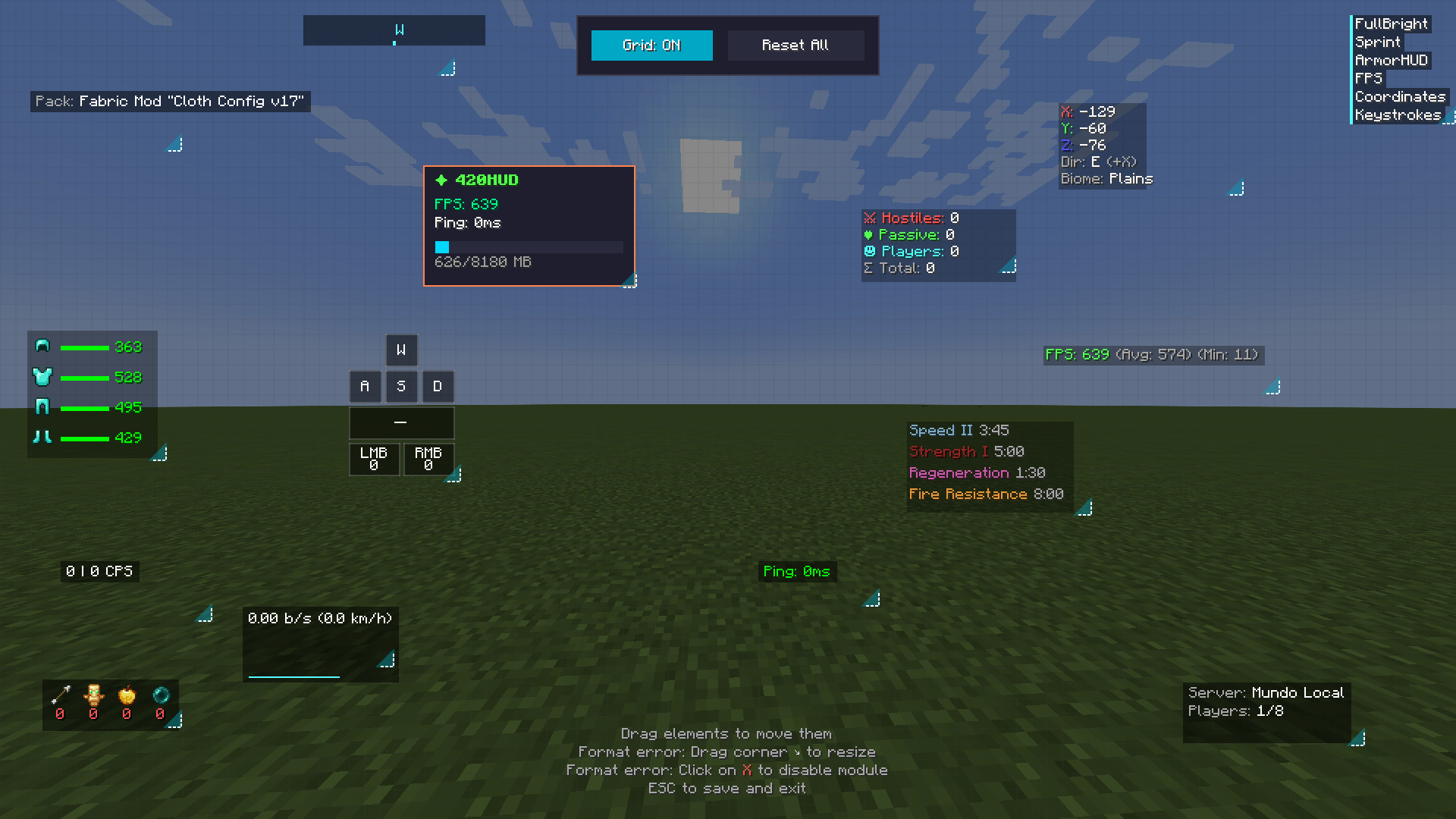
A modern HUD client mod featuring 33+ customizable modules including FPS counter, coordinates, keystrokes, armor HUD, and more. Fully draggable HUD editor with 3 themes. Multi-language support.
截图
介绍
# 420HUD
A modern Fabric client mod with 33+ customizable HUD modules for an enhanced gameplay experience.
## ✨ Features
– **33+ Modules** – FPS Counter, Coordinates, ArmorHUD, Keystrokes, CPS, Combo Counter, Ping Display, Speed, Inventory preview, and much more
– **Draggable HUD Editor** – Press H to freely position any HUD element on your screen
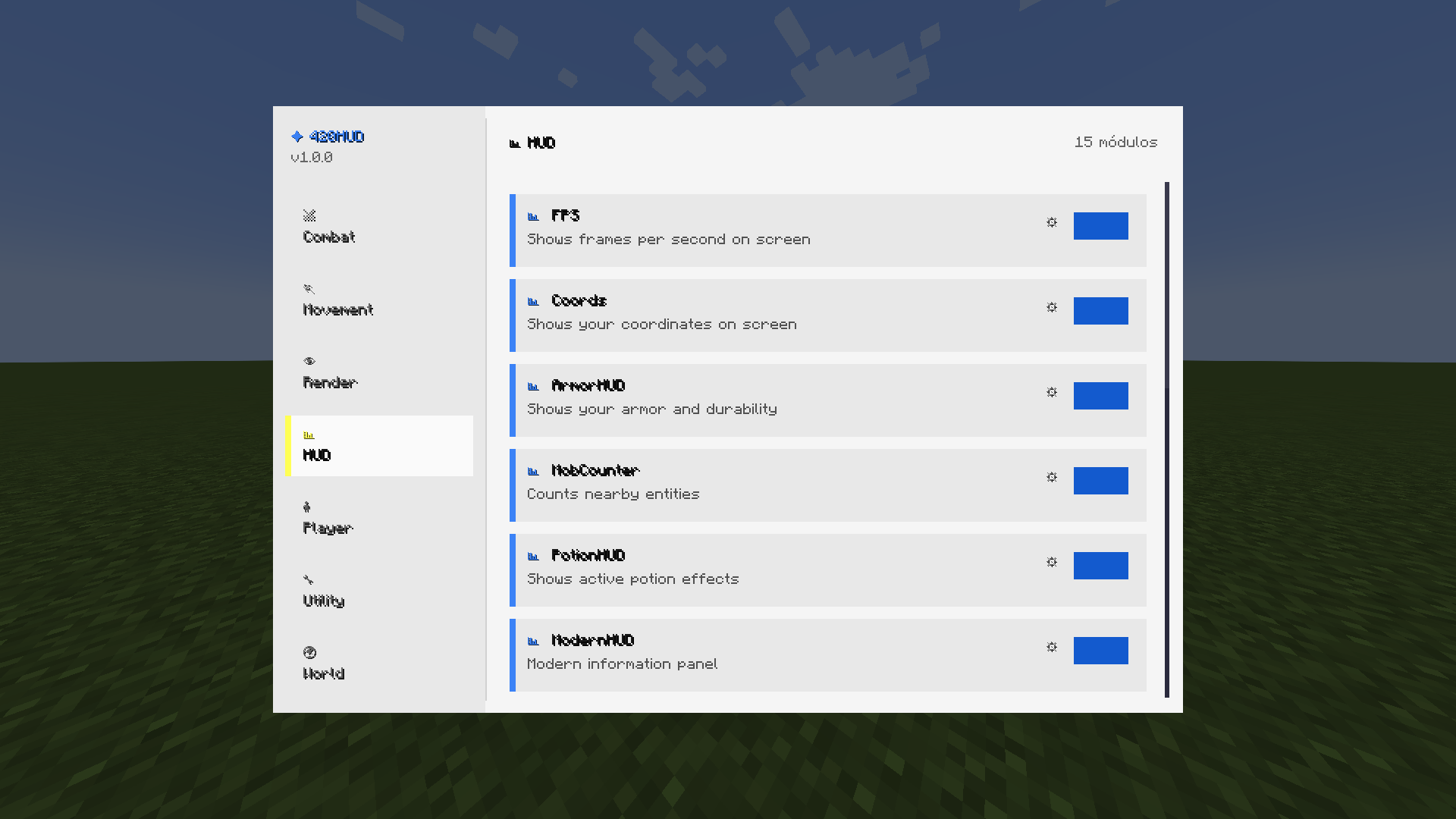
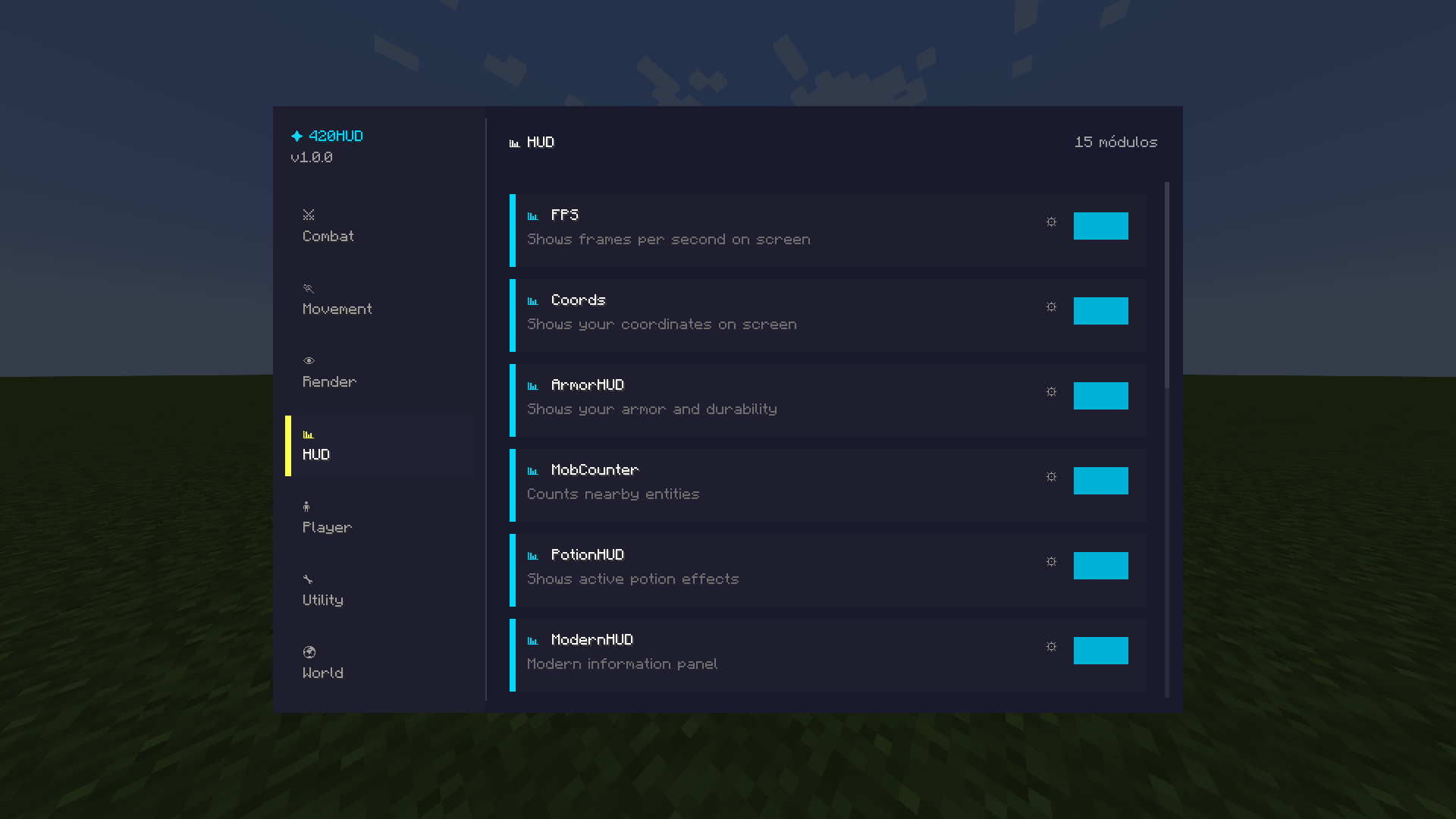
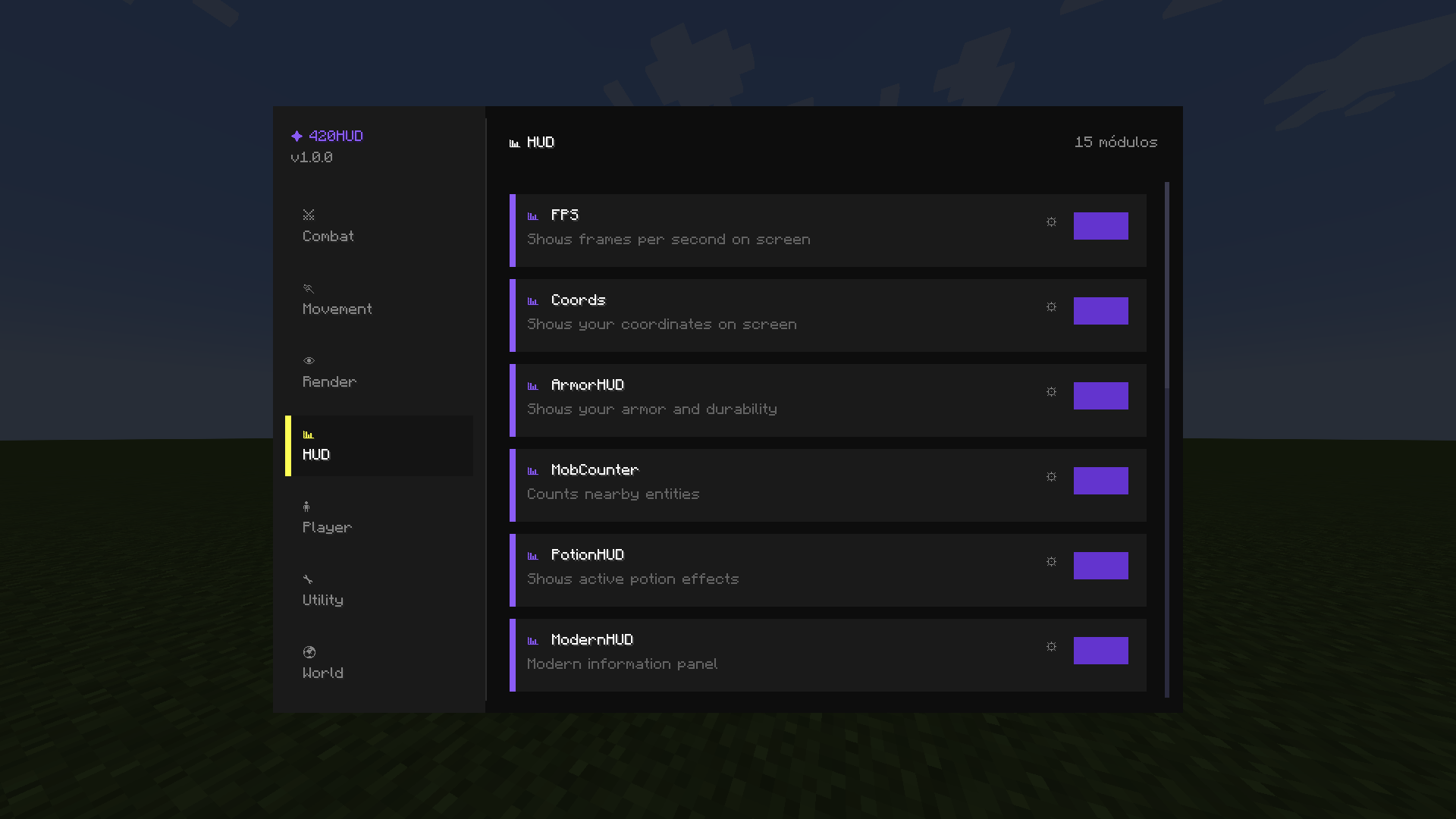
– **Modern ClickGUI** – Press Right Shift to open the sleek configuration menu
– **3 Themes** – Navy Blue, Dark, and Light color schemes
– **Multi-language** – Full English and Spanish support
– **Lightweight** – Works perfectly alongside Sodium, Iris, Lithium, and other optimization mods
## 🎮 Default Keybinds
| Key | Action |
|—–|——–|
| Right Shift | Open ClickGUI |
| H | Open HUD Editor |
| C | Zoom |
## 📦 Requirements
– Fabric Loader
– Fabric API
## 🎨 Module Categories
**HUD** – FPS, Coords, Armor, Keystrokes, CPS, Combo Counter, Ping, Speed, Inventory, Potions, Server Info, Pack Display, Direction, Reach Display
**Render** – Fullbright, Time Changer, Custom Crosshair, No Hurt Cam, ViewModel, Low Fire, Block Overlay, Damage Indicator, Hitbox Editor
**Utility** – Zoom, Notifications, Auto Text, GUI Settings
**Player** – Sprint, Toggle Sneak
## 💡 Tips
– All HUD elements can be dragged anywhere on your screen
– Each module has individual settings accessible through the ClickGUI
– Compatible with most Fabric mods
—
**Made by 420Dev**
常见问题
HUD420 支持哪些 Minecraft 版本?
HUD420 支持 Minecraft Java 版 1.21.4,可用的加载器:Fabric。下载时注意选择和你游戏版本一致的文件。
HUD420 怎么安装?
先用 PCL2 或 HMCL 启动器安装对应版本的 Fabric,再把下载的 .jar 文件放进游戏目录的 mods 文件夹,重新启动游戏即可。开启了版本隔离的,mods 文件夹在 versions/版本名 下面。

评论
登录后评论和评分