介绍
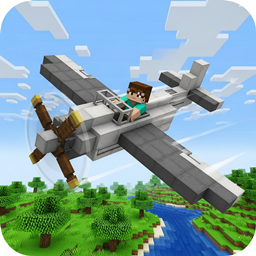
airboy brings the skies to your Minecraft world with fully functional, craftable aircraft that you can pilot and explore with! This mod adds a realistic aircraft entity that can be crafted using simple vanilla materials – arrange iron ingots around the outer edges of a crafting table, place oak planks in the four corners and middle sides, and put a piece of redstone in the center to create your very own aircraft. Once crafted, right-click to place the aircraft in your world, then right-click again to climb aboard and take to the skies. Control your aircraft using the standard movement keys (WASD) for forward, backward, and turning, while Space makes you ascend and Shift helps you descend. The mod features realistic flight physics including engine power that builds up as you accelerate, drag that slows you down when you’re not pressing forward, and lift mechanics that help keep you airborne. Your aircraft comes complete with an animated spinning propeller that rotates faster as your engine power increases, and the entire system works seamlessly in both single-player and multiplayer worlds. Whether you’re exploring vast landscapes from above, racing with friends, or simply enjoying a peaceful flight over your builds, this aircraft mod transforms how you navigate and experience your Minecraft world.
常见问题
airboy 支持哪些 Minecraft 版本?
airboy 支持 Minecraft Java 版 1.16.5,可用的加载器:Forge。下载时注意选择和你游戏版本一致的文件。
airboy 怎么安装?
先用 PCL2 或 HMCL 启动器安装对应版本的 Forge,再把下载的 .jar 文件放进游戏目录的 mods 文件夹,重新启动游戏即可。开启了版本隔离的,mods 文件夹在 versions/版本名 下面。
评论
登录后评论和评分