
介绍



Hidden Armour
Hidden Armour is a lightweight Fabric mod that gives you full control over the rendering of armor, elytra, nametags, enchantment glint, and selected mob equipment.
Key Features
-
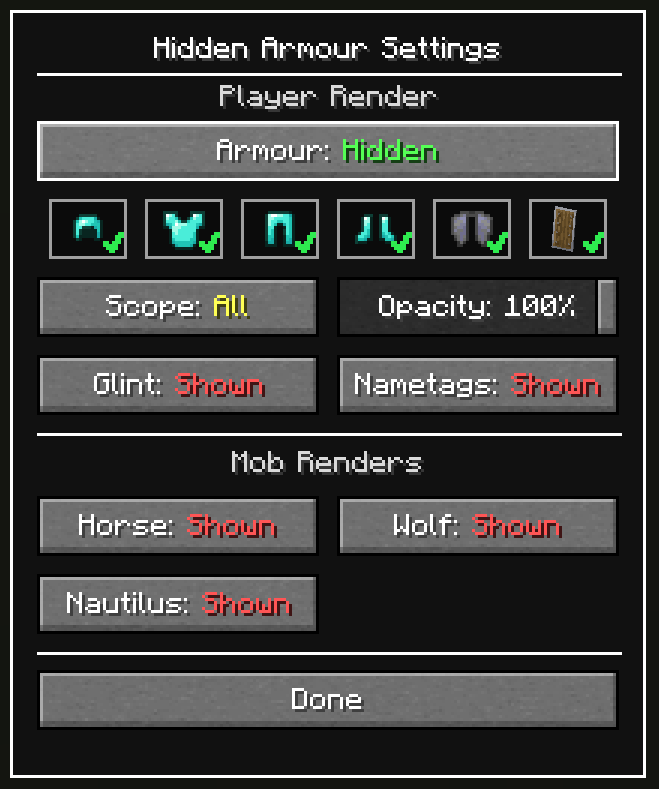
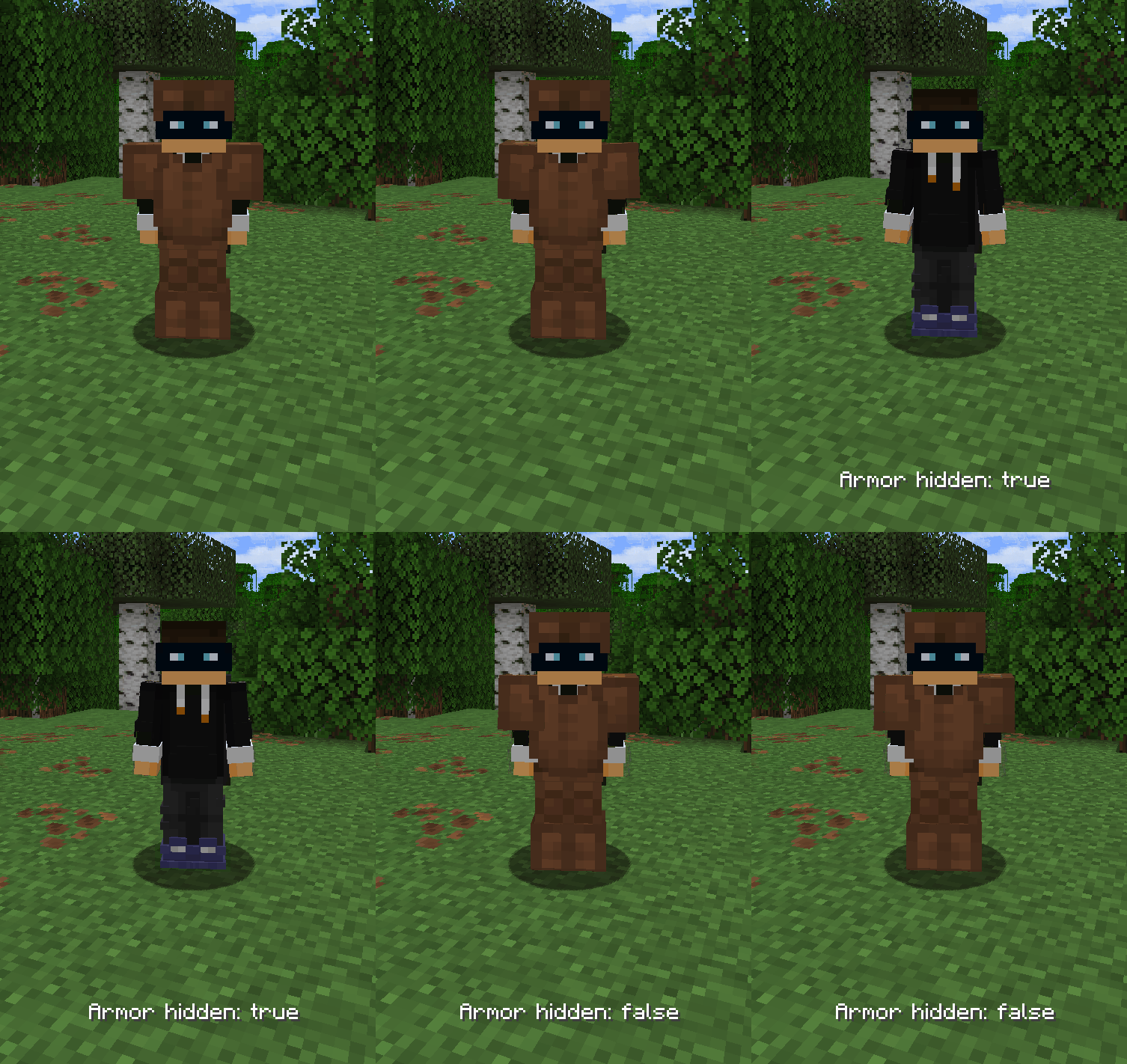
🔒 Toggle Player Armor
Show or hide armor rendering on players at the press of a button. -
🧭 Scope Modes (All / Self / Others)
Choose whether hidden armor applies to everyone, only yourself, or only other players. -
🎚️ Opacity Slider
Use Opacity (0-100%) instead of a strict on/off look while armor hiding is active. -
👕 Per Piece Toggles
Toggle exactly which armor pieces are hidden. -
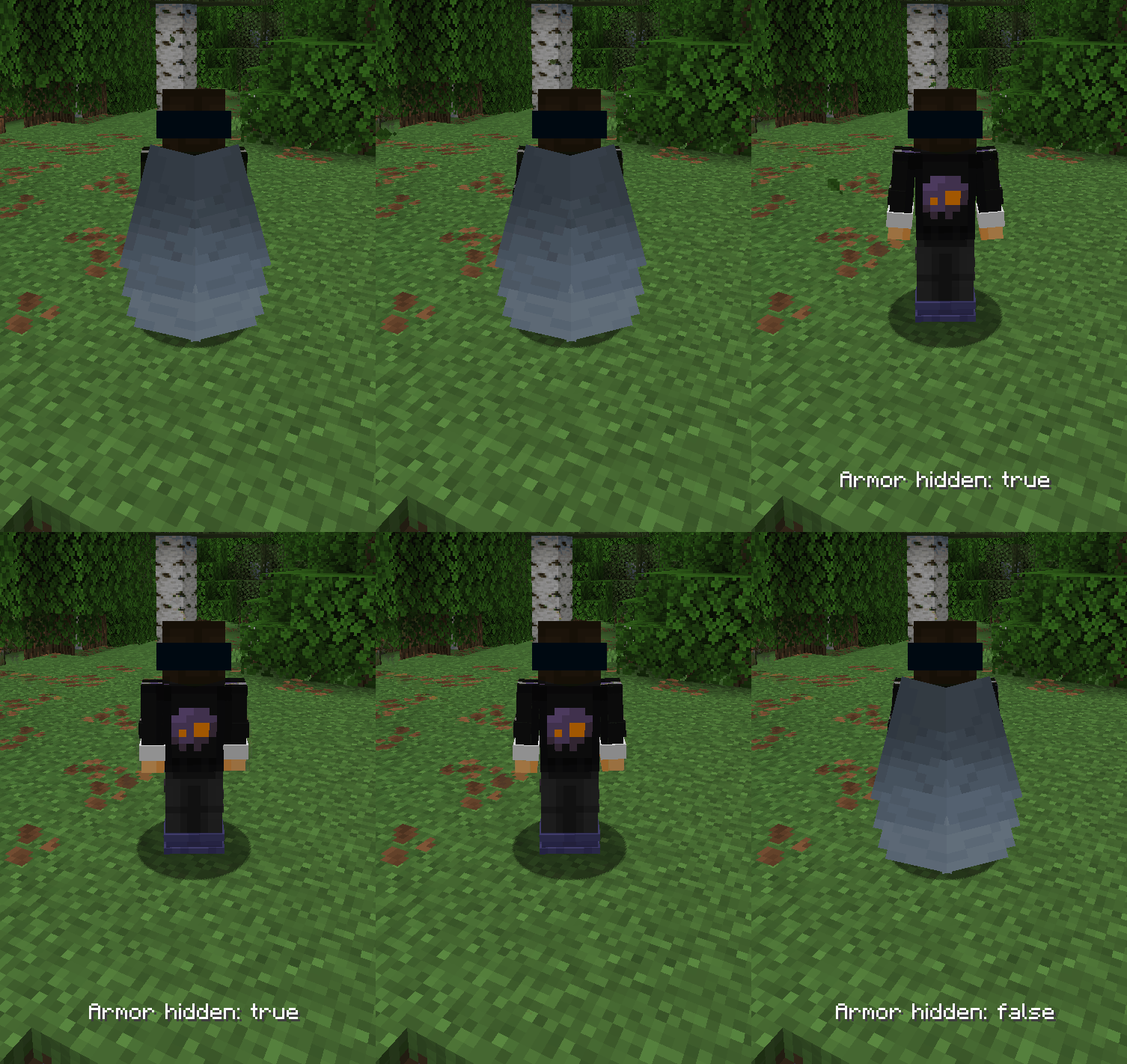
🪶 Include/Exclude Elytra
Decide whether elytra should be hidden together with armor. -
✨ Disable Enchantment Glint
Toggle the enchantment glint effect on tools and 2D items. -
🏷️ Hide Nametags
Toggle the visibility of nametags. -
🛡️ Shield Visibility Control
Hide or show shields on player renders (non-blocking state). -
🐴 Mob Equipment Controls
Hide or reveal equipment on horses, wolves, and nautilus. -
🎃 What Won’t Be Hidden
Heads, carved pumpkins, and other non-armor items will still render normally. -
⚙️ In-Game Configuration
Accessible via hotkey or ModMenu.
Controls
- Toggle Armor:
J - Open Settings:
U - Both keybinds can be remapped in Settings → Controls.
Commands
/hiddenarmour enable|disable|status/hiddenarmour elytra enable|disable|status/hiddenarmour scope all|self|others|status

🔗 Dependencies
Required
Optional (Recommended)

👥 Credits
- Update Help:
- 1.21.9 / 1.21.10: L3-N0X
- 1.21.9 / 1.21.10: L3-N0X

常见问题
Hidden Armour 支持哪些 Minecraft 版本?
Hidden Armour 支持 Minecraft Java 版 26.2,可用的加载器:Fabric。下载时注意选择和你游戏版本一致的文件。
Hidden Armour 怎么安装?
先用 PCL2 或 HMCL 启动器安装对应版本的 Fabric,再把下载的 .jar 文件放进游戏目录的 mods 文件夹,重新启动游戏即可。开启了版本隔离的,mods 文件夹在 versions/版本名 下面。
Haage 的其他作品
查看全部 →
Locator Heads
在定位栏显示玩家头像,并提供其他实用设置。

Hidden Armour
切换盔甲及其他渲染内容的显示状态。

GUI Time
添加时钟 HUD、24 小时制数字时钟,以及可选的睡眠提示,显示何时可以睡觉。

Lunge Launch
Auto-deploy your elytra when you use a Lunge spear mid-jump for even smoother movement tech.
评论
登录后评论和评分