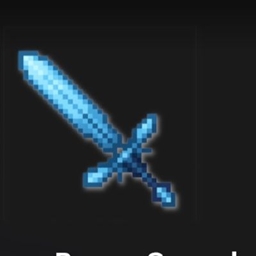
介绍
How to play
1
Import the add-on
Open the downloaded .mcaddon file and let Minecraft import it.
On Android, if the file doesn’t open directly, use a file explorer app like FX File Explorer and choose Open with Minecraft.
2 Enable it in your world
Turn it on in both Behavior Packs and Resource Packs before launching the world.
For structures, choose Advanced > Simulation distance > 8 chunks.
3
Use it in-game
Creatures: use the spawn egg or /summon.
Items: find them in Creative inventory or use /give.
Structures: use the added wand item to spawn them.
常见问题
Buluerose sword 支持哪些 Minecraft 版本?
Buluerose sword 支持 Minecraft Java 版 1.21.9–26.3,共 8 个版本,可用的加载器:Fabric / Forge / Quilt。下载时注意选择和你游戏版本一致的文件。
Buluerose sword 怎么安装?
先用 PCL2 或 HMCL 启动器安装对应版本的 Fabric / Forge / Quilt,再把下载的 .jar 文件放进游戏目录的 mods 文件夹,重新启动游戏即可。开启了版本隔离的,mods 文件夹在 versions/版本名 下面。
Dark_PixelForge 的其他作品
查看全部 →
Pixel Shades
体验最逼真、最具电影感且清晰流畅的视觉效果。

Aurora Enhanced
以前所未有的方式体验 Minecraft:这款光影兼具电影般的画面效果与流畅性能,在惊艳视觉效果之间实现了完美平衡……

FPS BOOSTER
任何人都能轻松获得100+帧,无论你用什么设备,使用这个就能感受到更流畅的Minecraft版本。

Cinematic Vanilla
Cinematic Vanilla 是一个轻量级电影感光影包,旨在增强 Minecraft 视觉效果,同时在中低端电脑上保持流畅性能。
评论
登录后评论和评分