
Auto Totem
Automatically moves a Totem of Undying from your inventory to your offhand. Toggled on/off via a hotkey (default: O, For 26.2+ = J). Settings menu (key B or via Mod Menu): statistics HUD and totem usage notification HUD. PvP helper. QoL. Fabric
截图

介绍
Auto Totem
Tired of digging through your inventory while someone is hitting you? Auto Totem puts a Totem of Undying into your offhand for you, so you can keep your eyes on the fight.
When your offhand is empty (say, right after a totem pops), the mod grabs another totem from your inventory or hotbar and swaps it in. By default it does this instantly, and you can leave it at that. If you want more control, everything is on one settings screen.
Version 2.1.0 · Minecraft 1.21.1-1.21.4; 1.21.11; 26.1.x; 26.2; 26.3 · Fabric · Client-side

Features
Auto equip
- Moves a totem into your offhand whenever it’s empty.
- Adjustable delay, set in ticks (20 ticks = 1 second), if instant swaps feel too robotic.
Health threshold (off by default)
Don’t want the totem in your hand all the time? Turn this on and the totem is only moved to your offhand once your health drops to a level you choose (for example 2 hearts or less). When you recover, it goes back to the slot it came from.
There’s also a “move after the first hit” option, which swaps the totem right after you take damage instead of waiting for the threshold.
Stats HUD (off by default)
A small panel showing how many totems you have left and how long ago the last one was used.
Notification HUD
A short “Totem used” message on screen when a totem pops.
Custom notification sound
- By default you hear the regular totem sound.
- Import your own sound file from your computer and it will play when a totem is used.
- While a custom sound is set, the vanilla totem sound for your own totem is muted so the two don’t overlap.
- Volume slider included.
Both HUDs can be dragged anywhere, resized, and made more or less transparent. They’re both visible on the settings screen while you set them up.
Controls
| Key | Action |
| — | — |
| O | Turn the mod on/off |
| B | Open the settings screen |
Both can be rebound in Options → Controls → Auto Totem. The settings screen is also available through Mod Menu.
Good to know
- Custom sounds must be WAV, AIFF or AU, up to 30 seconds. OGG and MP3 aren’t supported.
- Dropping a totem with
Qcounts as “used”, since the mod only sees that the count went down. - Some servers don’t allow automatic inventory actions. Check the server rules before using the mod there, that’s on you.
- The mod does nothing in Creative or Spectator.
- Settings are saved to
config/autototem.json, and imported sounds are copied toconfig/autototem/.
Requirements
- Minecraft 1.21.11
- Fabric Loader
- Fabric API
- Mod Menu (optional)
Client-side only: nothing needs to be installed on the server.
Links
Source code · Report a bug · Discord · CurseForge
Licensed under MIT.
常见问题
Auto Totem 支持哪些 Minecraft 版本?
Auto Totem 支持 Minecraft Java 版 1.21.1–26.3,共 16 个版本,可用的加载器:Fabric。下载时注意选择和你游戏版本一致的文件。
Auto Totem 怎么安装?
先用 PCL2 或 HMCL 启动器安装对应版本的 Fabric,再把下载的 .jar 文件放进游戏目录的 mods 文件夹,重新启动游戏即可。开启了版本隔离的,mods 文件夹在 versions/版本名 下面。运行环境:仅客户端。
Mr_Lan123 的其他作品
查看全部 →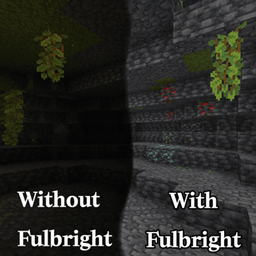
Fullbright (Night Vision)
Fullbright. See in the dark on any server, no permissions or potions needed. Press G to toggle a real client-side night vision - not the vanilla effect. Night Vision Gamma

[KSE] Keyboard Sound Effects
This mod adds sound effects to key presses and mouse clicks, featuring pleasant built-in sounds. You can also load your own sound files directly from the in-game settings menu.

Dynamic RPG HUD
Hides your hotbar and status bars with a smooth slide animation while you are idle at full health or on the move, and brings them back the moment something changes. HUD QoL. Beauty. Stylization. Fabric RPG Dynamic

Mining Session
Shows real-time session statistics (mining, kills, deaths, distance) on a configurable HUD panel.
评论
登录后评论和评分