
Crash Link
Crash reports made easy for both clients and dedicated servers, with mclo.gs uploads, support questions and support packets.
截图
介绍
This Mod was brought to you by the RoughDayGames Development group. To get help with the mod join the discord: RoughDayGames
Crash Link
Crash reports made easy!
Crash Link is a lightweight mod that makes dealing with Minecraft crashes much easier.
It works with mclo.gs to help players and server staff find the right crash report or log, upload it, and send useful information to whoever is helping them.
Crash Link works on both clients and dedicated servers, and the same jar can be used for both.
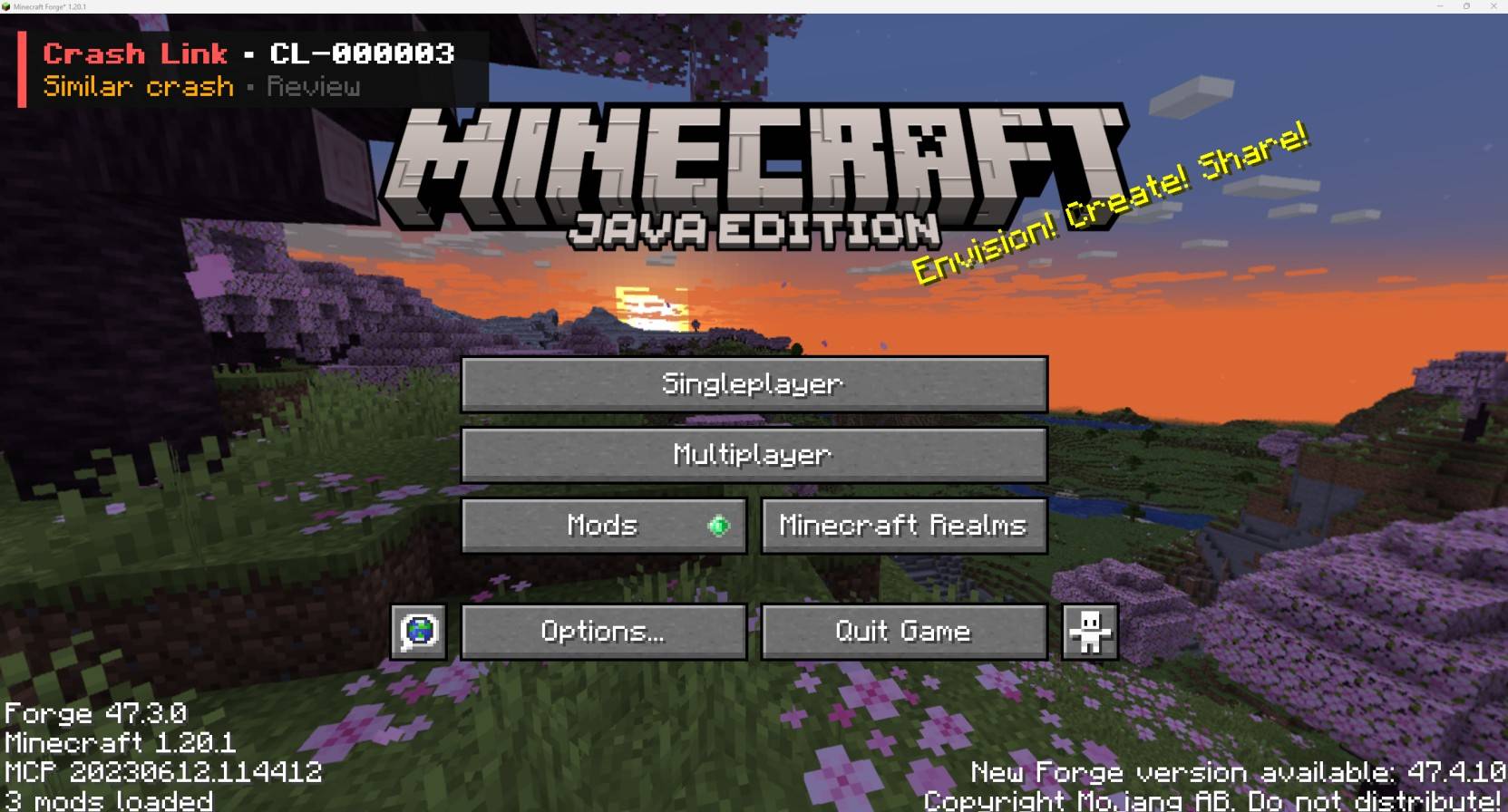
On a client, Crash Link can detect when Minecraft crashed or closed unexpectedly and show a small notification when you load back in.
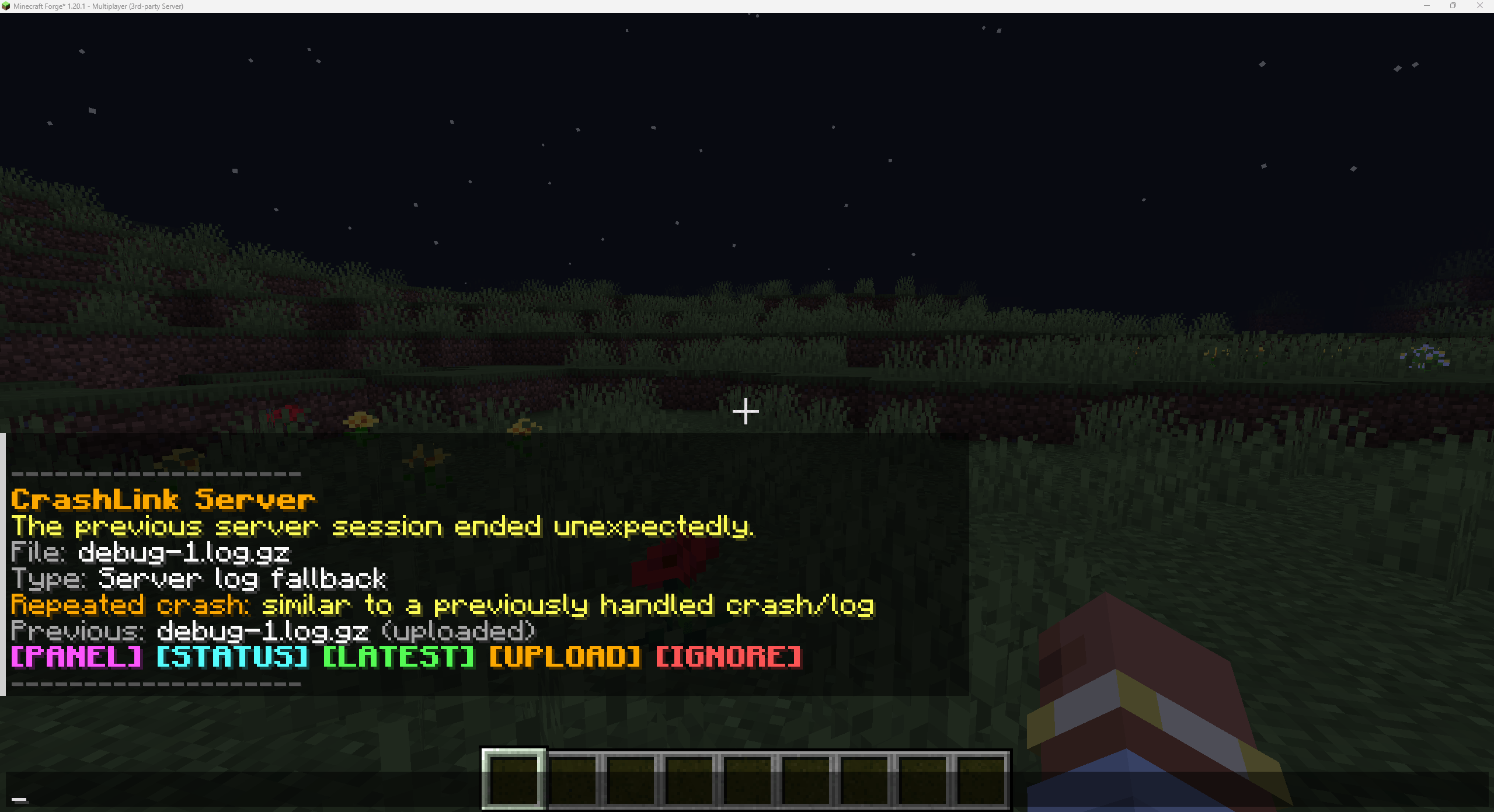
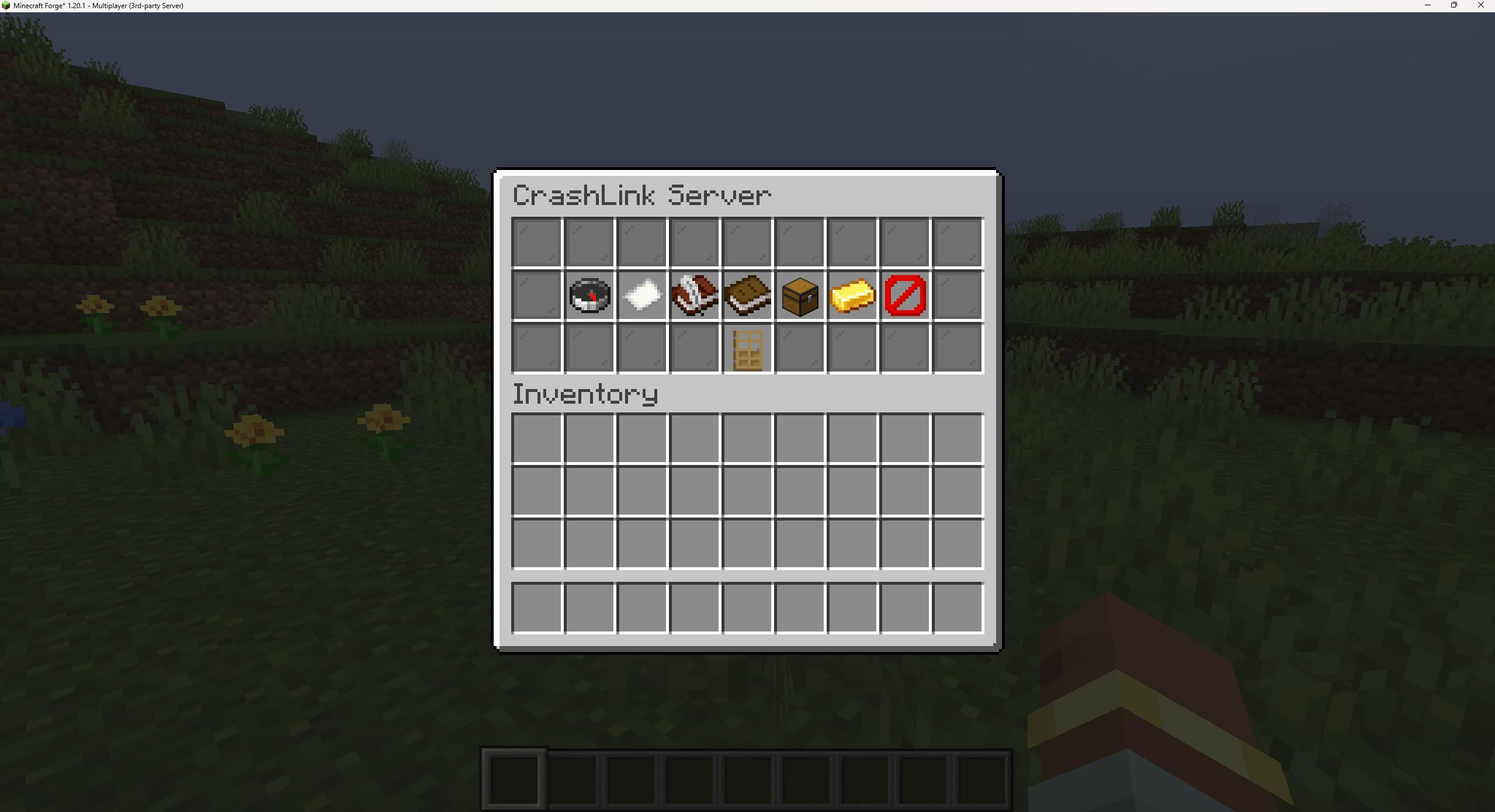
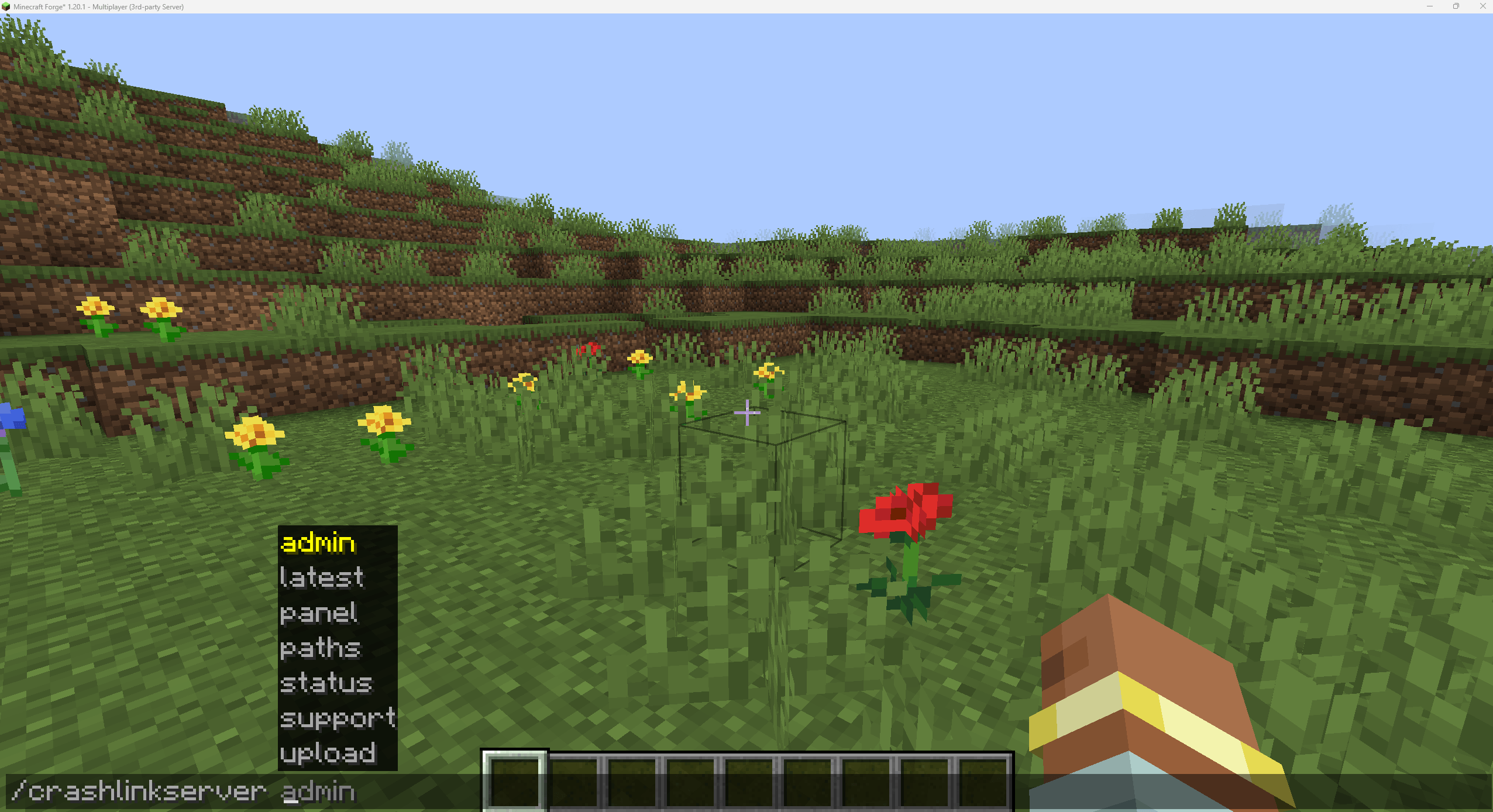
On a dedicated server, Crash Link can detect when the server stopped unexpectedly and let staff deal with it through commands, clickable chat buttons, or the built-in server panel.
Nothing is silently uploaded. You choose when Crash Link sends something to mclo.gs.
What Crash Link can do
• Detect unexpected client and server crashes
• Find the newest crash report
• Use the best available log if there is no crash report
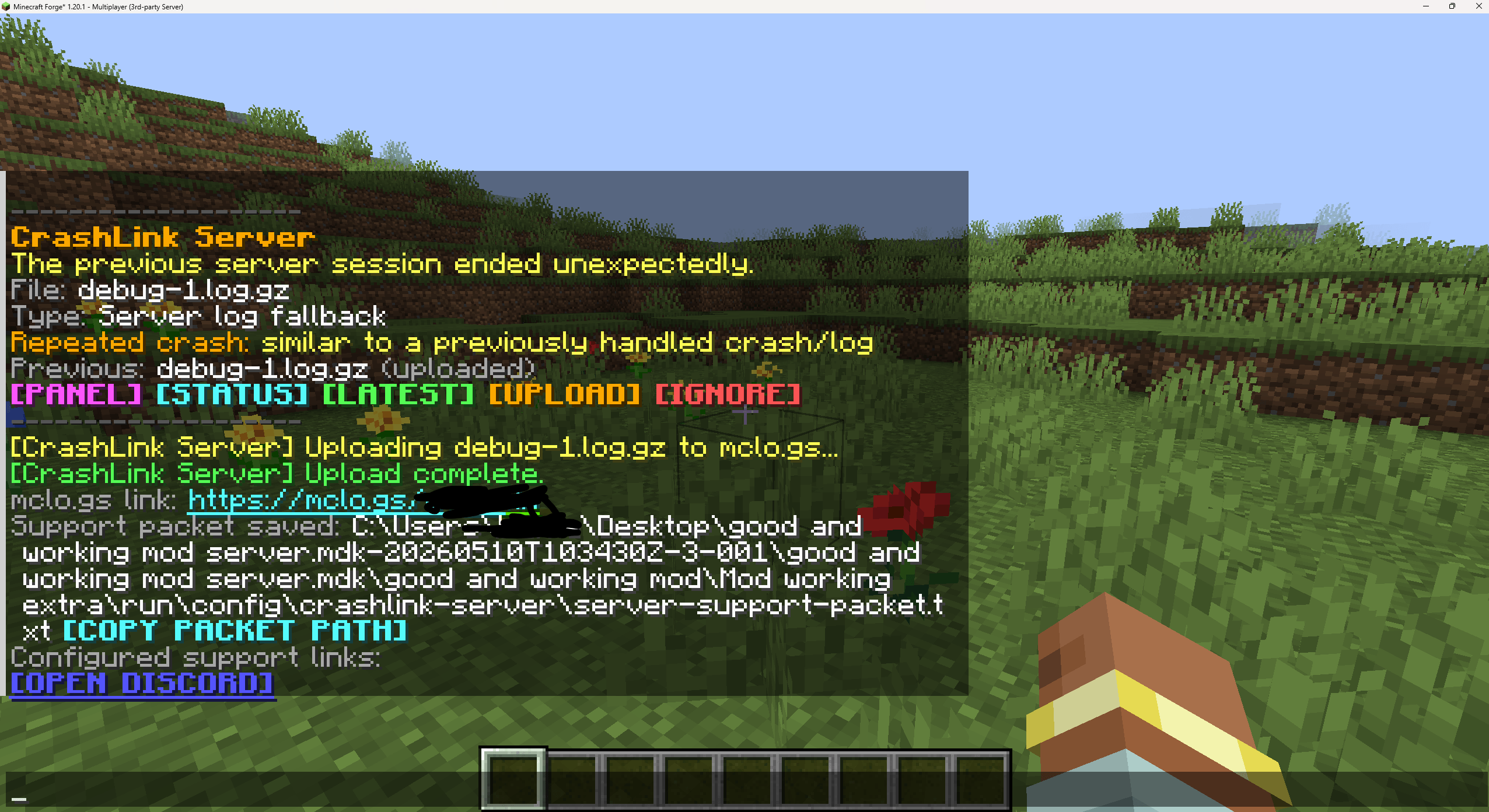
• Upload crash reports/logs to mclo.gs
• Create a Support Packet ready to send to support
• Detect repeated or similar crashes
• Save useful information from before the crash
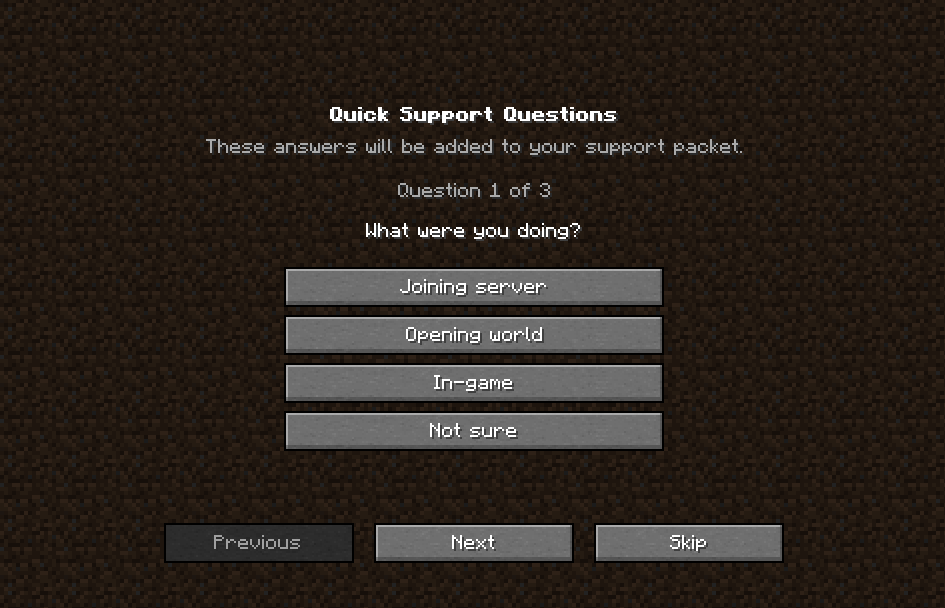
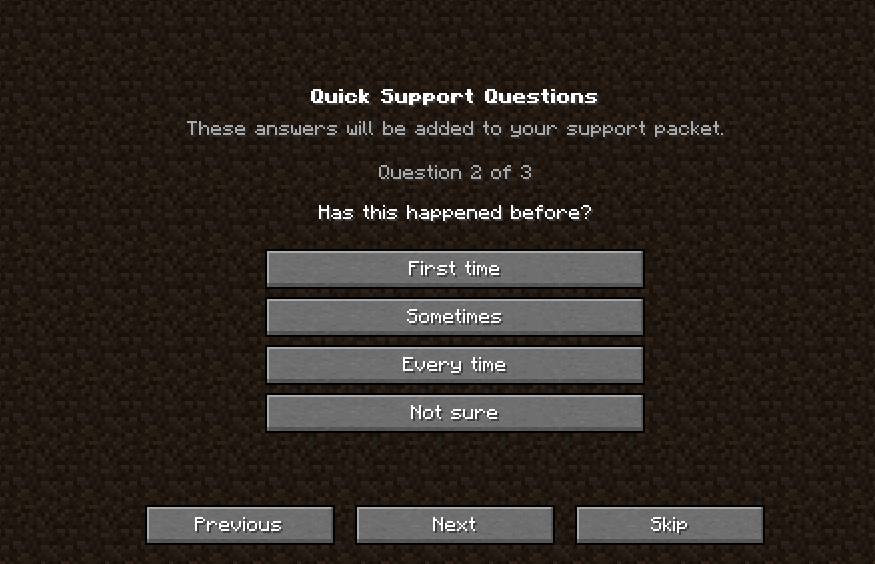
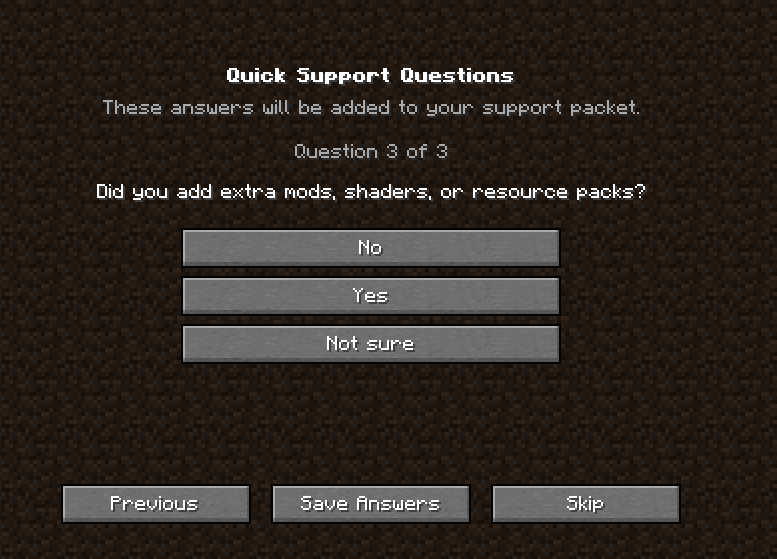
• Ask quick support questions
• Support custom questions for modpacks and servers
• Support Discord, GitHub and custom support links
• Safely trim logs that are too large to upload
• Work with OPs and permission/rank systems on servers
Crash Link 5.0
Currently available on Forge 1.20.1
Crash Link 5.0 is a big upgrade and adds the new Incident Intelligence system.
Instead of every crash just being another random file, crashes can now become proper incidents with IDs like:
CL-000001
If the same problem happens again, Crash Link can recognise it and add another occurrence to the same incident.
Incidents can be:
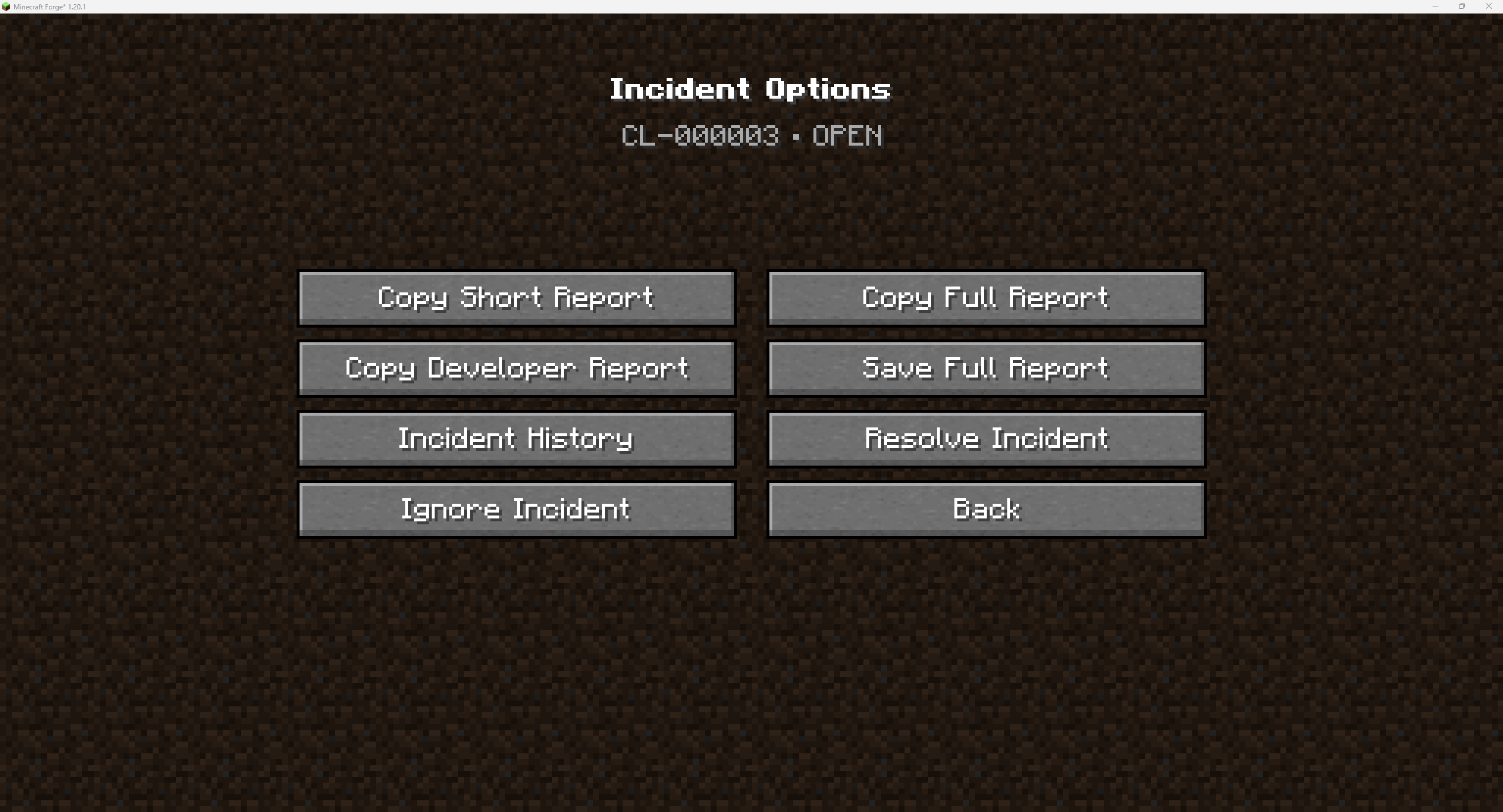
OPEN • REPORTED • RESOLVED • IGNORED • REOPENED
So if something was fixed and then happens again later, Crash Link can reopen the old incident instead of treating it as something completely new.
Crash analysis
Crash Link can now try to work out what went wrong itself.
It can look for problems involving:
• Java
• Missing/broken dependencies
• Mixins
• Mod loading
• Stack traces
• Registry/resource problems
• Memory problems
• Network problems
If Crash Link finds strong enough evidence, it can point out things like a likely suspect mod, possible suspect, related mod, or dependency.
If it does not know what caused the crash, it will just say that instead of making something up.
Last known working setup
Crash Link can remember the last setup that shut down properly.
If the game/server crashes later, Crash Link can compare the broken setup to the last working one and show things like:
• Mods that were added or removed
• Mods that changed version
• Minecraft/Forge changes
• Java changes
This does not mean Crash Link automatically blames whatever changed. It just uses it as extra information.
Pack Knowledge / Known Issues
Modpack developers can add their own known problems and fixes to Crash Link.
Known Issues go in:
config/crashlink/known-issues/
You can add as many as your pack needs.
Players do not see all of these while playing.
Crash Link only shows one if the player actually gets a crash that matches it.
A Known Issue can include:
• What the problem is
• How to fix it
• A workaround
• Affected versions
• The version it was fixed in
• A support link
Matches can be:
EXACT • LIKELY • POSSIBLE
This works alongside Crash Link’s own crash analysis.
So Crash Link can still help with crashes nobody has seen before, while a modpack developer can give players a proper known fix for problems they already know about.
Adding your own Known Issues
For modpack developers
Known Issues are simple .json files placed in:
config/crashlink/known-issues/
Example:
{
  "schemaVersion": 2,
  "id": "mypack.example-crash",
  "title": "Example Mod crash",
  "fix": "Update Example Mod to 1.0.1+",

  "match": {
    "crashFamilies": ["REGISTRY"],
    "rootCauseKeys": ["registry:examplemod:crystal"]
  }
}
The easiest way to get the information you need is from a Crash Link DEVELOPER or JSON incident report.
To check your files:
/crashlinkserver knownissues validate
If a player later gets a matching crash, Crash Link can automatically show them the fix or workaround you added.
Client side
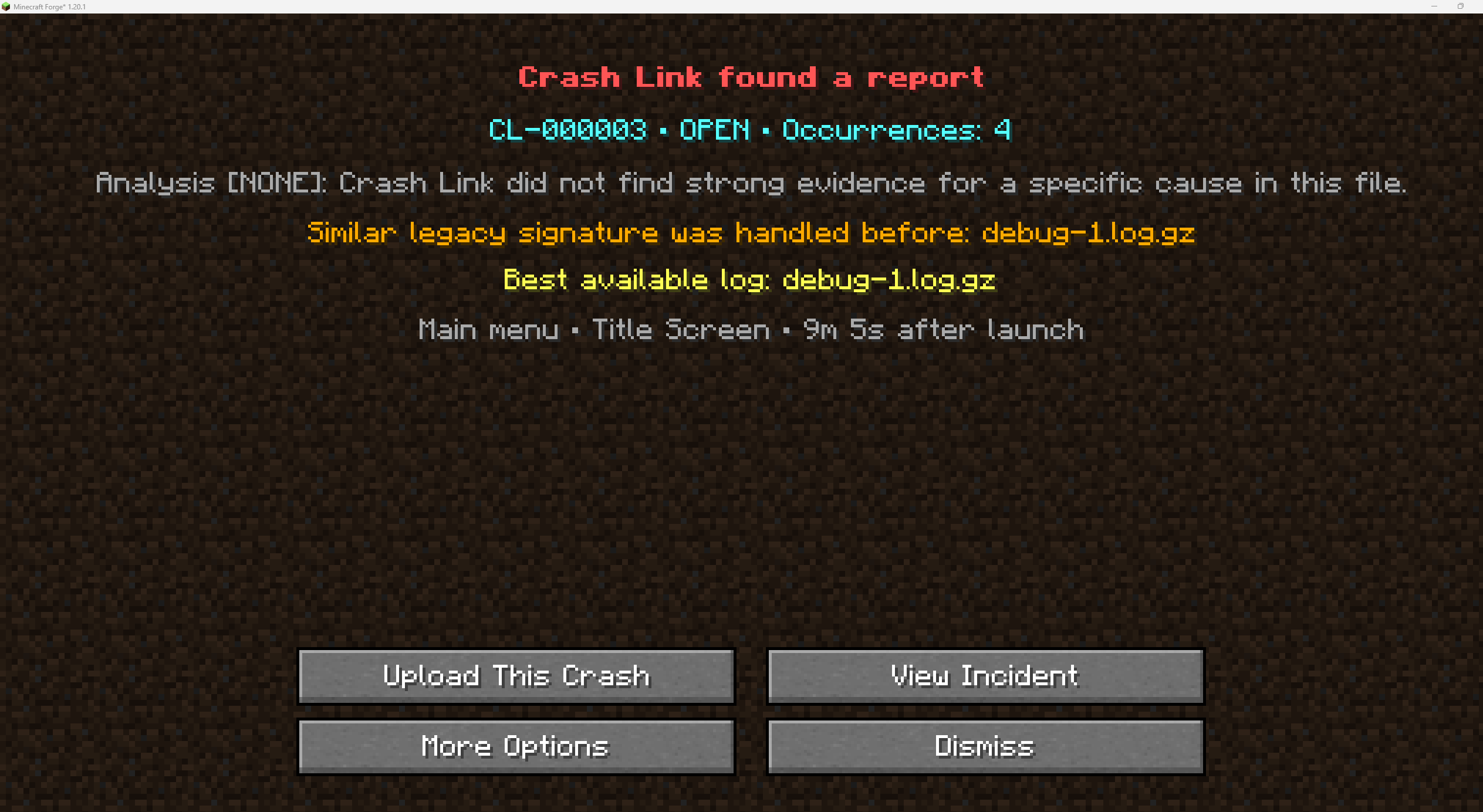
After Minecraft crashes or closes unexpectedly, Crash Link shows a small notification on the main menu.
From there you can:
• Review the crash
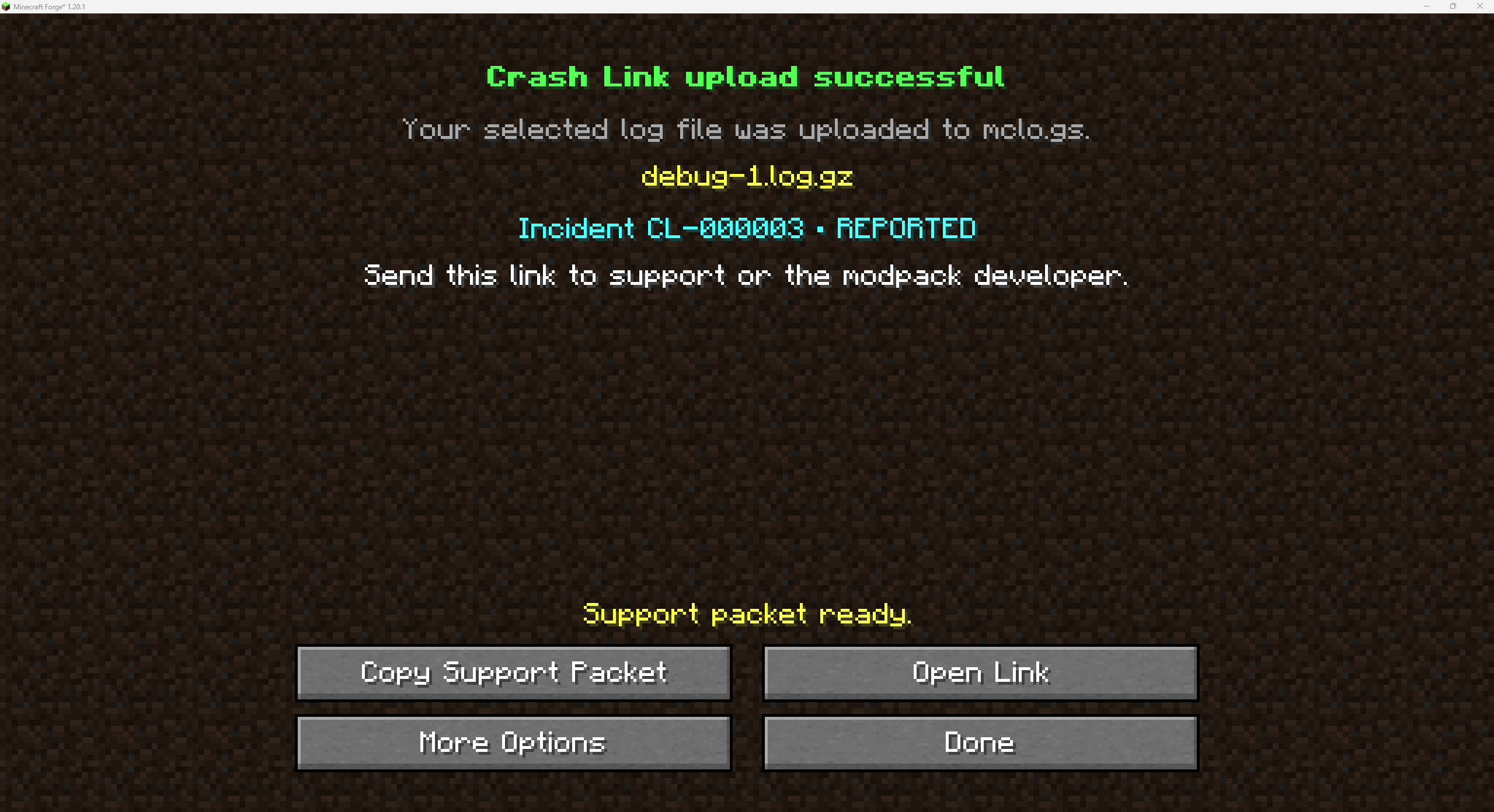
• Upload it to mclo.gs
• Answer support questions
• Copy a Support Packet
• Open the uploaded report
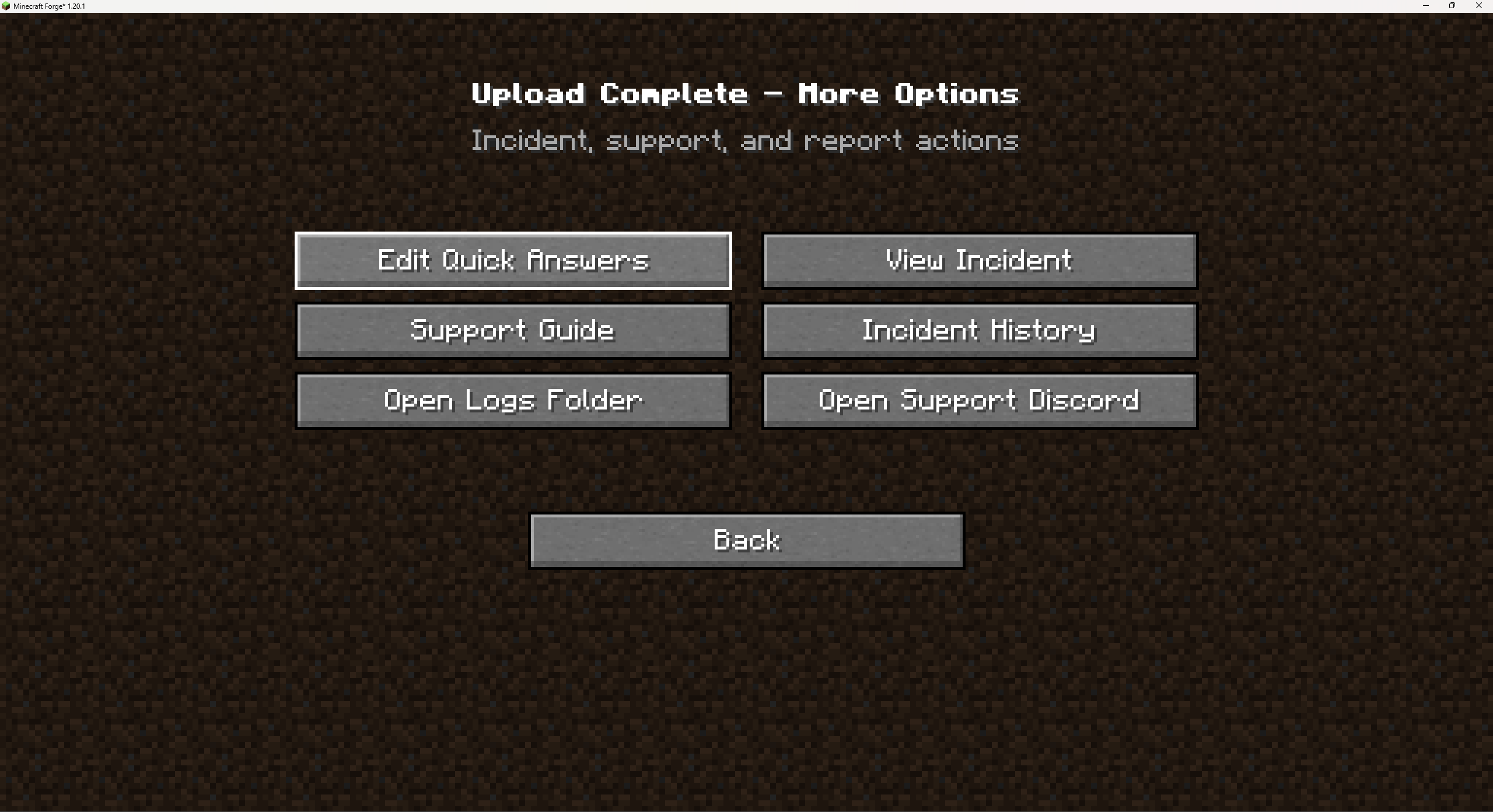
• Open your crash/log folder
Crash Link 5.0 also adds:
• Incident Details
• Incident History
• Crash analysis
• Pack Knowledge
• Recommended reports
• Resolve/Ignore options
• Saved mclo.gs links
When an upload is successful, the incident is marked as REPORTED.
Dedicated servers
Crash Link can also work completely server-side.
If the server crashes or stops unexpectedly, Crash Link can detect it when the server starts again and notify staff when they join.
Staff can use:
• /crashlinkserver commands
• Clickable chat buttons
• The built-in CrashLink Server panel
Players do not need Crash Link installed on their own client for the server-side features to work.
Crash Link 5.0 also adds server incident history, better support questions, and uploads that are linked directly to the incident.
Support Packets
Crash Link can create a Support Packet containing useful information such as:
• mclo.gs link
• Crash/server context
• Selected file information
• Minecraft/Forge information
• Repeat crash information
• Support answers
• Configured support links
Crash Link 5.0 can also include its crash analysis, Incident Intelligence and Pack Knowledge information.
There are also different report types:
• SHORT – quick and easy to send
• FULL – more information
• DEVELOPER – more technical details
• JSON – machine-readable incident information
Privacy
Crash Link never silently uploads your logs.
You choose when something gets uploaded.
Crash Link 5.0 also filters sensitive information from reports/uploads where needed, such as:
• User paths
• Emails
• Tokens
• Credentials
• Passwords/secrets
Your original crash report or log is never changed.
Notes
Crash Link works best for crashes that happen after the mod has had a chance to load.
Some very early launcher, Forge, dependency or mod-loading crashes can happen before Crash Link is able to track the session.
If there is no crash report, Crash Link will try to use the best available log instead.
Crash Link 5.0 and its new Incident Intelligence, Pack Knowledge and report systems are currently available on Forge 1.20.1.
The other supported Minecraft versions/loaders will be updated to 5.0 as their ports are finished.
Crash Link uses the public mclo.gs API when you choose to upload a crash report or log.
Crash Link is not affiliated with or endorsed by mclo.gs or Aternos.
If you want Crash Link on another Minecraft version or loader, leave a comment saying which one and more coming soon!
常见问题
Crash Link 支持哪些 Minecraft 版本?
Crash Link 支持 Minecraft Java 版 1.18.2–1.21.1,共 4 个版本,可用的加载器:Fabric / Forge / NeoForge。下载时注意选择和你游戏版本一致的文件。
Crash Link 怎么安装?
先用 PCL2 或 HMCL 启动器安装对应版本的 Fabric / Forge / NeoForge,再把下载的 .jar 文件放进游戏目录的 mods 文件夹,重新启动游戏即可。开启了版本隔离的,mods 文件夹在 versions/版本名 下面。
Setokaiba218 的其他作品
查看全部 →
Block Memory
Block Memory is a lightweight, server-side Forge mod designed for moderators and administrators who need clear, reliable block, incident, and live activity alert information without digging through logs. :D

DND Styled Origins
This datapack adds 10 new Origins races , it is a race selection based of DND races.

Fantasy Exhibition
Unearth ancient monoliths, brave alien dimensions, and dive into abyssal trenches—but beware the creeping Corruption.

Fantasy Exhibition S2
Venture into the unknown—where ancient monoliths whisper secrets and ocean abysses hide unspeakable horrors.
评论
登录后评论和评分