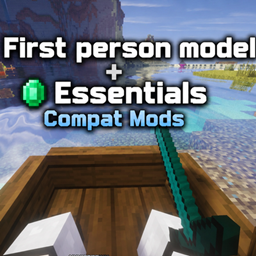
Essential x First person models compat
Adds compatibility between Essential cosmetics and First Person Model for a cleaner first-person experience.
介绍
Essential X First Person Models Compat
A compatibility mod for Essential, First Person Model, and other cosmetic/character mods that helps prevent cosmetics from appearing incorrectly when first-person player animations are being used.
What it does
This mod improves compatibility between Essential cosmetics, First Person Model, and other cosmetic or player-appearance mods.
It is designed to prevent cosmetics and other player model features from interfering with first-person animations, helping provide a cleaner and more consistent first-person experience.
The project is also being updated to support newer versions of Essential and First Person Model, rather than being limited to older versions.
Also works with Fresh Animations: Player Extension and may support other cosmetic/player-model mods.
Compatibility
-
Minecraft 1.20.1
-
Forge / Fabric
-
Client-side
-
Essential
-
First Person Model
-
Fresh Animations: Player Extension
-
Other compatible cosmetic and player-model mods
-
Newer versions of Essential and First Person Model are being targeted
Development Status
In Development
The project is being updated to improve compatibility with newer versions of Essential, First Person Model, and other cosmetic mods.
Older versions may still be supported where possible, but compatibility may vary depending on the versions of the mods being used.
Notes
This is a compatibility/fix project and does not add, replace, or modify Essential’s cosmetic system.
The goal is to make Essential cosmetics and other cosmetic/player-model mods work more reliably with First Person Model and first-person animations.
常见问题
Essential x First person models compat 支持哪些 Minecraft 版本?
Essential x First person models compat 支持 Minecraft Java 版 1.20.1,可用的加载器:Fabric / Forge。下载时注意选择和你游戏版本一致的文件。
Essential x First person models compat 怎么安装?
先用 PCL2 或 HMCL 启动器安装对应版本的 Fabric / Forge,再把下载的 .jar 文件放进游戏目录的 mods 文件夹,重新启动游戏即可。开启了版本隔离的,mods 文件夹在 versions/版本名 下面。
评论
登录后评论和评分