
HomeGui
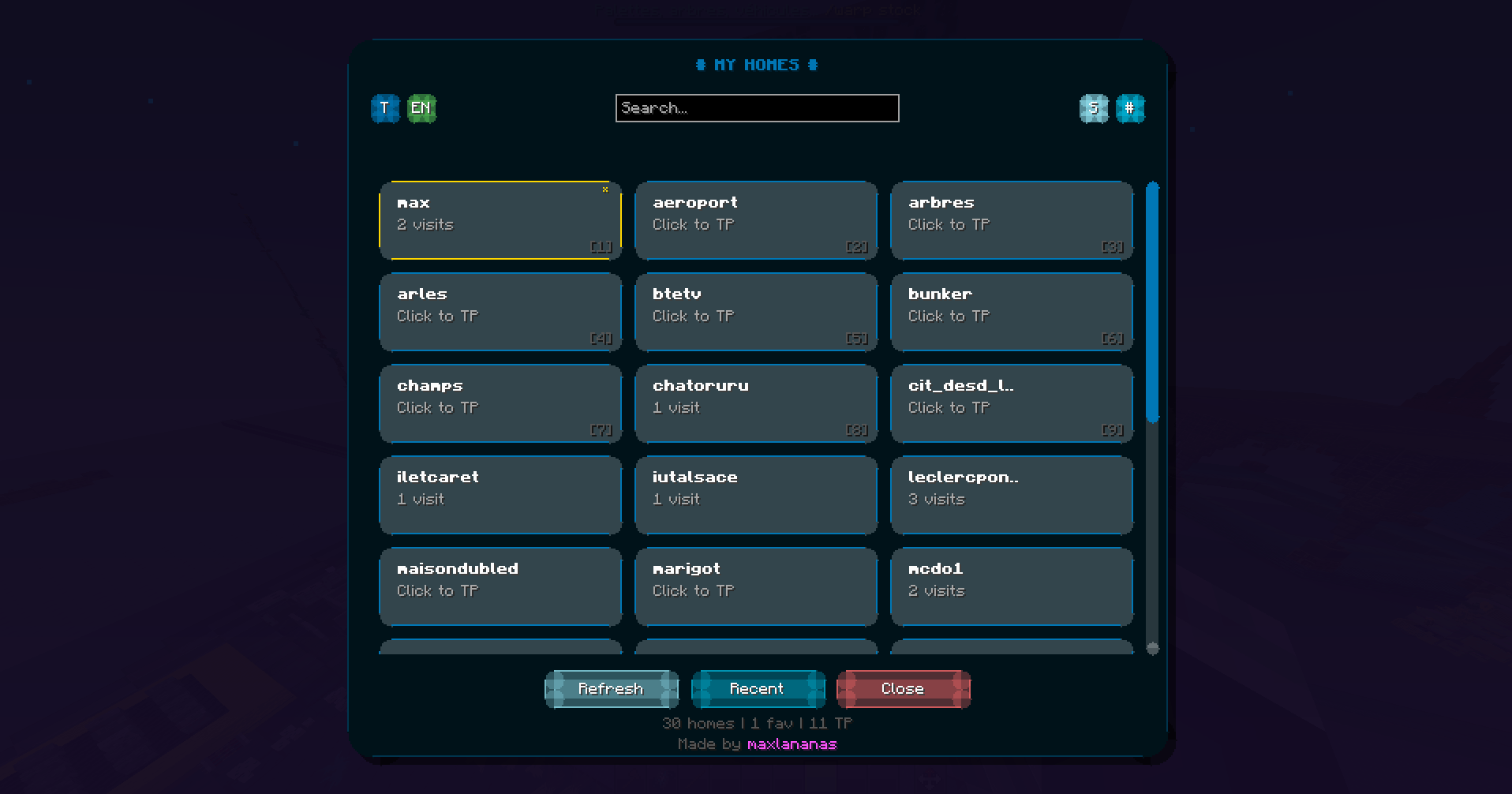
Home GUI is a lightweight Minecraft client mod that provides a sleek and user-friendly graphical interface for managing homes. It allows players to easily teleport to their saved homes with just one click, without the need for commands.
截图
介绍

# HomeGui
**Stop typing `/home` thirty times a session. Browse, search, favorite, and click to teleport to any server home in one clean client-side UI.**





On any survival multiplayer server with 10+ saved homes, half your chat history ends up looking like /home base, /home farm, /home nether, /home shop. HomeGui replaces chat typing and tab-completion scrolling with a single keybind (H) and a single click.
HomeGui is 100% client-side: it does not store separate homes or inject custom packets. Opening the menu sends /homes, parses the server’s response (EssentialsX, CMI, or compatible /home plugins), and clicking a home sends the exact /home <name> command you would type by hand.
Features
| Capability | |
|---|---|
 |
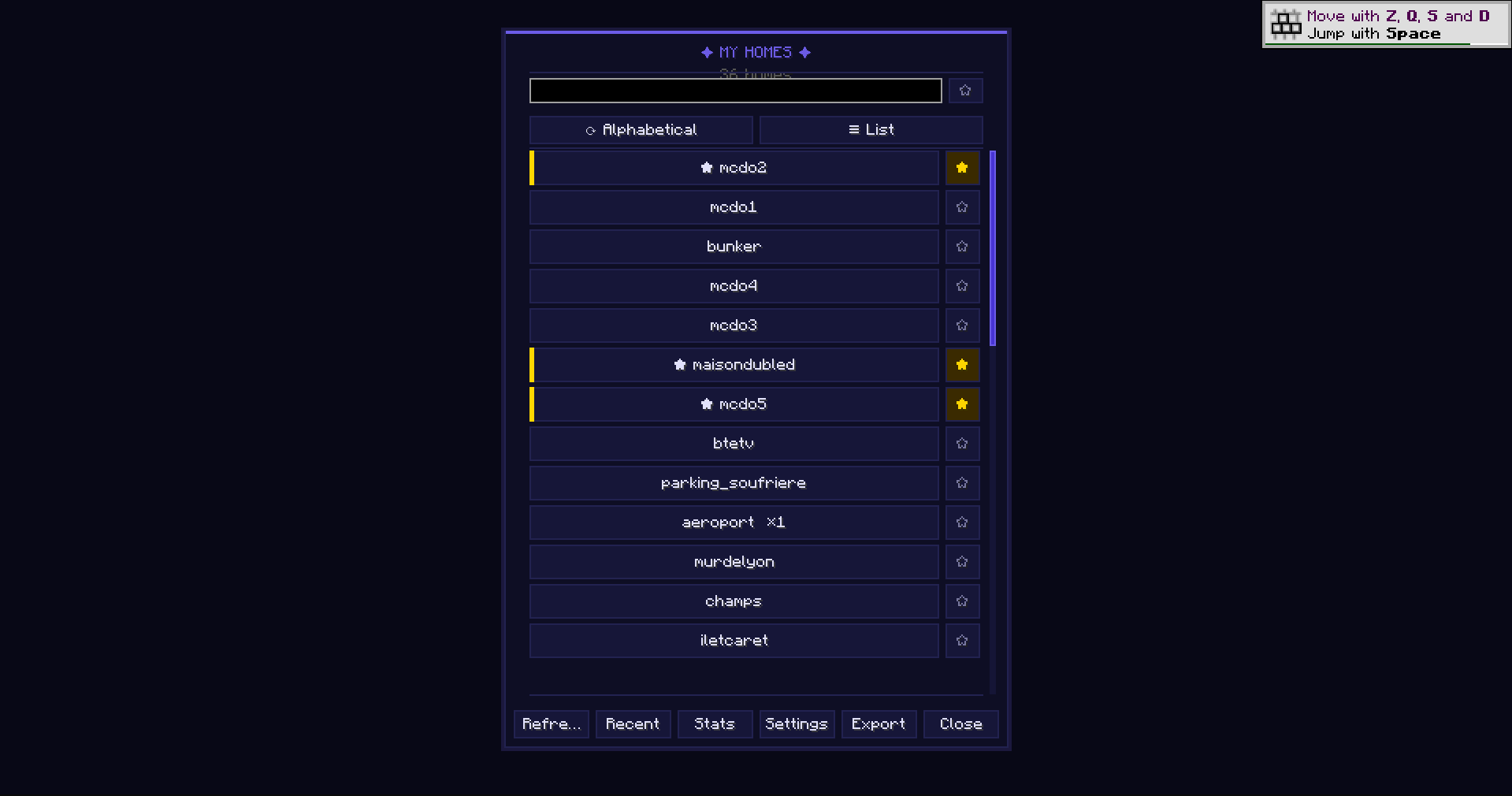
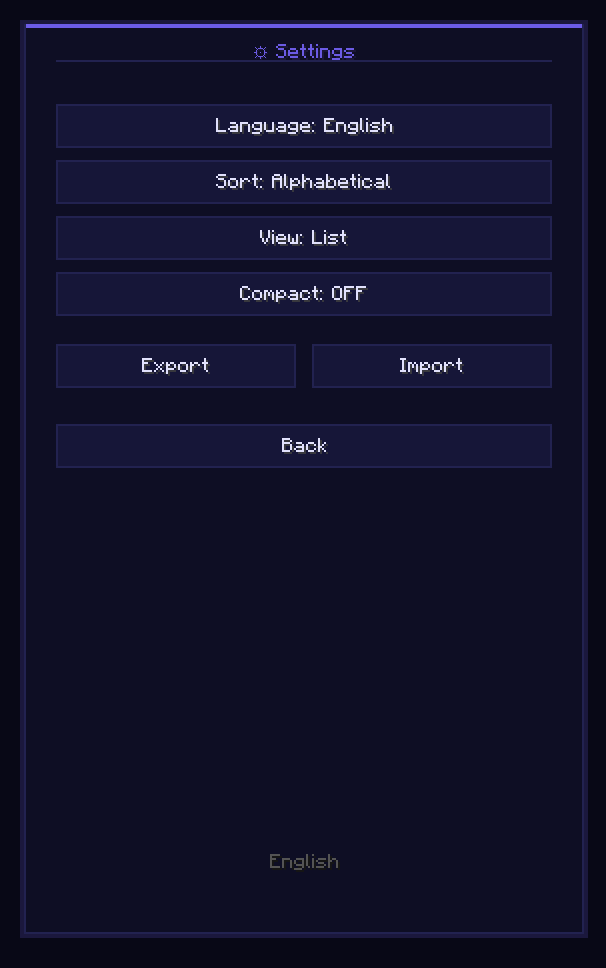
Searchable Grid & List Views Switch freely between Grid and List layouts, filter in real time from the search bar, and sort by server order, name, most used, most recent, or favorites first. Clear status states tell you immediately when a list is loading, empty, timed out, or in an unrecognized format. |
 |
Favorites, Recent History & Instant Number KeysRight-Click any home to pin it with a star, browse your recent teleports in the History tab when bouncing between farms and storage, or press number keys 1–9 while the screen is open for sub-second teleportation. |
 |
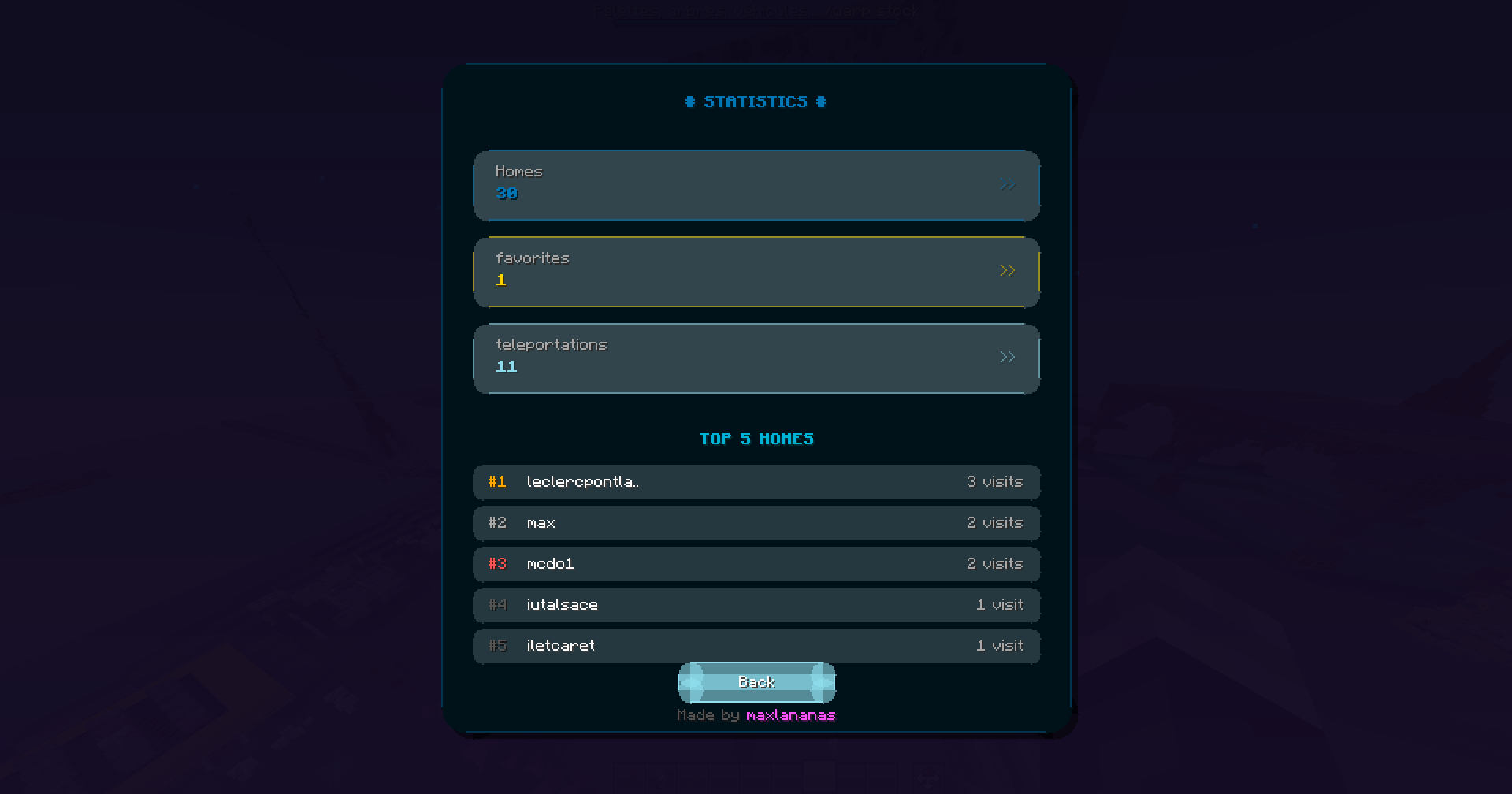
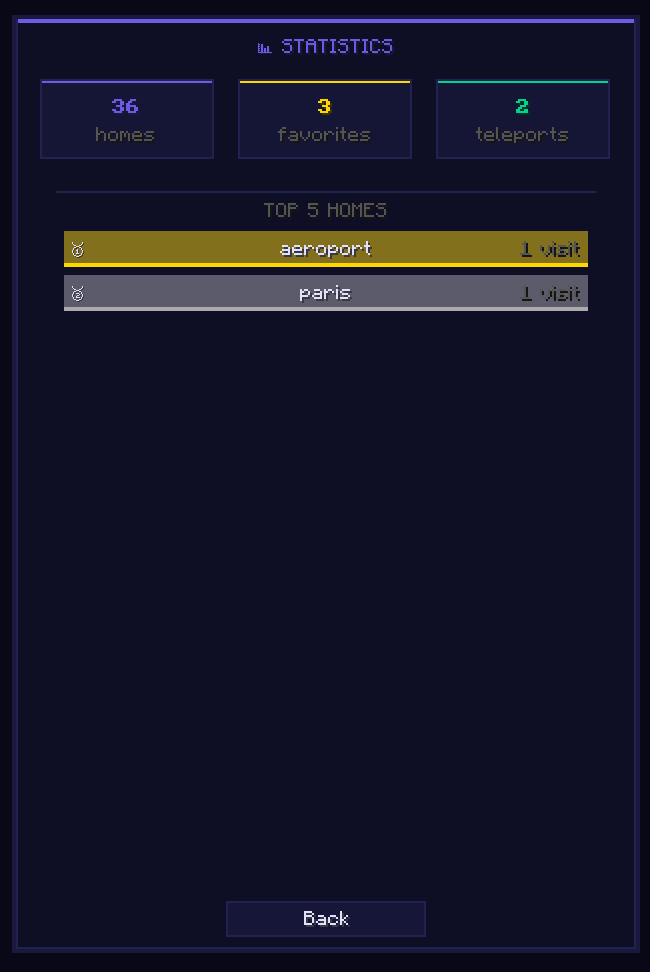
Confirmed Stats & Coordinate Memory Counts teleports only after the teleport actually succeeds, captures approximate destination coordinates upon arrival, and displays your top 5 most-visited homes in a color-coded bar chart inside the Stats tab. |
 |
17 Languages, Themes, Import/Export & Accessibility Configure everything in the Settings tab: 17 built-in languages (auto-synced to your client or pinned manually), color themes (including a High-Contrast option), compact/comfortable density, optional animations toggle, full keyboard focus & screen-reader labels, and one-click JSON backup import/export. |
Controls
| Input | Action |
|---|---|
H |
Open HomeGui (remappable in Options → Controls → Key Binds) |
Left-Click |
Teleport immediately to the selected home |
Right-Click |
Favorite or unfavorite a home |
1 – 9 |
Instant shortcut to the first 9 homes in your current view |
Tab / Arrow keys |
Full keyboard navigation across tabs and home cards |
Installation & Compatibility
- Install Fabric Loader and Fabric API on your client.
- Drop the HomeGui JAR matching your Minecraft version (
1.21through26.3) into.minecraft/mods/(client-only; never install on a dedicated server). - Join any server running EssentialsX, CMI, or a standard
/homes+/home <name>plugin and pressH.
Frequently Asked Questions
Is HomeGui safe on servers with anti-cheat?
Yes. HomeGui touches zero movement or world packets and only sends standard /homes and /home <name> chat commands identical to typing on your keyboard. Always respect your server’s allowed-mod rules.
My server’s /homes output isn’t recognized. What should I do?
Open an issue on GitHub with the plugin name and a screenshot of the chat output when you run /homes or /homelist so parser support can be added.
Does it affect FPS?
Zero background tasks or tick polling run while the screen is closed.
Links & Credits
- Source Code & Issue Tracker: GitHub — MaxLananas/HomeGui
- Community & Support: Join our Discord
<sub>Project icon artwork by Elfi (@elfi_draw)</sub>
常见问题
HomeGui 支持哪些 Minecraft 版本?
HomeGui 支持 Minecraft Java 版 1.17–26.3,共 29 个版本,可用的加载器:Fabric。下载时注意选择和你游戏版本一致的文件。
HomeGui 怎么安装?
先用 PCL2 或 HMCL 启动器安装对应版本的 Fabric,再把下载的 .jar 文件放进游戏目录的 mods 文件夹,重新启动游戏即可。开启了版本隔离的,mods 文件夹在 versions/版本名 下面。
maxlananass 的其他作品
查看全部 →
Nostalgia Ultra Shader
下载 Nostalgia Ultra,这款复古 Minecraft 光影将 Beta 1.7 至 1.5.2 的画面带回 4K。包含 CRT 扫描线、青绿色水面、橙色火把和电光蓝天空。兼容 Iris 和 Sodium。支持 6 种语言。

Railway Tools For Axioms
Axiom addon - Custom rail placement for railway reproduction

Colorflow
Colorflow is a client-side Fabric mod that lets you pick any color and instantly find the 9 closest Minecraft blocks using Delta-E 2000 color matching. Includes RGB sliders, HEX input, a visual gradient generator, and one-click hotbar fill.

Now Playing IRL
Display your real-life music in Minecraft!
评论
登录后评论和评分