
AE2 Objects
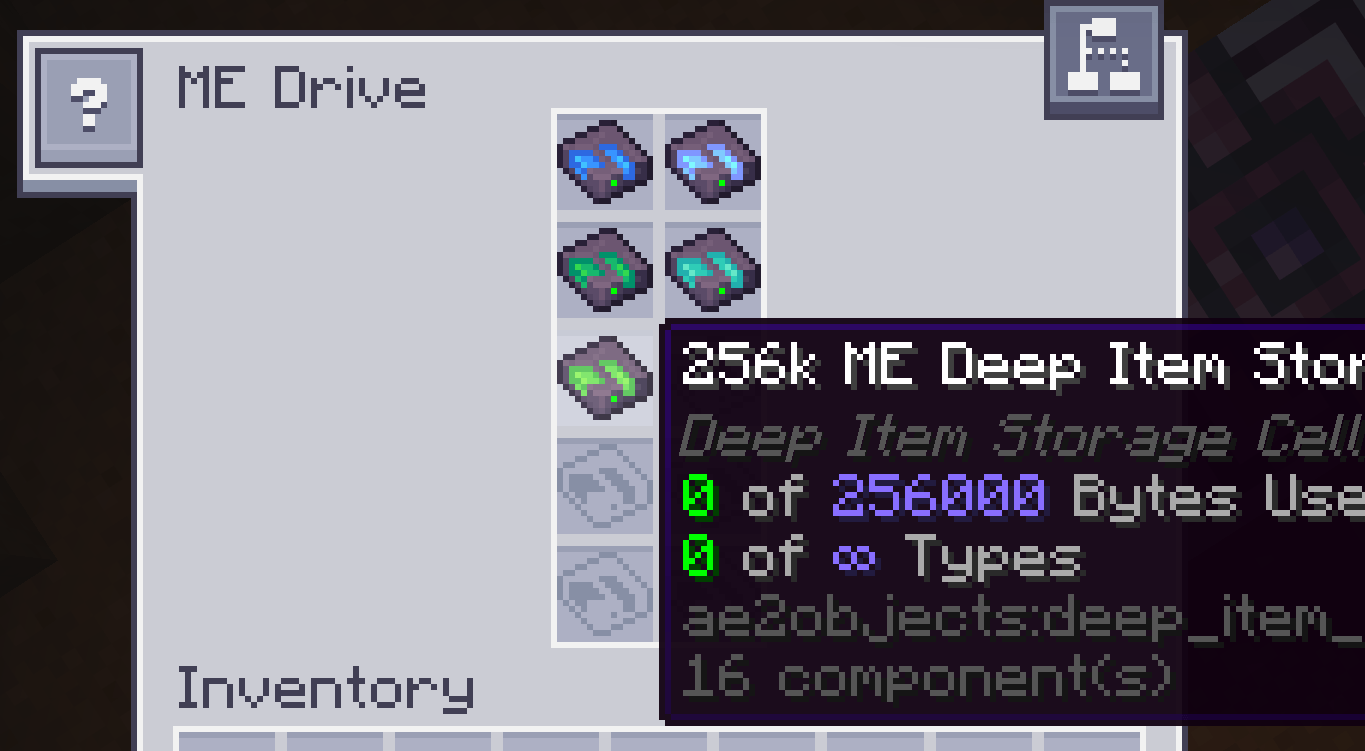
Introduces high-density Deep Storage Cells with no type limits. A continuation and derivative work based on AE2 Things.
截图
介绍
AE2 Objects





A NeoForge addon mod for Applied Energistics 2 that introduces high-density Deep Storage
Cells with no type limits.
AE2Objects provides flexible, high-capacity storage solutions that remove the traditional AE2
63-type limit while maintaining balanced byte-based mechanics.
Features
- Deep Item Storage Cells: High-density storage cells with no item type limits—every item
consumes exactly 1 byte. - Multiple Capacity Tiers: Available in 1K, 4K, 16K, 64K, and 256K tiers.
- Full AE2 Integration: Works seamlessly with ME Drives, Cell Workbenches, Partitioning, Fuzzy
Cards, and Inverter Cards. - Safe Cell Disassembly: Sneak + right-click with an empty cell in hand (or on a block) to
reclaim its storage housing and component. - In-Game Management & Recovery: Built-in commands for checking cell UUIDs and recovering
storage data. - Dedicated Creative Tab Integration: Seamlessly integrated into Applied Energistics 2 creative
tabs.
Requirements
- Minecraft:
26.1.2 - NeoForge:
26.1.2.98or compatible - Applied Energistics 2:
26.1.10-betaor compatible - Java:
25
Installation
- Make sure you have installed Minecraft, NeoForge, and Applied Energistics 2.
- Download the latest release from
the Releases page. - Place the downloaded
.jarfile into your.minecraft/modsdirectory. - Launch the game and start crafting Deep Storage Cells!
Commands
AE2Objects includes administrative commands for inspecting and recovering deep storage cells:
| Command | Permission | Description |
|---|---|---|
/ae2objects getuuid |
All Players | Gets the UUID of the deep storage cell in hand and copies it to the clipboard. |
/ae2objects recover <UUID> |
Level 2 (OP) | Reconstructs and gives a storage cell corresponding to the specified UUID. |
Building from Source
# On Linux / macOS
./gradlew clean build
On Windows (PowerShell / Command Prompt):
.\gradlew.bat clean buildThe compiled mod jar will be located in:
build/libs/Development Runs
- Client:
./gradlew runClient - Dedicated Server:
./gradlew runServer - Data Generation:
./gradlew runServerData
World Compatibility Notice
AE2Objects is a major rewrite and rebrand of AE2Things for modern Minecraft versions. While core
storage concepts remain familiar, upgrading directly from legacy AE2Things save files is not
guaranteed to be seamless. Always make a backup of your worlds before migrating.
Credits
AE2Objects is a continuation and derivative work based on
AE2Things, originally created by ProjectET and
maintained by Technici4n.
License
This project is licensed under the GNU Lesser General Public License v3.0 (LGPL-3.0).
The original AE2Things copyright notices are preserved in LICENSE, along with the
continued project copyright notices.
常见问题
AE2 Objects 支持哪些 Minecraft 版本?
AE2 Objects 支持 Minecraft Java 版 26.1–26.1.2,共 3 个版本,可用的加载器:NeoForge。下载时注意选择和你游戏版本一致的文件。
AE2 Objects 怎么安装?
先用 PCL2 或 HMCL 启动器安装对应版本的 NeoForge,再把下载的 .jar 文件放进游戏目录的 mods 文件夹,重新启动游戏即可。开启了版本隔离的,mods 文件夹在 versions/版本名 下面。
Chiloven945 的其他作品
查看全部 →
Create: Right Hand
Added some chain interation for create.

Chromatic Subtitles
Unoffical continuation fork of Colorful Subtitles. Changes the color of subtitles based on their sound category.

Continue Button Continued
Continue the last save or server you played from the main screen. Continuation version of the Continue Button.

Chromatic Subtitles
Unoffical continuation fork of Colorful Subtitles. Changes the color of subtitles based on their sound category.
评论
登录后评论和评分