StraySkins
A skin management mod designed for offline accounts, supporting APNG animated skins, ultra-high resolution, and alpha blending, allowing offline players to own and switch their own skins and capes, and display them correctly on multiplayer servers.
截图

介绍
Overview
StraySkins is a skin management mod for offline-account setups: it lets offline-account players own and switch their own skins and capes just like premium players, and display them correctly to themselves and other players on multiplayer servers.
How to use
- File naming: a file used for same-name auto-load must be named
YourName.png(e.g.Steve.png; Chinese and any other characters are supported); other files can be named freely. - Apply an appearance: run
/strayskinsin game to load your own skin (and cape, if present), or use/strayskins skin <file>to pick a file; see “Command Preview” below for all commands. - Launcher: if your launcher already set a skin, it takes effect automatically on join; using the HMCL launcher to set your appearance and launch is recommended. Launcher-provided skins are a single static frame (see “Advanced Features” for animation).
Command Preview
- /strayskins: Load your own skin and cape (skin/.png + cape/.png)
- /strayskins skin: Load your own skin (skin/.png)
- /strayskins skin : Load a specified skin file
- /strayskins cape: Load your own cape (cape/.png)
- /strayskins cape : Load a specified cape file
- /strayskins any: Randomly load skin and cape
- /strayskins any skin: Randomly load a skin
- /strayskins any cape: Randomly load a cape
- /strayskins clear [skin|cape]: Clear skin, cape, or all
- /strayskins list: List all available files
- /strayskins player: Load the appearance of the nearest online player (same dimension, excluding yourself)
- /strayskins player : Load a player’s skin and cape (from same-name files under skin/, cape/)
- /strayskins mojang [player name]: Fetch a premium player’s appearance (skin + cape) from Mojang
- /strayskins body: Switch between wide / slim model
- /strayskins fake …: Manage one fake player’s appearance; supports skin / cape / player / any / clear / body / mojang; its skin/cape are read from the fake-only directory fake/skin, fake/cape (separate from the real-player library)
- /strayskins fake @a …: Batch-manage all fake players’ appearances; supports skin / cape / player / any / clear / body / mojang; also reads from the fake-only directory fake/skin, fake/cape
- /strayskins help: Show help to guide players in using the commands
Auto-load on join
- On a new player’s first join, the mod tries in order and reports each step in chat: ① same-name skin/cape file → ② a random local appearance → ③ premium appearance from Mojang; only if all three fail is a failure shown.
- Players who have set an appearance have it automatically restored from their
player/folder on rejoin; if the files are missing, a hint is shown in chat. - Fake players (FakePlayer) do not participate in first-join auto-load; set their appearance manually with
/strayskins fake .... - Supports single-player, LAN and dedicated servers.
Folder Structure
Put skin/cape images into the strayskins/ folder under the current game client’s or server’s root directory; files placed on the client are auto-uploaded on join, files placed on the server are visible to all players:
skin/: skin library; skin commands and random skin pick files herecape/: cape library; cape commands and random cape pick files hereplayer/: player appearance saves; one sub-folder per player (player/<player name>/) holdingskin.png,cape.pngand the save file<player name>.json; appearances are restored from here on rejoinplayer.txt: player name to UUID mapping (records historical players)fake/: fake-player-only appearance directory (separate from the real-player library);fake/skin/,fake/cape/are the fake skin/cape libraries,fake/fake.txtis the fake name to UUID mapping
Advanced Features
- Transparency: use PNGs with an alpha channel; any opacity (including semi-transparency) blends correctly by alpha, for both skins and capes
- Ultra-HD: beyond the base sizes you can go larger (e.g. skins 512×512, 1024×1024; capes 512×256…); higher resolution looks sharper but uses more VRAM/RAM, choose as needed
- APNG animated skins/capes: keep the
.pngextension; plays in a loop at the image’s own frame rate and is visible to all players. Animated images must be placed manually in the corresponding directory (strayskins/skin,strayskins/cape); a skin set through the launcher is a single static frame and cannot animate
Notes
- Must be installed on both client and server (with matching versions) for full display
- Commands can only be run by a player in game; the console / command blocks cannot use them
- Skin size: square, side a multiple of 64 (64×64, 128×128, 256×256…), or legacy 64×32 (no upscaled legacy); use PNG images
- Cape size: 2:1 landscape, width a multiple of 64 (64×32, 128×64…)
- When loading skin and cape together the skin governs: the skin must be valid, an invalid cape is simply skipped without affecting the skin; using the cape command alone does not require an existing skin (the default skin is used as the base)
- Skin/cape files must not exceed 20MB (larger files are rejected).
常见问题
StraySkins 支持哪些 Minecraft 版本?
StraySkins 支持 Minecraft Java 版 1.20.1–26.3,共 5 个版本,可用的加载器:Fabric。下载时注意选择和你游戏版本一致的文件。
StraySkins 怎么安装?
先用 PCL2 或 HMCL 启动器安装对应版本的 Fabric,再把下载的 .jar 文件放进游戏目录的 mods 文件夹,重新启动游戏即可。开启了版本隔离的,mods 文件夹在 versions/版本名 下面。运行环境:客户端和服务端都要装。
jfyx2025 的其他作品
查看全部 →
-FakePlayer-
A next-generation fake player mod that optimizes and provides more practical features, making it suitable as a companion in the game.
beyondheights
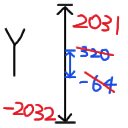
Expand the upper and lower limits of world height without loading terrain.

PowerRocket
A comprehensive flight assist mod featuring 6 tiers of power rockets, elytra boost, auto-protection systems, and fully customizable HUD displays.

AnySlotTotem
This allows the Undying Totem to trigger in any slot in the backpack, and even those hidden in the Stealth Box can be used
评论
登录后评论和评分