PA9’s Texture Builder (Neoforge Port)
Automatic block variation while you build — no hotbar cycling required.
介绍
(THIS MOD WAS NOT MADE BY ME, THE ORIGINAL MOD WAS MADE BY PA9 AND IS BELOW)
https://modrinth.com/mod/texture-builder
This is a client side mod originally made for fabric that i ported to Neoforge. So i suggest that you check out the original mod page.
Automatic block variation while you build — no hotbar cycling required.
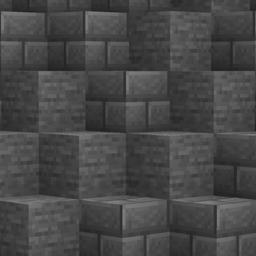
Tired of stopping mid-build to swap hotbar slots just to keep your stone bricks looking natural? Texture Builder toggles on a weighted random selection that silently swaps your active slot right before each placement — 70% Stone Bricks, 20% Mossy, 10% Cracked, whatever blend you want and leaves it selected, so you can always see which block you just placed. You place blocks exactly like normal; the variation just happens.
- Weighted random placement — Set a weight (0–100) per hotbar slot and Texture Builder normalizes them proportionally, so you get a natural, controllable mix instead of a rigid cycle.
- Zero-interruption swapping — Each placement switches to the chosen slot just before the block goes down, sending the exact packets a manual player would — no custom payloads, works in single-player and on vanilla servers. Prefer your selection to snap back afterwards? Set restore_slot_after_placement = true in the config.
- Live “Eff. %” feedback — The config screen shows each slot’s real resulting share as you adjust sliders, so you always know exactly what you’re building with.
- Auto-restock via Pick Block — When a pooled slot runs dry, Texture Builder fires your Pick Block keybind aimed at the block you just placed to restock it — instant in creative, pulled from your inventory in survival.
常见问题
PA9’s Texture Builder (Neoforge Port) 支持哪些 Minecraft 版本?
PA9’s Texture Builder (Neoforge Port) 支持 Minecraft Java 版 1.21–26.3,共 4 个版本,可用的加载器:NeoForge。下载时注意选择和你游戏版本一致的文件。
PA9’s Texture Builder (Neoforge Port) 怎么安装?
先用 PCL2 或 HMCL 启动器安装对应版本的 NeoForge,再把下载的 .jar 文件放进游戏目录的 mods 文件夹,重新启动游戏即可。开启了版本隔离的,mods 文件夹在 versions/版本名 下面。
BigDanH07 的其他作品
查看全部 →
BigDans Music Discs
为游戏新增玩家自制唱片。

BigDan’s Mo’ Creatures
将 DrZhark 的 Mo' Creatures 模组移植到较新的 Minecraft 版本!

Chestling’s
用 Chestlings 让你的存储活起来,这些友好的生物喜欢在你旅行时背包满了的时候帮助你!

BigDans Extra Employment
This adds in more Professions for Villagers
评论
登录后评论和评分