Archaeology Expansion
Several new mechanics, items and blocks to do with the announced Archaeology Update.
介绍
RoyDoesSomething presents

This update adds several new mechanics, items and blocks to do with the announced Archaeology Update.
This is my own version of the update, it is not an exact copy
New items:
- Fossil
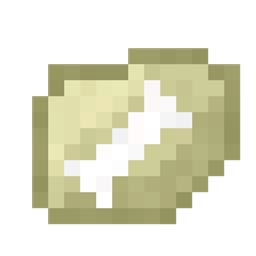
- Broken fossil fragment
- Dusty fossil
- Mask of Tutankhamun – Grants the player speed and strength buffs if held in the off-hand and has a 7% chance of appearing
- T-Rex Skull
- Regular dinosaur bone
- Triceratops skull
- Brush – Used to mine the fossil sand without the need of the compressor or cleanser
- CPU – Used to craft several blocks in the mod
All the dinosaur bones are able to be traded with a wandering trader..
New blocks:
- Fossil sand – Can be mined with a pickaxe, shovel or brush – Pickaxe / Shovel will require compressing + cleansing
- Fossil compressor – Used to convert a fossil fragment into a dusty fossil
- Fossil cleanser – Used to compress a dusty fossil into a regular fossil
- Fossil identifier – Used to identify the fossil and give you the actual artefact
How to retrieve a fossil:
1) Find fossil sand in any of the following biomes: Ocean (and it’s variants), Beach or Desert. The block looks like normal sand with a large bone in the centre.
2) Using a pickaxe or a brush, mine the block to retrieve a fossil or fossil fragment.
3) (Skip this step if you used the brush) Place the fragment in the left-hand slot of the fossil compressor and click "Compress" to receive a dusty fossil
4) (Skip this step if you used the brush) Place the dusty fossil in the left-hand slot of the fossil cleanser and click "Wash" to receive a normal fossil
5) Place the fossil into a fossil identifier and click "Process" to receive the item.
Usage
- [x] Modpacks
- [x] YouTube (please link in the description)
常见问题
Archaeology Expansion 支持哪些 Minecraft 版本?
Archaeology Expansion 支持 Minecraft Java 版 1.18.2,可用的加载器:Forge。下载时注意选择和你游戏版本一致的文件。
Archaeology Expansion 怎么安装?
先用 PCL2 或 HMCL 启动器安装对应版本的 Forge,再把下载的 .jar 文件放进游戏目录的 mods 文件夹,重新启动游戏即可。开启了版本隔离的,mods 文件夹在 versions/版本名 下面。
roydoesomething 的其他作品
查看全部 →
Roy’s Extra Gems
Adds 2 extra gems to the game.

Crypto Mod
Adds various Cryptocurrencies to Minecraft!
CheeseCraft – Classic
The classic edition of Minecraft's cheese mod!

Roy’s Ultra Tools
Cool tools and death!!
评论
登录后评论和评分