
截图



介绍

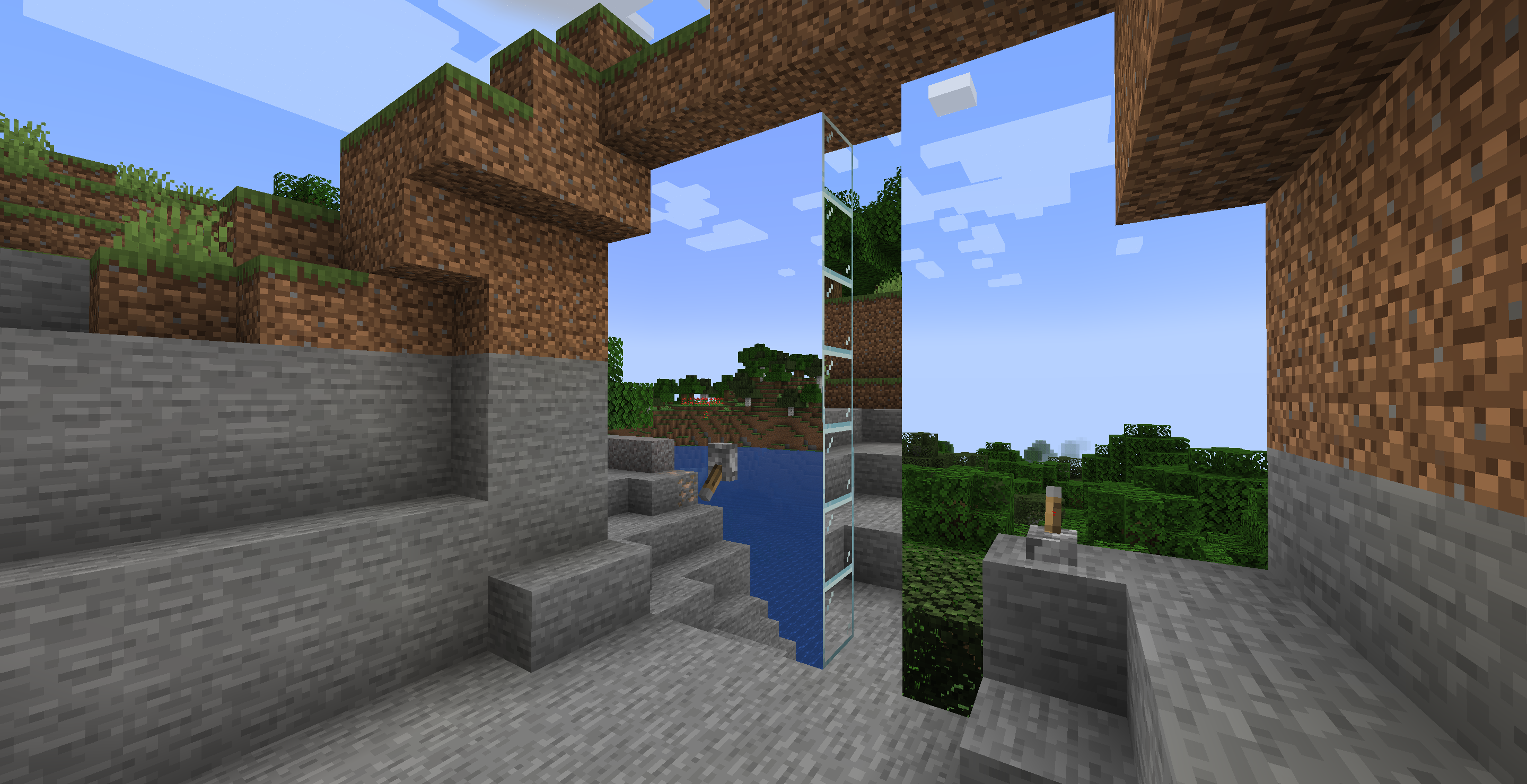
Turn a wall of glass into a projection of your world.
Information
General Layman is proud to announce that the production of G.L.A.S.S Projectors and G.L.A.S.S Terminals are now back for modern Minecraft versions.
Usage
First, you’ll need to craft a G.L.A.S.S Terminal and place it in your world where you want the projection capture to be. Once you’ve placed it, right click to open the GUI and create and select a channel, or just use the Default channel that’s premade for your first terminal.
Once you’ve placed and connected your terminal to a channel, you can start making your projection! You’ll need to craft Powerable Glass, which can be made by smelting Redstone Infused Sand in a furnace, which you can make by combining one Redstone dust and one Sand block.
You will need to craft a few G.L.A.S.S Projectors – one projector can cover up to 400 Powerable Glass panels. A panel is just a side of the Powerable Glass block – its not nessecarily equal to one block if you let the projection cover multiple sides of the powerable glass!
Once you’ve got all the materials needed, you can start building! Place your Powerable Glass down and place your G.L.A.S.S Projector. The glowing side of the G.L.A.S.S Projector must be flush with the powerable glass in the direction you are projecting to. Once done, right click to open the GUI, select a channel, and give it some redstone power!
Features
- You can crossfade multiple channels if the two projectors share the same Powerable Glass. Try it out!
- Anti-Xray support: The projection will become noisy if you position yourself in a way which noclips your view into blocks/the terrain.
- Iris and Sodium are supported.
Credits
- Block models and textures by thepigcat.
- User Interface Magic Chimes by mikiko850 — https://freesound.org/s/849807/ — License: Attribution 4.0
- pulse3D.wav by Sclolex — https://freesound.org/s/172393/ — License: Creative Commons 0
- The original General Laymans’ Aesthetic Spying Screen mod by iChun, found here: https://www.curseforge.com/minecraft/mc-mods/general-laymans-aesthetic-spying-screen-glass – iChun is fine with the remaster.
常见问题
G.L.A.S.S Remastered 支持哪些 Minecraft 版本?
G.L.A.S.S Remastered 支持 Minecraft Java 版 1.20.1–26.2,共 3 个版本,可用的加载器:Fabric / NeoForge。下载时注意选择和你游戏版本一致的文件。
G.L.A.S.S Remastered 怎么安装?
先用 PCL2 或 HMCL 启动器安装对应版本的 Fabric / NeoForge,再把下载的 .jar 文件放进游戏目录的 mods 文件夹,重新启动游戏即可。开启了版本隔离的,mods 文件夹在 versions/版本名 下面。运行环境:客户端和服务端都要装。
IMB11 的其他作品
查看全部 →
MRU
供 Cassian 和 IMB11 的模组运行所需的前置库。

Sounds
正如其名。全面升级 Minecraft 音效,为 UI、物品、方块等新增超过 170 种音效。

Snow
积雪方块、积雪树叶、更加完善的世界生成等。简单且完整地还原基岩版的积雪机制,同时尽可能减少对游戏体验的干扰。

Fog
增强雾效渲染,带来动态且可自定义的效果,在保留原版体验的同时提升氛围感与层次感,并兼容其他模组。
评论
登录后评论和评分