
Prettier Lanterns
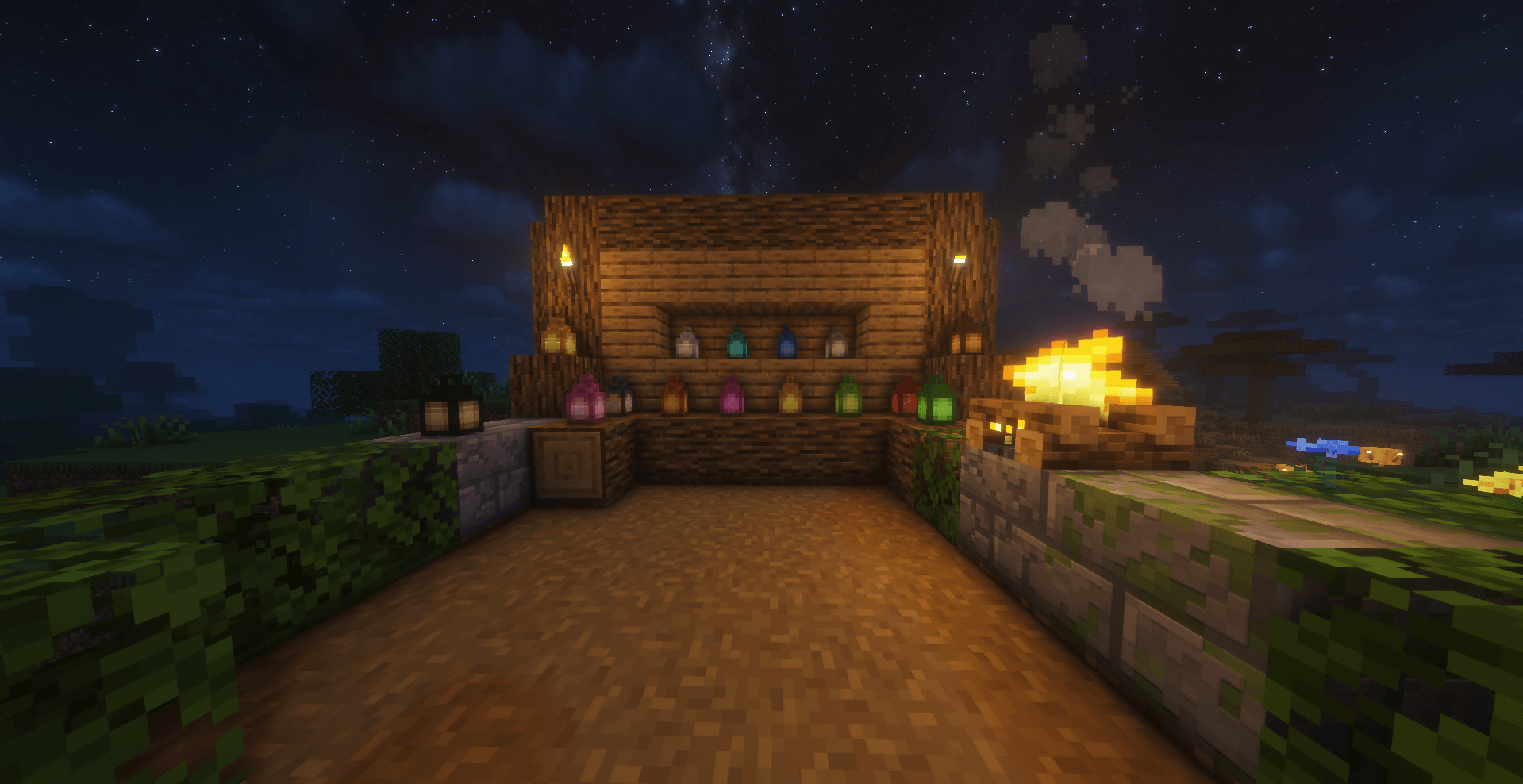
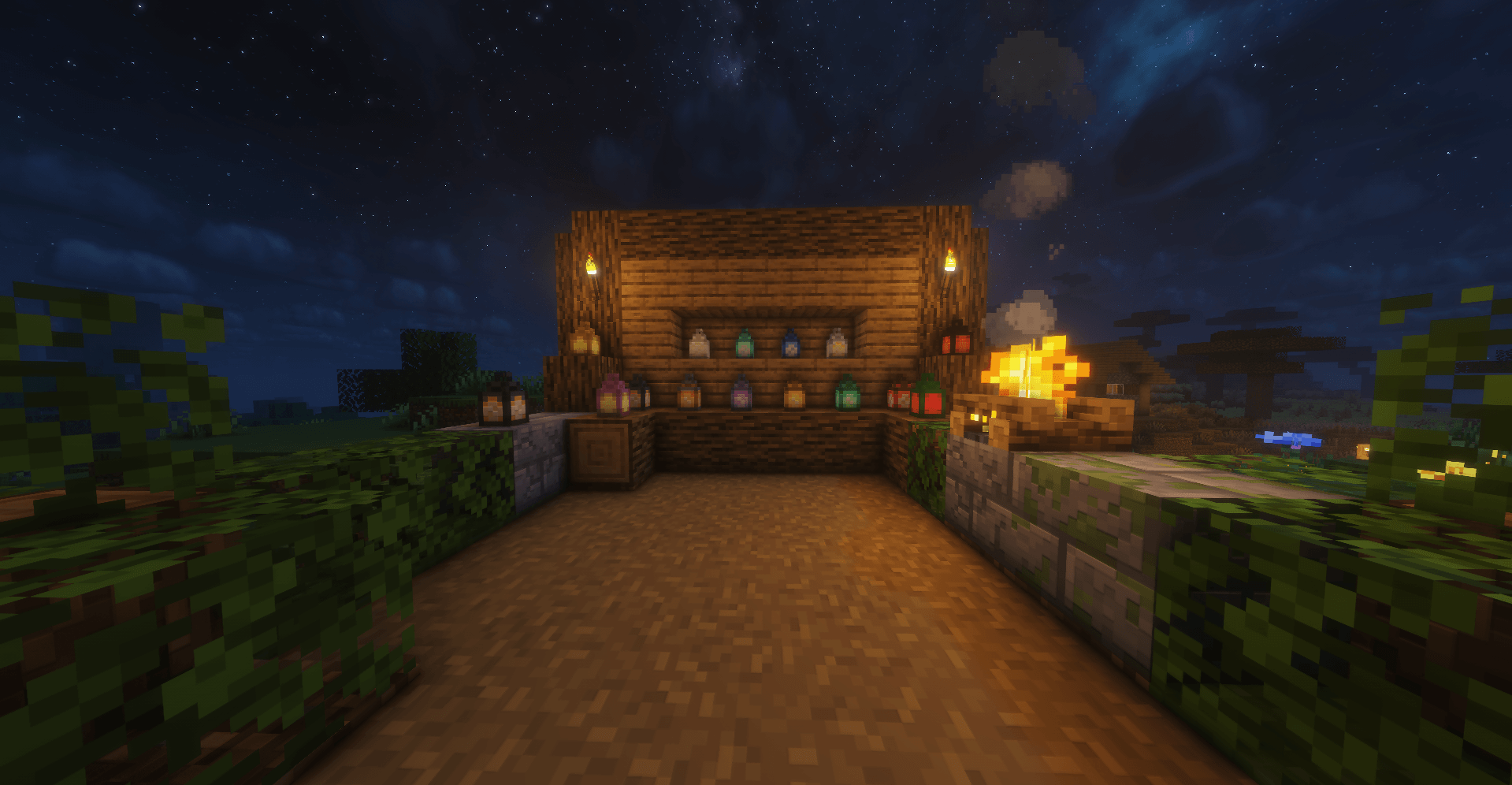
Adds beautiful ore, dye, and seasonal lanterns with matching dyeable chains for cozy vanilla-style decoration.
截图
介绍
Prettier Lanterns
Prettier Lanterns is a vanilla-friendly decoration mod that adds new lantern variants and matching dyeable chains to Minecraft.
Light up your builds with ore-themed lanterns, colorful dye lanterns, seasonal lanterns, and matching chains that fit naturally with the vanilla style.
Features
- Ore and material lantern variants
- All 16 dye-colored lanterns
- Seasonal lanterns for Halloween, Christmas, and Easter
- Dyeable iron chains for every dye color
- Chains can be placed vertically and horizontally, just like vanilla chains
- Animated lantern block textures
- Clean item textures
- Crafting recipes for all lanterns and chains
- Creative inventory support
Lantern Types
Prettier Lanterns adds multiple lantern styles for different builds:
- Copper Lantern
- Iron Lantern
- Gold Lantern
- Diamond Lantern
- Emerald Lantern
- Redstone Lantern
- Lapis Lantern
- Coal Lantern
- Quartz Lantern
- Amethyst Lantern
- Netherite Lantern
- Dye-colored Lanterns
- Halloween Lantern
- Christmas Lantern
- Easter Lantern
Dyeable Chains
The mod also adds matching dyeable iron chains, so your lanterns and chains can fit together in the same color theme.
These chains work like vanilla chains and can be placed both vertically and sideways.
Recipes
Most recipes are simple and vanilla-friendly:
- Lantern + material/dye = new lantern
- Iron Chain + dye = colored iron chain
Perfect For
- Cozy houses
- Medieval builds
- Fantasy builds
- Caves
- Gardens
- Paths
- Villages
- Seasonal decorations
Future Updates
More lanterns, chains, and decoration features may be added in future updates.
常见问题
Prettier Lanterns 支持哪些 Minecraft 版本?
Prettier Lanterns 支持 Minecraft Java 版 26.1.2,可用的加载器:Fabric。下载时注意选择和你游戏版本一致的文件。
Prettier Lanterns 怎么安装?
先用 PCL2 或 HMCL 启动器安装对应版本的 Fabric,再把下载的 .jar 文件放进游戏目录的 mods 文件夹,重新启动游戏即可。开启了版本隔离的,mods 文件夹在 versions/版本名 下面。
TheRealRaphael 的其他作品
查看全部 →
Solis Blend
氛围感光影,带来逼真的光照、反射水面、动态光源和诡异迷雾。
Prettier Flower Pots
Prettier Flower Pots adds 100+ flower pot variants, hanging pots, window flower boxes, big pots, cracked and mossy pots, Potter villagers, biome village houses, 2D paintings, and support for vanilla and modded flowers.

Prettier Flower Pots
Adds colorful terracotta, glazed terracotta, hanging, and pottery sherd flower pots with support for vanilla and modded flowers.

Glint
Beautiful client-side item tooltips with rarity colors, enchantment-based borders and custom icons.
评论
登录后评论和评分