
MineCarry
MineCarry lets you pick up and move vanilla container blocks with their contents preserved.
介绍
MineCarry
MineCarry lets you pick up and move vanilla container blocks with their contents preserved.
With MineCarry for NeoForge, you can collect animals, containers, and villagers from the base game; these three options are configurable and can be enabled or disabled by the administrator.
How it works
Pick up: Sneak (Shift) + Right Click a supported container with an empty main hand. Carry: the container is shown as a marker item in your selected hotbar slot and you get a movement speed penalty while carrying.
Place: Sneak (Shift) + Right Click a block face to place it back down, restoring the BlockState + BlockEntity NBT (inventory included).
Supported blocks
- Chests (including double chests)
- Barrels
- Furnaces and other vanilla Container block entities
- Ender Chest (note: inventory is per-player, vanilla behavior)
Not supported
- Shulker Boxes (intentionally excluded)
Anti-duplication / safety
The carry marker item cannot be dropped. Vanilla placement is blocked so you can’t place infinite empty containers. Pickup/placement cancels vanilla interaction to prevent GUI desync and duplication.
Notes
Designed for Forge 1.20.1. Works in singleplayer and dedicated servers.
常见问题
MineCarry 支持哪些 Minecraft 版本?
MineCarry 支持 Minecraft Java 版 1.20.1–1.21.1,共 2 个版本,可用的加载器:Forge / NeoForge。下载时注意选择和你游戏版本一致的文件。
MineCarry 怎么安装?
先用 PCL2 或 HMCL 启动器安装对应版本的 Forge / NeoForge,再把下载的 .jar 文件放进游戏目录的 mods 文件夹,重新启动游戏即可。开启了版本隔离的,mods 文件夹在 versions/版本名 下面。
SoyDeLaRosaPlay 的其他作品
查看全部 →
PictureCam
adds a fully functional in-game camera that lets you take photos, import images from the internet or your PC, and display them inside Minecraft as decorations. Photos can be stored and organized in an Album, and placed in the world using an Image Frame.
Bottled Omen
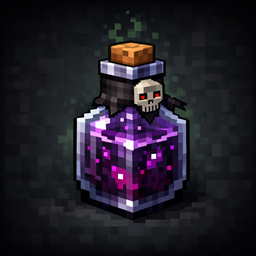
brings Minecraft 1.21’s raid-trigger mechanics to Forge 1.20.1 in a vanilla-faithful way. In 1.20.1, killing a Pillager Captain automatically applies Bad Omen

MineAutoCrafter
Unleash automated crafting in your Minecraft world with the AutoCrafter mod! This mod brings the highly anticipated 1.21-style Crafter block to your Forge 1.20.1 game, allowing for efficient and compact item production.

GuardStone
GuardStone lets you create fully protected areas in your world using special “GuardStone” blocks that can be evolved through several tiers. The owner can control who can build, what is protected, and see the zone borders in‑game..
评论
登录后评论和评分