
Simple World Map
A simple minimap and world map for Minecraft. See terrain, track nearby mobs, mark waypoints, and explore caves with ore highlights. Works in all dimensions.
截图
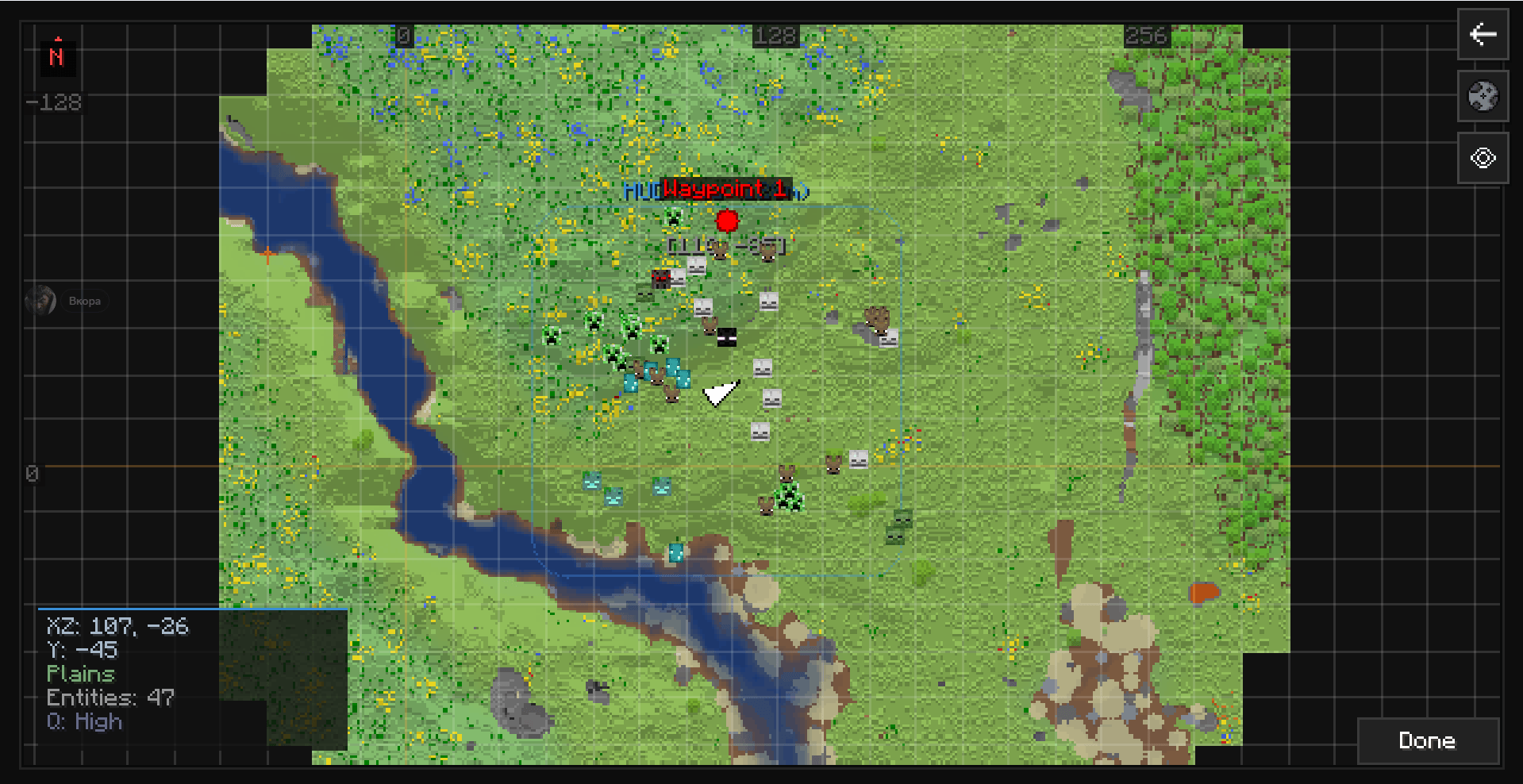
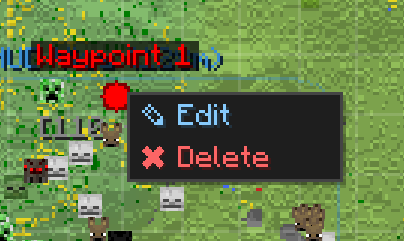
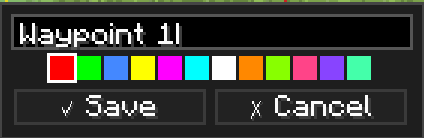
介绍
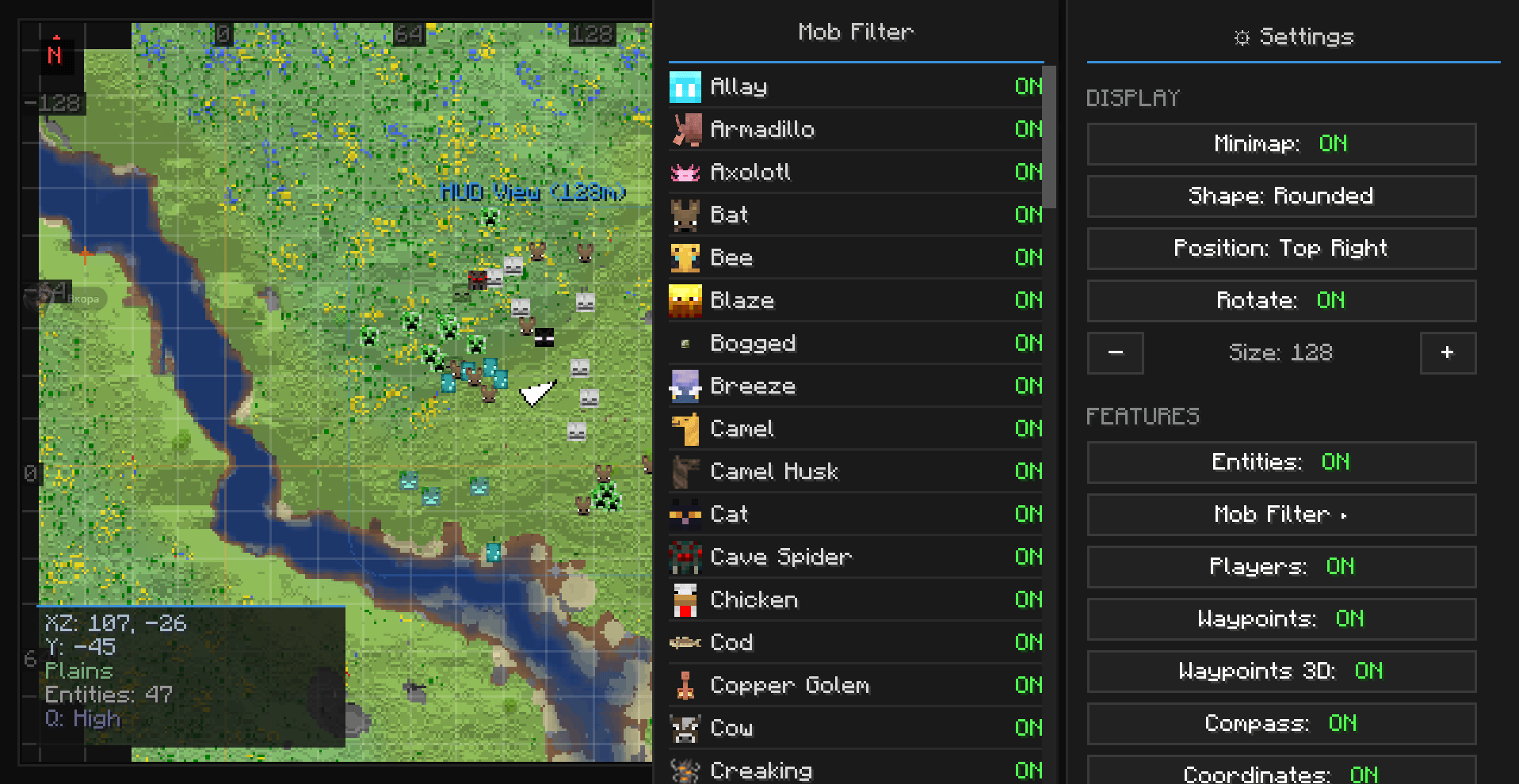
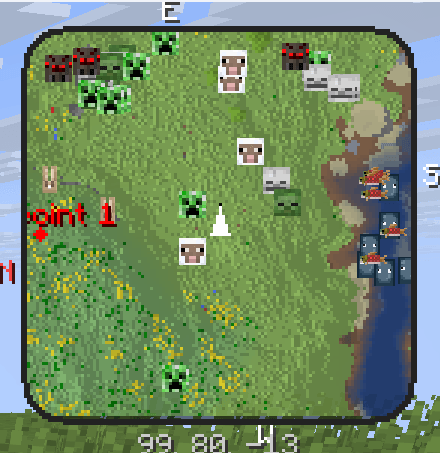
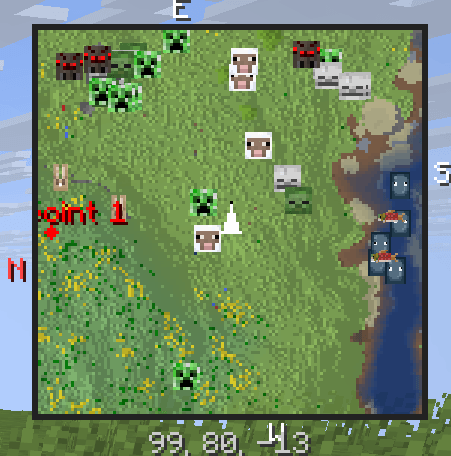
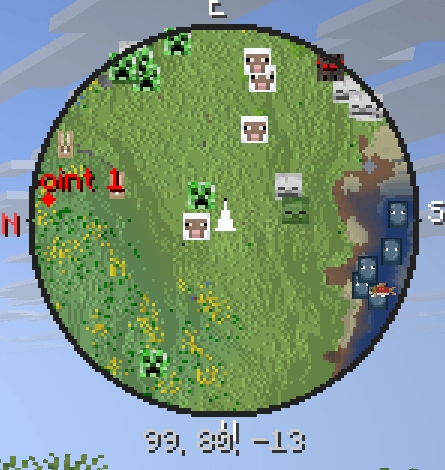
Simple World Map adds a small map to your screen while you play. It shows the terrain around you, nearby mobs, and lets you mark locations with waypoints so you don’t get lost.

Minimap (HUD)
– Shows terrain, water, and blocks around you in real time
– Three shapes: circle, square, or rounded square
– Place it in any corner of your screen
– Adjust size, zoom, opacity, and rotation
– Compass directions and coordinates display
World Map
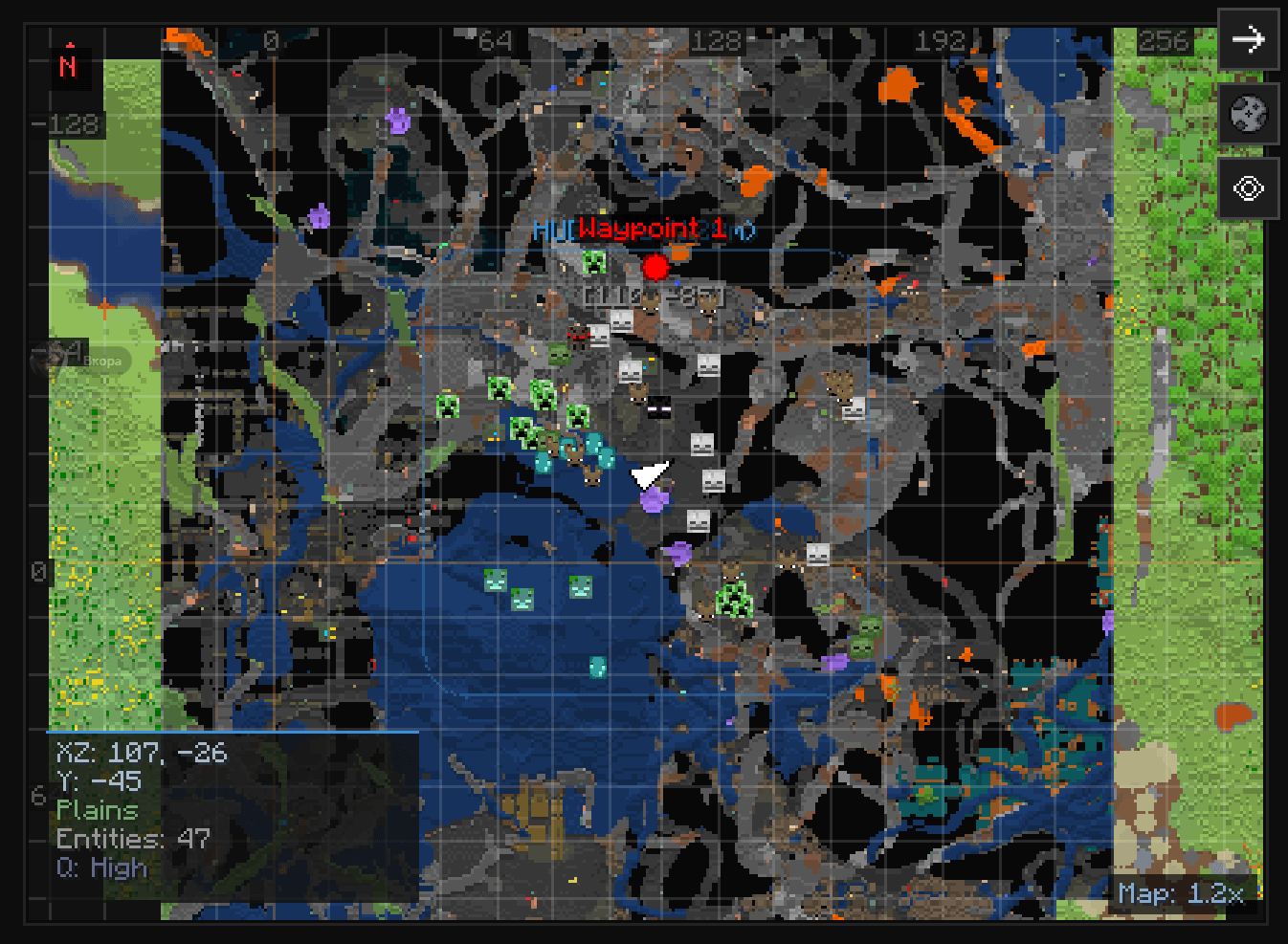
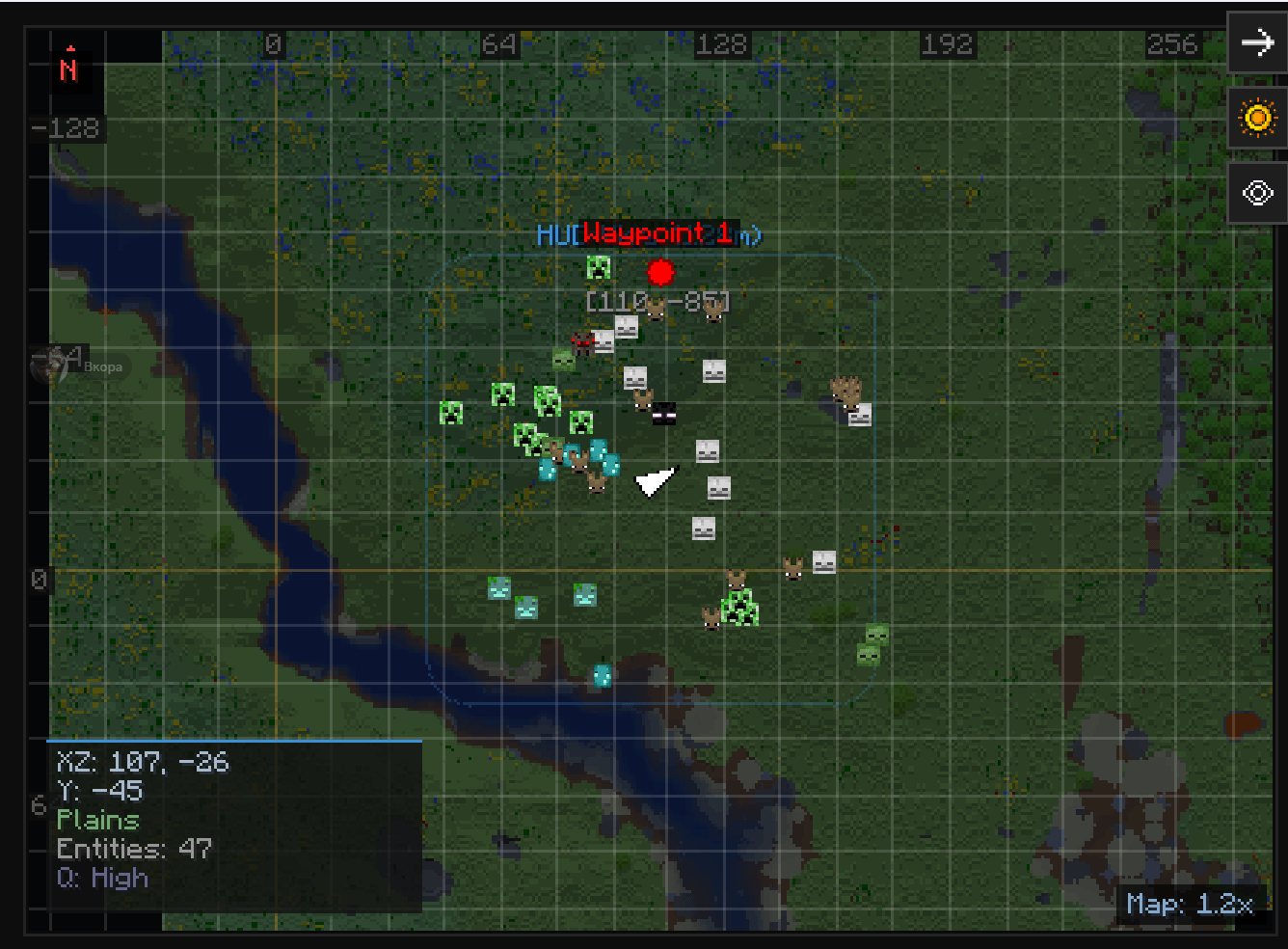
– Open a full-screen interactive map
– Pan and zoom freely to explore scanned areas
– Chunk and region grid lines
– Right-click anywhere on the map to place a waypoint
Cave Mode
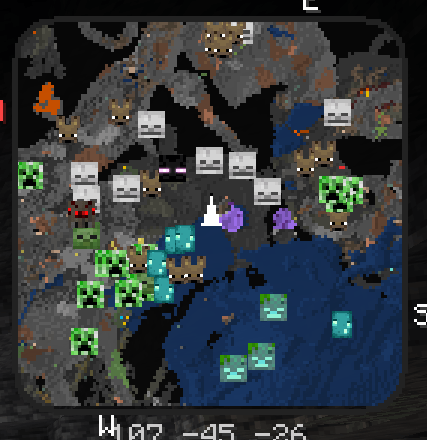
– Automatically detects when you’re underground
– Shows cave layout, water, and lava underground
– Highlights ores (diamond, emerald, iron, gold, etc.), spawners, and chests with distinct colors
Entity Radar
– Shows nearby mobs on the minimap with colored dots or icons
– Hostile mobs in red, passive mobs in green, players in green
– 80+ mob icons included
– Filter which mobs you want to see
Waypoints
– Create named, colored waypoints to mark important locations
– 8 icon shapes: diamond, star, flag, home, skull, circle, cross, arrow
– Waypoints appear on the minimap, world map, and in the 3D world with name and distance
– Saved per world — your singleplayer and multiplayer waypoints stay separate
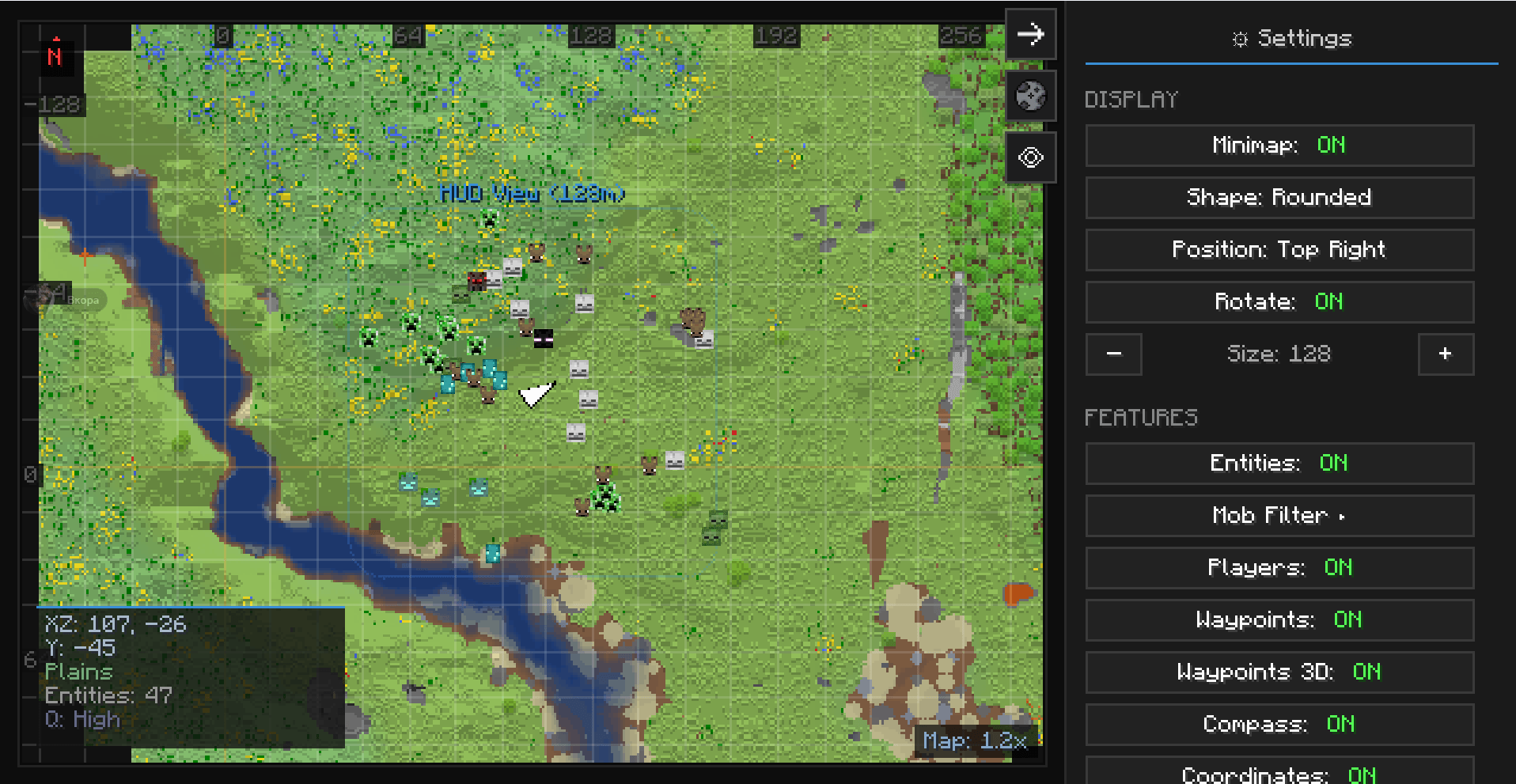
Settings
– Dark-themed settings screen with all options in one place
– 5 render quality levels (Low to Extreme) to fit your PC
– Per-mob visibility filter
– All settings saved automatically

Key | Action
M Toggle minimap on/off
+ Zoom in
– Zoom out
N Change minimap shape
B Add waypoint at your position
V Toggle cave mode
, Open settings / world map
常见问题
Simple World Map 支持哪些 Minecraft 版本?
Simple World Map 支持 Minecraft Java 版 1.21.11,可用的加载器:Fabric。下载时注意选择和你游戏版本一致的文件。
Simple World Map 怎么安装?
先用 PCL2 或 HMCL 启动器安装对应版本的 Fabric,再把下载的 .jar 文件放进游戏目录的 mods 文件夹,重新启动游戏即可。开启了版本隔离的,mods 文件夹在 versions/版本名 下面。
IXSG 的其他作品
查看全部 →
Luminara Shader
用空灵之美与电影级光照,彻底改变你的 Minecraft 世界。支持体积云、金色氛围色调、清晰通透的下界画面,以及充满魔法感的末地效果。

Luminara Shader – Rebuilt
体验增强视觉效果之美,惊艳的云层系统与令人叹为观止的光照效果,将你的 Minecraft 世界化为杰作。

Luminara Shader spooky
把你的Minecraft世界变成令人毛骨悚然的万圣节噩梦。包含诡异雾气、低饱和度的恐怖色调、压抑的阴影和阴森的特效。

Reflexa
Reflexa:一款进阶版 Minecraft 光影,拥有动态体积云、逼真的水体效果、更出色的光照、阴影与反射、大气效果、圆形太阳与月亮、泛光、动态模糊和可自定义色彩,并针对性能进行了优化。
评论
登录后评论和评分