
Upgrade Crystalline – Amethyst Expansion
A Vanilla+ mod that expands Amethyst by adding new unique utility tools, building blocks and decoration
截图
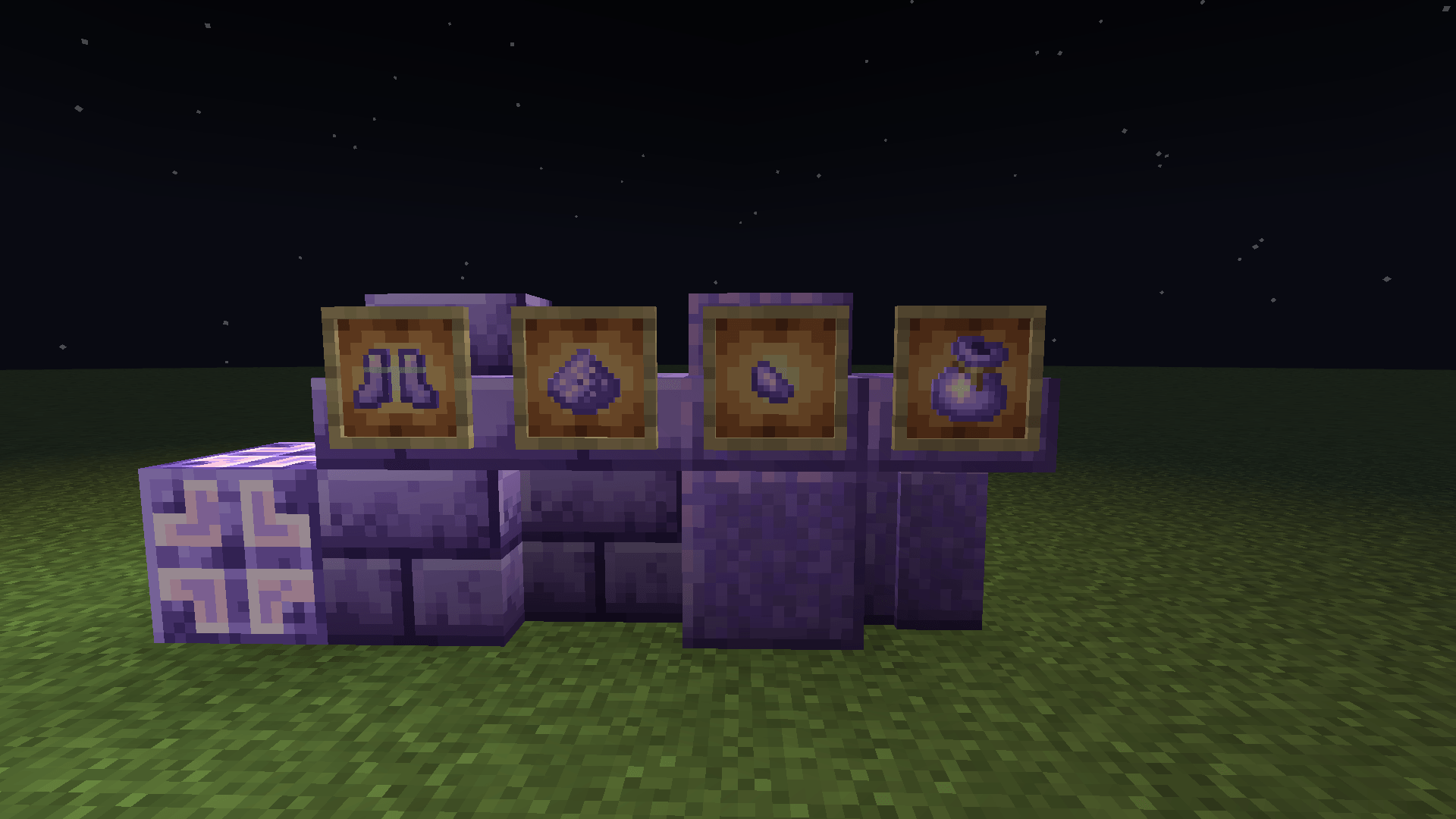
介绍
Upgrade Crystalline adds a collection of building blocks, utility items and overral functionality.
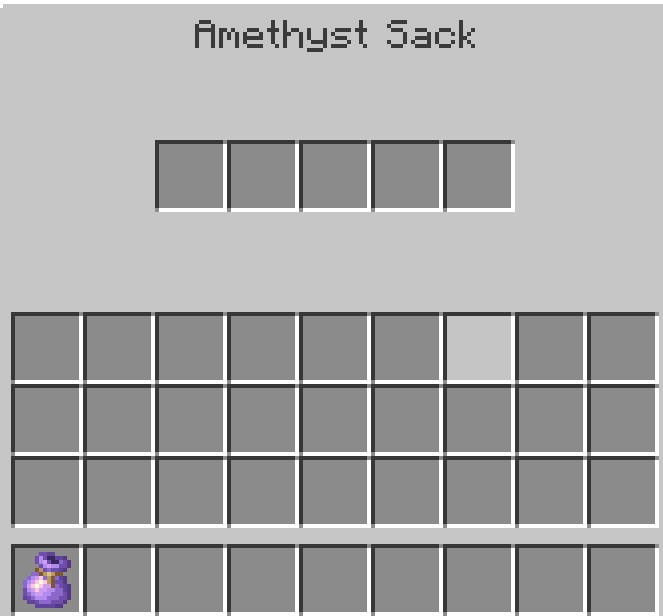
Amethyst Sack

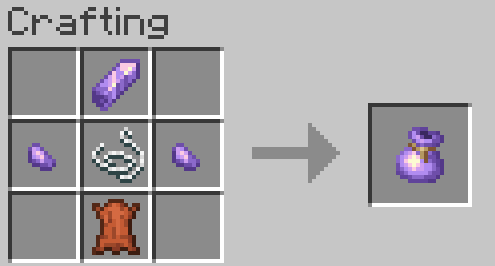
An item that opens a chest-like GUI on right click, that has 5 slots to put items in. It is crafted with 1 Amethyst Shard, 2 Amethyst Fragments, 1 leather and 1 string.
Amethyst Hammer
Provides New Utility for Farming and Building. If you right click an Amethyst Block, it turns into Budding Amethyst, but wastes 15 uses of this tool. If you right click a block that has a Cracked Variant, it gets replaced with it instantly. This action deals 1 damage to the hammer.

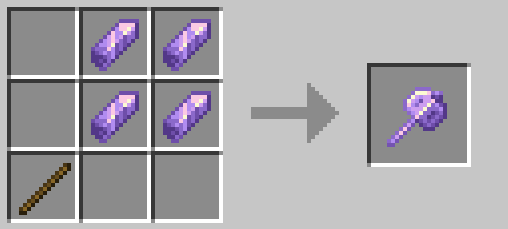
Craft it with 1 Stick and 4 Amethyst Shards.
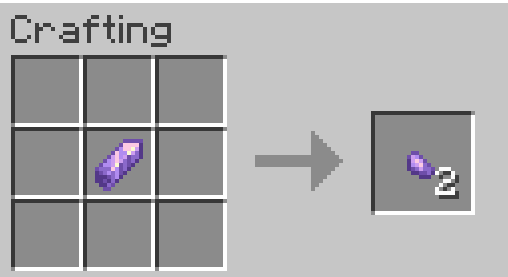
Amethyst Fragment
These are used for crafting other items.

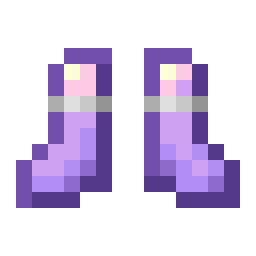
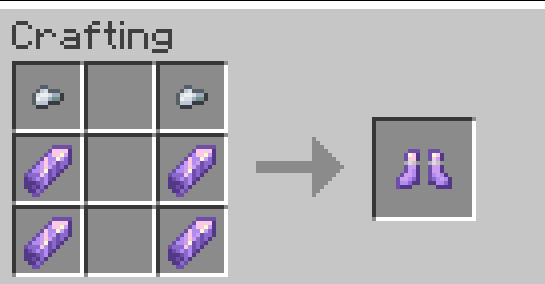
Amethyst Boots
These greatly increases your friction on slippery blocks, letting you traverse iced biomes faster without boats. Craft it using 4 Amethyst Shards and 2 Iron nuggets.
Amethyst Dust
Used for making purple dye.

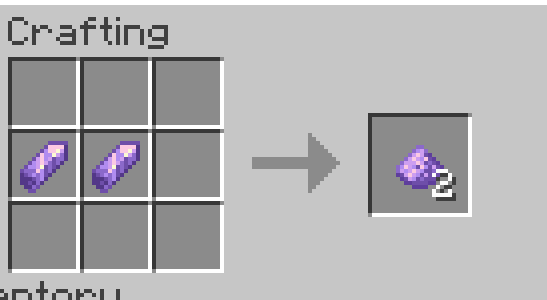
Amethyst Blocks
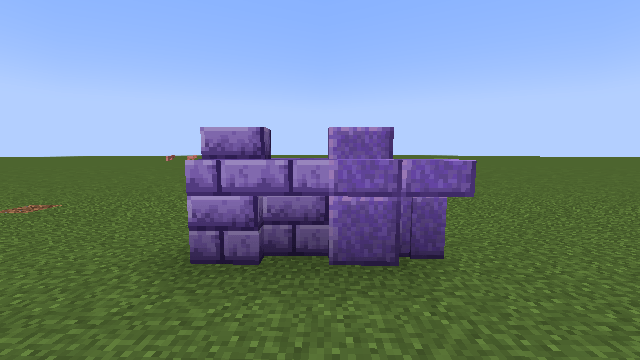
Added Polished Amethyst Blocks and Amethyst Bricks
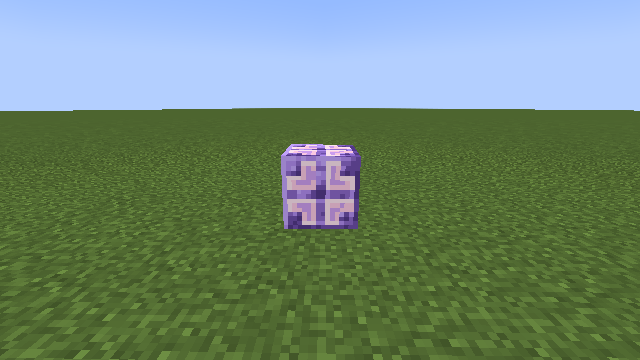
Amethyst Bulb
A new block that emits light. Craft it using 4 Amethyst Shards, 4 Amethyst Fragments and a Lantern.
More Features Coming Soon. [WIP]
常见问题
Upgrade Crystalline – Amethyst Expansion 支持哪些 Minecraft 版本?
Upgrade Crystalline – Amethyst Expansion 支持 Minecraft Java 版 1.20.1,可用的加载器:Forge。下载时注意选择和你游戏版本一致的文件。
Upgrade Crystalline – Amethyst Expansion 怎么安装?
先用 PCL2 或 HMCL 启动器安装对应版本的 Forge,再把下载的 .jar 文件放进游戏目录的 mods 文件夹,重新启动游戏即可。开启了版本隔离的,mods 文件夹在 versions/版本名 下面。
reflectant 的其他作品
查看全部 →
Upgrade Underground – Caves Overhaul
A Cave-Overhaul mod that adds new biomes, tools, structures, items, and enhances QoL by adding small tweaks
Upgrade Arid – Desert & Badlands Overhaul
Breathe life into the wastes. Overhauls forgotten deserts and badlands with unique hazards, beautiful flora, and vanilla-style mechanics

Reflectant’s Artifacts
Adds a Collection of New Curio Items Inspired by Terraria
Upgrade Arid
Breathe life into the wastes. Overhauls forgotten deserts and badlands with unique hazards, beautiful flora, and vanilla-style mechanics
评论
登录后评论和评分