介绍
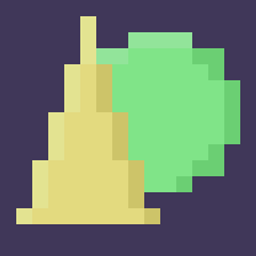
Shapes Edit! Worldedit but with shapes and a lot of control!
This mod lets you create, place, and modify and shape in the 3D plane! Like worldedit where you can do commands to fill in areas with ease, Shapes Edit lets you fill in shapes with ease!
If you want to talk to me personally, come to my Discord server.
You can donate to my Patreon for exclusive perks, head there to learn more.

Commands
There are many new commands in the mod that let you control what you do with the shapes.
/shape – This is the base command.
/shape layer – This is the base ‘layer’ command
- add_layer – Adds a shape.
- subtract_layer – Subtracts a shape.
- intersect_layer – Intersects a shape.
- exclude_layer – Excludes a shape.
- dilate_layer / scale_layer – Scales the shape based on X, Y, and Z scales
- rotate_degrees_layer – Rotates a shape based on X, Y, and Z rotations in degrees (0-360) format.
- rotate_layer – Rotates a shape in Quaternation format.
- bend_layer – Bends a shape based on how much to bend in degrees format, how tall it is, and what Axis to bend on.
- helix_bend_layer – Bends a shape in a helix bend based on how tall each loop is, how big the helix radius is, and what Axis to bend on.
- translate_layer – Moves a shape’s X, Y, and Z coords based on a position value. This does not Set, this Moves. Shapes automatically start at (0, 0, 0)
- noise_translate_layer – Translate layer, but randomly moves it based on its position and how much it moves.
/shape finish – Finalizes the shape and is ready for validation and filling.
/shape finish validate – Validates the shape for each position.
- air – Valid if the position is in air.
- blacklist – Valid if the block at the position is not in the BlackList. List format is a number for how big the list is, then the corresponding blocks.
- safelist – Valid if the block at the position is in the SafeList. List format is a number for how big the list is, then the corresponding blocks.
/shape finish fill – Fills the shape.
- simple – Fills in each valid position with a block.
- random_simple – Simple, but only with a certain chance to place a block.
- list – Fills in each valid position with random block from a list. List format is a number for how big the list is, then the corresponding blocks.
There are many shapes builtin into the game.
- rectangle – Width and Height. (Square)
- ellipse – Width and Height. (Circle)
- elliptical_prism – Width, Height, and Depth. (Tube)
- rectangular_prism – Width, Height, and Depth. (Cube)
- triangular_prism – Width, Height, and Depth.
- rectangular_pyramid – Width, Height, and Depth.
- elliptical_pyramid – Width, Height, and Depth. (Cone)
- ellipsoid – Width, Height, and Depth. (Sphere)
- hemi_ellipsoid – Width, Height, and Depth. (Half of Sphere)
Important
This is a Fabric mod, do not mistake this for Forge.
(Pseudo) FAQ
Will you move this to forge?
No
Will you move this to x.xx.xx version?
No.
How do I play this mod, it won’t load for me!
This is a fabric mod, a tutorial can be found here.
常见问题
ShapesEdit 支持哪些 Minecraft 版本?
ShapesEdit 支持 Minecraft Java 版 1.16.2–1.17.1,共 5 个版本,可用的加载器:Fabric。下载时注意选择和你游戏版本一致的文件。
ShapesEdit 怎么安装?
先用 PCL2 或 HMCL 启动器安装对应版本的 Fabric,再把下载的 .jar 文件放进游戏目录的 mods 文件夹,重新启动游戏即可。开启了版本隔离的,mods 文件夹在 versions/版本名 下面。
LudoCrypt 的其他作品
查看全部 →
Shield Expansion
为盾牌加入弹反、附魔、等级和自定义功能,让盾牌玩法更有趣!
The Outer End
一个改善末地维度内容匮乏的末地扩展模组

YUNG’s Cave Biomes (Forge/NeoForge)
新增原版增强风格的洞穴生物群系和地下内容!
Sun and Moon Celestial Configuration
改变太阳和月亮的大小!
评论
登录后评论和评分