
[MTR4] Thomas the Tank Engine
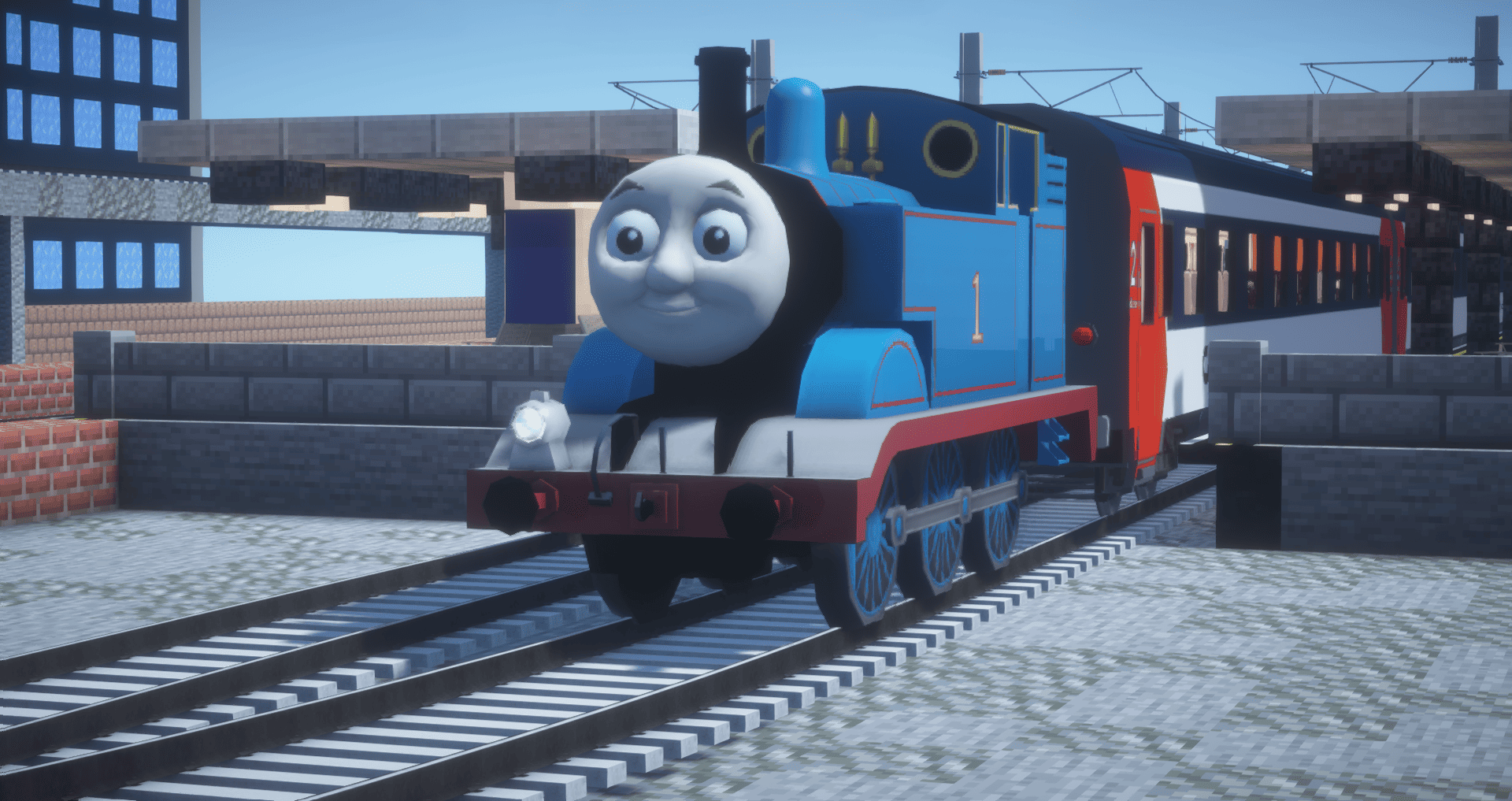
A ResourcePack that adds Thomas the Tank Engine to Minecraft Transit Railway.
截图



介绍
Overview

The Thomas the Tank Engine Resource Pack is a fun April Fools’ release for Minecraft Transit Railway (MTR), bringing one of the most iconic fictional locomotives ever created into the world of Minecraft.
Originally introduced in The Railway Series by Reverend Wilbert Awdry, and later made world-famous through Thomas & Friends, Thomas is a small blue tank engine based on the LB&SCR E2 class. He has become one of the most recognizable railway characters in popular culture.
This version adds Thomas into Minecraft Transit Railway, adapted as a joke release for April 1st while still being fully usable in-game.
The 3D model used for this pack was sourced from Sketchfab, where it was published under a Creative Commons Attribution license by Sea Land Air. The model was then edited and adapted by me for MTR, including reworked colors and texture adjustments to better match Thomas’ CGI-era appearance.
Features
- Thomas the Tank Engine fully adapted for Minecraft Transit Railway
- Reworked textures and colors to better resemble the CGI version of Thomas
- Designed as a fun novelty / meme train
- Perfect for April Fools events, joke routes, or cursed railway screenshots
Credits
- Original character: Thomas the Tank Engine
- Original Sketchfab model: Sea Land Air
- License: Creative Commons Attribution (CC BY)
- MTR adaptation, recolor and port: Vitor2005
Disclaimer
This resource pack is a fan-made parody / tribute project and is not affiliated with, endorsed by, or an official product of Thomas & Friends, Mattel, Sketchfab, or the Minecraft Transit Railway mod.
All rights to the original character belong to their respective owners.
常见问题
[MTR4] Thomas the Tank Engine 支持哪些 Minecraft 版本?
[MTR4] Thomas the Tank Engine 支持 Minecraft Java 版 1.17–1.20.4,共 15 个版本。下载时注意选择和你游戏版本一致的文件。
[MTR4] Thomas the Tank Engine 怎么安装?
把下载的 .zip 文件(不用解压)放进游戏目录的 resourcepacks 文件夹,进游戏后在「选项 → 资源包」里把它移到右边启用。
vitor2005 的其他作品
查看全部 →
[MTR3/4] Eurostar class 373
The British Rail Class 373, known in France as the TGV TMST and branded by Eurostar as the Eurostar e300. This model was originally made for Transport Fever 2 by user cw_315

[MTR4] Manchester Metrolink Bombardier M5000
Resource pack that adds the Manchester Metrolink Bombardier M5000 sets into Minecraft via Minecraft Transit Railway.

MAGIC MTR Addon
MAGIC MTR - MTR Addon for General Improvement and Customisation. A very flexible addon revolutionizing MTR4.
MAGIC MTR Addon
MAGIC MTR - MTR Addon for General Improvement and Customisation. A very flexible addon revolutionizing MTR4.
评论
登录后评论和评分