
Cycle Switcher
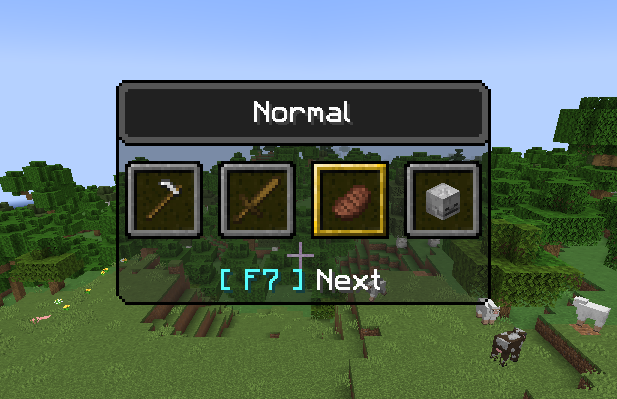
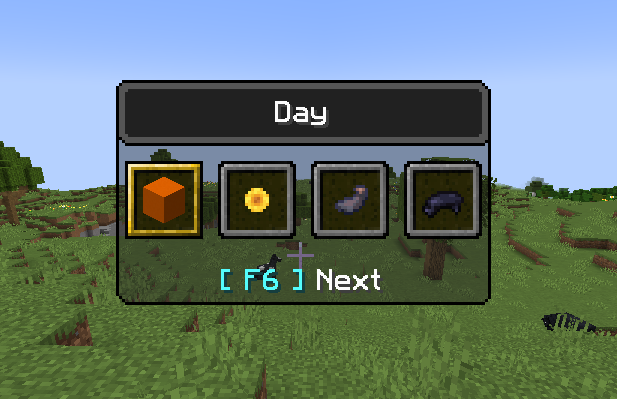
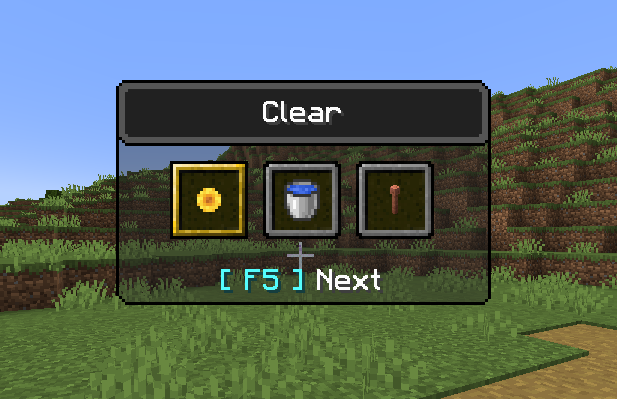
A Minecraft Fabric mod that adds an F3 + F4-like menu for things such as weather, time and difficulty (F5, F6 and F7, respectfully)
截图
介绍
Requires the Fabric API for localisation.
Cycle Switcher – Example
We’ve all been in that situation: happily building a new project, and then it starts to rain. Now, at this point there are a few options, and quite a large number of people would just type out a command to clear up the weather and be done with it. Others, knowing the effort of typing out the command is not worth it, will simply use Cycle Switcher to clear the weather, by pressing F3 + F5 – getting back to building far quicker than using a command.
So what does it do?
Quite simply put, it adds an F3 + F4-like menu for things such as weather, time and difficulty (F5, F6 and F7, respectfully). This means that, instead of pressing F3 + F4, to get the gamemode switcher you may be familiar with, you can press a combination of F3 + F5, to get a switcher very similar, but for weather instead. Weather modes you can switch between: Clear, rain and thunder. A combination of F3 + F6 will allow you to change between 4 different times of day (day, noon, night and midnight. The times are equivalent to doing "/time set %s", where %s is the mode being selected). Finally, for F3 + F7, you will receive a menu for switching difficulty, just in case you need to change that on the fly.
Images


Footnotes
Credit to Jason for the idea of extending the vanilla menu.
Credit to NotSoAI for the logo.
常见问题
Cycle Switcher 支持哪些 Minecraft 版本?
Cycle Switcher 支持 Minecraft Java 版 1.18.2–1.20.1,共 5 个版本,可用的加载器:Fabric。下载时注意选择和你游戏版本一致的文件。
Cycle Switcher 怎么安装?
先用 PCL2 或 HMCL 启动器安装对应版本的 Fabric,再把下载的 .jar 文件放进游戏目录的 mods 文件夹,重新启动游戏即可。开启了版本隔离的,mods 文件夹在 versions/版本名 下面。
p4rty4nimAl 的其他作品
查看全部 →
Enderman Sound Adjuster
A Minecraft Fabric mod that separates enderman sounds into another slider, allowing their volume to be changed independently.

Cache My Enderchest
CMEC - A Minecraft Fabric mod that adds a clientside viewer of your enderchest, as it was the last time you viewed it.

Enderman Sound Adjuster
A Minecraft Fabric mod that separates enderman sounds into another slider, allowing their volume to be changed independently.
评论
登录后评论和评分