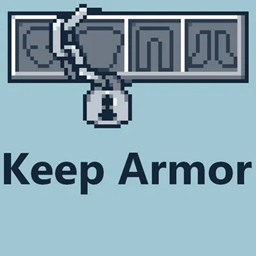
Keep Armor
This mod prevents equipment from dropping upon death. It is recommended to use it in conjunction with mods such as Keep HotBar or Keep OffHands.
介绍
Keep Armor
Never lose your equipped armor on death.
What does this mod do?
This is a quality-of-life mod that preserves all your equipped armor (helmet, chestplate, leggings, and boots) when you die, instead of dropping them on the ground. Items in your hotbar, offhand, and the rest of your inventory still drop as normal.
In vanilla Minecraft, losing everything upon death is the standard penalty. But when playing in high-difficulty modded environments (such as Scape and Run: Parasites), recovering your items can feel borderline impossible. This mod bridges that gap—keeping your most valuable defense intact while maintaining the survival stakes for the rest of your items.
Why use Keep Armor?
- Stay Geared Up: Your armor is restored automatically on respawn, so you won’t re-enter a dangerous situation completely exposed.
- Instant Protection: Protect your heavily enchanted or hard-to-craft armor from despawning or getting trapped in dangerous, heavily infested enemy territory.
- Perfect Modular Setup: This mod focuses strictly on your defense. For the ultimate customizable death penalty experience, we highly recommend using this alongside “Keep HotBar” and “Keep OffHands” so you can decide exactly which parts of your gear stay with you.
What is protected?
| Slot | Protected |
|---|---|
| Helmet | ✅ |
| Chestplate | ✅ |
| Leggings | ✅ |
| Boots | ✅ |
| Hotbar (slots 0–8) | ❌ (drops normally) |
| Offhand | ❌ (drops normally) |
| Rest of inventory | ❌ (drops normally) |
Bug Reports & Feedback
If you encounter any bugs, have feature requests, or want to join the discussion, please open an issue on the GitHub Issues page.
License
- MIT License
Credits
logo: created by https://x.com/zusume_zusume
常见问题
Keep Armor 支持哪些 Minecraft 版本?
Keep Armor 支持 Minecraft Java 版 1.20.1,可用的加载器:Forge。下载时注意选择和你游戏版本一致的文件。
Keep Armor 怎么安装?
先用 PCL2 或 HMCL 启动器安装对应版本的 Forge,再把下载的 .jar 文件放进游戏目录的 mods 文件夹,重新启动游戏即可。开启了版本隔离的,mods 文件夹在 versions/版本名 下面。
Rerurate514 的其他作品
查看全部 →
PackagedTacz – AE2 auto craft Tacz ammos
这是 PackagedAuto 和 Tacz 的附属模组,可自动合成弹药。

SoulpliedEnergistics-backport
灵魂回溯移植到 1.20.1 Forge

IFSouls Disks SoulpliedEnergistics-Backport
soulpliedenergistics-1-20-1-回移植附加模组,添加灵魂磁盘
AE2 Monotype Infinity Cell
AE2 ADDON
评论
登录后评论和评分