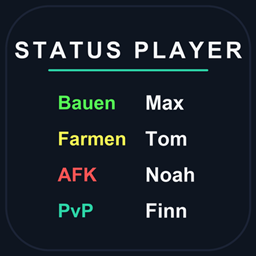
Status Player
Lightweight player status tags for Fabric, Forge, NeoForge & Quilt (1.21.11 → 26.3): colored TAB/nametag text, presets, per-world overrides, history, placeholders, admin GUI, Bedrock channels + optional dashboard sync.
介绍
Status Player
Lightweight player status tags for your Minecraft server. Players set a short status text with a color — shown in TAB and above names. No client mod needed, everything runs server-side with local JSON storage.
Features
- Colored status text in TAB list and above player names
- Presets (built-in + custom), per-world status and color overrides
- Status history, cooldowns, timed reset and
{time}-style placeholders - Emoji, bracket styles and font styles
- Self menu: bare
/statusopens a beginner-friendly GUI - Admin GUI:
/status guiwith skinned heads, search and pages - Mute & block lists, per-player badges, custom dashboard avatars
- Sidebar, topbar and
/status listfor quick overviews - Bedrock/Geyser output channels (boss bar, sidebar, lists)
- Optional dashboard sync: statuses, badges, mutes, blocks and online presence pushed to your dashboard (opt-in, off by default)
Commands
/status— open the self menu/status gui— admin player menu/status list— who’s online with statuses/status avatar <name|url|off>— dashboard profile picture/status feature <name> <on|off>— toggle features per server/status version— installed version and build/code— login code for the dashboard- Full reference: Commands wiki
Requirements
- One of Fabric, Forge, NeoForge or Quilt for MC 1.21.11 – 26.3
- Java 21 (1.21.11) or Java 25 (26.x servers)
- Permissions via OP level or LuckPerms
Privacy
Fully local by default — no data leaves your server. The optional dashboard sync (UUID, username, status, settings, mutes, blocks, presence) only runs when you configure it. See README “Privacy and Security” for details.
Links
- Source & issues: https://github.com/Teufel2211/Status-Player
- Wiki: https://github.com/Teufel2211/Status-Player/wiki
- License: MIT
常见问题
Status Player 支持哪些 Minecraft 版本?
Status Player 支持 Minecraft Java 版 1.21.10–26.3,共 7 个版本,可用的加载器:Fabric / Forge / NeoForge / Quilt。下载时注意选择和你游戏版本一致的文件。
Status Player 怎么安装?
先用 PCL2 或 HMCL 启动器安装对应版本的 Fabric / Forge / NeoForge / Quilt,再把下载的 .jar 文件放进游戏目录的 mods 文件夹,重新启动游戏即可。开启了版本隔离的,mods 文件夹在 versions/版本名 下面。
评论
登录后评论和评分