BuildMetric (Visual Block Counter)
No more counting by hand: drag across your structure and BuildMetric does it for you.
截图
介绍
BuildMetric—Block Counter
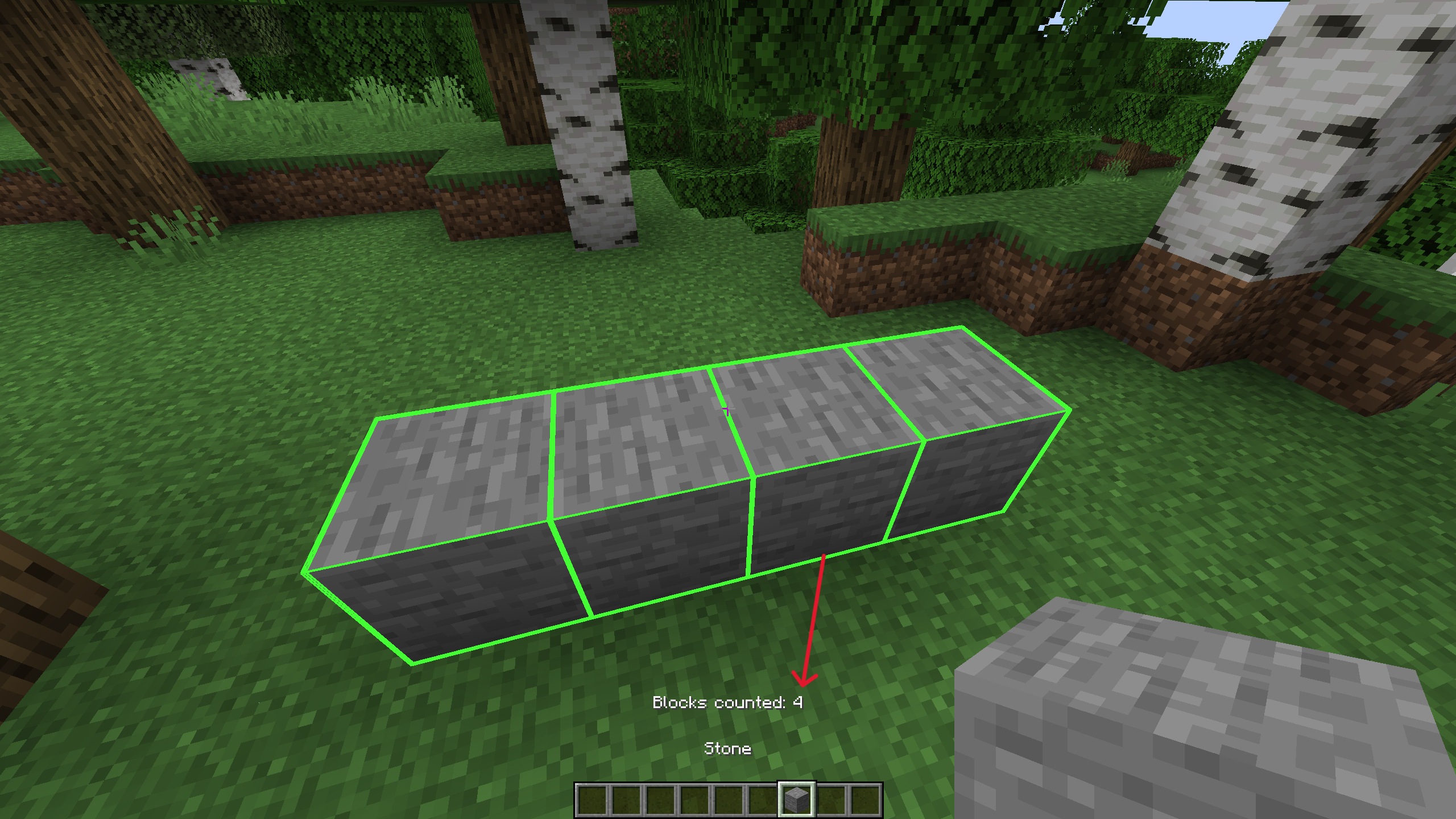
Have you ever miscounted your blocks or suddenly forgotten where you stopped counting? Then this is the mod that replaces your manual counting; just hold down the button, drag across your blocks, and above your hotbar the blocks will automatically be counted for you.
Features:
Each block only counts once—even if you sweep over it twice.
RGB outline so you can see it against any background.
It stays visible as long as you hold down the button.
Counter directly above the hotbar.
How to use:
AIM at your starting block.
HOLD the Middle Mouse Button (Scroll Wheel).
DRAG across your structure.
RELEASE once you have finished counting!
FYI: You can change the keybinding anytime in the standard Minecraft settings menu.
FAQ
-
For which versions and loaders is BuildMetric available?
-Forge: 1.20.1
-Fabric: 1.20.1
-NeoForge: 1.21.1 -
Is this mod also needed on the server?
– It’s client-side only; you only need the mod on your client and not the server. -
Does it have any dependencies?
– The Fabric version needs the Fabric API to work. - Can it count a whole region or a schematic?
– No, the mod only counts the blocks that you are looking at.
常见问题
BuildMetric (Visual Block Counter) 支持哪些 Minecraft 版本?
BuildMetric (Visual Block Counter) 支持 Minecraft Java 版 1.18.2–1.21.1,共 15 个版本,可用的加载器:Fabric / Forge / NeoForge。下载时注意选择和你游戏版本一致的文件。
BuildMetric (Visual Block Counter) 怎么安装?
先用 PCL2 或 HMCL 启动器安装对应版本的 Fabric / Forge / NeoForge,再把下载的 .jar 文件放进游戏目录的 mods 文件夹,重新启动游戏即可。开启了版本隔离的,mods 文件夹在 versions/版本名 下面。

评论
登录后评论和评分