
介绍
中文介绍正在准备中,下面暂时显示原文。
Tired of the vanilla
BetterLocate cranks it up to 100000 blocks and wraps the result in style.
/locate command’s tiny 6 400-block radius and dull output?BetterLocate cranks it up to 100000 blocks and wraps the result in style.
• Ultra-wide search – find any structure within server-breaking distances.
• Custom messages – color codes, placeholders (
• Server-friendly – zero world-gen lag, pure data-driven, works in single-player and dedicated servers.
• Command syntax
• Custom messages – color codes, placeholders (
{x}, {y}, {z}, {coords}), and clickable teleport links.• Server-friendly – zero world-gen lag, pure data-driven, works in single-player and dedicated servers.
• Command syntax
/betterlocate <structure> [radius] [message]When no radius is specified, the default search range is 10 000 blocks.
This command works seamlessly with FTB Quests and NPC mods for custom objectives and dialogue triggers.
This command works seamlessly with FTB Quests and NPC mods for custom objectives and dialogue triggers.
ModPack authors can use this command in different ways:
• enable player teleportation with “
• or simply reveal the coordinates with
• enable player teleportation with “
{coords}" when cheats are allowed,• or simply reveal the coordinates with
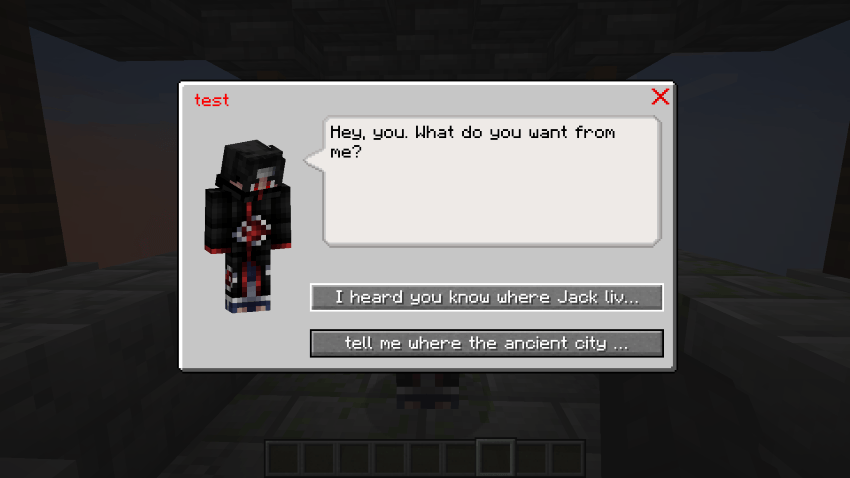
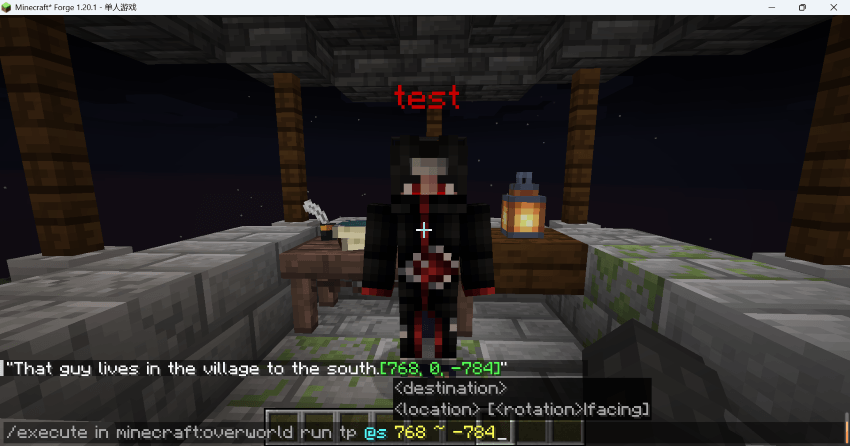
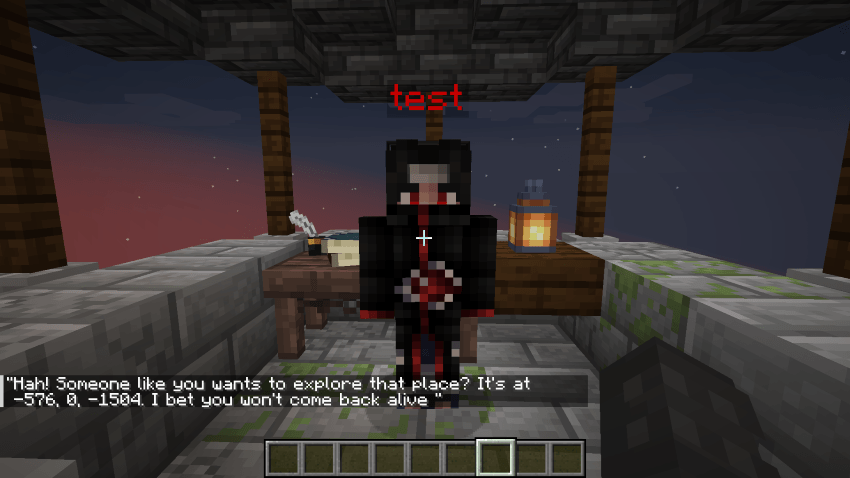
"{x}, {y}, {z}" when cheats are off.Here are some examples:
常见问题
better locate structure command 支持哪些 Minecraft 版本?
better locate structure command 支持 Minecraft Java 版 1.19.2–1.20.2,共 6 个版本,可用的加载器:Forge。下载时注意选择和你游戏版本一致的文件。
better locate structure command 怎么安装?
先用 PCL2 或 HMCL 启动器安装对应版本的 Forge,再把下载的 .jar 文件放进游戏目录的 mods 文件夹,重新启动游戏即可。开启了版本隔离的,mods 文件夹在 versions/版本名 下面。
评论
登录后评论和评分