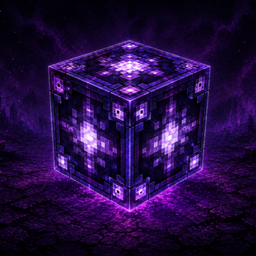
Project Expansion : Arcanum
A Community Edition of Project Expansion,with new items and tools
介绍
Project Expansion: Arcanum
Project Expansion: Arcanum is an independent fork of Project Expansion, focused on continued maintenance and improvements for Minecraft 1.20.1.
Original Project: Project Expansion
Original Author: Donovan_DMC
Original Source Code: DonovanDMC/ProjectExpansion
Project Expansion: Arcanum is not an official version of Project Expansion and is not maintained or endorsed by the original author.
What is different from the original?
Arcanum is intended to continue supporting and improving the Minecraft 1.20.1 version of Project Expansion.
Compared with the original Project Expansion 1.20.1 release, Arcanum focuses on:
- Continued maintenance for Minecraft 1.20.1
- Bug fixes and compatibility improvements
- Maintaining compatibility with ProjectE and the Minecraft 1.20.1 Forge ecosystem
- Backporting selected useful content where appropriate
- Preserving compatibility with existing Project Expansion 1.20.1 worlds and data wherever possible
The following content has currently been added/backported:
- Arcane Transmutation Tablet
- Stone Transmutation Table
- Recipe for Tome of Knowledge
Arcanum is designed to act as a replacement for the original Project Expansion on Minecraft 1.20.1 and should not be installed alongside the original mod.
Credits & License
Project Expansion was originally created by Donovan_DMC.
Project Expansion: Arcanum is based on the original Project Expansion source code and is distributed in accordance with its MIT License.
The original copyright notice and MIT License are retained in this project.
ProjectE is a separate project and dependency. Project Expansion: Arcanum is not affiliated with or officially supported by the ProjectE developers.
常见问题
Project Expansion : Arcanum 支持哪些 Minecraft 版本?
Project Expansion : Arcanum 支持 Minecraft Java 版 1.20.1–1.21.1,共 2 个版本,可用的加载器:Forge。下载时注意选择和你游戏版本一致的文件。
Project Expansion : Arcanum 怎么安装?
先用 PCL2 或 HMCL 启动器安装对应版本的 Forge,再把下载的 .jar 文件放进游戏目录的 mods 文件夹,重新启动游戏即可。开启了版本隔离的,mods 文件夹在 versions/版本名 下面。
评论
登录后评论和评分