Motion Craft
Vanilla-friendly motion polish for hotbars, inventories, item pickups, crafting, containers, tooltips, and responsive HUD feedback.
介绍
Motion Craft
Minecraft with modern UI polish.
Motion Craft is a client-side animation mod that gives Minecraft’s existing interfaces weight, momentum, and responsive visual feedback. It keeps the vanilla layouts, textures, information, and gameplay intact while making the interactions you repeat every session feel smoother and more satisfying.
Items settle into slots. The hotbar selector carries momentum. Pickups travel toward their destination. Crafting, containers, tooltips, and common survival actions respond with small, coordinated motion.
The result is still unmistakably Minecraft, just more alive.
See It in Motion
The previews play automatically. Select one to open the full-quality MP4 demo.
World-to-Slot Pickups
Hotbar Motion
Inventory Choreography
Crafting Feedback
Signature Features
World-to-Slot Pickups
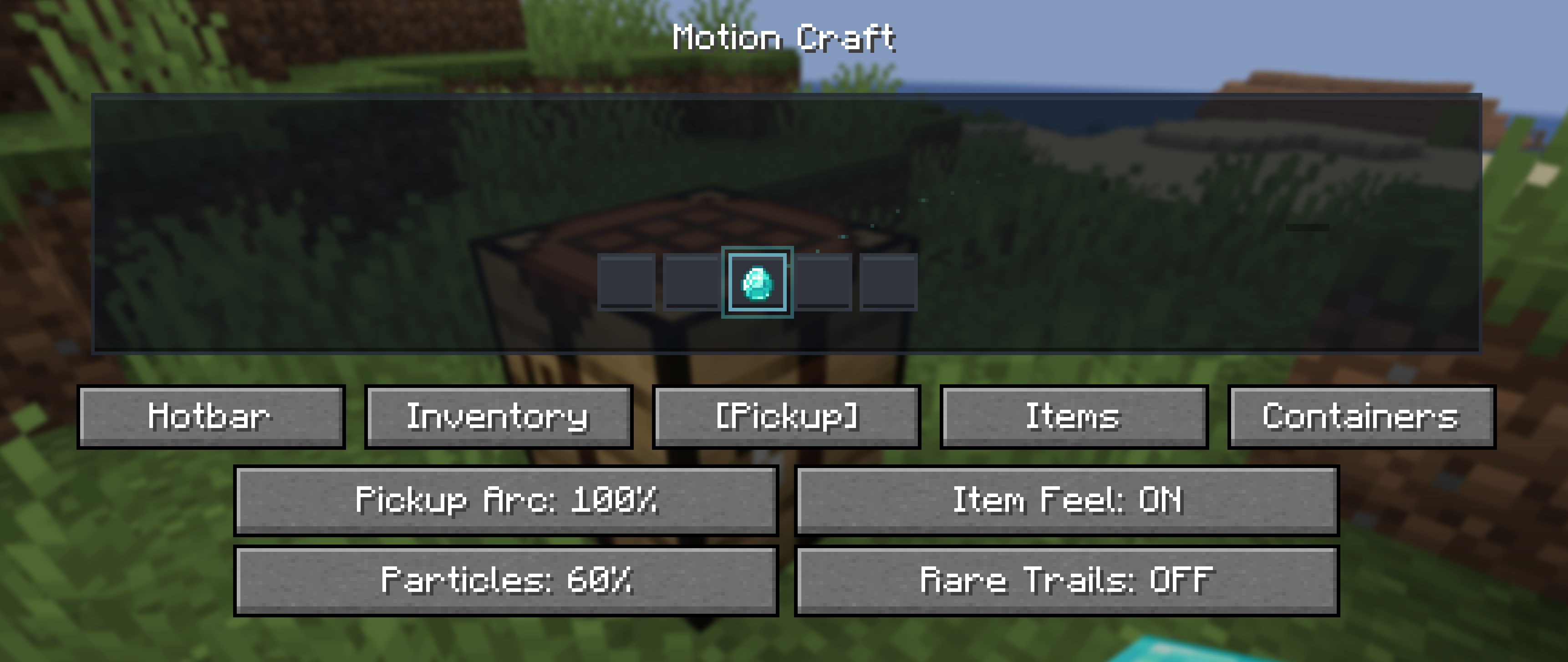
Picked-up items visually travel toward the hotbar or inventory and land with a soft settle. Newly discovered and rare items receive a restrained shine so an important acquisition feels connected to the world instead of silently appearing in a slot.
Physical Inventory Motion
- Smooth item hover and click response
- Cursor-item inertia and movement-sensitive motion
- Animated shift-click transfers and number-key swaps
- Stack merge flow and full-stack settle feedback
- Equipment-slot landing motion
- Crafting ingredients converging when the result is claimed
- Gentle screen unfolding and staggered container reveals
These effects communicate where an item came from and where it went without changing inventory behavior.
Item Personalities
Different items follow different motion rules rather than sharing one generic sparkle:
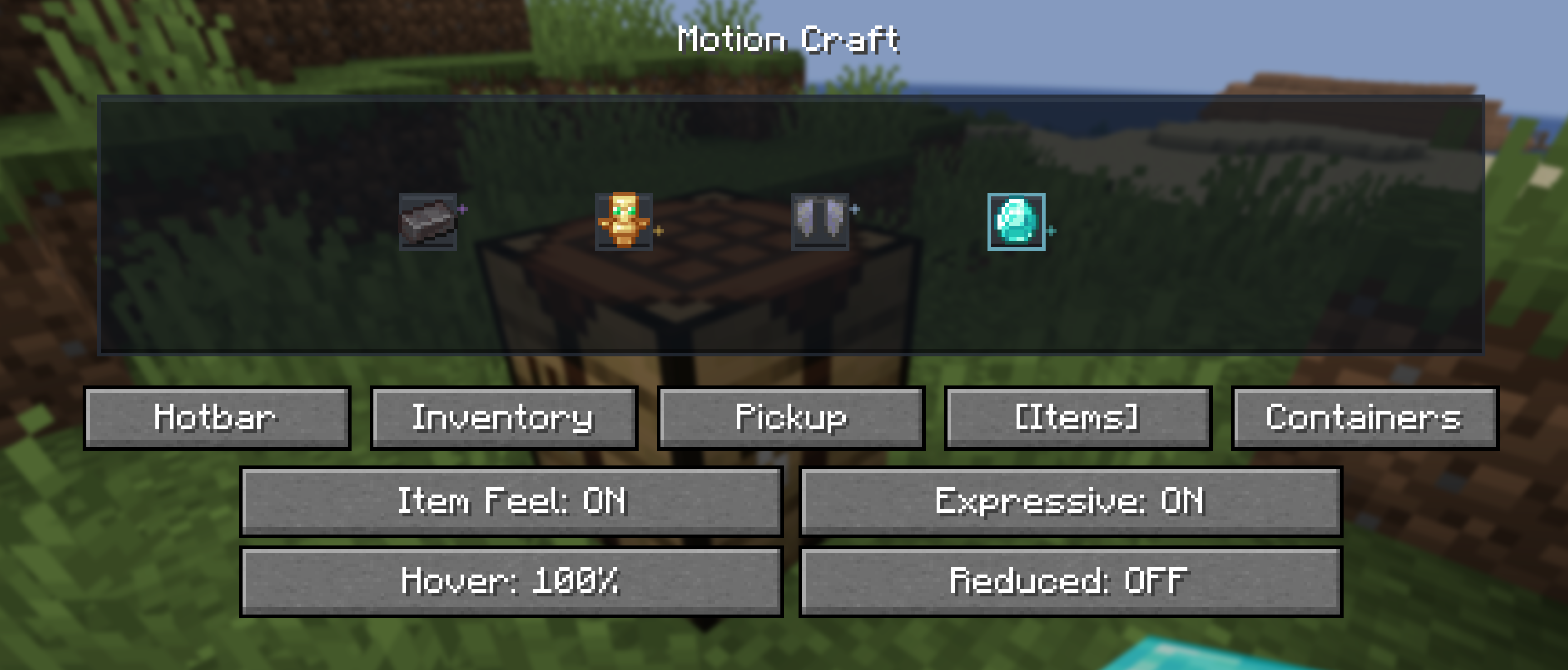
- Netherite feels heavier and settles with less bounce
- Diamonds respond with a clean, crisp shimmer
- Totems float and carry a warm golden presence
- Elytra glide with lighter motion
- Potions wobble like liquid when moved
- Bows feel elastic, while tools and weapons respond with firmer recoil
- Enchanted items receive restrained glint motion
Personality effects are brief and interaction-driven, not constantly emitted particles.
Container Personalities
Vanilla screens keep their original textures but gain distinct motion character:
- Chests feel warm and springy
- Furnaces, smokers, and blast furnaces use restrained heat feedback
- Anvils land with heavier compression
- Smithing responds with a precise metallic snap
- Brewing uses soft fluid pulses
- Enchanting receives a subtle magical drift
Motion Config
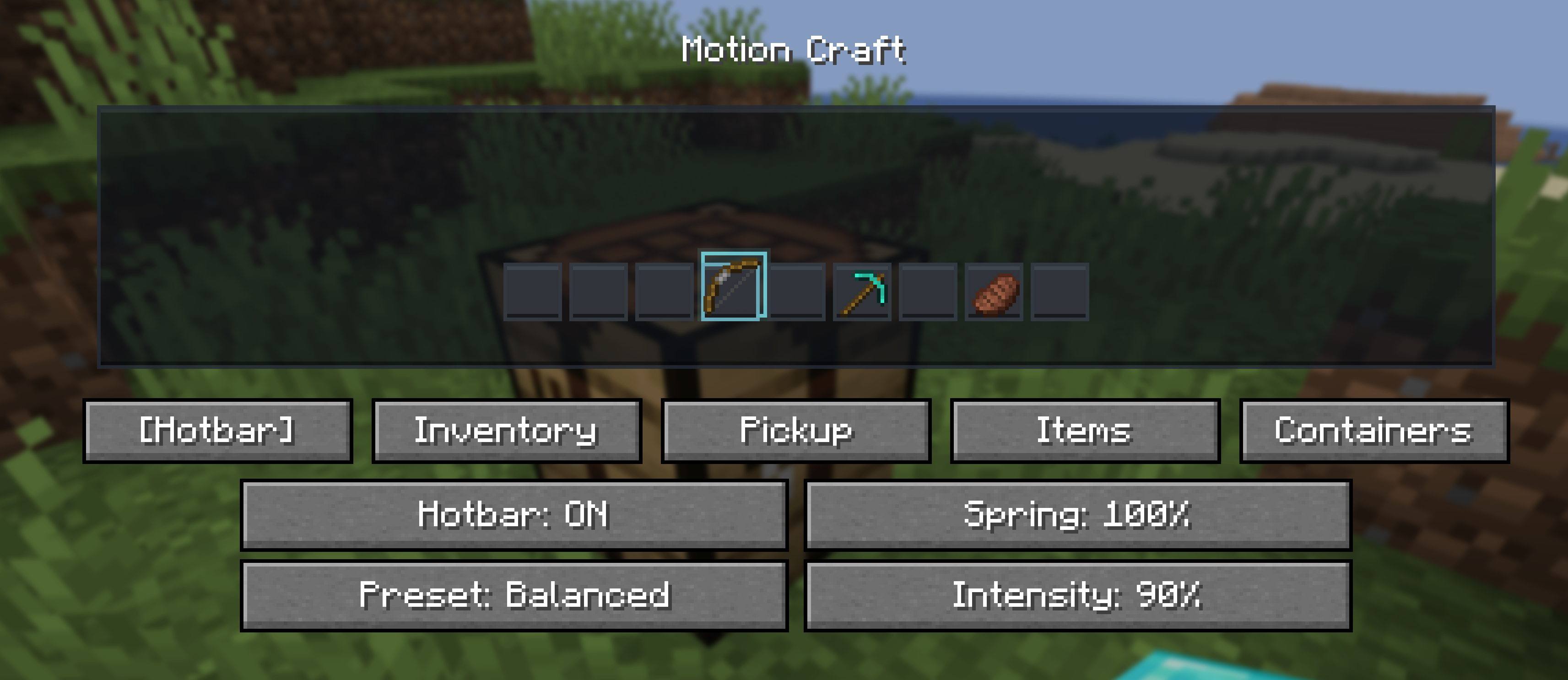
Press O to open Motion Craft’s configuration screen. The key can be changed in Minecraft’s Controls(keybinds) menu.
Choose a Subtle, Balanced, or Expressive preset, then tune intensity, spring strength, hover scale, pickup flight, particles, item personalities, container personalities, and individual effect groups. Reduced Motion is available for players who prefer gentler feedback.
Motion Craft also respects Minecraft’s accessibility screen-effect scale as a master animation intensity.
Live Preview and Tuning
Compatibility
- Client-side only
- Loaders: Fabric, Forge, and NeoForge
- Minecraft: 26.1, 26.1.1, 26.1.2, and 26.2
- Fabric requirement: Fabric API
- License: All Rights Reserved
Use the file built for your exact Minecraft version and mod loader. Motion Craft can be used on vanilla servers because it changes only client rendering and interaction feedback.
常见问题
Motion Craft 支持哪些 Minecraft 版本?
Motion Craft 支持 Minecraft Java 版 26.1–26.2,共 4 个版本,可用的加载器:Fabric / Forge / NeoForge。下载时注意选择和你游戏版本一致的文件。
Motion Craft 怎么安装?
先用 PCL2 或 HMCL 启动器安装对应版本的 Fabric / Forge / NeoForge,再把下载的 .jar 文件放进游戏目录的 mods 文件夹,重新启动游戏即可。开启了版本隔离的,mods 文件夹在 versions/版本名 下面。
quillphen 的其他作品
查看全部 →
Ore Vein Miner
Vein Miner 会在你挖掘一块矿石时,自动挖掉与之相连的矿石。
Tree Vein Miner
砍树模组:潜行时砍掉整棵树(原木和树叶)

Tree Vein Miner
树木矿脉挖掘:潜行时移除整棵树(原木和树叶)

Ore Vein Miner
连锁挖矿会在你破坏一个矿石方块时自动挖掘相连的矿石方块
评论
登录后评论和评分