介绍
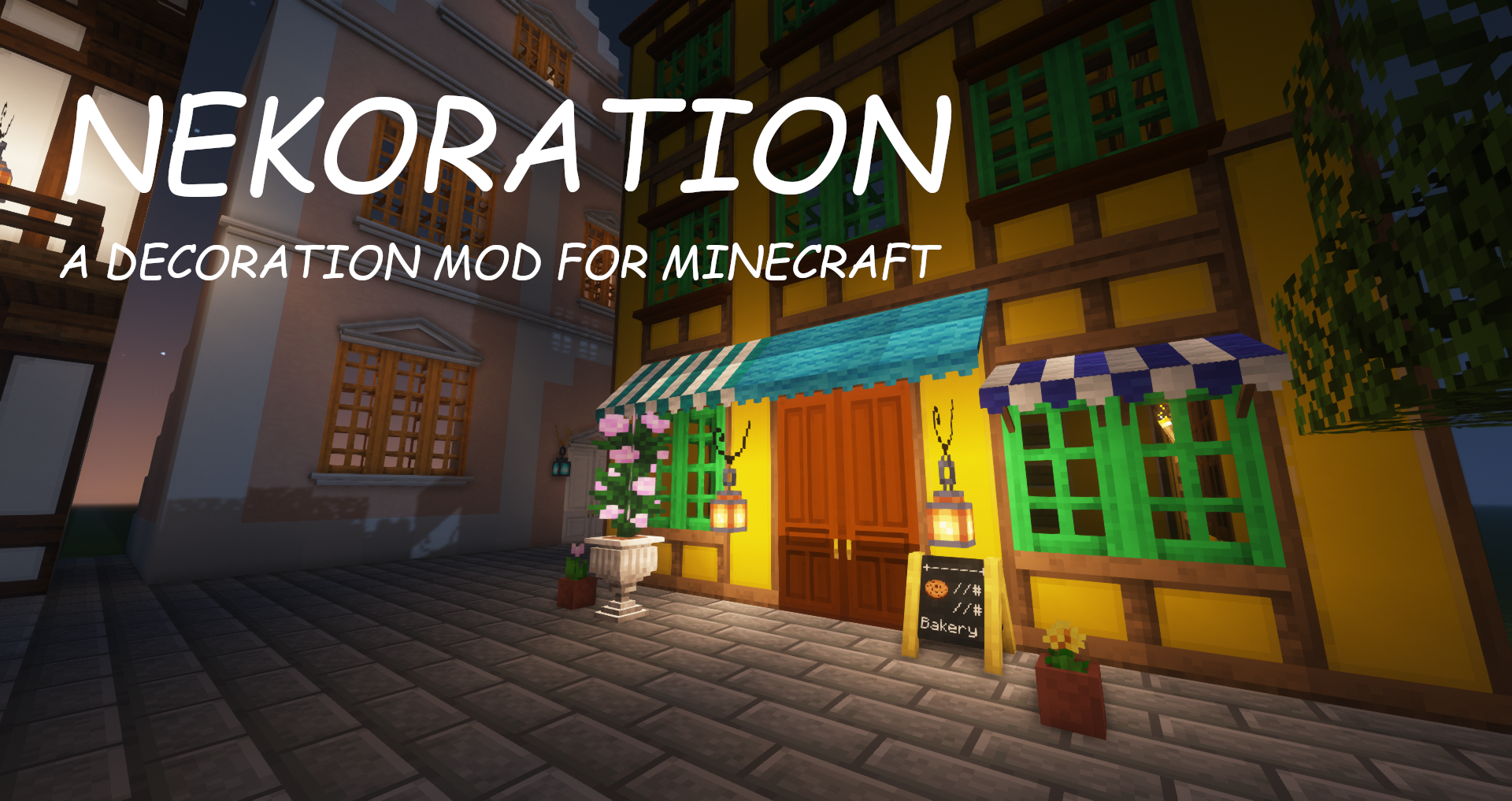
Nekoration-Remaster
A Decoration Mod for Minecraft
This mod is the 1.21.1 version of
Nekoration with a total rewrite, so many features are still in WIP. The 1.20.1 version of this mod only fixes the compatibility with Dramatic Doors. The introduction of this mod comes from the original mod, using it as a reference.
Introduction
Nekoration-Remaster is a
NeoForgemod for Minecraft which adds lots of decorational stuff to the game, allowing players to have a wider choice when building & creating.
About Its Name
The name ‘Nekoration’ is a compound of ‘cat’ in Japanese(ねこ, neko) and ‘decoration’, suggesting that the mod is both ornamental and cats-friendly…
^._.^= ∫
Features
Dyeing
Most of Nekoration’s blocks are dyeable using vanilla dyes, so that you can turn almost everything in this mod to your favorite tint!
Auto-Connecting Model (without Texture-connecting mods)
Many blocks in Nekoration supports model auto connecting, to name a few, Half-Timber Pillars and Lamp Posts. When being placed by players, they’ll automatically adapt to connect to adjacent blocks.
Painting
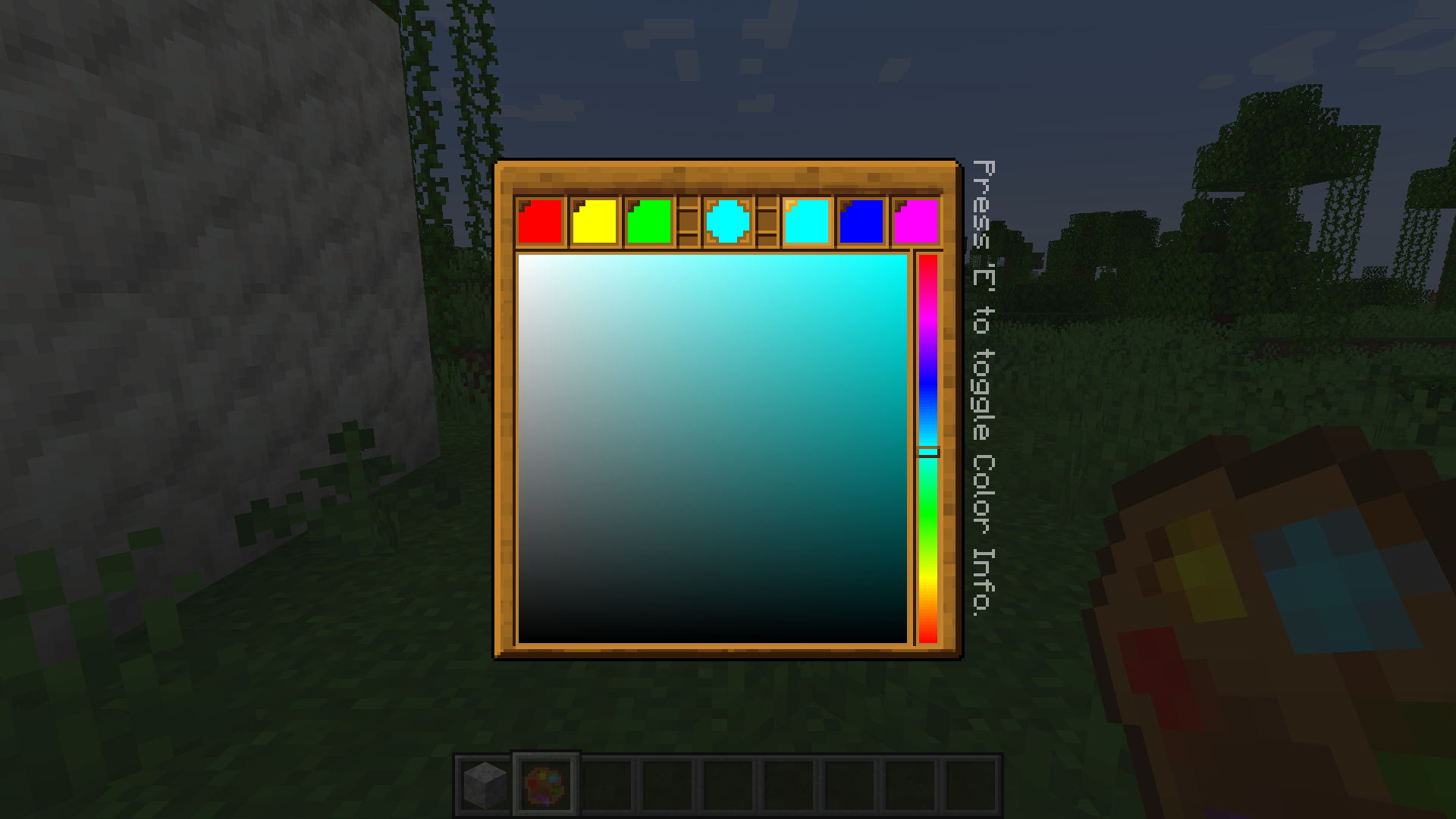
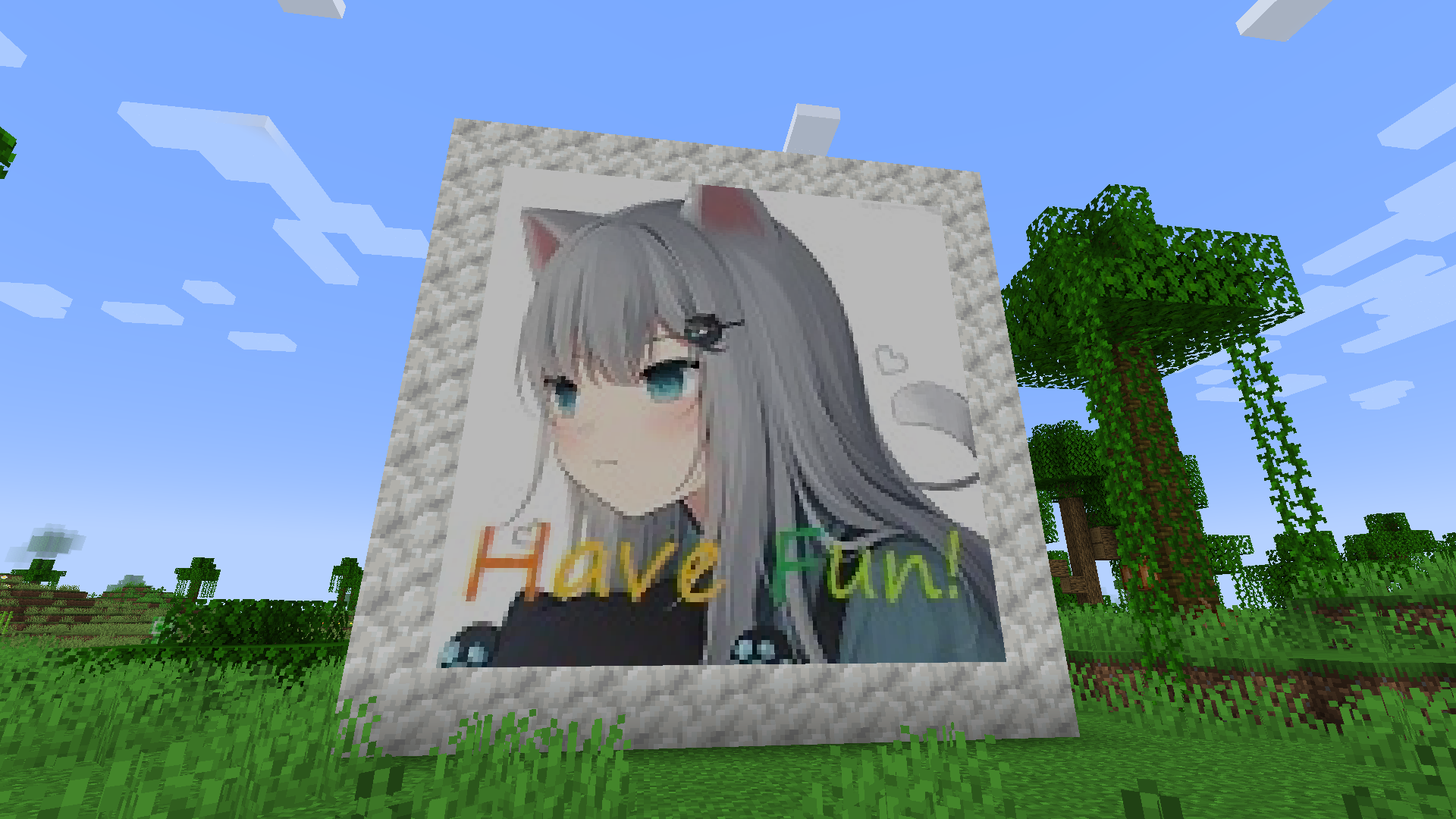
Painting is a feature with which you can draw your OWN paintings! You can pick colors with a palette item, and enjoy creating your art work on a custom painting! (Click the button below to view tutorial)
How to use paintings in Nekoration
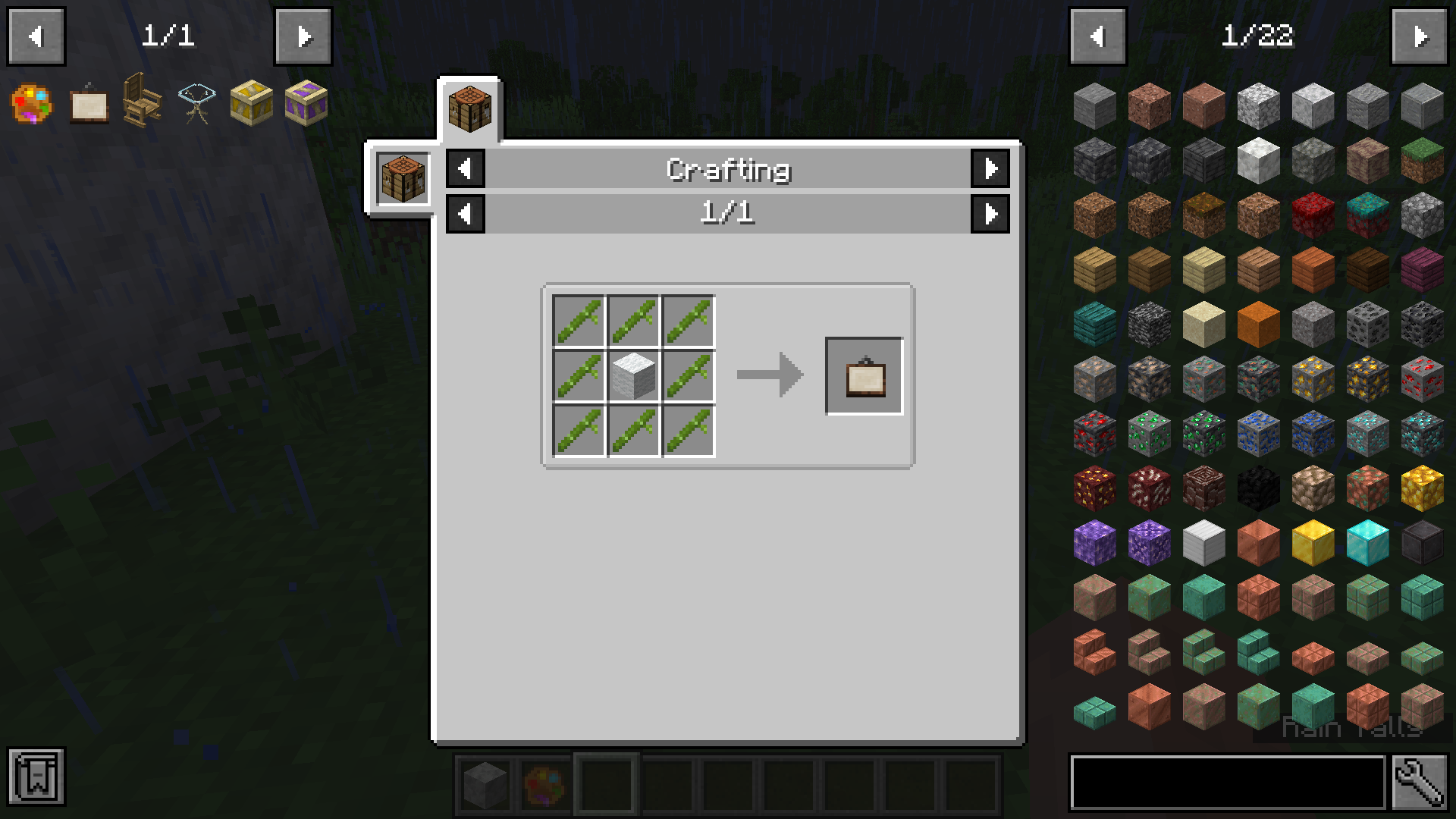
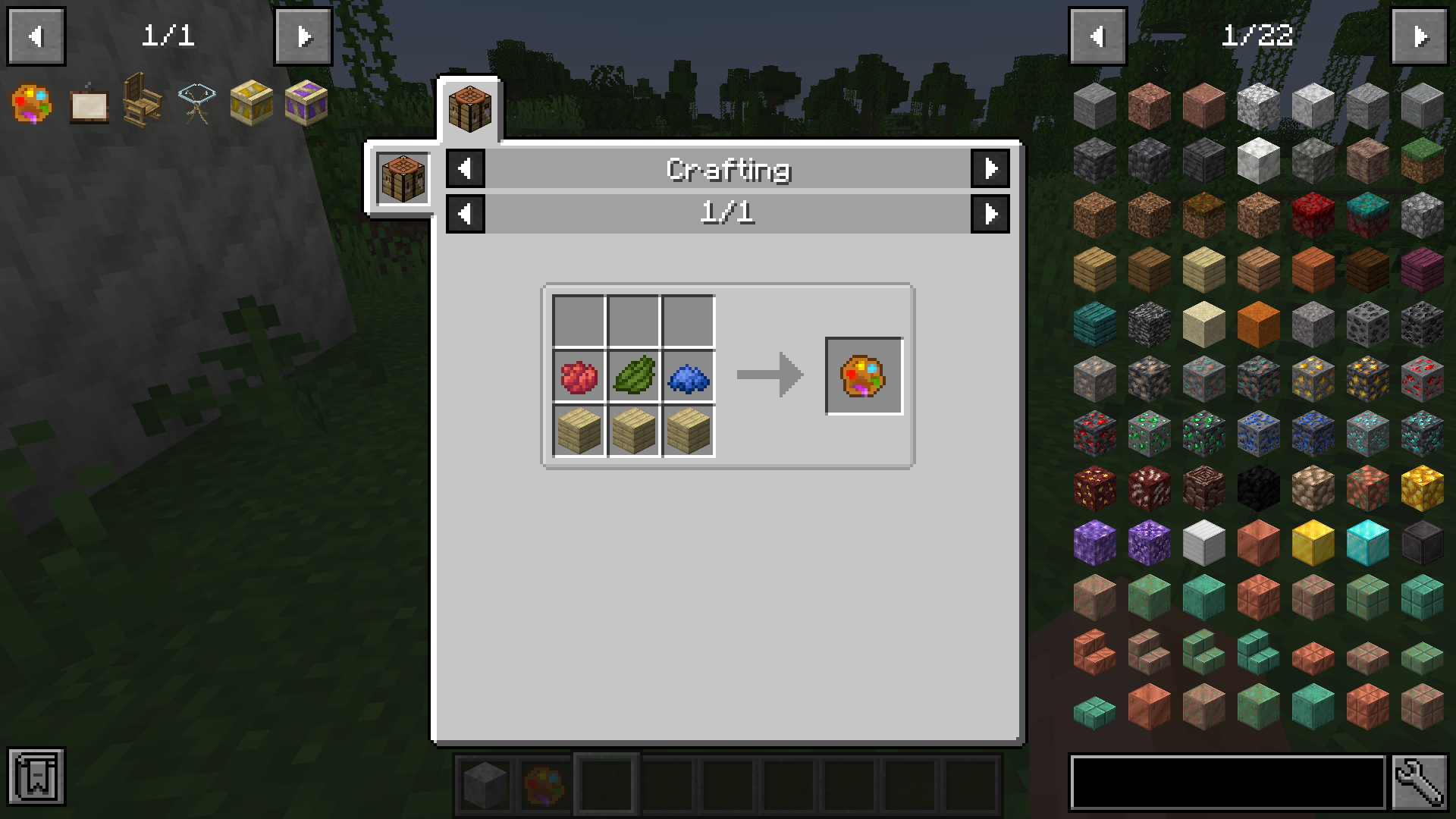
Step 1. Get a Palette and a Blank Painting
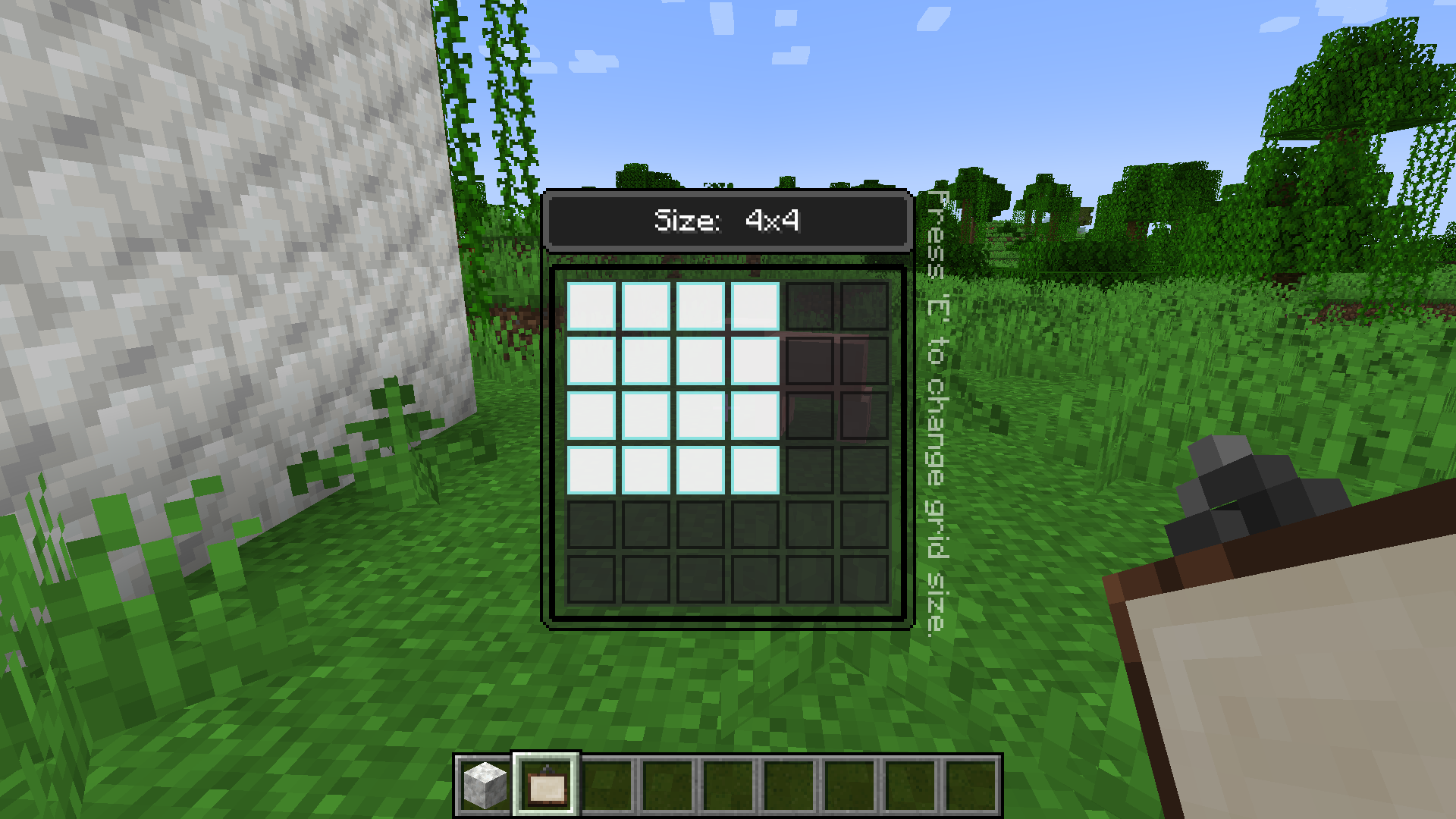
They can either be found in the Creative Inventory, or be crafted in Survival Mode. With a palette, you can pick up to 6 colors at a time and use them when creating your painting. The size of blank painting items can be changed through a right click in the air.
Step 2. Start to paint!
Then, you can place your blank painting on a wall, and the size of this painting is fixed at this time and cannot be changed anymore. Simply right click on it with a palette in your hand, and you can start painting!

Step 3. Saving/Loading paintings
You can input a path in the textfield at the top of the GUI, specifying the image file you want to save to/load from. The root directory of local paths is
.minecraft/nekopaint, and these paths should contain the extension name(.jpg or .png). For png images it’s still OK to omit the extension name, which means you can simply use “foo” to refer to “foo.png”, but for jpg images a full name is required.
-
Save Painting:Save the whole painting to an image file, canvas included. -
Save Painting Content:Save only the painting content to an image file without the canvas. This function can be especially useful when you want to move painting content from one painting to another. -
Load Local Image Files:Load an image file under
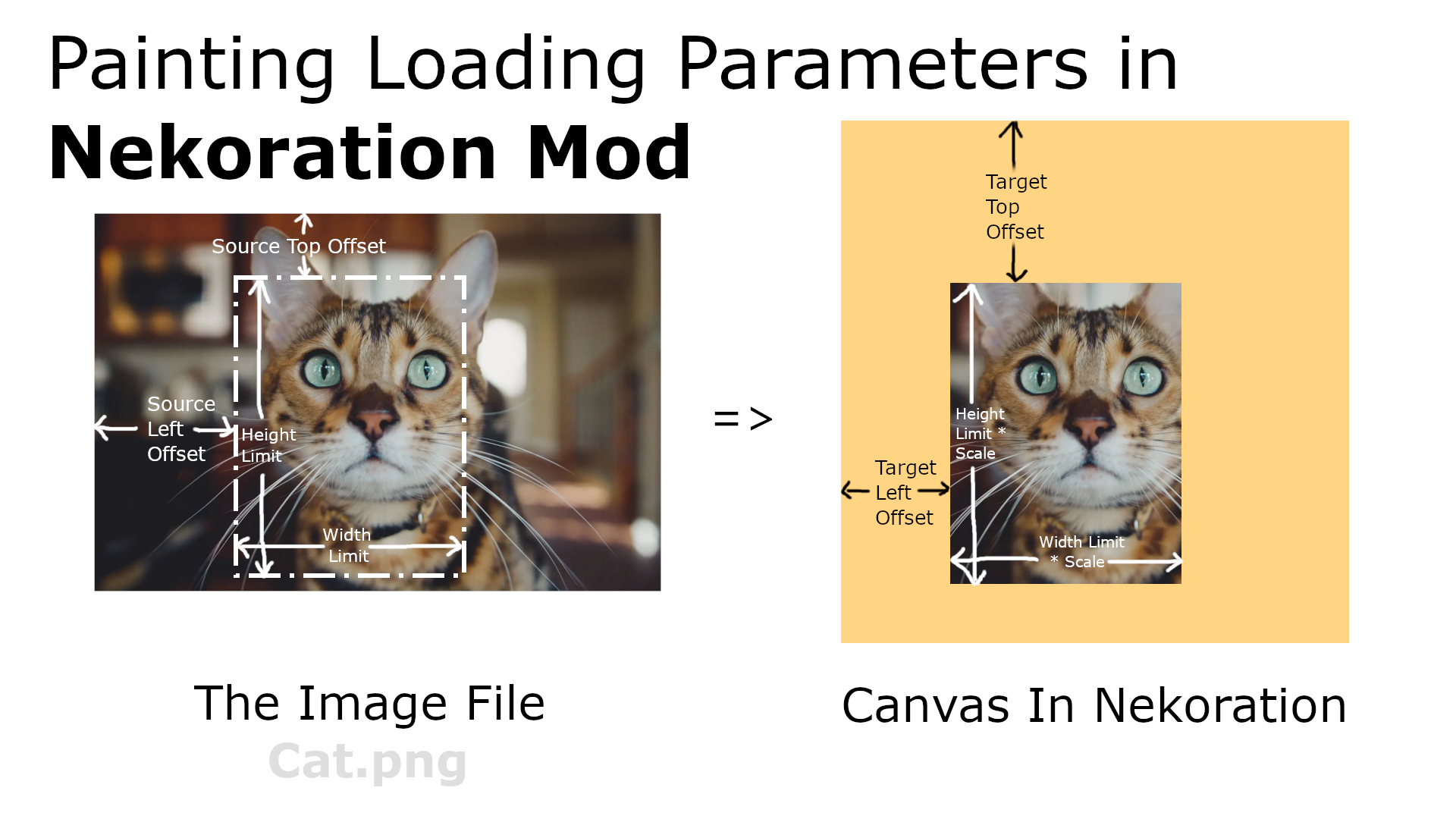
.minecraft/nekopaintonto the canvas. A few loading parameters are supported: Target Left Offset, Target Top Offset, Source Left Offset, Source Top Offset, Scale, Width Limit, and Height Limit, these parameters should be seperated with ‘>’, following the file path. Not all parameters need to be specified, but they
mustbe given
in the above order. -
Load Images From Web URLs: The editor can also load images from web URLs, and the above parameters still work in this case. -
A Few Examples:Assuming that you have an image named
foo.pngunder
.minecraft\nekopaintfolder, inputing
foo.png > 0 > 0 > 0 > 0 > 0.5will load the image at half size, and using
foo.png > 10 > 20 > 50 > 60 > 1.0 > 10 > 20will load the part of the image from (50, 60) to (60, 80) at position (10, 20) onto your canvas. For another example, you can use
https://www.misaka-cloud.net/image/Meow.png> 0 > 0 > 0 > 0 > 0.5
Wallpaper
With Nekoration, you can turn any Banner into Wallpaper with exactly the same pattern, just the way you make Shields from Banners. Then you can place it on any wall surface(several pieces of wallpaper can fit into a 1x1x1 space, so don’t worry about room corners).
Neko Brochure
Once you install the mod with Patchouli, you’ll find a red brochure in ‘Neko Tools’ tab, which introduces all aspects of Nekoration, like recipes and mechanics. The book is still being written, and will be of more use as the mod updates.
Code Repository
This project is open-source at
https://github.com/GLDYM/Nekoration-Remaster
, where you can view the code or contribute to the mod.
Your feedback and suggestions are welcome!
常见问题
Nekoration Remastered 支持哪些 Minecraft 版本?
Nekoration Remastered 支持 Minecraft Java 版 1.20.1–1.21.1,共 2 个版本,可用的加载器:Forge / NeoForge。下载时注意选择和你游戏版本一致的文件。
Nekoration Remastered 怎么安装?
先用 PCL2 或 HMCL 启动器安装对应版本的 Forge / NeoForge,再把下载的 .jar 文件放进游戏目录的 mods 文件夹,重新启动游戏即可。开启了版本隔离的,mods 文件夹在 versions/版本名 下面。
Polaris_Light 的其他作品
查看全部 →
Mandalas GUI – KOTS Compat
支持机械动力 6.0+,兼容 110+ 个模组的 Mandala's GUI - Dark mode

Expanded Storage – KOTS
由 KOTS 分支自 quinn-semele 的 Expanded Storage 和 compasses
Caged Mobs – KOTS
将 Caged Mobs 移植到 1.21.1,献给整合包作者

Spyglass Astronomy Neoforge
Spyglass Astronomy 的非官方 NeoForge 移植版
评论
登录后评论和评分