SquidCraft – Bullsquid Discord.
The SquidCraft Modpack for The BullSquid.com Discord Server
介绍
The SquidCraft mod pack is designed for the Bullsquid.com discord.
Recommended RAM: 8GB
The features of this modpack are:
==Tech==
– Buildcraft –
– Thermal Expansion –
– Advanced Generators –
– GregTech –
To populate the world with building materials & allow automation
==Magic/Exporation==
– Twilight Forest –
– ProjectE –
– Extra Utilities-
– Avaritia-
-Botania-
To give the user more to explore & discover & to go a different direction
== Crafting ==
– Tinkers Contruct –
– Builders wind –
– Construct’s Armory-
The above are added to improve efficiency & building contruction
==Ease of access==
– Waystones – Allow Travel across the map.
– Storage Drawers –
– Biomes O Plenty – More Biomes to Explore
– Crafting Tweaks – Easier Crafting.
== Other Noteworthy Mods ==
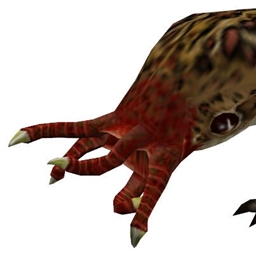
– Project Lambda – Bullsquid is a Monster from Half life, Project Lambda adds Half life mobs
– Ender Storage –
– Ore Excavation – Improved ore harvesting speed
– Journey Map – Ease of travel
– FTB Chunks – allow the user/s to protect their items from griefing
– Compatibity mods-
Discord Link: https://discord.gg/j2tQSqT
Website Link: Bullsquid.com
常见问题
SquidCraft – Bullsquid Discord. 支持哪些 Minecraft 版本?
SquidCraft – Bullsquid Discord. 基于 Minecraft Java 版 1.12.2,使用 Forge 加载器。
SquidCraft – Bullsquid Discord. 怎么安装?
点本页「前往下载」拿到整合包文件(Modrinth 的是 .mrpack,CurseForge 的是 .zip),在 PCL2 或 HMCL 启动器里选择「导入整合包」,启动器会自动装好 Minecraft、加载器和全部模组。建议在启动器里给游戏分配 4–6 GB 内存。
SquidCraft – Bullsquid Discord. 开服需要多大内存?
推荐服务器内存 12 GB。在线人数多、或者建了大量机器和区块加载器时,可以再加 2–4 GB。
怎么和朋友一起玩 SquidCraft – Bullsquid Discord.?
点本页的「一键开服」,选好配置后会自动安装 SquidCraft – Bullsquid Discord. 的服务端,几分钟就能开好。把服务器地址发给朋友,大家用同一个版本的整合包连进去就行。
评论
登录后评论和评分