
GLRenderDistance
It lets you increase the render distance to 1000, GLRenderDistance is an optimization expansion designed to break past Minecraft default render distance constraints
截图
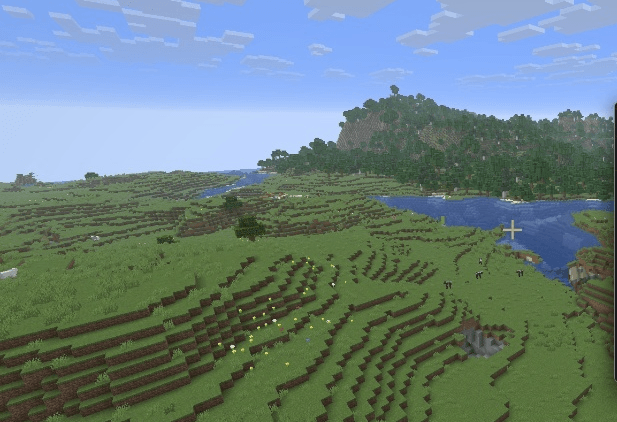
介绍
# It lets you increase the render distance to 1000.
# 🚀 GLRenderDistance
**⚠️ ALPHA VERSION NOTICE:** This mod is currently in its Alpha stage. It is extremely resource-heavy and requires Sodium to function.
**GLRenderDistance** is an optimization expansion designed to break past Minecraft’s default render distance constraints. This mod allows you to scale your render distance seamlessly up to **1000 chunks**.
—
## ✨ Features
* **Massive Horizon:** Unlock your slider and push your render distance limits higher than ever before.
* **Stable Framework:** Engineered to maintain high frame rates even when rendering expansive landscapes.
## 🛑 Critical Requirements & Dependencies
To ensure game stability and prevent crashes, this mod strictly requires the following setup:
* **Sodium (Required):** This mod is built to work directly on top of Sodium’s modern rendering engine. It will not function without it.
* **RAM Allocation:** Loading massive render distances heavily impacts your system memory. You **MUST** allocate at least **6GB to 8GB of RAM** in your Minecraft launcher settings (JVM Arguments: `-Xmx6G` or `-Xmx8G`) to prevent Java from freezing or running out of memory.
## ⚙️ Configuration & Recommendations
* **Start Small:** When launching for the first time, gradually increase your chunks (e.g., test at 64, then 100) to find the perfect balance for your graphics card.
* **Performance Target:** Proven to achieve smooth performance (70+ FPS at 100 chunks) on optimized hardware setups.
常见问题
GLRenderDistance 支持哪些 Minecraft 版本?
GLRenderDistance 支持 Minecraft Java 版 26.2,可用的加载器:Fabric。下载时注意选择和你游戏版本一致的文件。
GLRenderDistance 怎么安装?
先用 PCL2 或 HMCL 启动器安装对应版本的 Fabric,再把下载的 .jar 文件放进游戏目录的 mods 文件夹,重新启动游戏即可。开启了版本隔离的,mods 文件夹在 versions/版本名 下面。
评论
登录后评论和评分