
截图
介绍
Spotify comes to Minecraft!
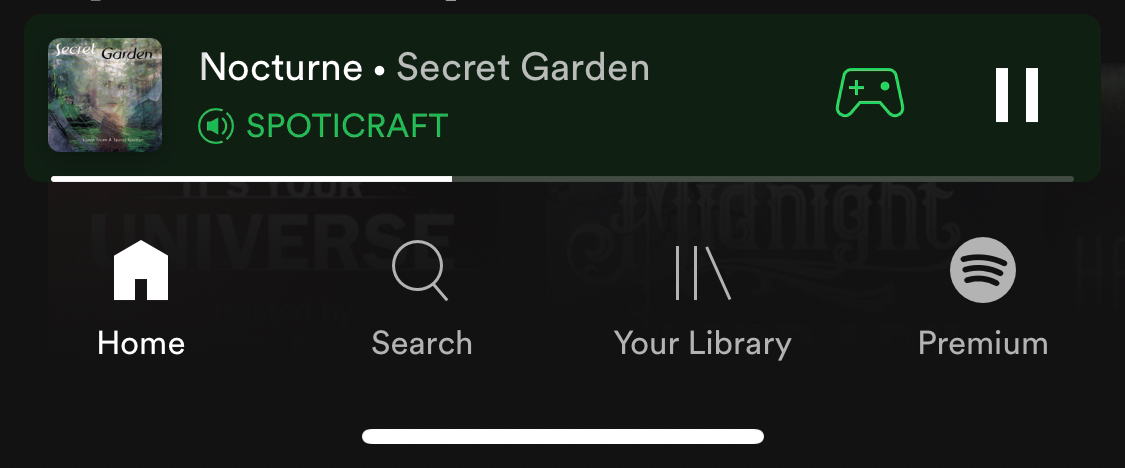
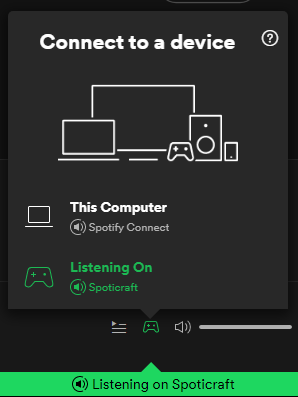
This client-side mod allows you to play your favorite songs and stations from Spotify inside Minecraft. It does not need to be installed on the server and won’t do anything if you do. You do not need to have Spotify running in order to use this mod as all connections are handled by the mod itself.
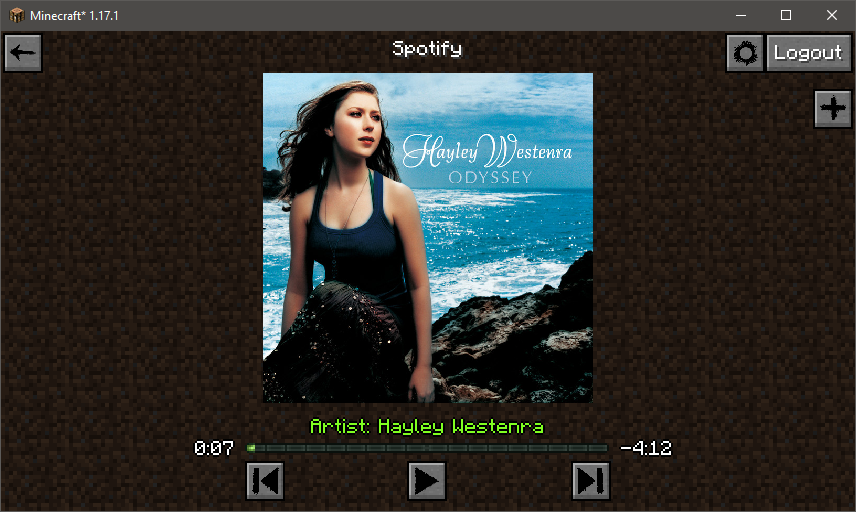
The default key-binding to access Spotify is F8. You may change this is the standard controls Minecraft controls screen. If you click on something and you get a blank screen, it’s probably just being worked on and not fully implemented yet. This mod is still in early development.
See the Images tab for screenshots
You can listen to songs from inside Minecraft with immersive notifications while you play. There are a few settings in the config file to tweak if you so choose. To start playing, you need to click the “Plus” button and paste in a URL or URI. Search functionality not yet implemented. You may also fully control playback using other devices connected to your account.
You CANNOT, however, download or save songs locally or do anything else that may VIOLATE Spotify’s ToS! You are still bound by the Spotify’s user agreement while using this mod.
This mod does not claim any rights over any of Spotify’s services and by using this mod, you agree to be bound by all of Spotify’s legally binding contracts. This mod merely provides a portal to access an already existing service. You must have a Spotify account to access Spotify’s services. Therefore, Spotify must be accessible in your country. You can visit Spotify.com for more information.
In addition, this mod was created for Fabric and I will not be porting to Forge. I will try to keep up with new versions of Minecraft as they come out, but I will not be back-porting to older versions. I work a full time job and do modding in my spare time. My life obviously comes first. Updates/Patches/Bug fixes may not be available in a timely fashion. If you’d like to help contribute, just let me know.
常见问题
Spoticraft 支持哪些 Minecraft 版本?
Spoticraft 支持 Minecraft Java 版 1.17–1.17.1,共 2 个版本,可用的加载器:Fabric。下载时注意选择和你游戏版本一致的文件。
Spoticraft 怎么安装?
先用 PCL2 或 HMCL 启动器安装对应版本的 Fabric,再把下载的 .jar 文件放进游戏目录的 mods 文件夹,重新启动游戏即可。开启了版本隔离的,mods 文件夹在 versions/版本名 下面。
MorningSageX 的其他作品
查看全部 →
Mekanism: Addons
为强大而出色的通用机械增添一些小内容并进行微调。

Particle Title Menu
为 Minecraft 标题菜单添加粒子效果。

ItemPhysic Lite – Fabric
Changes the item rendering behavior on the client side
Extreme Sound Muffler (Fabric)
Forget about those nasty sounds! - Client side sound muffler.
评论
登录后评论和评分