
Omni Wheel
Client-side radial quick-action menu with configurable wheels, profiles, shortcuts, and multiplayer-safe command and keybind access.
截图
介绍

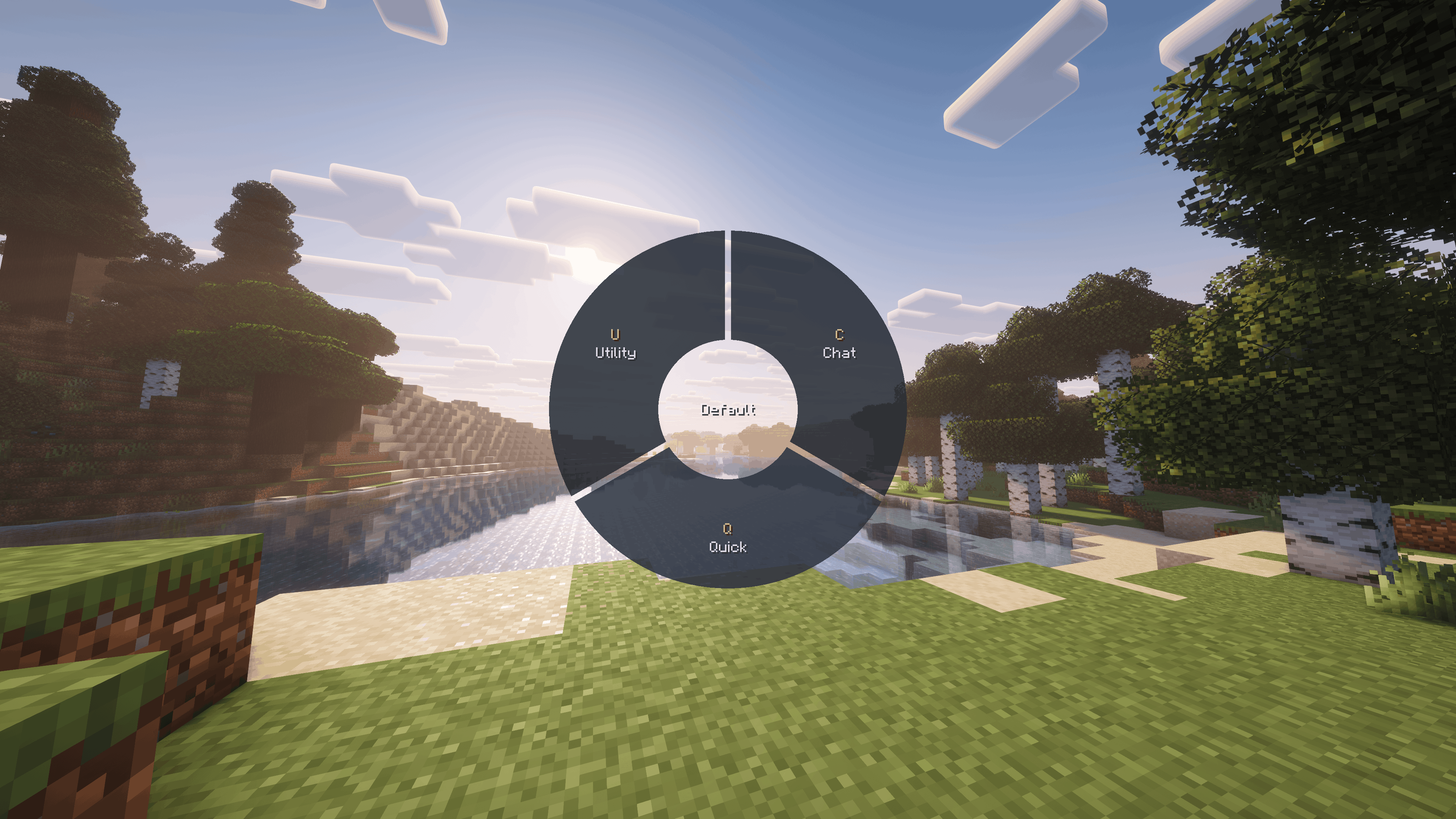
Omni Wheel is centered around fast, configurable radial shortcuts for Minecraft.
It gives you a fully client-side quick-action wheel for commands, chat, keybindings, utility tools, and gameplay functions without requiring anything on the server.

Fast Radial Access
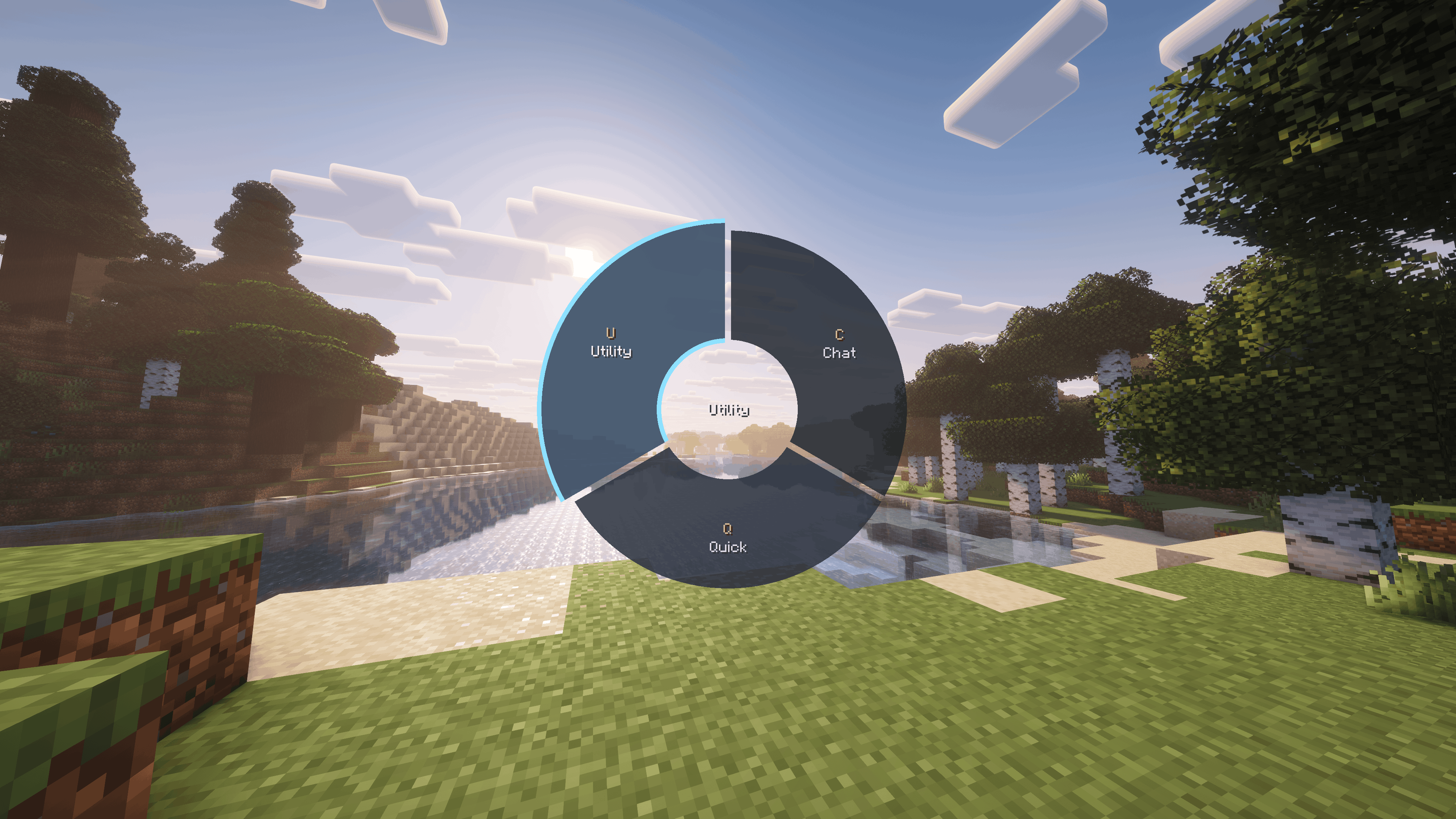
Omni Wheel adds a hold-to-open radial menu to Minecraft.
Open the wheel, flick toward an entry, and trigger actions quickly without digging through chat, menus, controls, or hotbar slots. It supports mouse selection, click selection, and numpad position bindings for fast repeated use.
Smooth opening, selection, submenu, and page transitions keep the wheel responsive while still making complex layouts easy to follow.
Profiles, Pages, and Nested Wheels
Omni Wheel lets you build multiple local profiles and organize them into pages and nested submenus.
You can create separate setups for survival, multiplayer servers, building, utility tasks, moderation, or anything else you want, then switch between profiles directly inside the wheel.
Wheel positions are managed independently from the Entries list, allowing you to organize your configuration without changing the actual radial layout.
Interactive Wheel Preview
The built-in Preview lets you arrange your wheel directly as it will appear in-game.
Entries can be moved between positions and pages, dragged into or out of submenus, and reorganized visually without having to guess where they will appear.
Commands, Chat, Keybinds, and Utility Actions
Omni Wheel supports a wide range of action types for different workflows.
You can create entries that send commands, post chat messages, open chat with editable preset text, trigger Minecraft and mod keybindings directly, copy useful values to the clipboard, show local client-side messages, or trigger built-in gameplay functions such as inventory access, perspective changes, screenshots, hotbar selection, and movement toggles.
Keybindings can be triggered even when the original keybinding is unassigned in Minecraft Controls, and can be browsed through searchable, collapsible categories by name, category, or keybinding ID.
Live Insert Data
Commands, messages, and clipboard actions can include live information from the game without requiring you to memorize placeholders.
The Insert Data browser can insert information such as player coordinates, dimension, biome, targeted blocks and entities, entity UUIDs, held-item data, and other contextual game values.
Custom Icons and Colors
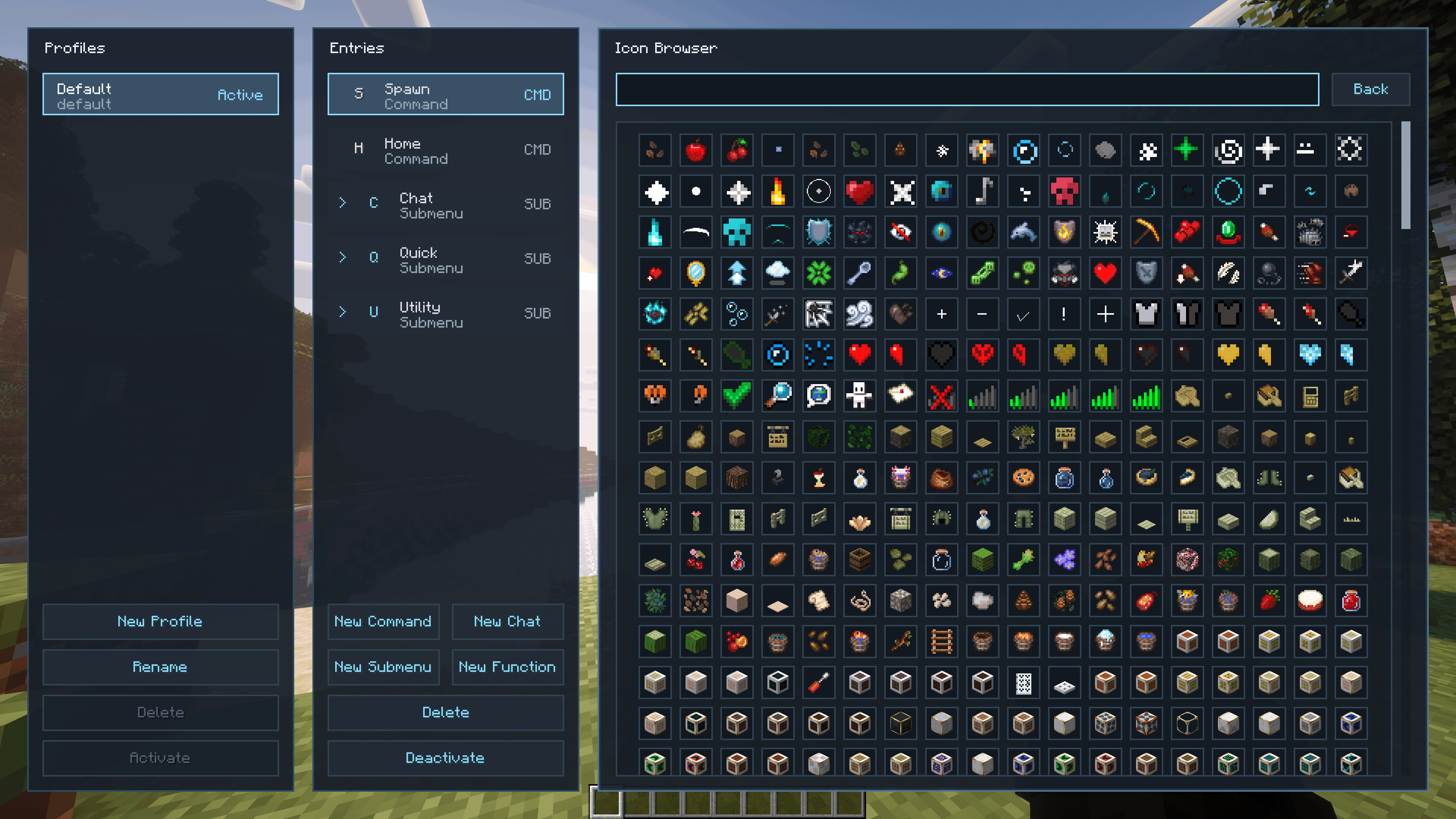
Entries can use Minecraft blocks and items, built-in extras, automatically generated mod categories, or your own custom icons.
Items can be captured directly from your inventory or an open container while preserving item-specific data such as enchantments, armor trims, dyes, and other components.
You can also import custom PNG images with transparency. Empty transparent edges are cropped automatically, and imported images and captured items appear in the Custom category.
Text and wheel tint colors can be selected with a color picker or entered directly as hex values.
Built-In Manager and Local Persistence
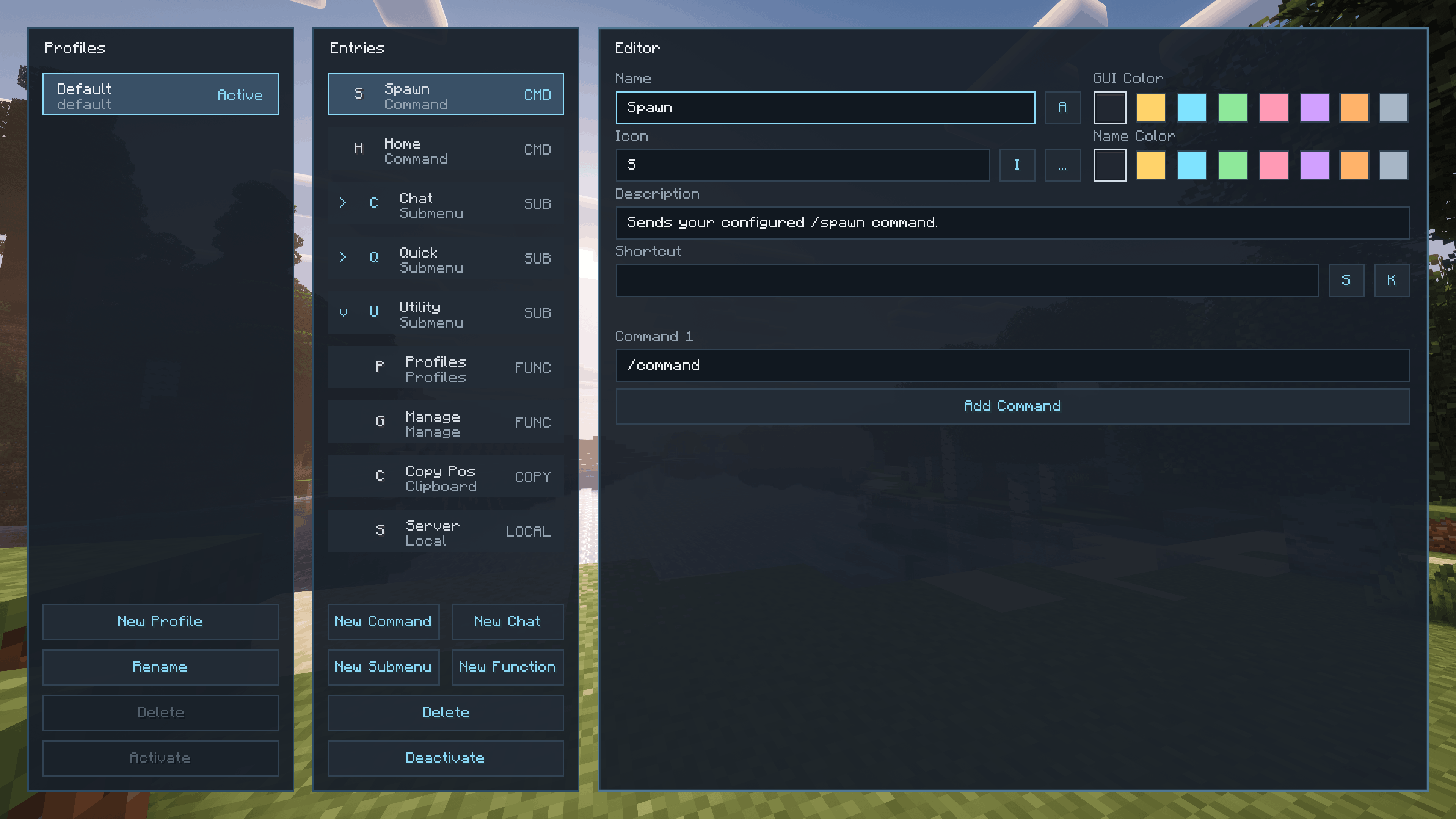
Omni Wheel includes a complete built-in manager for creating and editing your wheel layouts.
You can create, rename, reorder, and delete profiles and entries, configure actions and shortcuts, change visibility, choose icons and colors, organize nested submenus, and build specialized wheels with up to 8 segments per page.
Profiles and entries support drag-and-drop throughout the interface, including live placement previews when reorganizing content.
Everything is stored locally on the client, so Omni Wheel works in both singleplayer and multiplayer without requiring the mod to be installed on the server.
Flexible Shortcut Support
Omni Wheel supports more than standard keyboard shortcuts.
Entries and wheel controls can use additional mouse buttons, extra keyboard keys, and supported macro keys that Minecraft receives as normal key or scan-code input.

There is also a community Discord, a YouTube channel, and a public GitHub organization.
Feel free to join the “Intelligence” community, watch our YouTube content, and explore our public GitHub projects.



常见问题
Omni Wheel 支持哪些 Minecraft 版本?
Omni Wheel 支持 Minecraft Java 版 1.16.5–26.3,共 20 个版本,可用的加载器:Fabric / Forge / NeoForge。下载时注意选择和你游戏版本一致的文件。
Omni Wheel 怎么安装?
先用 PCL2 或 HMCL 启动器安装对应版本的 Fabric / Forge / NeoForge,再把下载的 .jar 文件放进游戏目录的 mods 文件夹,重新启动游戏即可。开启了版本隔离的,mods 文件夹在 versions/版本名 下面。
Doomed_Artemis 的其他作品
查看全部 →
Artemis’ Laboratory Blocks
标志性的实验室方块以现代材质、动态细节和无缝连接重新演绎

Better Carpets
更好的地毯为羊毛、苔藓和苍白苔藓地毯添加了细微的3D悬垂边缘和多样的边缘细节。

Alternative Nether Portal Color
Replaces the purple color of the nether portal with red

Artemis’ Laboratory Blocks
The iconic Laboratory Blocks reimagined with modern textures, animated details, and seamless connectivity.
评论
登录后评论和评分