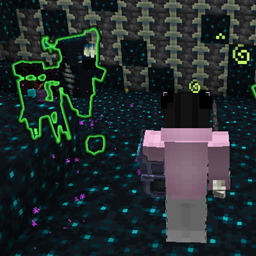
Weapontu & Remake Hoplite Weapon
作者:TuKnowEnough
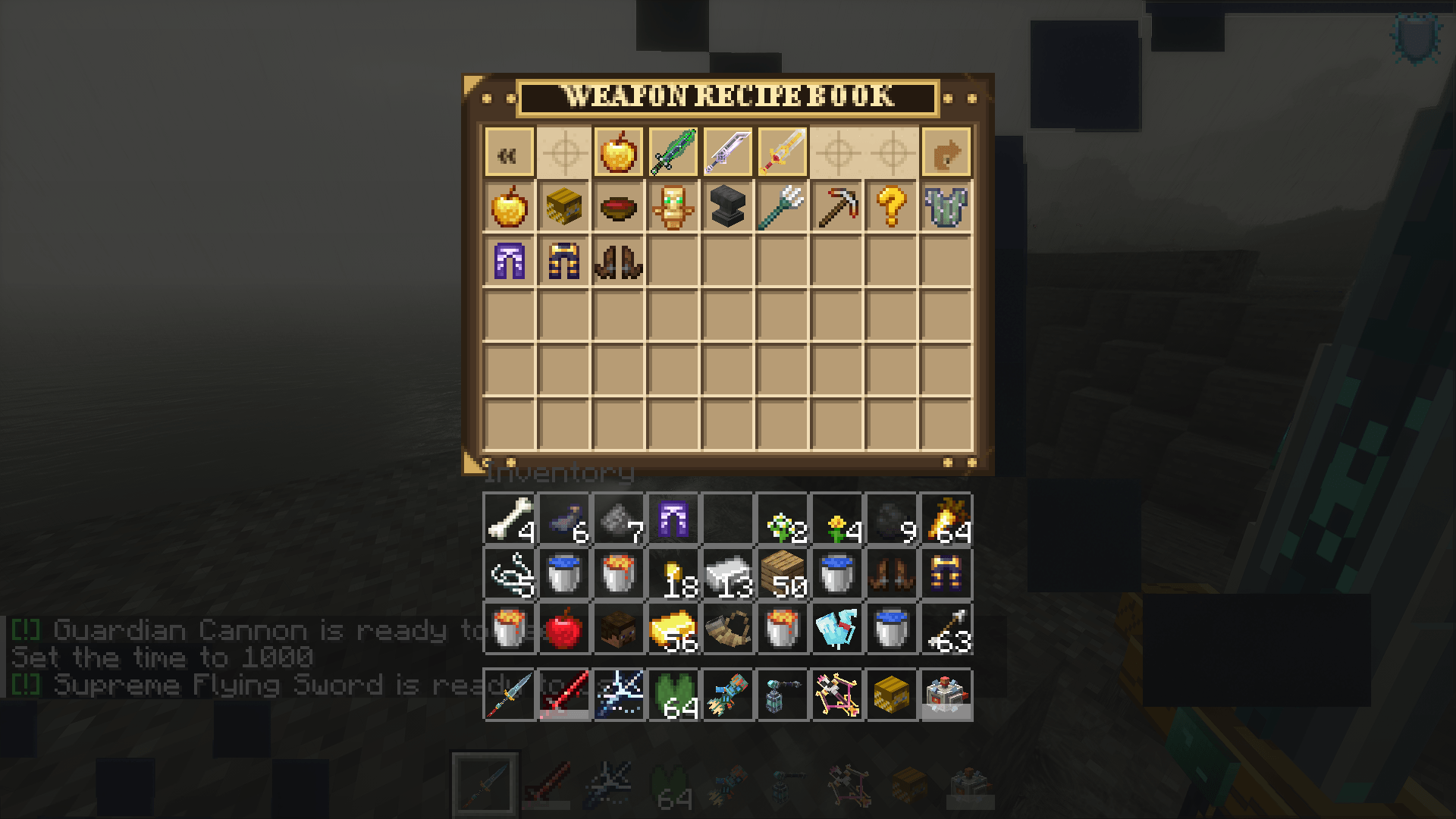
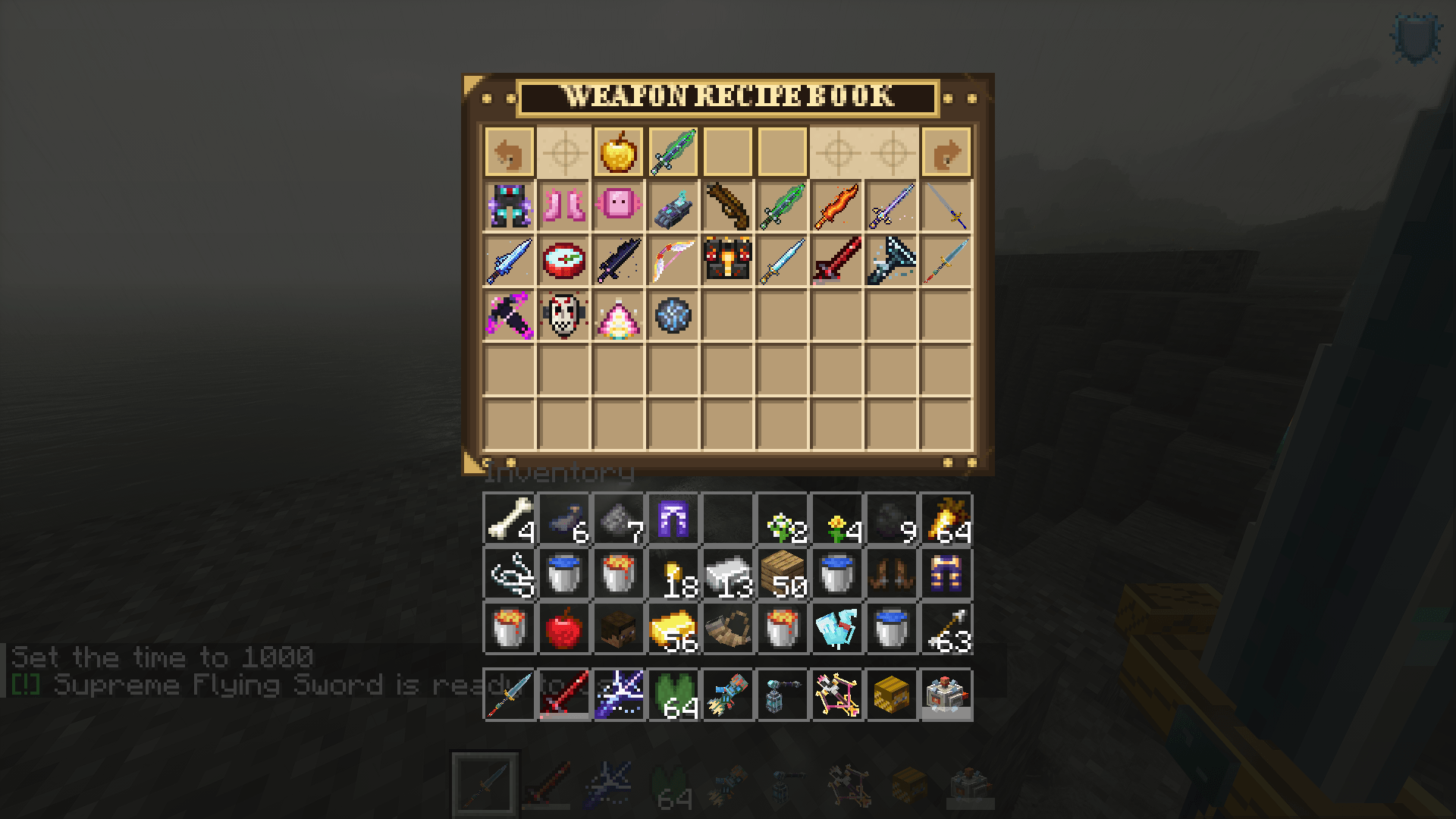
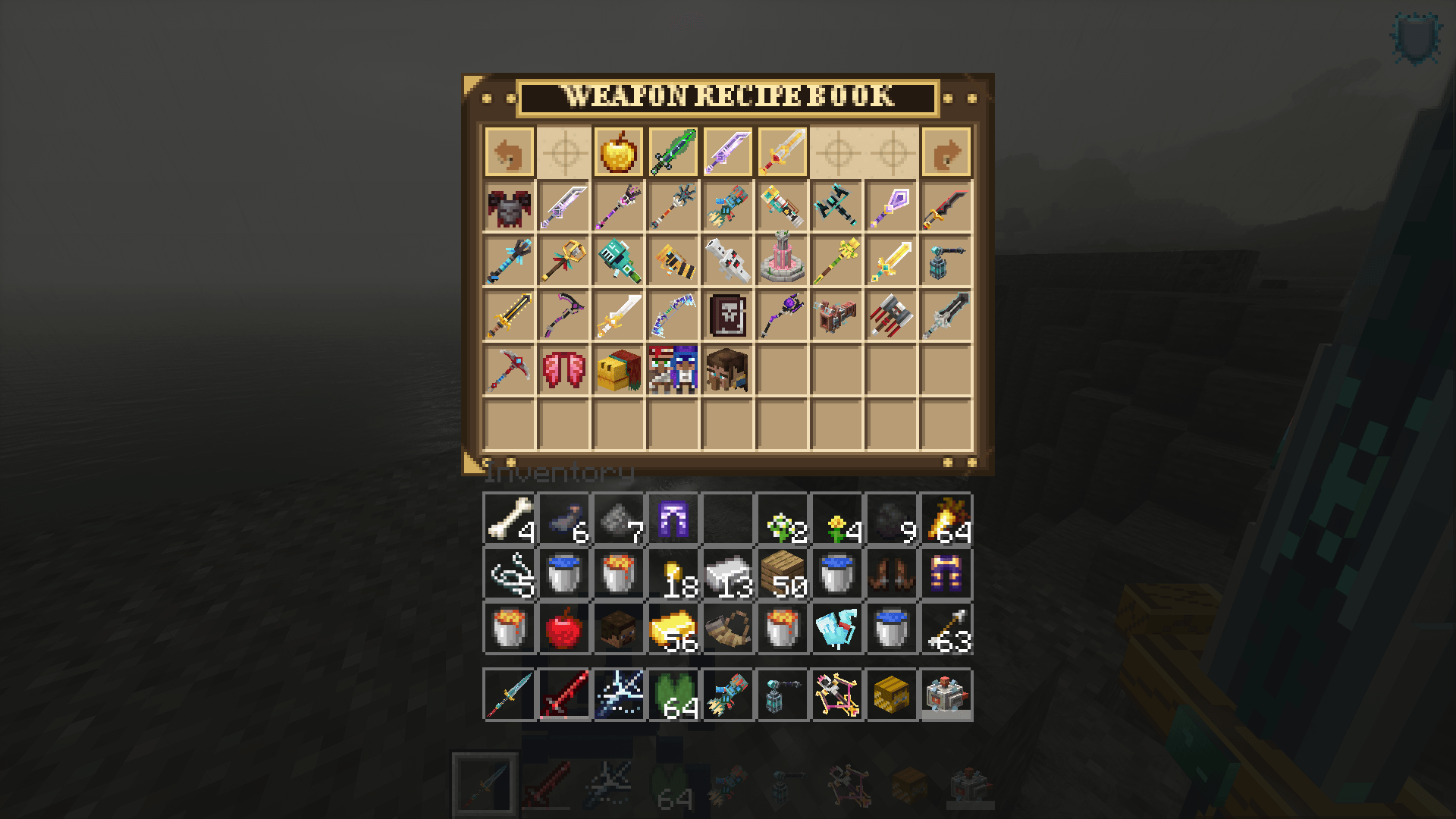
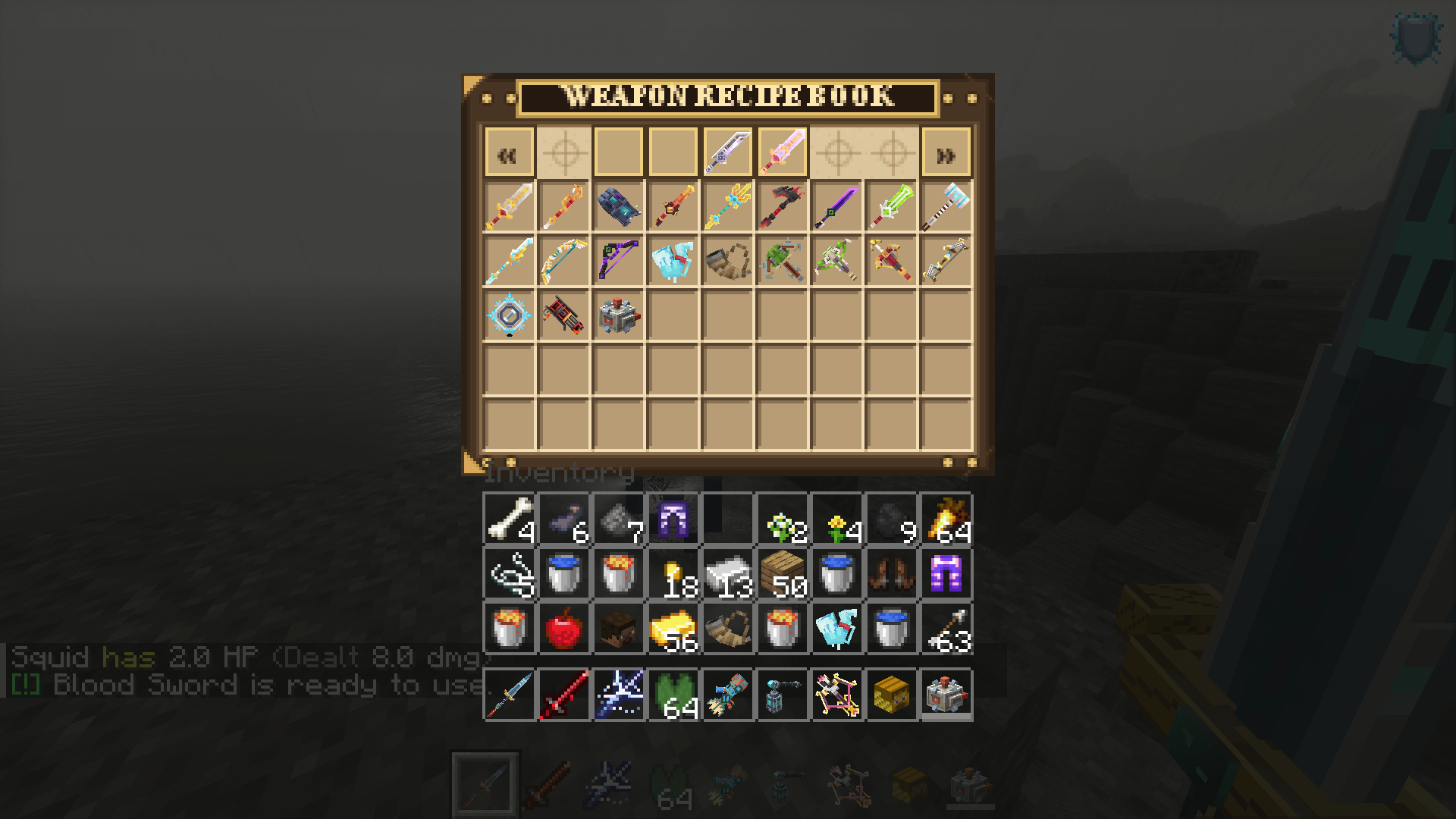
为Minecraft Fabric 1.21.1添加支持多重射击2+的Hoplite风格自定义武器,并内置队伍系统。
截图
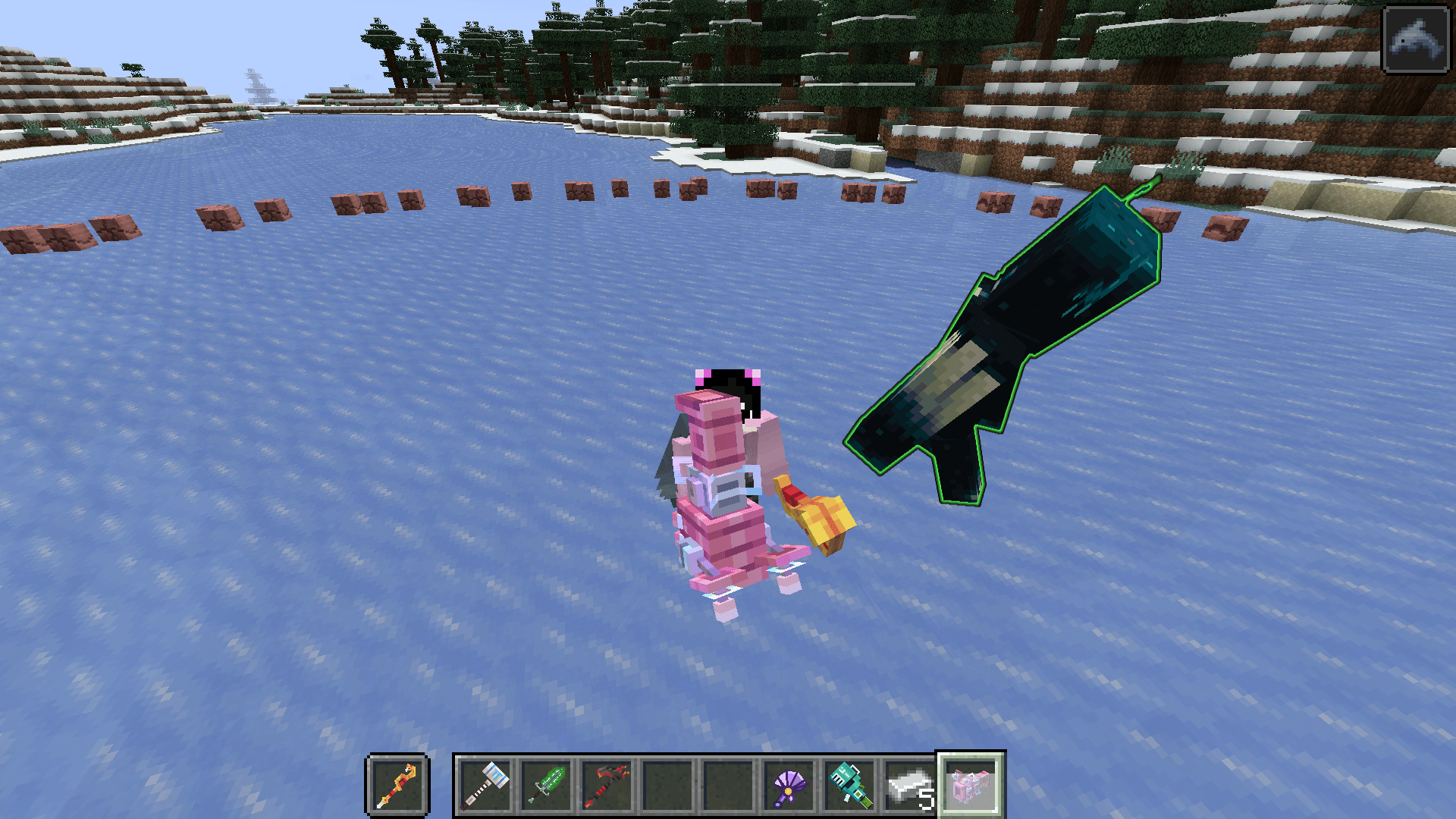
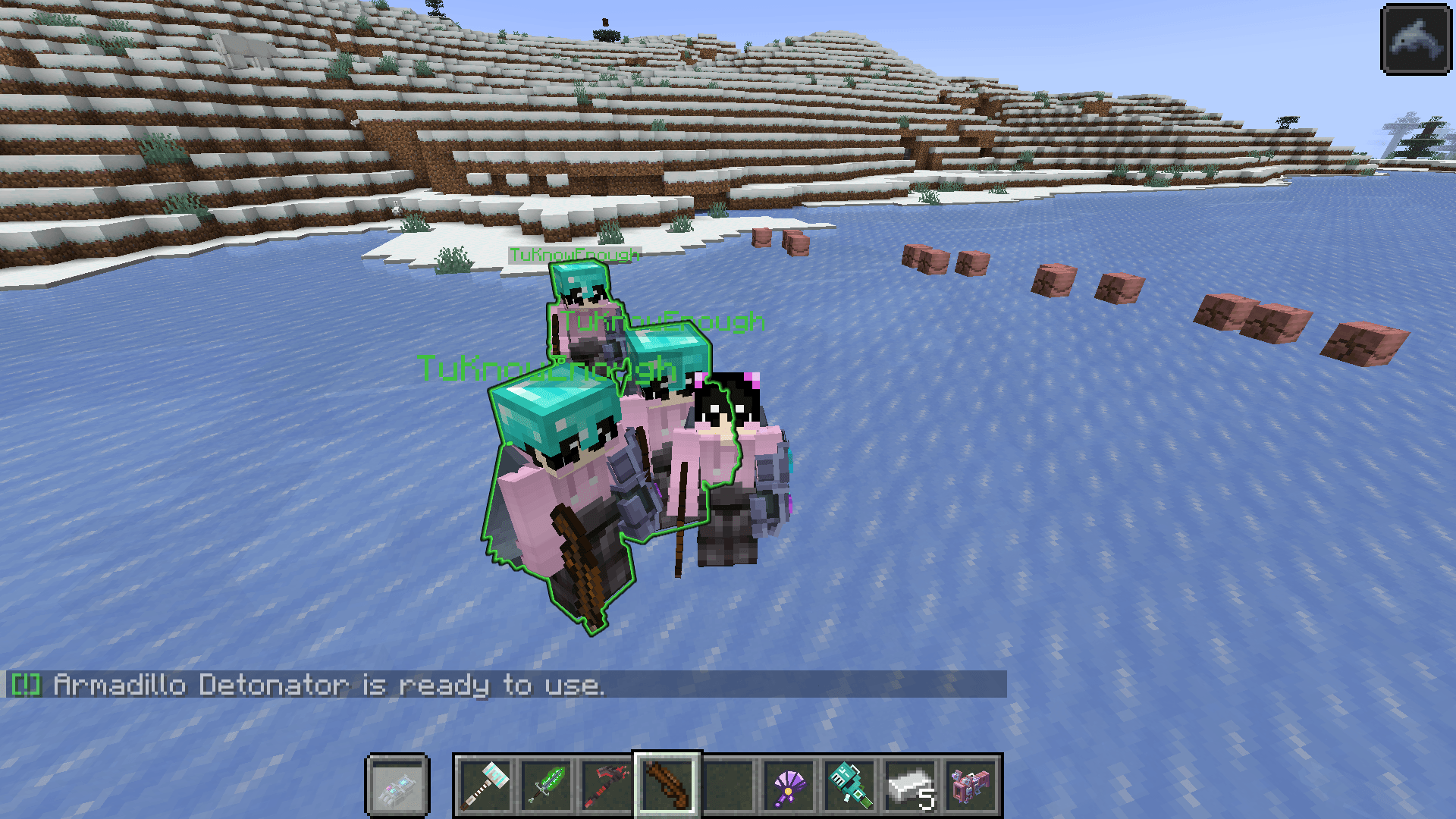
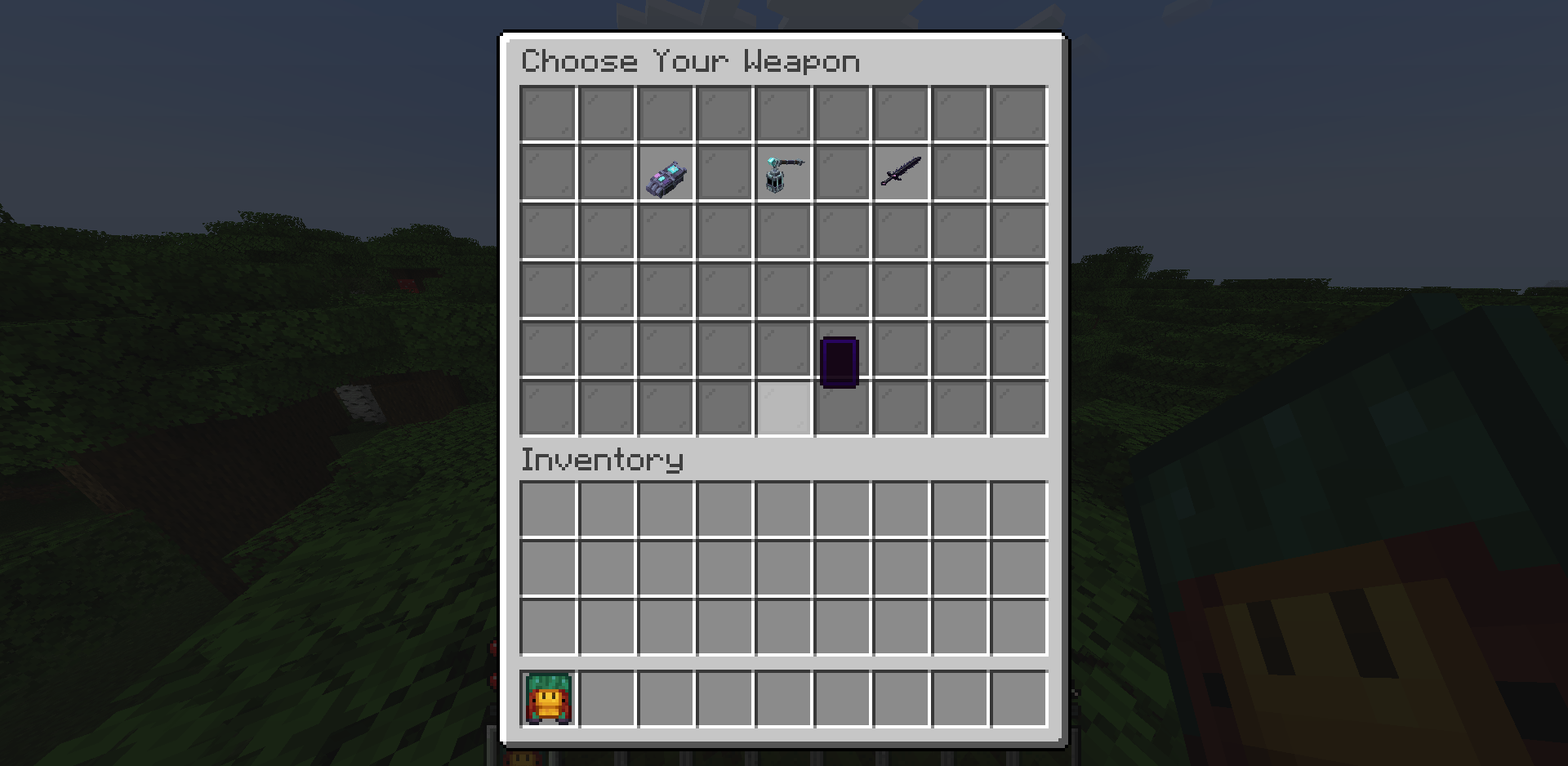
介绍
中文介绍正在准备中,下面暂时显示原文。
# WeaponTu PvP — Full Commands & Features Guide
## Hướng Dẫn Toàn Bộ Lệnh & Tính Năng Mod WeaponTu (Fabric 1.21.1)
(The latest update hasn’t been approved by CurseForge yet, everyone please wait.)
—
# 🇬🇧 ENGLISH DOCUMENTATION
I recreated the iconic custom weapons, custom combat mechanics, and unique weapon abilities to bring a whole new tier of PvP and PvE strategy to modern Fabric Minecraft.
### ⚡ Mod Features:
– **Custom Weapon Set**: Inspired by Hoplite PvP and modern competitive arenas.
– **Unique Special Abilities & Passive Stats**: Dash, domains, true damage, execute, lightning, blood rain, and freeze mechanics.
– **Balanced Combat Mechanics**: Built specifically for Fabric 1.21.1 with configurable cooldowns and limits.
– **Dynamic 3D Cosmetics**: 3D Hats, Weapon Skins, and spectacular Kill Effects.
– **Fully Coded from Scratch**: Optimized for high performance and low server tick impact using Fabric Toolchain.
—
## 📜 1. General Player Commands (No OP Required)
These commands are available to all players on the server:
– **/wrecipe**: Opens the **Interactive Crafting & Recipe Guide GUI**. Players can browse all legendary weapon recipes, custom armor crafting, ingredients, and ability descriptions directly in-game.
– **/weapontu skin**: Opens the **Weapon Skin Wardrobe GUI**. Allows players to preview and equip unlocked custom 3D weapon skins.
– **/weapontu killeffect [page]**: Opens the **Kill Effect Selection GUI**. Allows players to browse, equip, or test their unlocked kill animations.
– **/weapontu team info**: Quickly view your current team name, team leader, and online teammates.
—
## 🛠️ 2. Team & Alliance Commands (`/wteam` or `/allient`)
Manage alliances, prevent friendly fire, and coordinate with teammates.
### Basic Commands (For all members):
– **/wteam create [team_name]**: Creates a new team (you become the Leader). Leave `[team_name]` blank for a random ID.
– **/wteam invite <Player_Name>**: Invites an online player. (Automatically creates a team for you first if you are not already in one).
– **/wteam accept <Inviter_Name>**: Accepts a pending team invitation.
– **/wteam info [team_name]**: Displays team name, Leader, and online member list.
– **/wteam leave**: Leaves your current team. (If the Leader leaves, leadership automatically transfers to a remaining member; disbands if empty).
### Management Commands (Leader only):
– **/wteam kick <Player_Name>**: Removes a member from the team.
– **/wteam transfer <Player_Name>**: Transfers your Leader role to another teammate.
### 💡 Quick Example (Playing with a friend):
1. You invite your friend: `/wteam invite MyFriend` *(Auto-creates team & sends invite)*
2. Your friend accepts: `/wteam accept YourName`
—
## 🤖 3. Smart PvP Bot System (`/weapontu bot` or `/weapontu spawnbot`)
Spawn smart AI bots that fight with custom weapons, cast skills, place water buckets, and strafe like real players!
### Quick Spawning (OP Level 2):
– **/weapontu spawnbot [ally/enemy/random]** *(or `/weapontu bot [ally/enemy/random]`)*:
– `ally`: Spawns an allied bot that joins your team and defends you.
– `enemy`: Spawns a hostile bot equipped with custom weapons to practice PvP.
– `random`: Spawns a bot with random team allegiance.
*(Note: Enemy bots also naturally spawn in the Overworld during daytime!)*
### Advanced Admin Bot Configuration:
– **/weapontu bot <ally|enemy|random> gear <gear_type> [weapon_name] [target_player]**:
– `gear_type`: Choose protection tier:
– `diamond`, `diamond_legendweapon`, `diamond_prot4`, `diamond_prot4_legendweapon`
– `netherite`, `netherite_legendweapon`, `netherite_prot4`, `netherite_prot4_legendweapon`
– `weapon_name`: Force the bot to equip a specific weapon (e.g. `blood_sword`, `magma_cannon`, `freezing_chakram`, `excalibur`, `domain_sword`).
– `target_player`: Spawns the bot directly at the specified player’s location.
—
## 🛡️ 4. Admin Management & Server Settings (`/weapontu setting`)
Fine-tune gameplay, server meta, and toggle features on the fly. Requires **OP Level 2**.
– **/weapontu setting listofsoulboundweapon**: Opens the **Soulbound Weapon Config GUI**. Click any weapon to toggle its inclusion in the starter selection and gacha pool.
– **/weapontu setting listofsniffer**: Opens the **Sniffer Excavation Config GUI**. Configure which custom weapons can be unearthed by Sniffers.
– **/weapontu setting listofcancraft**: Opens the **Global Crafting Permission GUI**. Click any legendary weapon to globally enable/disable crafting for normal players.
– **/weapontu setting togglemaxhealthhoplite**: Toggles the Hoplite 40 HP (20 hearts) base health mode on/off server-wide.
– **/weapontu setting toggledamageindicator**: Toggles the floating holographic damage indicator numbers displayed upon hitting entities.
– **/weapontu setting togglemultiplecrafts**: Toggles whether legendary weapons can be crafted multiple times by players or limited to once per world.
—
## ⚖️ 5. Balancing & Nerf/Buff Commands
Admin tools to balance PvP weapons and crafting recipes dynamically:
– **/weapontu nerf gautlent_clone <amount>**:
– Adjusts the maximum active clone limit summonable by Necro Gauntlet and Soul Gauntlet.
– `0`: Unlimited clones (No Nerf mode).
– `1 – 100`: Caps maximum simultaneous clones.
– *Includes interactive tab-completion suggestions and status feedback.*
– **/weapontu buff eggdragon_to_crystal**:
– Toggles the crafting recipe for **Dragon Katana** and **Reinforced Elytra** between **Dragon Egg** and **End Crystal**.
—
## ⏱️ 6. Weapon Cooldown Management (`/weapontu cd` & `/weapontu resetcd`)
Admins can adjust or reset any custom weapon cooldown without editing config files:
– **/weapontu cd list [page]**: Lists all registered weapons, their current cooldowns in seconds, and default values.
– **/weapontu cd get <weapon_mode>**: Displays the cooldown configuration of a specific weapon.
– **/weapontu cd set <weapon_mode> <seconds>**: Overrides a weapon’s cooldown duration (e.g., `/weapontu cd set blood_rain 45.0`).
– **/weapontu cd reset <weapon_mode>**: Resets a weapon’s cooldown back to default balance.
– **/weapontu cd resetall**: Resets all customized weapon cooldowns back to mod defaults.
– **/weapontu resetcd [player]**: Instantly resets all active cooldowns for yourself (Creative/OP) or a specified player.
—
## 👑 7. Starter Weapons & Progression
– **/weapontu reroll <Player_Name>**: Resets a player’s initial Stone Age weapon selection. It clears their existing starter Soulbound weapon and re-opens the selection GUI, allowing them to choose a new class from scratch.
—
## 🎁 8. Items, Cosmetics, Hats & Kill Effects
– **/weapontu give <item> [target]**: Directly grants any weapon, armor piece, cosmetic box, or relic to yourself or a player (with tab-completion for 100+ custom items).
– **/weapontu hat <hat_name> [target]** *(or `/hat <hat_name> [target]`)*: Gives a custom 3D cosmetic hat. Use `all` to grant all hats in a chest, or `random` to grant a Random Hat Box.
– **/weapontu admin grant <hat|skin|killeffect|box> <player> [name/amount]**:
– `grant hat <player> <hat_name|random|all>`: Grants custom 3D hats.
– `grant skin <player> <skin_name|random|all>`: Unlocks weapon skins.
– `grant killeffect <player> [effect_name|random]`: Unlocks kill animations.
– `grant box <player> [amount]`: Grants Random Cosmetic Boxes.
– **/weapontu test_killeffect [type]**: Previews a kill effect at your location (e.g. `tombstone_crush`, `buddha_resurrection`, `hollow_purple`, `kingcrimson4`, `son_ha`, `ocean_fx`).
—
## 👹 9. Bosses & Custom Structures
– **/weapontu boss slasher** *(or `/weapontu summon slasher`)*: Summons the Nether **Slasher Boss** with custom attack animations, Blood Rain, and hound summons.
– **/weapontu structure <arena|temple|mansion> <spawn|locate|tp|repair>**:
– `arena <spawn|locate|tp>`: Spawns, locates, or teleports to the Nether Slasher Arena. *(Alias: `/weapontu arena …`)*
– `temple <spawn|locate|tp|repair>`: Manages the Buddhist Temple structure (contains Sacred Lotus, peace sanctuary zone, and Buddha relic).
– `mansion <spawn|locate|tp>`: Manages the Battle Mansion structure.
—
## 🏆 10. Juggernaut PvP Event System (`/weapontu juggernaut`)
Host a raid boss event where 1 Juggernaut player (or bot army) fights against the entire server!
– **/weapontu juggernaut addplayer <target>**: Invites a player to become the Juggernaut.
– **/weapontu juggernaut addbot <count>**: Prepares AI bots to participate as Juggernauts.
– **/weapontu juggernaut accept**: Player accepts the Juggernaut role.
– **/weapontu juggernaut remove <target|bot>**: Removes a player or bot from the upcoming roster.
– **/weapontu juggernaut start [pos] [minutes]**: Initiates the Juggernaut battle event.
– **/weapontu juggernaut list**: Views current Juggernaut participants and pending invites.
– **/weapontu juggernaut info**: Displays event mechanics and rules.
—
—
# 🇻🇳 TÀI LIỆU TIẾNG VIỆT
Bản mod tái hiện hệ thống vũ khí huyền thoại, cơ chế chiến đấu đỉnh cao và kỹ năng đặc biệt lấy cảm hứng từ Hoplite PvP, mang lại chiều sâu chiến thuật mới cho Minecraft Fabric 1.21.1.
### ⚡ Tính Năng Nổi Bật:
– **Kho Vũ Khí Đa Dạng**: Hơn 50+ vũ khí và giáp huyền thoại với kỹ năng chủ động & nội tại riêng biệt.
– **Cơ Chế PvP Cân Bằng**: Được tối ưu riêng cho Fabric 1.21.1, hỗ trợ tinh chỉnh hồi chiêu và giới hạn summon.
– **Hệ Thống Phụ Kiện 3D**: Mũ 3D (Hats), Skin vũ khí (Weapon Skins) và Hiệu ứng kết liễu (Kill Effects).
– **Bot PvP Thông Minh**: Tự động dùng kỹ năng, đặt nước sinh tồn, né đòn và phối hợp đồng đội.
—
## 📜 1. Lệnh Dành Cho Mọi Người Chơi (Không Cần Quyền OP)
– **/wrecipe**: Mở **Sách Hướng Dẫn & Công Thức Chế Tạo**. Cho phép tra cứu công thức, nguyên liệu và chi tiết kỹ năng của toàn bộ vũ khí huyền thoại trong game.
– **/weapontu skin**: Mở **Tủ Đồ Skin Vũ Khí**. Xem trước và trang bị các ngoại trang 3D độc quyền.
– **/weapontu killeffect [trang]**: Mở **Menu Hiệu Ứng Kết Liễu**. Cài đặt và kích hoạt hiệu ứng vinh danh khi hạ gục mục tiêu.
– **/weapontu team info**: Xem thông tin nhanh về đội hiện tại (tên đội, đội trưởng, đồng đội đang online).
—
## 🛠️ 2. Danh Sách Lệnh Tổ Đội & Đồng Minh (`/wteam` hoặc `/allient`)
Tạo đội, chống gây sát thương đồng đội (friendly-fire) và phối hợp tác chiến.
### Lệnh cơ bản (Dành cho mọi thành viên):
– **/wteam create [tên_đội]**: Tạo đội mới (bạn làm Đội trưởng). Nếu bỏ trống `[tên_đội]`, hệ thống tự cấp ID ngẫu nhiên.
– **/wteam invite <Tên_Người_Chơi>**: Mời người khác vào đội. (Nếu bạn chưa có đội, lệnh sẽ tự tạo đội mới rồi mới gửi lời mời).
– **/wteam accept <Tên_Người_Mời>**: Chấp nhận lời mời để vào đội.
– **/wteam info [tên_đội]**: Xem thông tin đội (tên nhóm, đội trưởng, danh sách thành viên online).
– **/wteam leave**: Rời đội. (Nếu Đội trưởng rời đi, quyền đội trưởng tự chuyển cho thành viên ngẫu nhiên; nếu là người cuối cùng, đội sẽ giải tán).
### Lệnh quản lý (Chỉ dành cho Đội trưởng):
– **/wteam kick <Tên_Người_Chơi>**: Đuổi thành viên ra khỏi đội.
– **/wteam transfer <Tên_Người_Chơi>**: Chuyển quyền Đội trưởng cho thành viên khác trong đội.
### 💡 Ví dụ nhanh (Chơi 2 người):
1. Bạn gửi lời mời: `/wteam invite BanCuaToi` *(Tự động tạo nhóm và gửi thư mời)*
2. Bạn của bạn đồng ý: `/wteam accept TenCuaBan`
—
## 🤖 3. Hệ Thống Triệu Hồi Bot PvP (`/weapontu bot` hoặc `/weapontu spawnbot`)
Triệu hồi Bot PvP AI với trình độ nhấp nhả, dùng kỹ năng và tư duy chiến đấu như người chơi thật!
### Triệu hồi nhanh (Yêu cầu OP 2):
– **/weapontu spawnbot [ally/enemy/random]** *(hoặc `/weapontu bot [ally/enemy/random]`)*:
– `ally`: Triệu hồi bot đồng minh (tự động vào đội và hỗ trợ bạn).
– `enemy`: Triệu hồi bot kẻ địch mang vũ khí huyền thoại để luyện tập PvP.
– `random`: Triệu hồi bot phe ngẫu nhiên.
*(Lưu ý: Bot địch cũng tự nhiên xuất hiện trên thế giới Overworld vào ban ngày!)*
### Triệu hồi Bot tùy chỉnh chuyên sâu:
– **/weapontu bot <ally|enemy|random> gear <gear_type> [weapon_name] [target_player]**:
– `gear_type`: Cấp độ giáp của bot (`diamond`, `diamond_prot4`, `netherite`, `netherite_prot4`…).
– `weapon_name`: Ép bot dùng vũ khí cụ thể (ví dụ: `blood_sword`, `magma_cannon`, `freezing_chakram`, `excalibur`…).
– `target_player`: Triệu hồi bot ngay tại vị trí người chơi chỉ định.
—
## 🛡️ 4. Lệnh Quản Trị & Cài Đặt Server (`/weapontu setting`)
Bảng điều khiển cân bằng meta và luật chơi cho Server. Yêu cầu **OP Level 2**.
– **/weapontu setting listofsoulboundweapon**: Mở GUI danh sách vũ khí Soulbound. Click để Bật/Tắt vũ khí xuất hiện trong giao diện chọn ban đầu và vòng quay Gacha.
– **/weapontu setting listofsniffer**: Mở GUI quản lý Sniffer. Giới hạn các loại vũ khí có thể đào ra từ Sniffer.
– **/weapontu setting listofcancraft**: Mở Menu Cấp Quyền Chế Tạo. Bật/Tắt quyền chế tạo của từng món vũ khí huyền thoại trên toàn server.
– **/weapontu setting togglemaxhealthhoplite**: Bật/Tắt chế độ máu tối đa Hoplite (40 HP / 20 tim) cho người chơi.
– **/weapontu setting toggledamageindicator**: Bật/Tắt hiển thị số sát thương hologram bay lên khi đánh trúng mục tiêu.
– **/weapontu setting togglemultiplecrafts**: Bật/Tắt cho phép người chơi chế tạo vũ khí huyền thoại nhiều lần hay chỉ 1 lần duy nhất mỗi thế giới.
—
## ⚖️ 5. Lệnh Cân Bằng (Nerf / Buff)
Công cụ tinh chỉnh sức mạnh và công thức chế tạo:
– **/weapontu nerf gautlent_clone <số_lượng>**:
– Chỉnh số lượng zombie clone tối đa có thể triệu hồi từ Găng Tay Chiêu Hồn (Necro Gauntlet & Soul Gauntlet).
– `0`: Không giới hạn (Chế độ No Nerf).
– `1 – 100`: Giới hạn tối đa số lượng đệ triệu hồi cùng lúc.
– *Có hướng dẫn gợi ý tab-completion tương tự như khi gõ `@a`.*
– **/weapontu buff eggdragon_to_crystal**:
– Bật/Tắt chuyển đổi nguyên liệu chế tạo **Dragon Katana** và **Cánh Cứng Cường Hóa (Reinforced Elytra)** từ **Trứng Rồng (Dragon Egg)** sang **Pha Lê End (End Crystal)**.
—
## ⏱️ 6. Quản Lý Hồi Chiêu Vũ Khí (`/weapontu cd` & `/weapontu resetcd`)
Admin có thể tùy chỉnh thời gian hồi chiêu của từng kỹ năng vũ khí trực tiếp trong game:
– **/weapontu cd list [trang]**: Xem danh sách toàn bộ vũ khí cùng thời gian hồi chiêu hiện tại và mặc định.
– **/weapontu cd get <tên_vũ_khí>**: Tra cứu thời gian hồi chiêu của 1 vũ khí cụ thể.
– **/weapontu cd set <tên_vũ_khí> <số_giây>**: Cài đặt thời gian hồi chiêu mới (ví dụ: `/weapontu cd set blood_rain 45.0`).
– **/weapontu cd reset <tên_vũ_khí>**: Khôi phục thời gian hồi chiêu về mặc định ban đầu.
– **/weapontu cd resetall**: Khôi phục toàn bộ hồi chiêu của tất cả vũ khí về mặc định.
– **/weapontu resetcd [người_chơi]**: Làm mới toàn bộ thời gian hồi chiêu ngay lập tức cho bản thân (Creative/OP) hoặc người chơi khác.
—
## 👑 7. Đặt Lại Vũ Khí Khởi Nguyên
– **/weapontu reroll <Tên_Người_Chơi>**: Reset lại quá trình chọn vũ khí thời kỳ đồ đá của người chơi. Tự động thu hồi vũ khí Soulbound cũ và mở lại giao diện chọn 1 trong 3 vũ khí mới.
—
## 🎁 8. Vật Phẩm, Mũ 3D & Hiệu Ứng Kết Liễu
– **/weapontu give <vật_phẩm> [người_chơi]**: Cấp phát trực tiếp bất kỳ vũ khí, giáp, rương gacha hoặc item nào trong mod (hỗ trợ tab-completion hơn 100+ món đồ).
– **/weapontu hat <tên_mũ> [người_chơi]** *(hoặc `/hat <tên_mũ>`)*: Trao tặng mũ 3D tùy chỉnh. Dùng `all` để cấp rương chứa tất cả mũ, hoặc `random` để nhận Rương Mũ Ngẫu Nhiên.
– **/weapontu admin grant <hat|skin|killeffect|box> <người_chơi> [tên/số_lượng]**:
– `grant hat <người_chơi> <tên_mũ|random|all>`: Trao tặng mũ 3D.
– `grant skin <người_chơi> <tên_skin|random|all>`: Mở khóa skin vũ khí.
– `grant killeffect <người_chơi> [tên_hiệu_ứng|random]`: Mở khóa hiệu ứng kết liễu.
– `grant box <người_chơi> [số_lượng]`: Trao tặng Rương Gacha Ngoại Trang.
– **/weapontu test_killeffect [tên_hiệu_ứng]**: Thử nghiệm và xem trước hiệu ứng kết liễu tại vị trí đứng (ví dụ: `buddha_resurrection`, `tombstone_crush`, `hollow_purple`, `son_ha`…).
—
## 👹 9. Boss & Công Trình Tùy Chỉnh
– **/weapontu boss slasher** *(hoặc `/weapontu summon slasher`)*: Triệu hồi Boss **Slasher** với hoạt ảnh chém đôi, kỹ năng Mưa Máu (Blood Rain) và triệu hồi đàn chó săn.
– **/weapontu structure <arena|temple|mansion> <spawn|locate|tp|repair>**:
– `arena <spawn|locate|tp>`: Tạo, định vị hoặc dịch chuyển đến Đấu Trường Slasher tại Nether. *(Lệnh rút gọn: `/weapontu arena …`)*
– `temple <spawn|locate|tp|repair>`: Quản lý Chùa Phật Quang (Nơi chứa Hoa Sen Thánh, vùng thánh địa hòa bình bất khả xâm phạm và hồi phục cấu trúc).
– `mansion <spawn|locate|tp>`: Quản lý công trình Dinh Thự Chiến Đấu (Battle Mansion).
—
## 🏆 10. Sự Kiện PvP Đại Chiến Juggernaut (`/weapontu juggernaut`)
Tổ chức sự kiện đại chiến giữa Boss Juggernaut (người chơi hoặc bầy bot) chống lại toàn bộ server!
– **/weapontu juggernaut addplayer <người_chơi>**: Mời người chơi tham gia làm Boss Juggernaut.
– **/weapontu juggernaut addbot <số_lượng>**: Chuẩn bị số lượng bot tham gia làm Juggernaut.
– **/weapontu juggernaut accept**: Người chơi chấp nhận lời mời làm Juggernaut.
– **/weapontu juggernaut remove <người_chơi|bot>**: Loại bỏ người chơi hoặc bot khỏi danh sách chuẩn bị.
– **/weapontu juggernaut start [tọa_độ] [số_phút]**: Khởi động sự kiện đại chiến Juggernaut ngay lập tức.
– **/weapontu juggernaut list**: Xem danh sách các Juggernaut và lời mời đang chờ.
– **/weapontu juggernaut info**: Xem thông tin và quy tắc của chế độ Juggernaut.
常见问题
Weapontu & Remake Hoplite Weapon 支持哪些 Minecraft 版本?
Weapontu & Remake Hoplite Weapon 支持 Minecraft Java 版 1.21.1,可用的加载器:Fabric。下载时注意选择和你游戏版本一致的文件。
Weapontu & Remake Hoplite Weapon 怎么安装?
先用 PCL2 或 HMCL 启动器安装对应版本的 Fabric,再把下载的 .jar 文件放进游戏目录的 mods 文件夹,重新启动游戏即可。开启了版本隔离的,mods 文件夹在 versions/版本名 下面。
评论
登录后评论和评分