
截图


介绍
中文介绍正在准备中,下面暂时显示原文。
Without Gekcolib this mod does not work!
download it by clicking here
(THIS IS NOT A COPY OF The Watching Shade!)
Play or die…
Win it and you won’t get hurt…
It will play with you… Be careful
Commands if you want to play (in 1.0.5 it will be by itself): /player_hide , /player_seek , /tag_game_no_tagger , /tag_game_tagger … and commands to enable on and disable: /hide_and_seek_disable , /hide_and_seek_enable , /tag_game_enable , /tag_game_disable …
 down ↓
HOW to play?
— Hide and Seek: the player hides – a 10-second countdown will start, during this time you need to hide or you know what will happen (death) you need to avoid being seen by him and after 60 seconds he will leave and you will receive a reward.
— Hide and Seek: Player seek – A 10 second countdown will begin during which you need to prepare to search for IT. After the timer runs out, you will have 30 seconds to find IT, there will be 3 rounds and in the 3rd you are given 25 seconds, which will be a little more difficult. When you find it 3 times, you will receive a reward, if you do not have time then…
— Tag game: Player not a tagger – In this game, IT will write to you that he wants to play a game – tag, in which you need to catch up or run away from each other. In this version of the game, you need to run away from IT, you have 80 seconds to do this, after which he will disappear and give a reward. I also do not advise going into the water during this game …
— Tag game: Player tagger is the game I mentioned above, but in this version you need to catch up with IT in 40 seconds. But since he is stupid, it will be very easy to do this, after which he will give you a reward, but if you somehow did not catch up with him, then I already mentioned what will happen.
Also in this mod there are a lot of different things that are either not finished yet or made as a joke. Well, I suggest you study everything else yourself!
–
常见问题
Hide 支持哪些 Minecraft 版本?
Hide 支持 Minecraft Java 版 1.20.1,可用的加载器:Forge。下载时注意选择和你游戏版本一致的文件。
Hide 怎么安装?
先用 PCL2 或 HMCL 启动器安装对应版本的 Forge,再把下载的 .jar 文件放进游戏目录的 mods 文件夹,重新启动游戏即可。开启了版本隔离的,mods 文件夹在 versions/版本名 下面。
TheOman 的其他作品
查看全部 →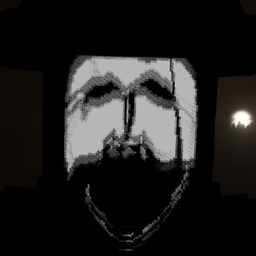
The Farmer Dweller
by xenosan, TheOman
农场来的男人..
5.7万
1 年前
CurseForge

The Opium Bird Dweller
by shiyoki, makeyka 等
来自冬日的鸟……(2027)
2.7万
1 年前
CurseForge

The dwerden [Dweller-Warden]
by TheOman
加入监守者 Dweller……它渴望血肉……
2.6万
1 年前
CurseForge

The Farmer Dweller Reborn
by TheOman
一个糟糕的农夫渴望复仇,但他也没那么坏……
2.3万
23 天前
Modrinth
评论
登录后评论和评分