
介绍
Textualizer
Custom localization solution for all Minecraft versions.


For users
Why do I need this?
Minecraft’s (and Forge’s) language management system is very buggy and inconsistent across several Minecraft versions. This library aims to provide a consistent and reliable way to manage translations in your mods.
Is it going to affect my FPS / performance?
No. The library doesn’t add anything which would affect performance outside of the initial loading of the translations and language switching.
For developers
Setup
You need to add it as a dependency in your build.gradle(.kts) file.
repositories {
    maven("" rel="noopener nofollow" target="_blank">https://maven.deftu.dev/releases")
}

dependencies {
    modImplementation("dev.deftu:textualizer-<MINECRAFT VERSION>-<MOD LOADER>:<VERSION>")
}
Of course, replace <MINECRAFT VERSION> with the version of Minecraft you are developing for, <MOD LOADER> with the mod loader you are developing for, and <VERSION> with the version of the library you want to use.
Usage
To create a translated string, you can use
import dev.deftu.textualizer.minecraft.MCLocalization;

String text = MCLocalization.get("com.example");
To create a translated string with arguments, you can use
import dev.deftu.textualizer.MCLocalization;

int number = 10;
String text = MCLocalization.get("com.example", number);

This project is licensed under LGPL-3.0.
© 2024 Deftu
常见问题
Textualizer 支持哪些 Minecraft 版本?
Textualizer 支持 Minecraft Java 版 1.8.9–1.21.4,共 14 个版本,可用的加载器:Fabric / Forge / NeoForge。下载时注意选择和你游戏版本一致的文件。
Textualizer 怎么安装?
先用 PCL2 或 HMCL 启动器安装对应版本的 Fabric / Forge / NeoForge,再把下载的 .jar 文件放进游戏目录的 mods 文件夹,重新启动游戏即可。开启了版本隔离的,mods 文件夹在 versions/版本名 下面。
DeftuDev 的其他作品
查看全部 →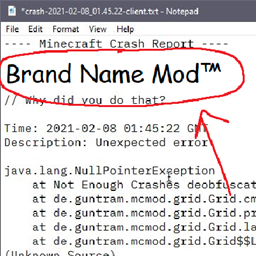
CrashBrander
为崩溃报告添加整合包品牌信息的小模组,方便调试!

DeftuLib
Deftu 模组的小型前置库。

Mantle.gg
匠心制作,赢取奖励,挑战自我

OmniCore
A library made to make creating multi-versioned mods significantly easier.
评论
登录后评论和评分