
The Block Keeps Ticking
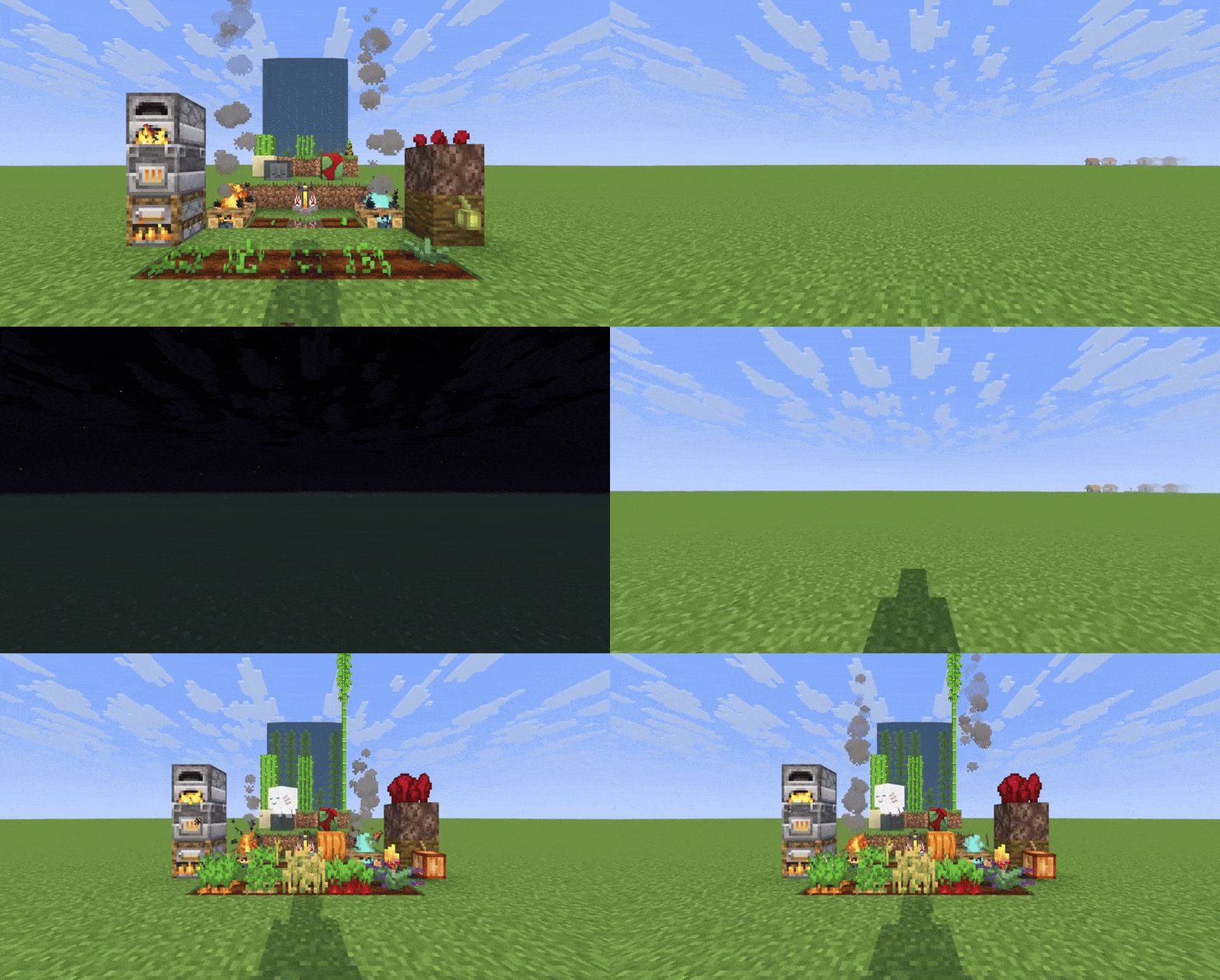
Simulates block ticking and entity growth in unloaded chunks, so your farms, furnaces, and passive mobs keep growing and working even when you're far away.
截图


介绍
The Block Keeps Ticking

This wonderful mod icon was created by Sulmino_ on Twitter/X.
Simulate block ticking and entities in unloaded chunks
The Block Keeps Ticking is a complete rewrite of Alive World, (which is a fork of Presence Not Required) that allows blocks and entities to continue progressing in unloaded chunks, so your farms, furnaces, and passive mobs keep growing and working even when you’re far away.
Features
- Simulate When Away: Simulate blocks and entities in unloaded chunks when you are away from those chunks.
- Block Support:
- Block Entities: Furnaces, Campfires, Brewing Stands
- Crops & Stems: Wheat, Carrots, Potatoes, Beetroots, Torchflowers, Pumpkins and Melons
- Nether Wart: Growth progression
- Cocoa Beans: Growth progression
- Trees: Sapling growth
- Leaves: Decay progression
- Growing Plants: Kelp, Bamboo, Sugar Cane, Cactus
- Dried Ghast & Sniffer Eggs: Hydration and hatching progression
- Budding Amethyst: Growth progression
- Cauldrons: Water and lava dripping
- Mud & Farmland: Mud above dripstone converting to clay, farmland hydration
- Sweet Berry Bushes: Growth progression
- Entity Support: Ageable mobs (growth toward adulthood), including chicken egg laying in unloaded chunks
*Note: Due to the way Sniffer Eggs and Dried Ghasts are processed, some precision is lost during simulation.
- Time Modes: Choose between world time (only progresses when playing) or real time (progresses even when offline).
- Simulate After Sleeping: Time skips (e.g. from sleeping) will simulate loaded chunks for the duration of the time skip.
- Lazy Tax setting: Configure a percentage reduction of simulated ticks to slow down simulation for your prefered balance level.
- Per-Object Configuration: Enable or disable simulation for specific blocks and entities individually.
- Commands: Owner/op commands to inspect or change config and manually simulate chunks or blocks (see below).
- Serverside: When installed on a server, players do not need to install the mod. Can also be installed in singleplayer worlds.
Configuration
You can configure the following values with ModMenu and YetAnotherConfigLib, by editing config\the-block-keeps-ticking.json, or with /tbkt config (see Commands).
- Time Source: Choose between “World Time” (only progresses when playing) or “Real Time” (progresses even when offline). Real Time works well with lazy tax. (Default: World Time)
- Simulate After Sleeping: When enabled, time skips (e.g. from sleeping) will simulate loaded chunks for the duration of the time skip. (Default: true)
- Min Inhabited Time (ticks): Chunks with less inhabited time than this are not simulated. Keeps exploration lag down.
6000is 5 minutes.0always simulates. Range: 0–24000. (Default: 6000)
- Lazy Tax (%): Simulated ticks are reduced by this percentage. Increasing this value slows down simulation in unloaded chunks. Range: 0-99. (Default: 0)
- Debug Logging: Enables detailed logging when simulation occurs, including scan vs simulate timings, inhabited-time skips, and staggered catch-up slices. (Default: false)
- Ticking Objects: Individual toggles to enable or disable simulation for each supported block type and entity. All are enabled by default.
Commands
All commands require permission level 4. Also available as /theblockkeepsticking ....
/tbkt config: Lists current config values and set usage/tbkt config reload: Reloads the config from disk and writes any missing defaults/tbkt config set <option> <value>: Sets a general option (timeMode,lazyTaxPercent,simulateChunksWhenSleeping,minInhabitedTicks,debugLogging)/tbkt config set tickingObject <true|false> <name>: Enables or disables a ticking object/tbkt simulate chunk <ticks> [<chunkX> <chunkZ>]: Simulates all ticking objects in a loaded chunk. Omit coordinates to use the executing player’s chunk/tbkt simulate block <ticks> [<x> <y> <z>]: Simulates a single supported block or block entity. Omit coordinates to use the executing player’s position
The chunk must be loaded for simulate chunk.
⚠️ Warning: This mod stores Fabric chunk attachments. Removing it may cause harmless log spam about unknown attachment types. This is a Fabric limitation, not a bug in the mod.
API usage
The Block Keeps Ticking exposes a small API so other mods can register their own ticking objects to be simulated in unloaded chunks.
Registering custom ticking objects
To register custom ticking objects for your mod:
- Create a
TickingObjectimplementation for each block, block entity, or entity you want to simulate. ExtendTickingObjectand implement at least:
getType()– returns the class you want to handle (e.g. aBlock,BlockEntity, orEntitysubclass)getName()– a unique name, only used for configuration and loggingSimulate(...)– contains the simulation logic
Important: You are responsible for fully implementing your own Simulate(...) method. The Block Keeps Ticking only tells you how many ticks should be simulated and when. It does not provide default behavior or automatically advance your blocks or entities for you. To make this easier, there are helper methods available in the provided API and utility classes that you can call from inside your Simulate(...) implementation.
Optionally override getModId() to return your mod’s ID, so logs and config clearly show which mod registered the object.
- Expose a
TickingAccessor(recommended) For vanilla or third‑party content, add theTickingAccessorinterface to a mixin targeting the relevant class, and forward the simulation to your existing tick logic. For custom blocks/entities you can either:
- implement
TickingAccessorand delegate, or - implement the simulation logic directly inside your
TickingObject(not recommended, but possible for simple blocks).
- Implement the
InitializeTickingBlocksentrypoint Create a class in your mod that implementsInitializeTickingBlocksand registers your ticking objects:
   public class YourTickingBlocksInitializer implements InitializeTickingBlocks {
       @Override
       public void registerTickingBlocks(TickingBlockRegistry registry) {
           registry.register(new YourTickingBlock());
           // register more ticking objects here if needed
       }
}- Register the entrypoint in
fabric.mod.jsonIn your mod’sfabric.mod.json, add thetheblockkeepstickingentrypoint pointing to your initializer:
   "entrypoints": {
     "theblockkeepsticking": [
       "[[YOUR-MODID]].YourTickingBlocksInitializer"
     ]
   }
When The Block Keeps Ticking initializes, it will discover all theblockkeepsticking entrypoints and call registerTickingBlocks, wiring your TickingObjects into the simulation system.
API example project
This repository includes an API example mod under the api-example folder. It demonstrates:
- How to implement a custom
TickingObject(TickingChestBlockEntity) for a vanillaChestBlockEntity - How to use a mixin plus the
TickingAccessorinterface to bridge into existing tick logic - How to hook into the
theblockkeepstickingentrypoint (APIExampleTickingBlocks) and register your ticking objects
You can use this example as a starting point for integrating your own mod with The Block Keeps Ticking.
常见问题
The Block Keeps Ticking 支持哪些 Minecraft 版本?
The Block Keeps Ticking 支持 Minecraft Java 版 1.21.6–26.3,共 11 个版本,可用的加载器:Fabric / NeoForge。下载时注意选择和你游戏版本一致的文件。
The Block Keeps Ticking 怎么安装?
先用 PCL2 或 HMCL 启动器安装对应版本的 Fabric / NeoForge,再把下载的 .jar 文件放进游戏目录的 mods 文件夹,重新启动游戏即可。开启了版本隔离的,mods 文件夹在 versions/版本名 下面。运行环境:仅服务端。
MagicJinn 的其他作品
查看全部 →
Beacon Aura
Improves beacons by allowing you to soak in a beacon's effects with duration stacking over time

Better Pet Teleporting
Vastly improve pet teleportation logic so you don't lose them. Supports all pets across all dimensions.

Quantum Things
Quantum Things, a 1.12.2 continuation of Lumien231's Random Things
Quantum Things
Quantum Things, a 1.12.2 continuation of Lumien231's Random Things
评论
登录后评论和评分