
Take Your Stream Chat
Live chat from Twitch, YouTube, Kick & TikTok — right inside your Minecraft world.
截图
介绍
Take Your Stream Chat
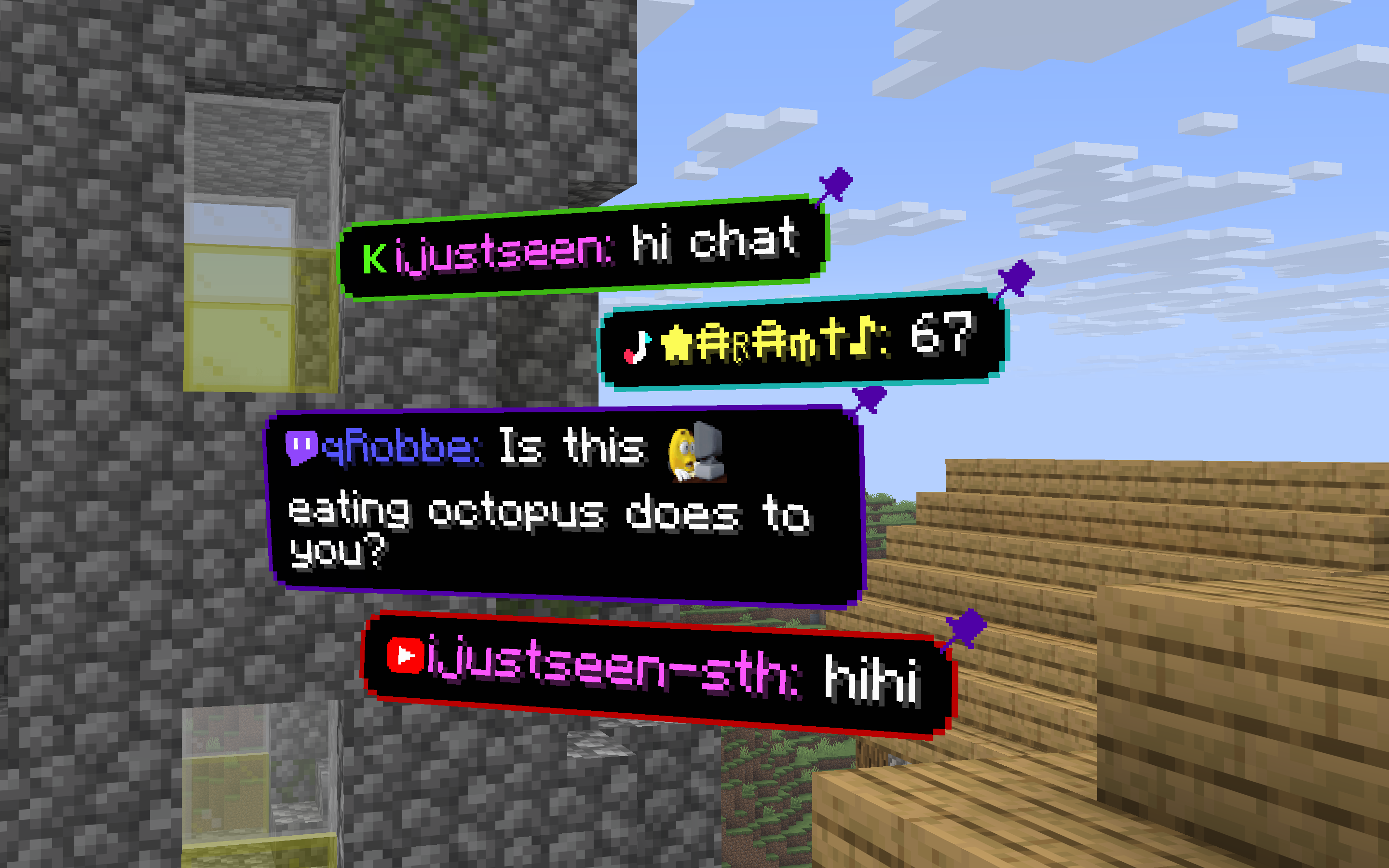
Chat from Twitch, YouTube, Kick and TikTok – inside Minecraft, next to you.
No second monitor. No OBS overlay you keep forgetting to look at. Messages pop up as little cards in the world, or sit quietly in a screen corner. Read chat, pin a funny one, keep playing.

Two ways to show chat
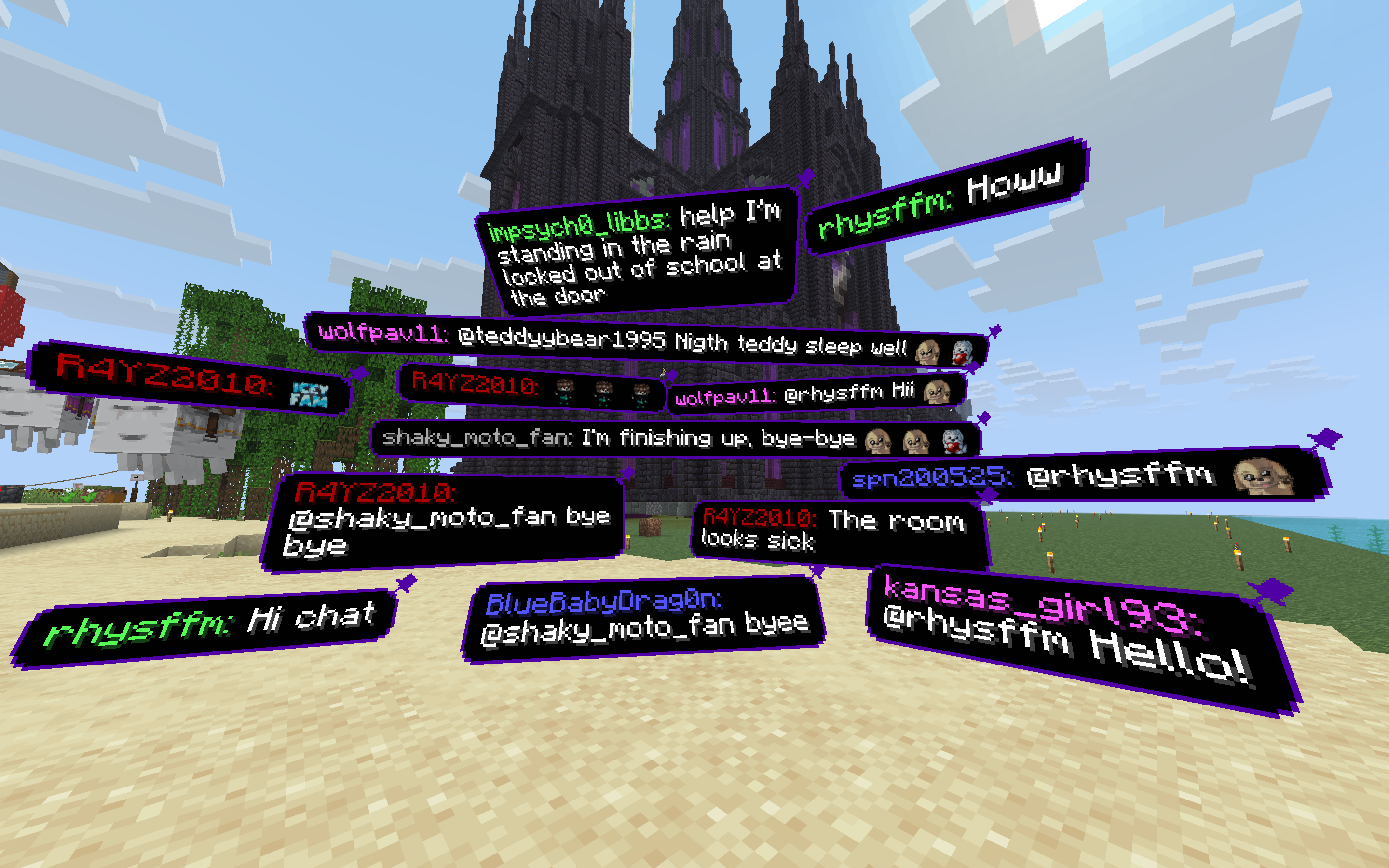
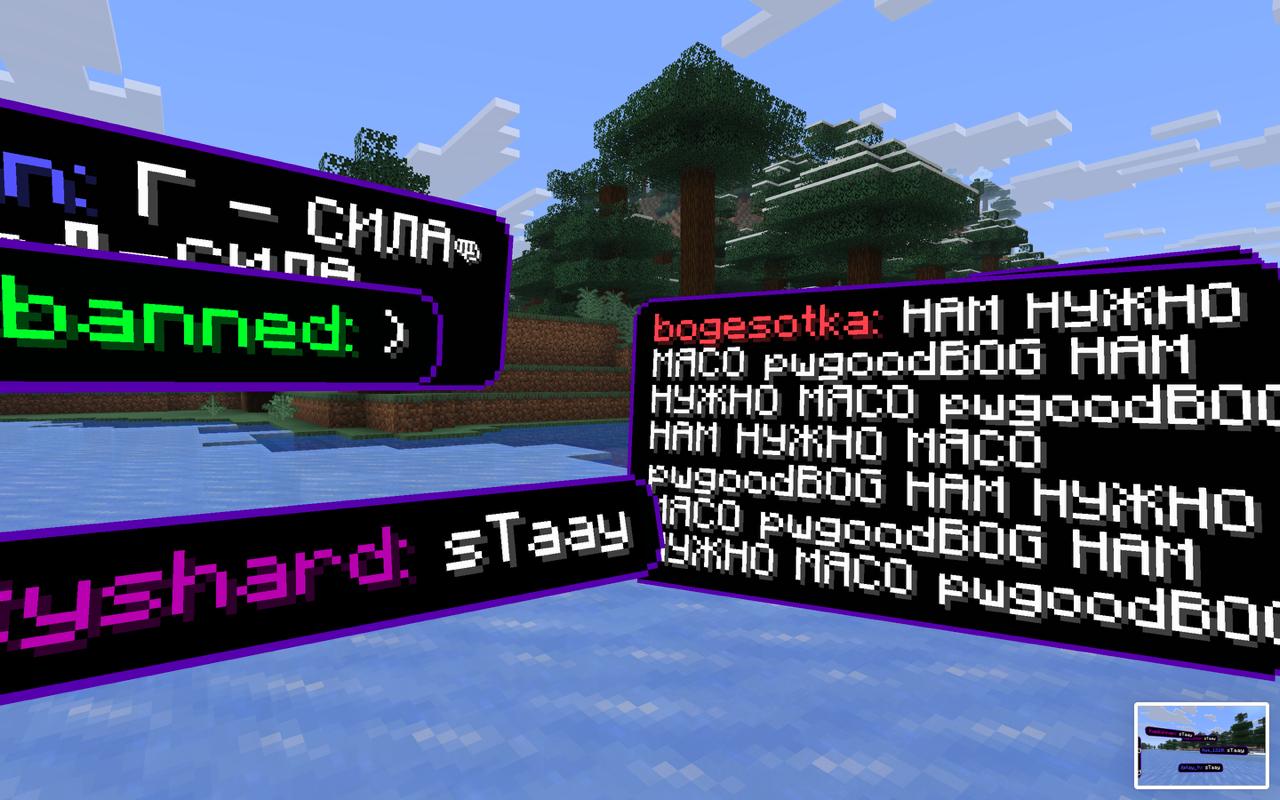
In the world. Bubbles spawn around you, or only in front of you (so they stay on camera). Look at a message and the timer pauses – handy when you want to read it out loud. Left-click to dismiss, right-click to pin. Pins stick around per world and dimension.
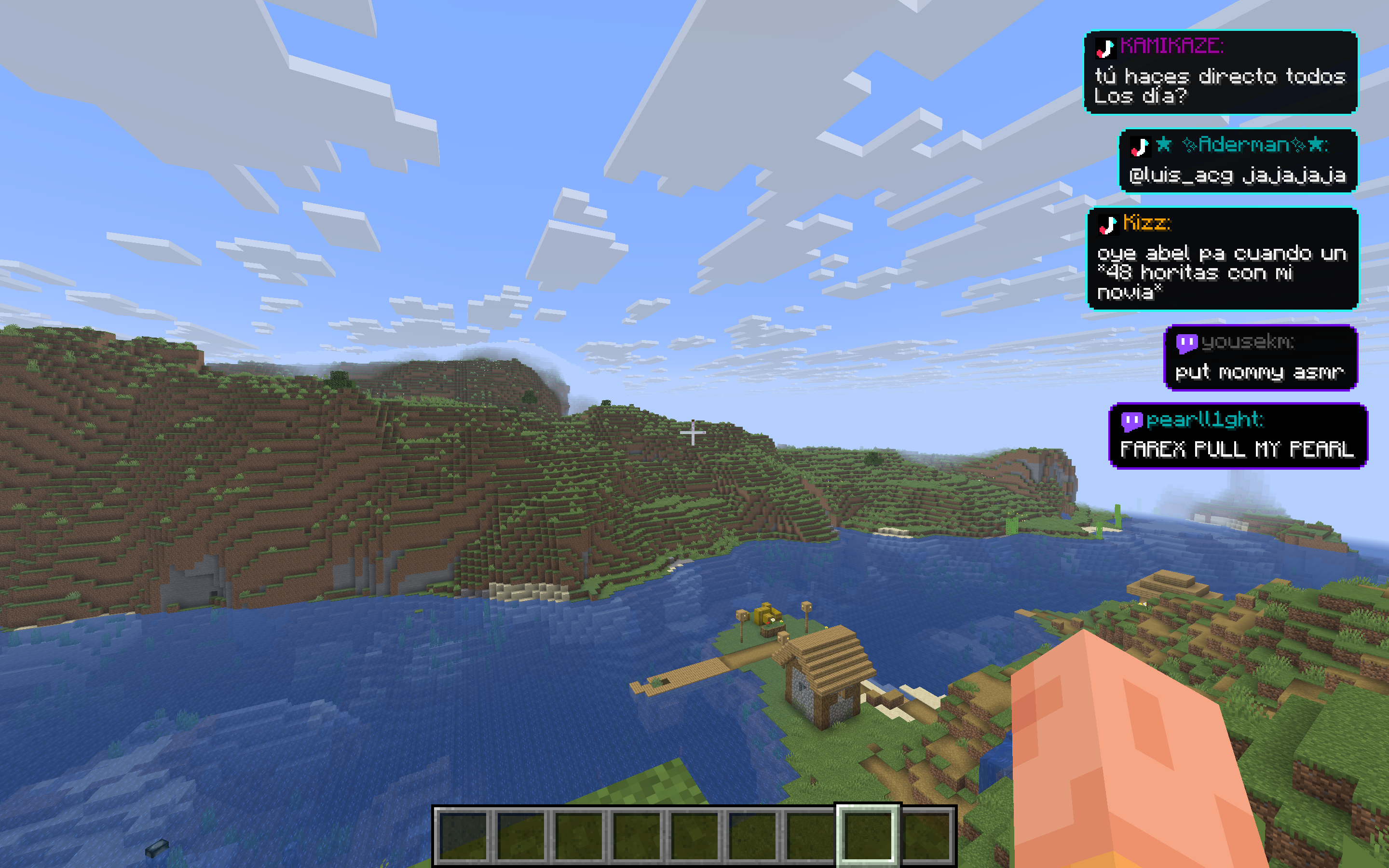
On the HUD. A stack in any screen corner. Still visible when you open your inventory. Nudge it with X/Y offsets so it doesn’t cover your hotbar.
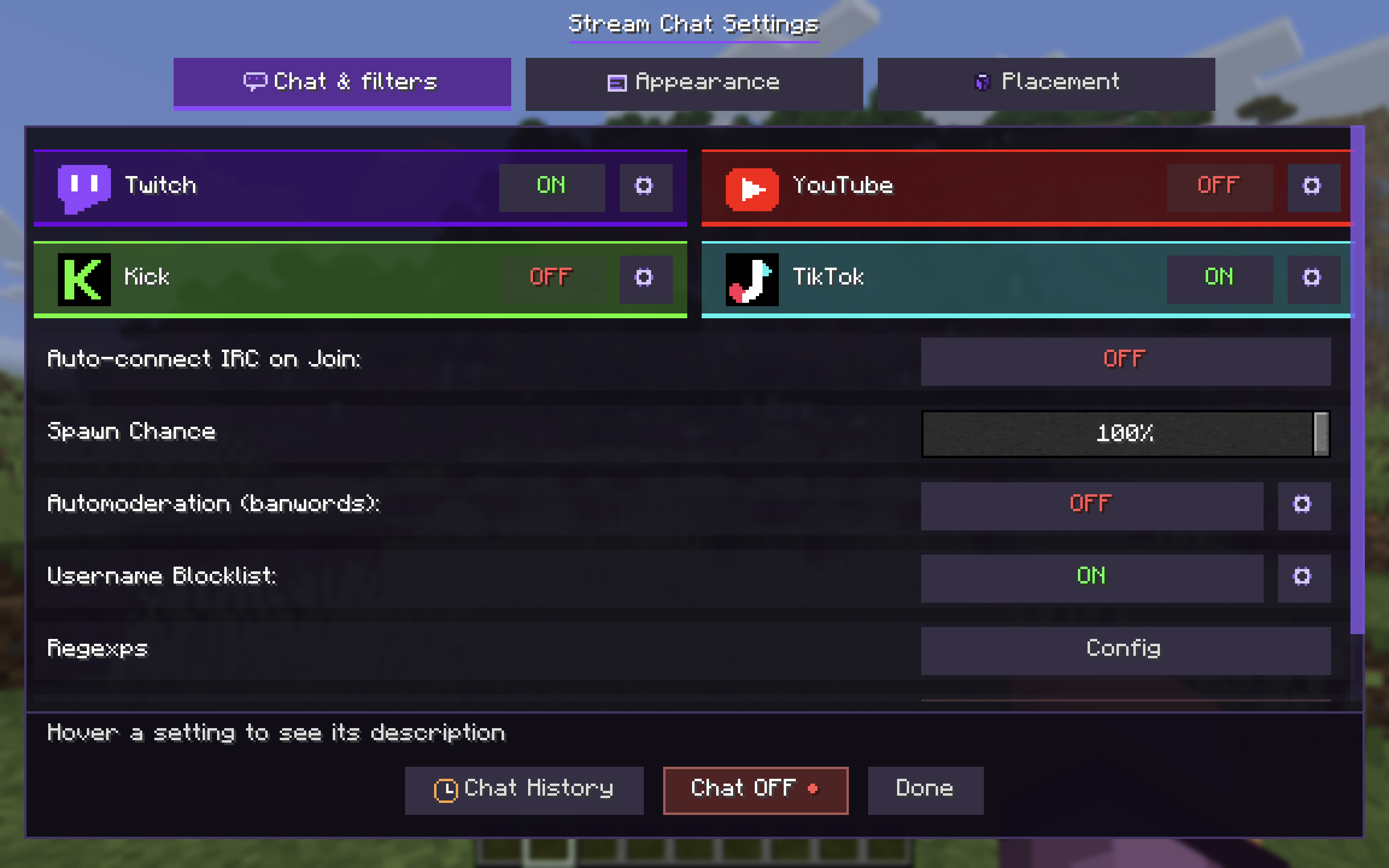
Pick In world or On HUD in settings → Appearance. Fine-tune where things sit in Placement.
What else you get
- Several platforms at once – turn on the ones you actually stream on
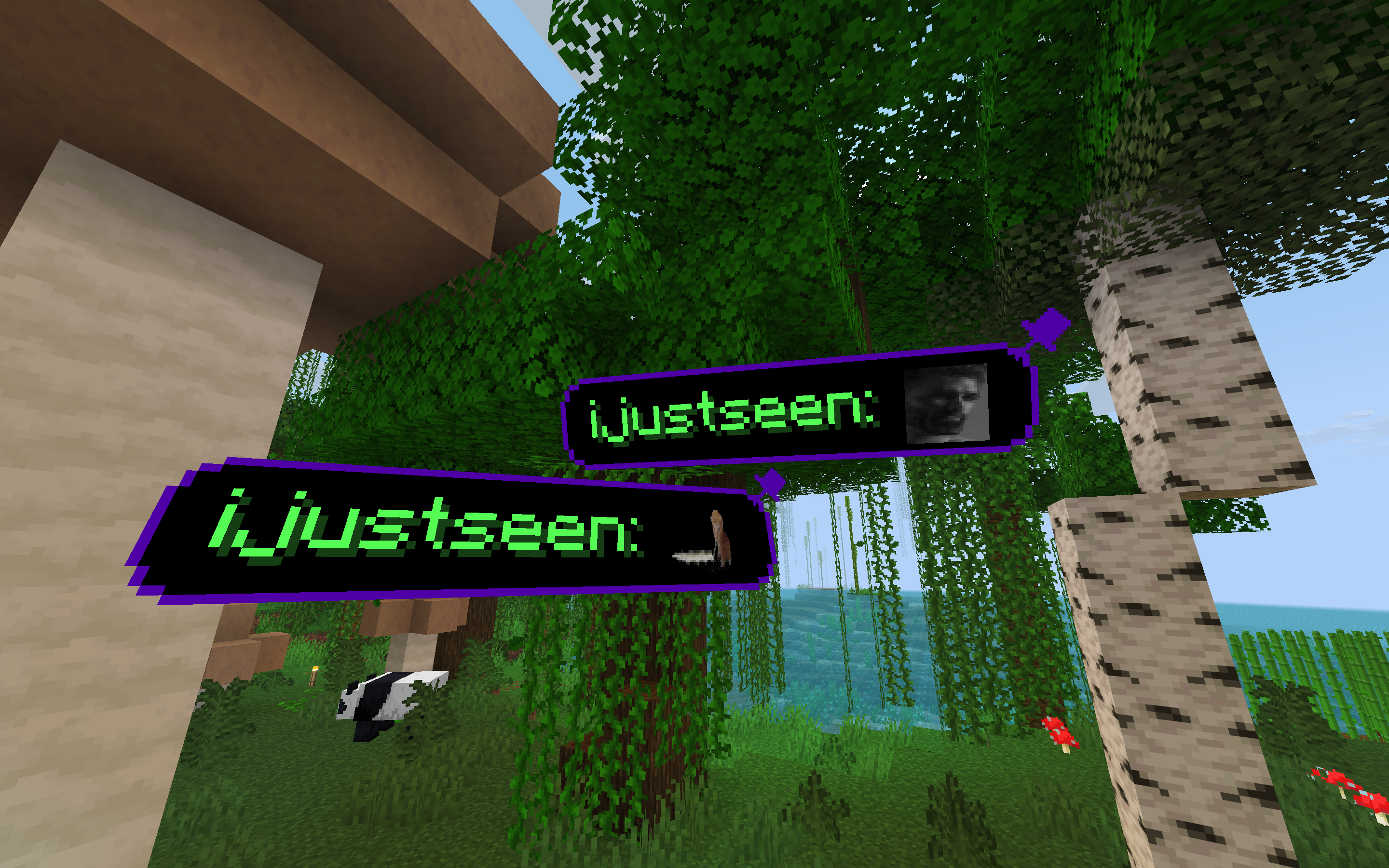
- Emotes as pictures – Twitch, 7TV, Kick, YouTube stickers, plus optional color emoji
- Role badges — host, mod, VIP, sub next to the name
- Your colors — panel fill and border (or let the border follow the platform color)
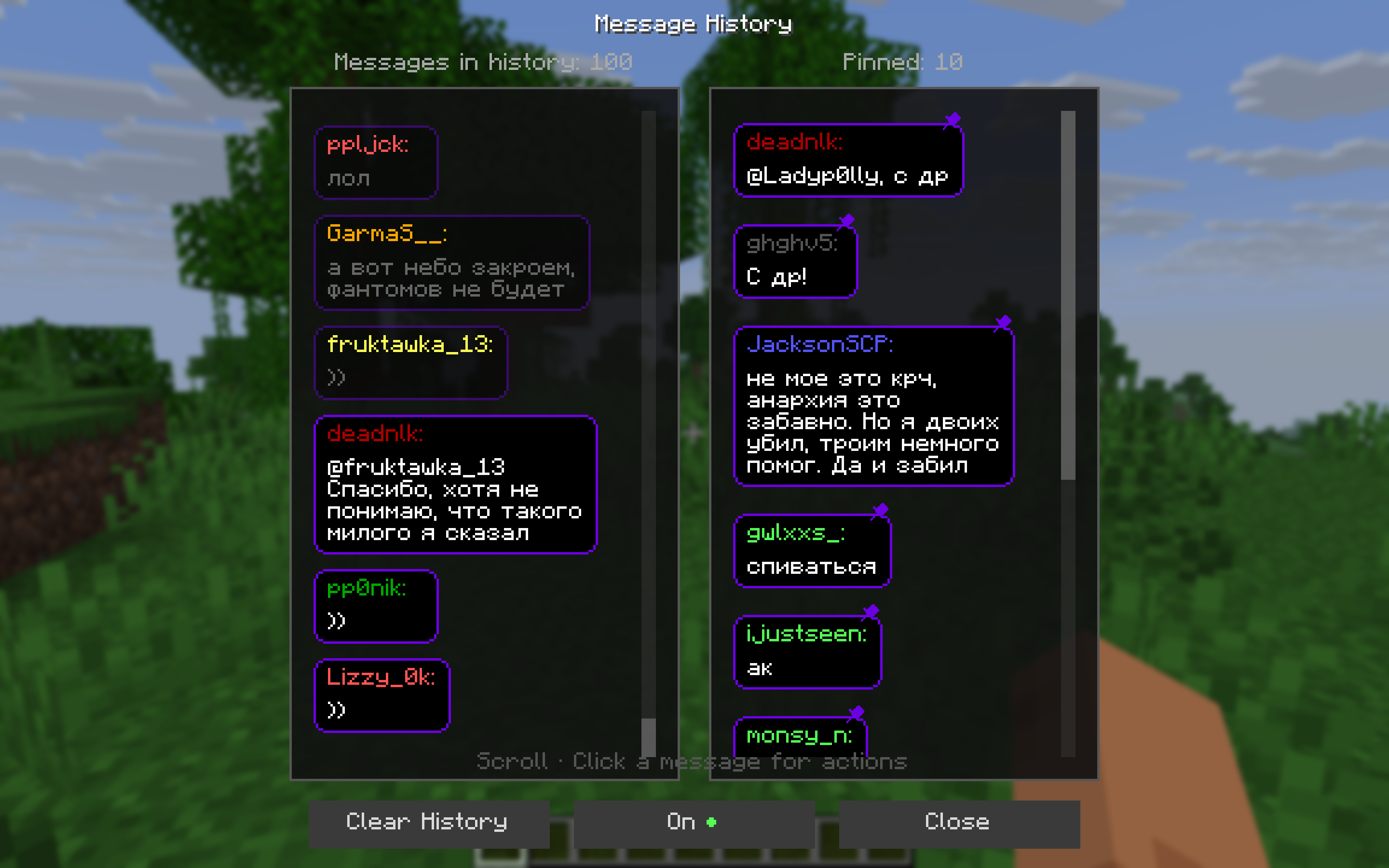
- History — scroll back, replay a message, pin it again, or block the nick
- Filters — banwords, regex, username blocklist, and per-platform role filters (subs / VIP / mods / followers)
- Per-platform mute — hide one source’s messages or its ping sound without disconnecting
- TikTok gifts and follows — optional, off by default
It’s client-side. Only you need the mod.
Setup (about two minutes)
- Install Fabric and Fabric API for your Minecraft version. Download the matching jar from this page.
- Drop the jar in
mods/and launch. - Press
]to open settings. - Turn on a platform, click the gear, paste your channel /
@username. - Hit Chat ON at the bottom (or press
[).
Turning a platform on does not connect by itself. That’s on purpose: you can set everything up, then go live with one click.
Mod Menu is optional. Fabric API is not.
Keys
| Key | What it does |
| ——- | ————————————– |
| ] | Open settings |
| [ | Connect / disconnect all enabled chats |
In the world, empty hand:
- Left click — dismiss a message
- Right click — pin; click the pin (or hold) to unpin / drag
You can change the keys in Minecraft’s Controls menu.
Tips from streaming with it
- Chat too fast? Lower spawn chance so not every message becomes a bubble.
- Want a clean POV? Use HUD, or FOP only so 3D cards stay in your field of view.
- Noisy chat? Open the platform gear and turn off “show everyone”, then keep only subs / VIP / mods.
- Don’t want to press
[every session? Turn on auto-connect when you join a world. /streamchat test hellois the fastest way to see a bubble without going live.
Commands
You probably won’t need these — settings cover the same things. Main command is /streamchat (/minestream still works).
| Command | |
| ————————————– | ——————– |
| /streamchat test Hello! | Spawn a test message |
| /streamchat chat start / chat stop | Same as [ |
| /streamchat banword add word | Add a filtered word |
| /streamchat blockuser add SomeNick | Block a username |
| /streamchat help | Full list |
Versions
Minecraft 1.21, 1.21.1, 1.21.4, 1.21.8, 1.21.10, 1.21.11, 26.1, 26.2. One jar per game version — pick yours on this page.
Needs Fabric Loader and Fabric API.
Coming from Take Your MineStream (1.x)
Same mod, new name. Settings and pinned messages migrate on first launch. Old jars were tyms-…, new ones are tysc-…. Don’t run both.
Something broken? Tell us me GitHub.
常见问题
Take Your Stream Chat 支持哪些 Minecraft 版本?
Take Your Stream Chat 支持 Minecraft Java 版 1.20.1–26.3,共 15 个版本,可用的加载器:Fabric / NeoForge。下载时注意选择和你游戏版本一致的文件。
Take Your Stream Chat 怎么安装?
先用 PCL2 或 HMCL 启动器安装对应版本的 Fabric / NeoForge,再把下载的 .jar 文件放进游戏目录的 mods 文件夹,重新启动游戏即可。开启了版本隔离的,mods 文件夹在 versions/版本名 下面。运行环境:仅客户端。
评论
登录后评论和评分